

Can this directly replace the tplink c5v?
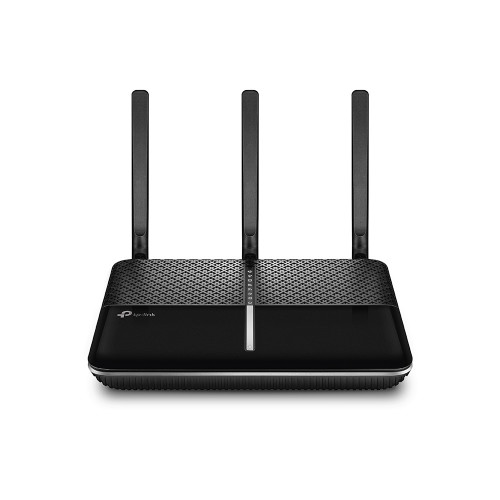
Custom maxis fibre router with voip function, Any recommendations?
|
|
 May 1 2020, 08:43 PM May 1 2020, 08:43 PM
Return to original view | Post
#1
|
 
Junior Member
520 posts Joined: Jan 2003 From: Sri Petaling, Kuala Lumpur  
|
TP link VR600v
Can this directly replace the tplink c5v? |
|
|
|
|
|
May 2 2020, 01:20 AM
Return to original view | IPv6 | Post
#2
|
|
Junior Member
520 posts Joined: Jan 2003 From: Sri Petaling, Kuala Lumpur
|
QUOTE(yongtjunkit @ May 1 2020, 09:55 PM) Nope, if you are on Fiber I can see this model is marketed to support unifi maxis time etc. So it must support fibre optic modem via wan port right?This router is for VDSL/ADSL  |
|
|
May 2 2020, 08:14 PM
Return to original view | IPv6 | Post
#3
|
|
Junior Member
520 posts Joined: Jan 2003 From: Sri Petaling, Kuala Lumpur
|
QUOTE(yongtjunkit @ May 2 2020, 06:13 AM) Based on the picture on the TPlink website there’s no Wan port + no marketing about unifi maxis time probably Lazada I guess? Yeah its from Lazada. Thanks for your help Even if it mention it this is designed for copper wiring(Unifi lite, streamyx, maxis - limited to 30mbps with copper connection ) or you’ll lose a lan port for that(to be used as a wan port) blacktubi might know about if this is officially supporting unifi/ maxis fiber  |
|
|
May 3 2020, 07:11 AM
Return to original view | IPv6 | Post
#4
|
|
Junior Member
520 posts Joined: Jan 2003 From: Sri Petaling, Kuala Lumpur
|
QUOTE(alvinchan2010 @ Dec 28 2019, 04:39 PM) After getting Maxis technical support help, I managed to have my DLink DIR882 setup as primary internet router while using Maxis TP Link router as Voice VOIP and Switch. Here is the setup and steps: After step 4, the dlink becomes ur main or secondary router?1. Connect ONU (TM, LAN2) to Maxis TP Link WAN port and set the Maxis TP Link router up for PPPOE and Voice VOIP. Make sure everything work fine. 2. Change the Maxis TP link router to Bridge Mode (as Switch only) 3. Connect own router (my case is DIR882) WAN port to any LAN port (I use LAN 4) in Maxis TP link router. 4. Setup DIR882 for internet access with PPPOE . You will need Maxis Fibre PPPOE login info. You can just call maxis to set it up for you after you have your new router. I imagine ur final setup would be ONU LAN -> TPLINK WAN then TPLINK LAN -> DLINK WAN. Or is it the other way around? |
| Change to: |  0.0171sec 0.0171sec
 0.94 0.94
 7 queries 7 queries
 GZIP Disabled GZIP Disabled
Time is now: 10th December 2025 - 04:01 PM |
 Quote
Quote