Welcome Guest ( Log In | Register )

Outline · [ Standard ] · Linear+

Review Kobo E-Book Reader (6.0 inch & 7.8 inch) E-Ink, Clara HD & Aura One + re-flow PDF file

views
     
TSxxboxx
post Jun 8 2019, 01:51 AM, updated 2y ago

The mind is for having ideas, not holding them
*******
Senior Member
5,261 posts

Joined: Oct 2004
From: J@Y B33


I noticed there doesn't seem to be any review of e-ink reader in here, apart from the 2 e-reader review that was done in 2011. In LYN Book Club subforum got one thread for Kindle which last post is in 2016. I'm here to give review and thought on these 2 e-readers that I have, the Kobo Aura One 7.8 inch which I purchase more than 2 years ago around RM1100 and Kobo Clara HD 6.0 inch which I purchase few months ago around RM600.

Now, when mentioning e-ink reader most people would only know Kindle, and the better model Paperwhite. I thought about buying it last time too but after reading how hassle it was to sideload ebook and also it support less format I decided to go with Kobo. Last time I also wanted bigger screen than 6 inch for reading manga, that time the choice were Aura One and Kindle Oasis, decided against Oasis because the higher price, only 7 inch screen, and earlier mention hassle. After using for a year I found while 7.8" is great for manga and if you properly seating for reading, it's not great at all for portability and holding with one hand. So I decided to get the 6 inch for purely reading e-book.
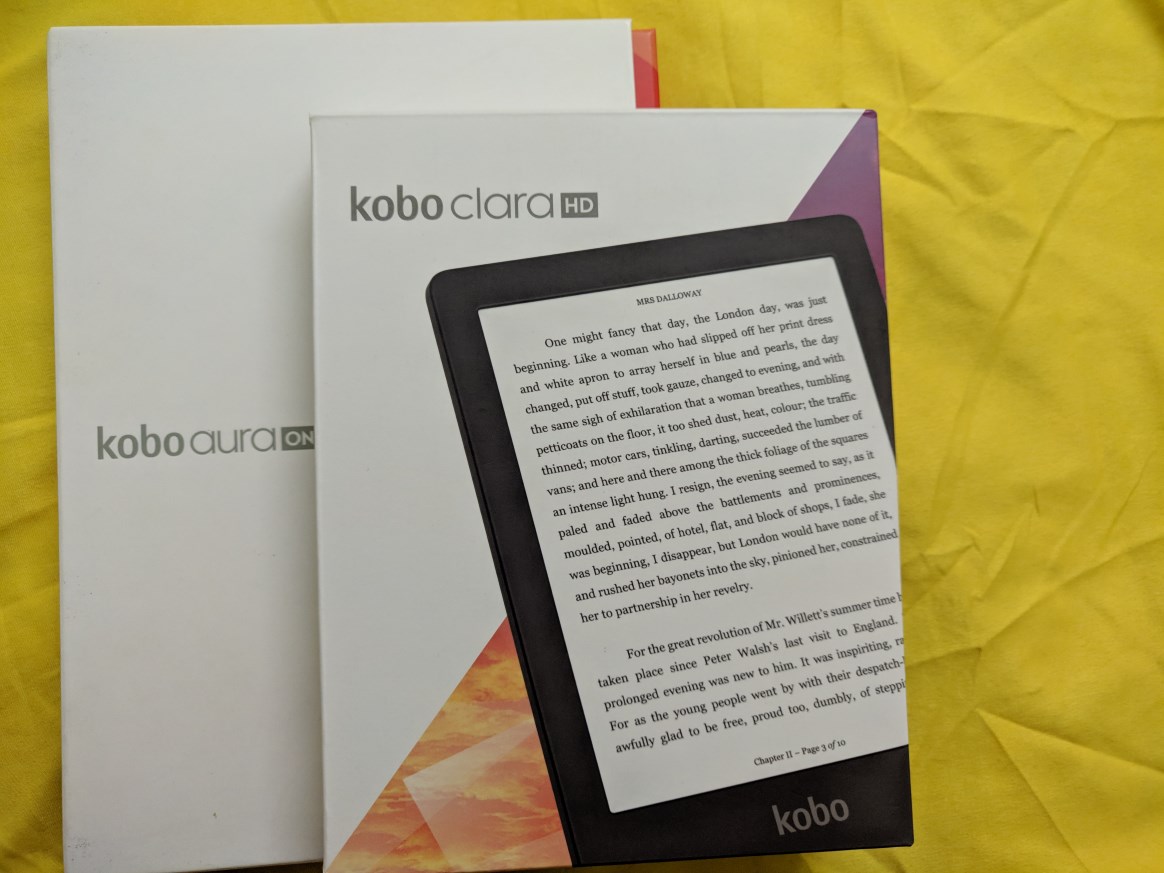
user posted image
The boxes

user posted image
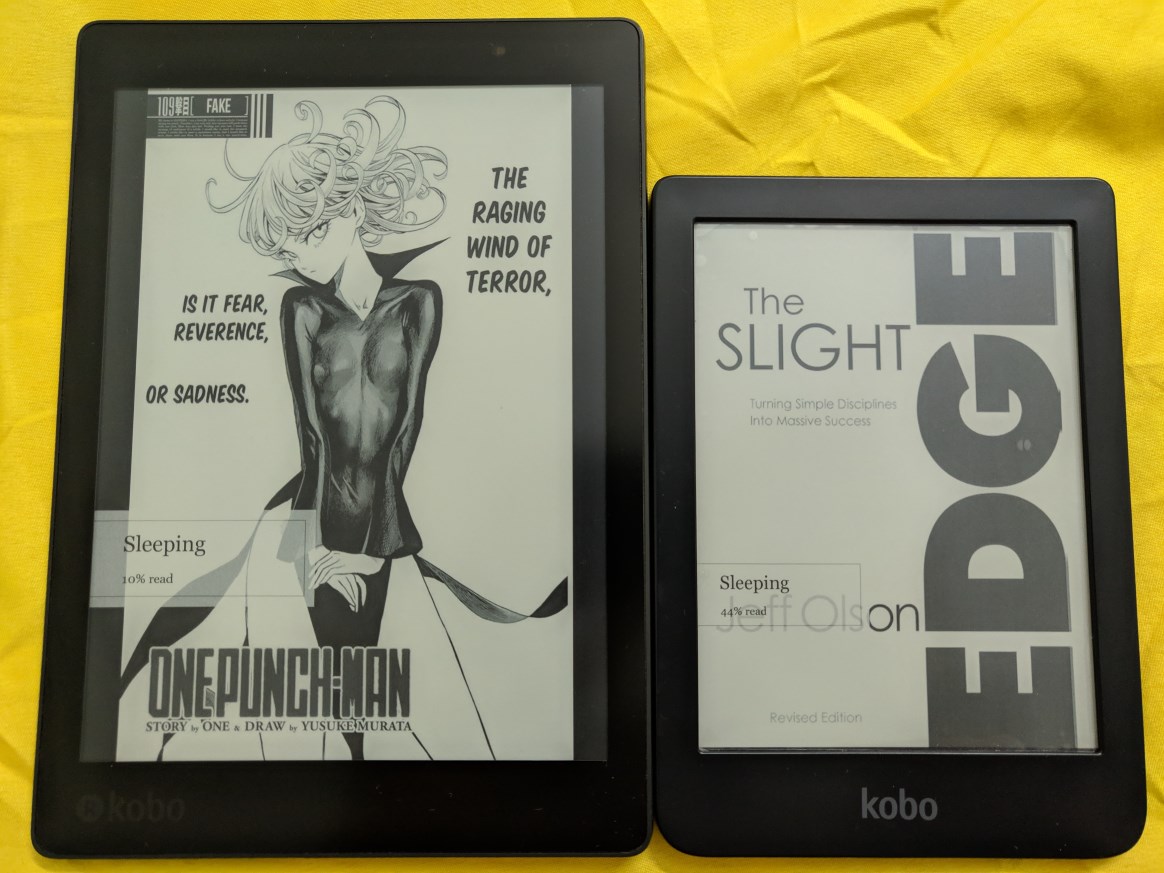
Aura One and Clara HD side-by-side

Design and build quality
Both devices are made of plastic but you don't feel like it's a cheap device. The build quality is superb, no creaking or flexing on both devices. Both devices only have micro-USB port and power button, there's no physical button for page turning. Aura One have a big blue power button at the back which you can easily find without looking, Clara HD have a small button at bottom which sit flush and that makes it harder to press it, the good point is it's harder to accidentally press it. Still I feel Aura One button placement is much better. Aura One dimension is 195.1 x 138.5 x 6.9 mm while Clara HD is 159.6 x 110 x 8.35 mm. Aura One is certified IPX8-rated water-resistance, up to 60 mins in 2 meters of water, so you can bring it to tub, pool, or even in rain without worrying about damaging the reader. Clara HD unfortunately have no water resistance so you need to be extra careful when near water.
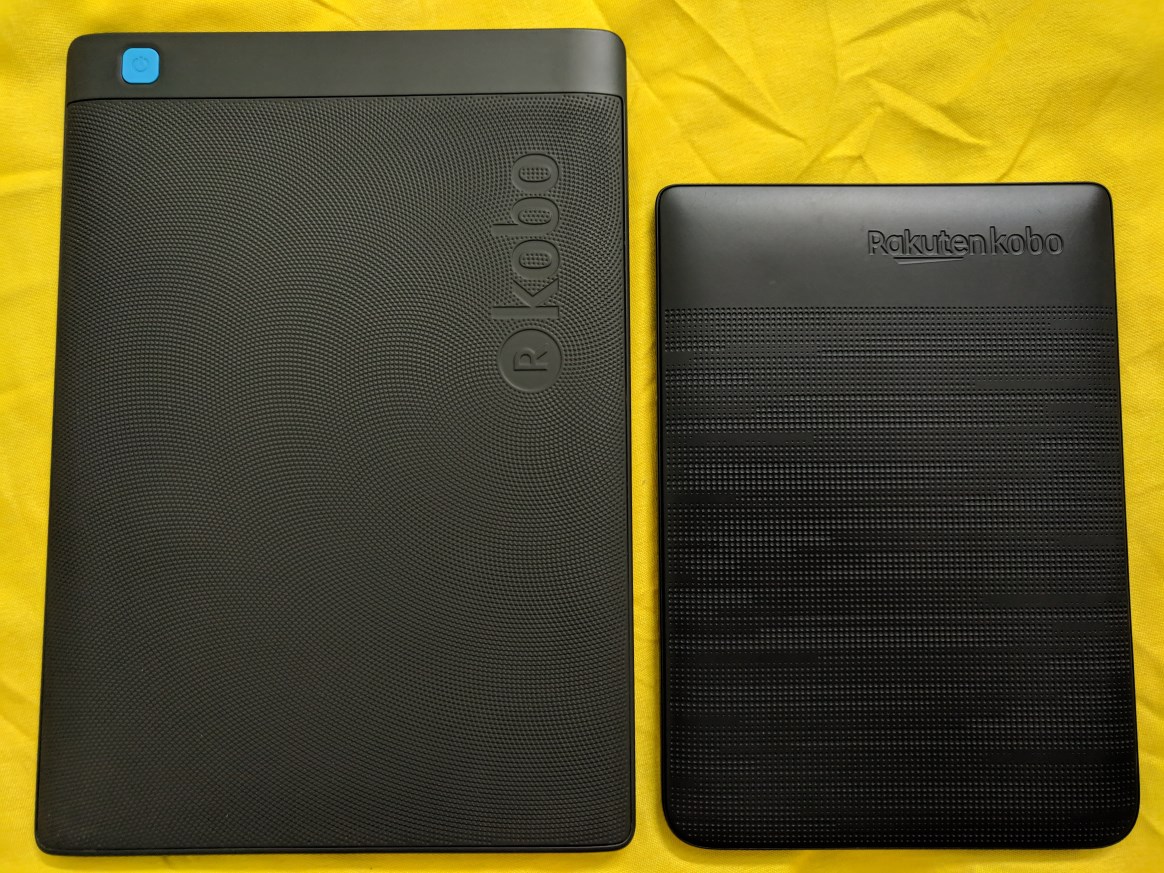
user posted image
Both have a textured back, it helps to give your finger a better grip on device. With the adequate bezel on the side of the screen both devices can be held with one hand, just Aura One will make the hand tired much earlier. Aura One have flush bezel with screen while Clara HD bezel is not flush with screen. I prefer flush screen as you'll feel the text is directly in front like when you looking at the text in book. With Clara HD bezel there's shadow which make you feel the text is at behind a thick bezel, sort of like old monitor with thick bezel, it kills the immersion. The plus side is the raised up bezel help to avoid the screen from being scratched.

Both is using Freescale SoloLite 1Ghz and storage is 8GB, usable 6.5GB with no support for SD card. There's also Aura One model with 32GB storage. It doesn't have speaker or even bluetooth, so no audio book.

Screen
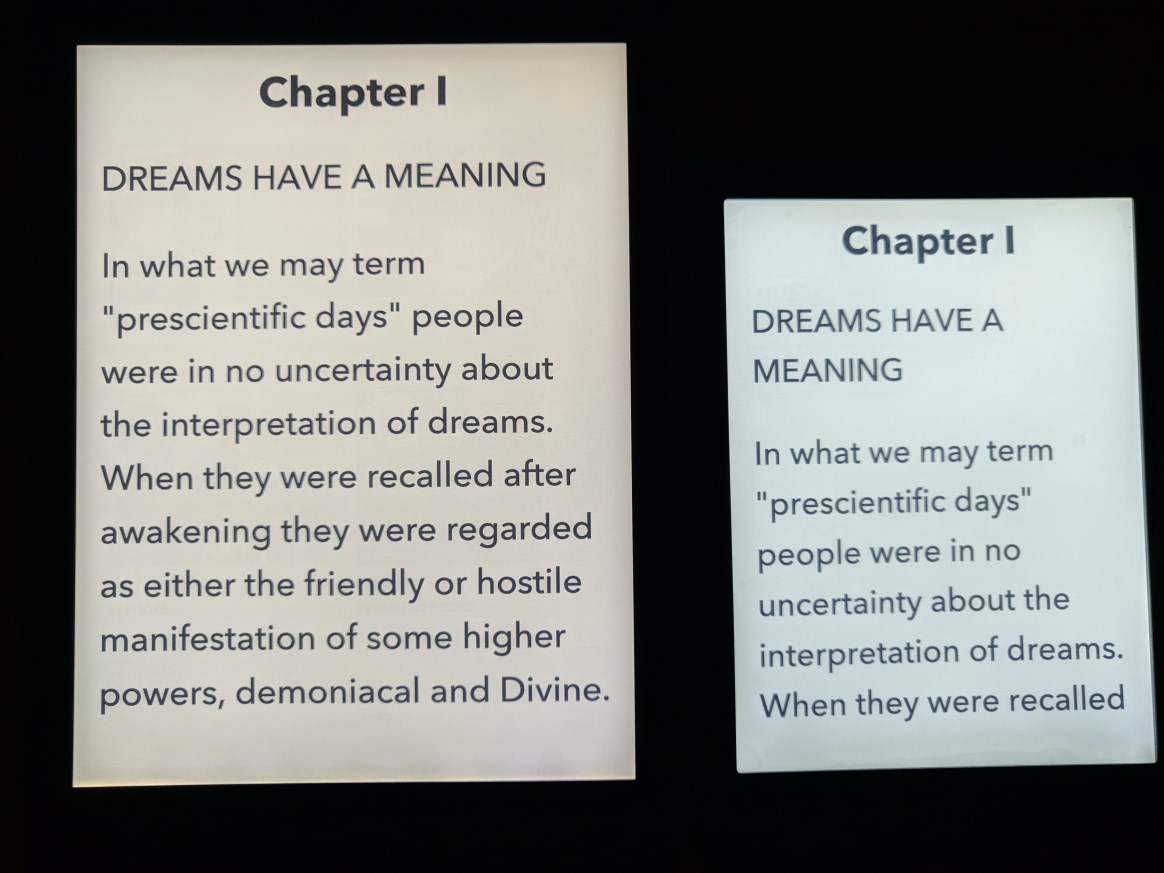
Aura One screen resolution is 1872x1404 while Clara HD is 1448x1072. Both have same 300ppi which makes the text or image looks very smooth, no jagged edge up close. Both screen have backlight with ComfortLight PRO which help to reduce eyes strain when using on night time, something like night light. Aura One is lit by nine white LEDs and eight RGB LEDs around the frame. The additional RGB LEDs allow the device to have a night reading mode that limits the blue light that comes from white LEDs. Clara HD have eight white LEDs and seven orange LEDs. Reading on e-ink is similar to reading on paper, there's no glare unlike LCD screen which make your eye strain. Even with backlight it does not blast light to your eyes, it just shine light to the screen.
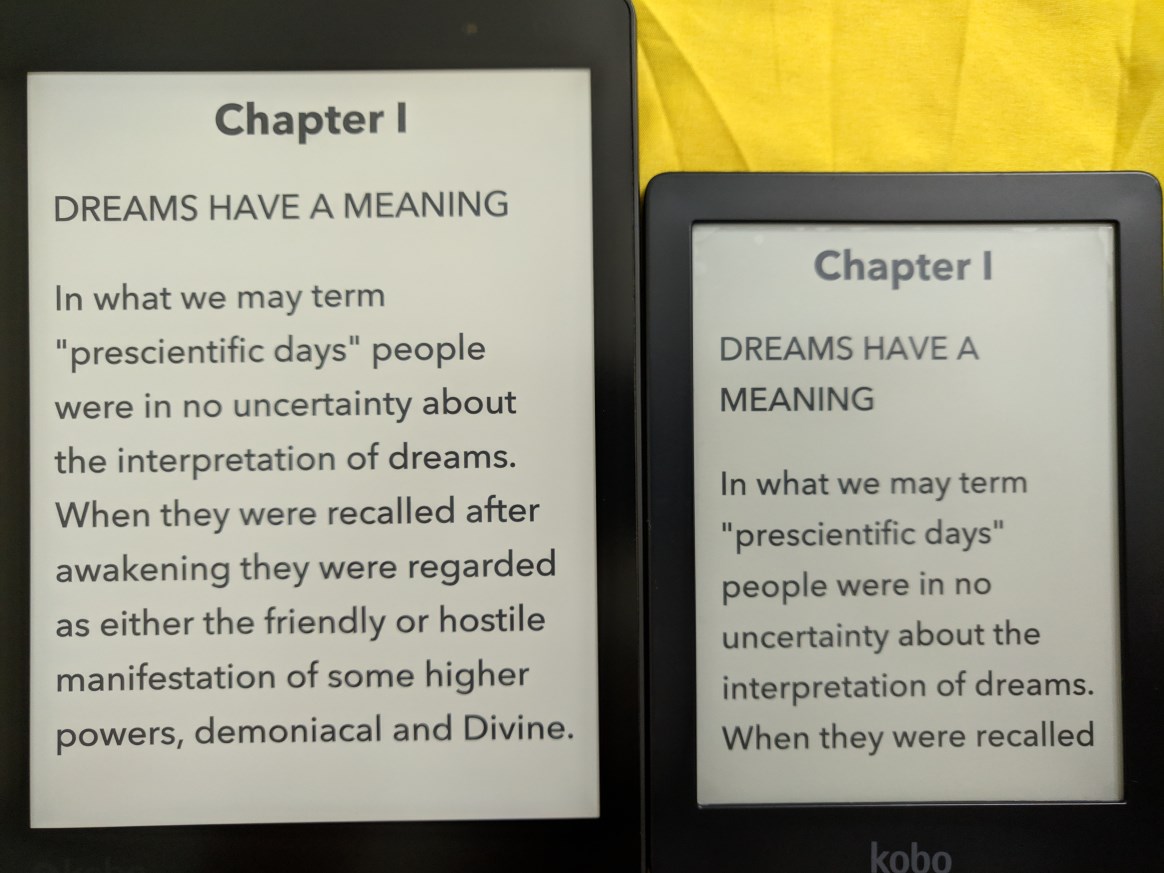
user posted image
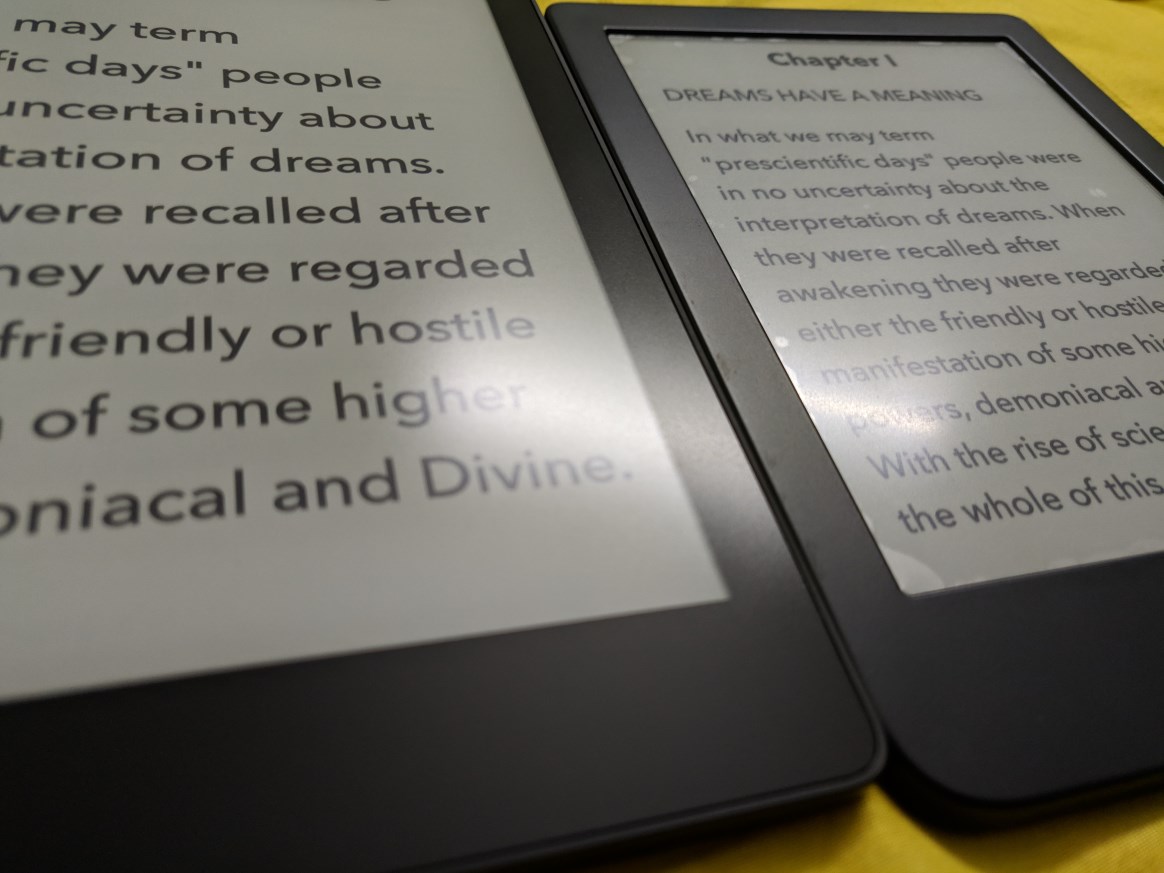
Pardon my photography skill, somehow the photo only sharp at middle while blur for the sides. In actual both screen text looks very nice with it's high ppi. Those with eagle eye will notice there's plastic matte screen protector on Clara HD, this is another issue with e-ink which I'll explain later. In not so bright lighting the screen looks a bit greenish. If at outside with sunlight the screen will look whitish.
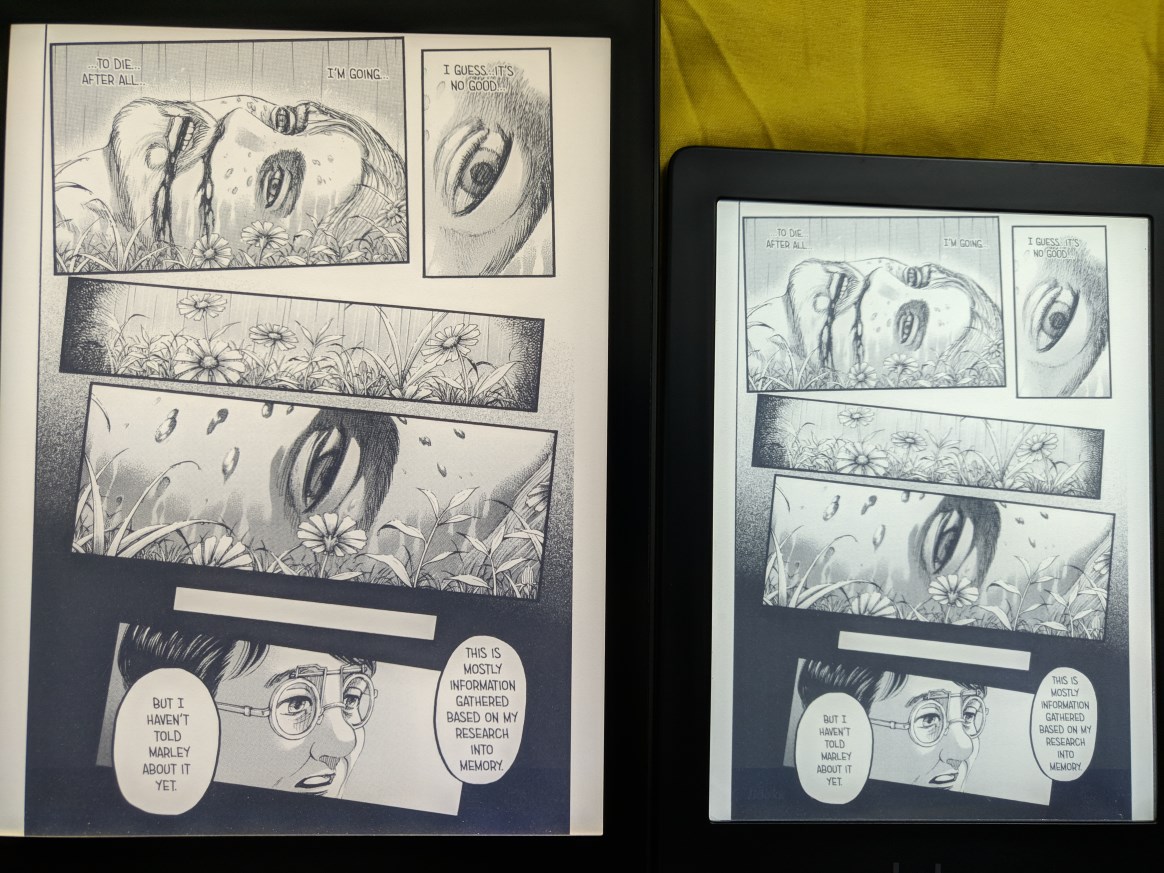
user posted image
With backlight, Aura One give a bit warmer colour while Clara HD more whitish colour. 7.8" is just much better for manga, you can see more details of the drawing.
user posted image
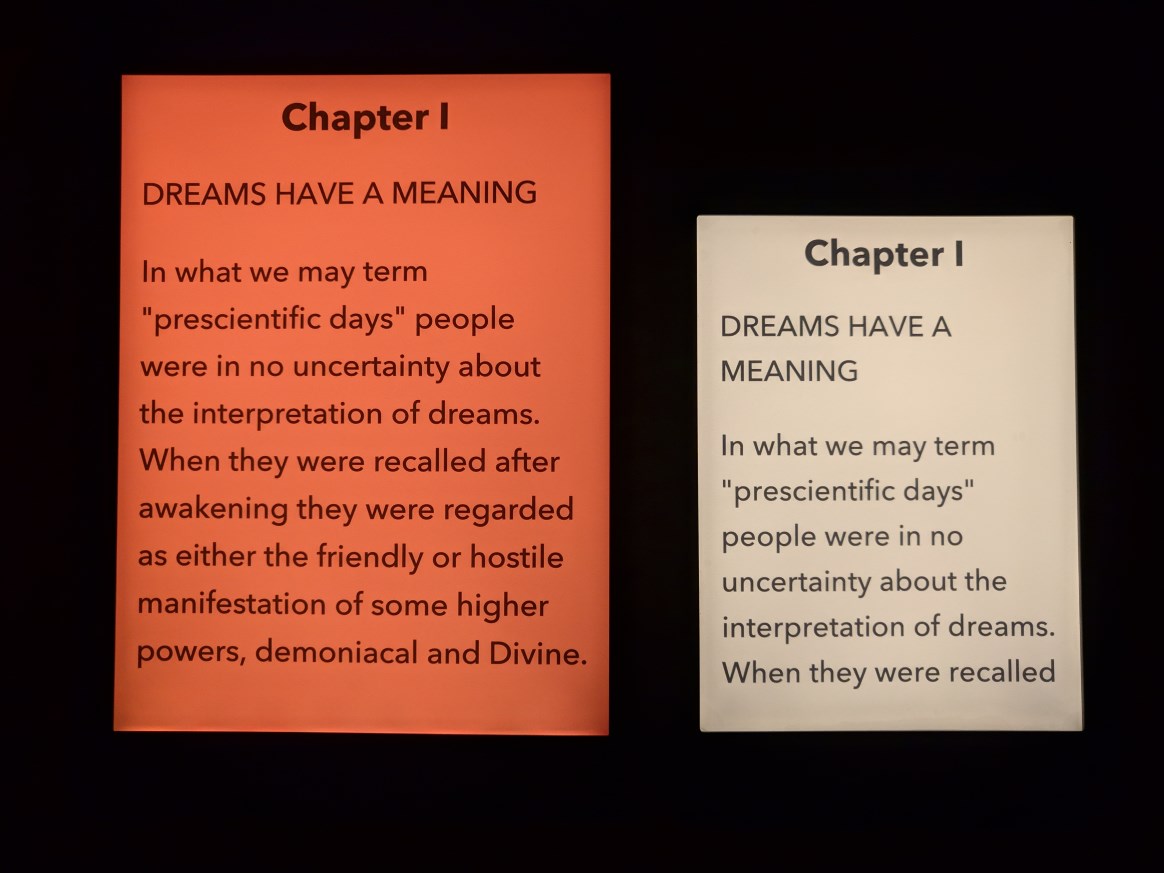
Backlight at 100% in dark room

user posted image
Both night light at 100%. Aura One is saturated orange colour (photo come out look like red) while Clara HD more like half saturated yellow colour.
Personally I prefer Aura One night light as I feel less eye strain from it.

Now let's talk about e-ink and screen protector. Obviously like handphone or tablet, the first thing I look for when I got my Aura One is a screen protector. Got myself a clear screen protector as wanted to preserve the screen clarity, especially important for manga. And I remove the screen protector almost immediately after I apply it because it become too much reflective I feel like looking at tablet screen instead. Plus the plastic makes the finger feels swiping on smooth surface (Additional note: both devices actual screen does not feel smooth like glass, it were purposely to be rough like that to mimic the feeling like when swiping on paper). Imagine how much reflective it would be if I have gotten a glass screen protector. With Clara HD since I gonna use it solely for text reading I thought it will have less problem if to put screen protector, I gotten matte protector this time to avoid the screen become reflective. Fortunately the matte screen protector also have the rough texture so it able to preserve the feeling like swiping on paper. Yet it still have issues.
user posted image
I'm not sure this photo able to show how it looks like when there's light that reflective on the screen. On Aura One without screen protector the reflective light feels like it's on the text and disperse more so it's not too disturbing. On Clara HD the reflective light more concentrated on the screen protector which make the text harder to read and it also create the annoying feel of a layer of screen above the text. The matte properties of the screen protector also make the text look less sharper, it feels like the screen is 720p with the screen protector and 1080p without it. It totally defeat the purpose of having e-ink display and 300ppi sharpness. Maybe I'm just too much OCD on this. In the end I remove the screen protector. Screen protector is like Kryptonite to e-ink display.

Continue next post

This post has been edited by xxboxx: Jun 28 2021, 10:57 PM
TSxxboxx
post Jun 8 2019, 01:52 AM

The mind is for having ideas, not holding them
*******
Senior Member
5,261 posts

Joined: Oct 2004
From: J@Y B33


Interface
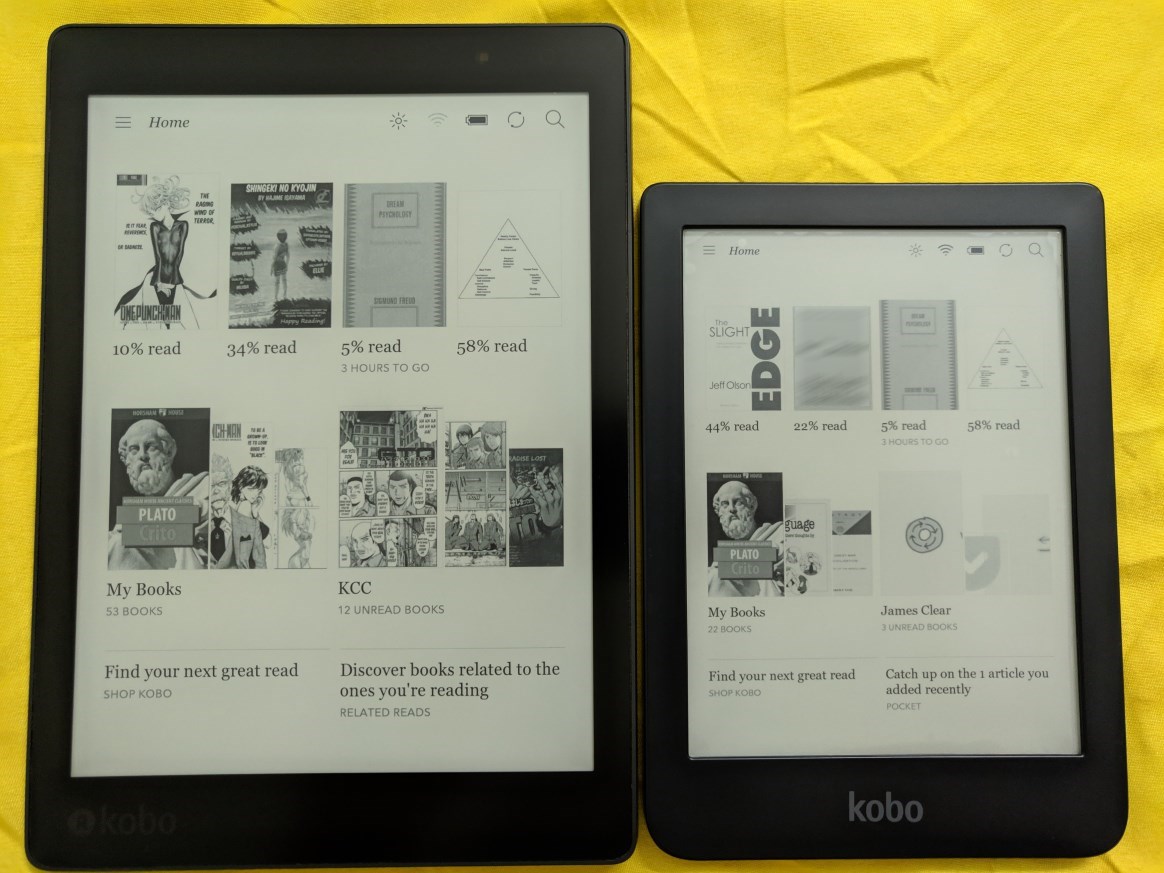
Everything start at Home as you can see below
user posted image
Both have same interface. From here you can see your last 4 books that's in progress of reading, link to My Book which is all the ebook in your device, Unread Book link to suggested book by Author, Shop Kobo to Kobo Store, and bottom right is Suggestion panel.

user posted image
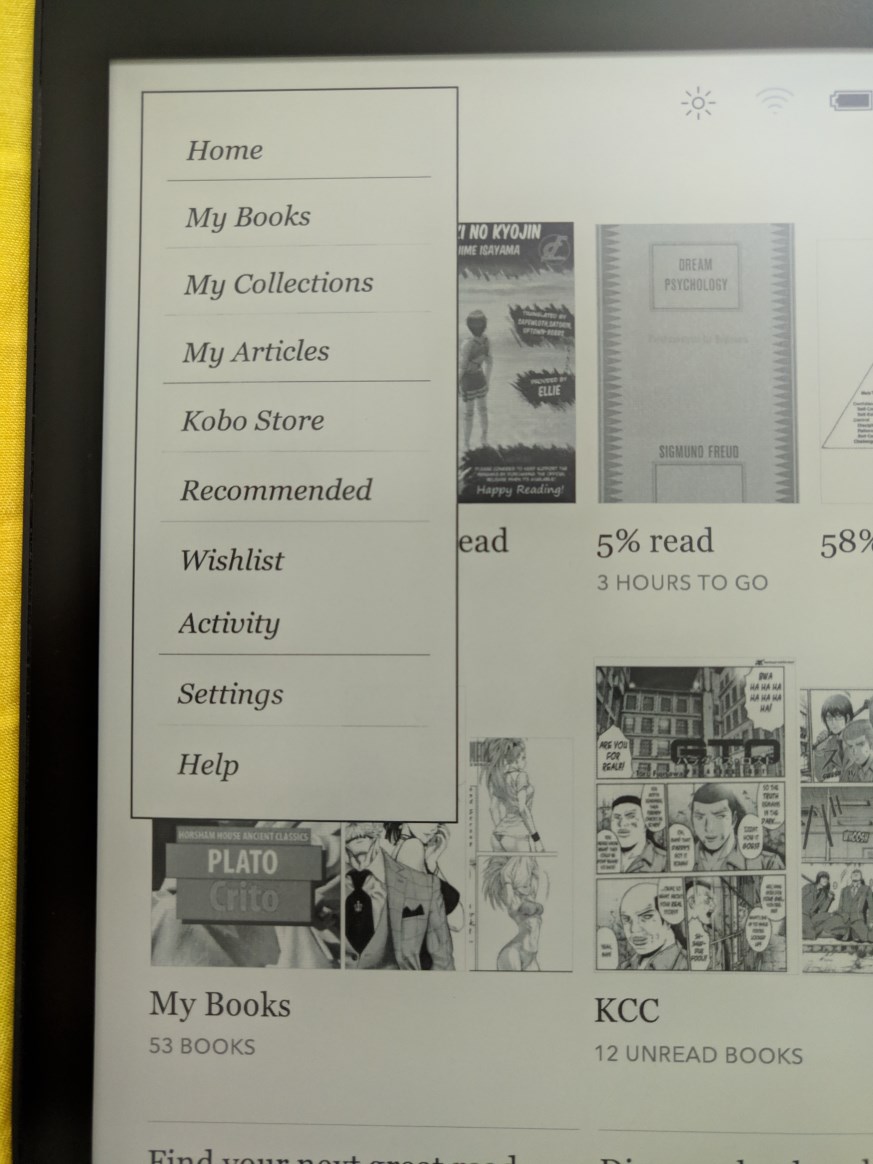
Clicking on the 3 lines beside Home will bring out this menu where you can navigate to all the places in the device.

user posted image
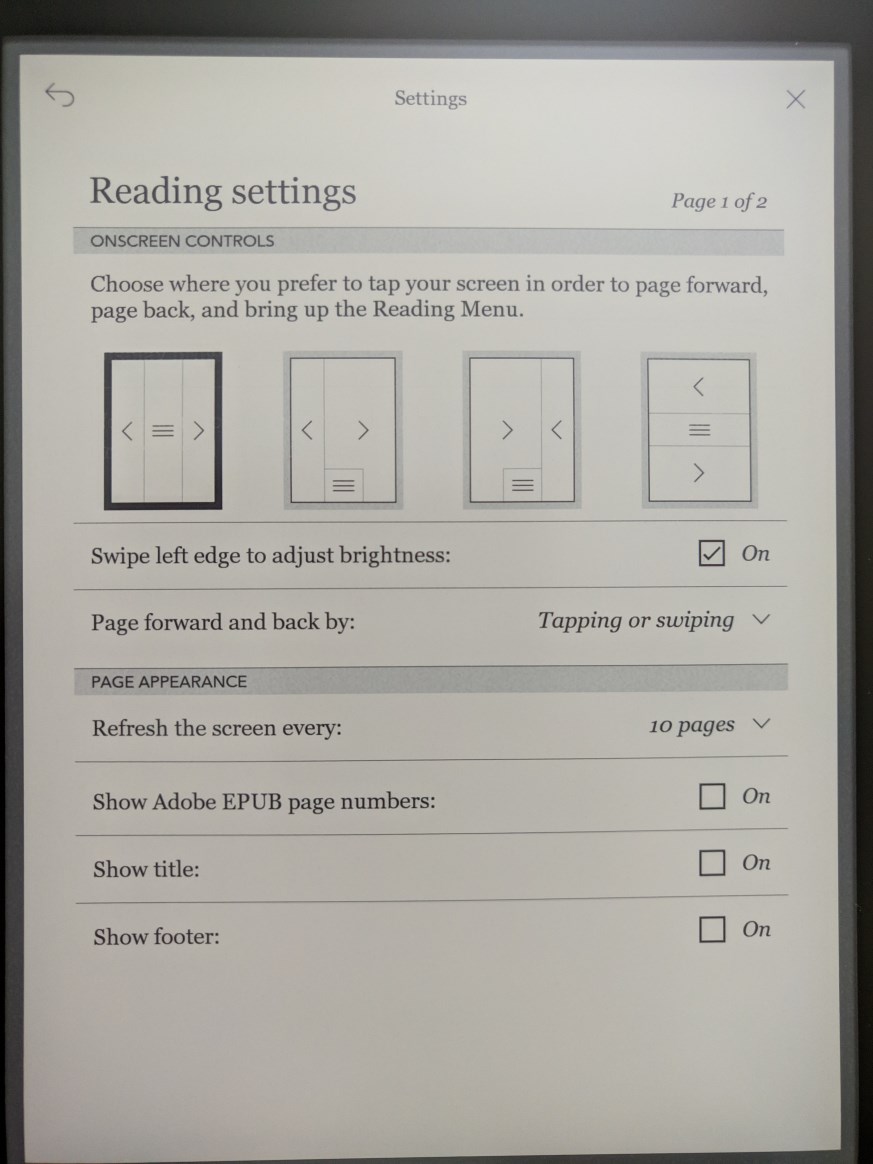
The Reading Settings that can be customized.

user posted image
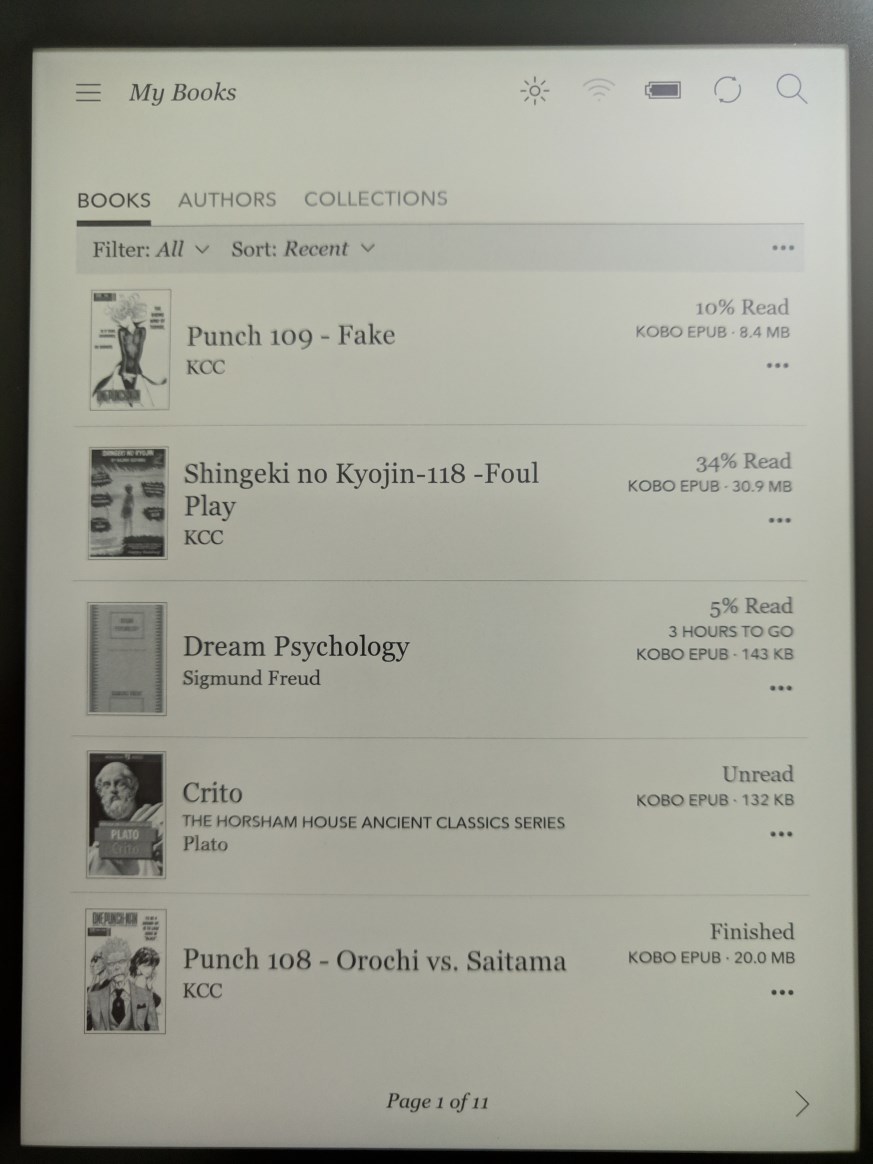
Clicking on My Book will bring to here where you can find all your book no matter downloaded from Kobo Store or sideloaded. You can click on Authors which it will only show book based on author that you selected. For Collections, you can create a collection and add book into it. Kobo support almost all ebook format, like epub or mobi and even cbz or cbr.

Getting E-Books
In addition to sideload book, you can get it from Kobo Store and also borrow book using Overdrive. Overdrive is e-library that many countries supported it. Perpustakaan Negara Malaysia also support it. Unfortunately Kobo doesn't seem to support Overdrive for Malaysia. The Overdrive option is not available when I set my country as Malaysia. After changing to US, Overdrive option were available. I haven't try if can borrow e-book using Perpustakaan Negara Malaysia library card. Kobo also support Adobe DRM so maybe it's possible to copy the borrowed e-book and DRM from Overdrive to Kobo.

Kobo also can display PDF file. But as this format is fixed (similar to photo) and many PDF file is based on A4/letter size, the text will appear small even on Aura One.

user posted image
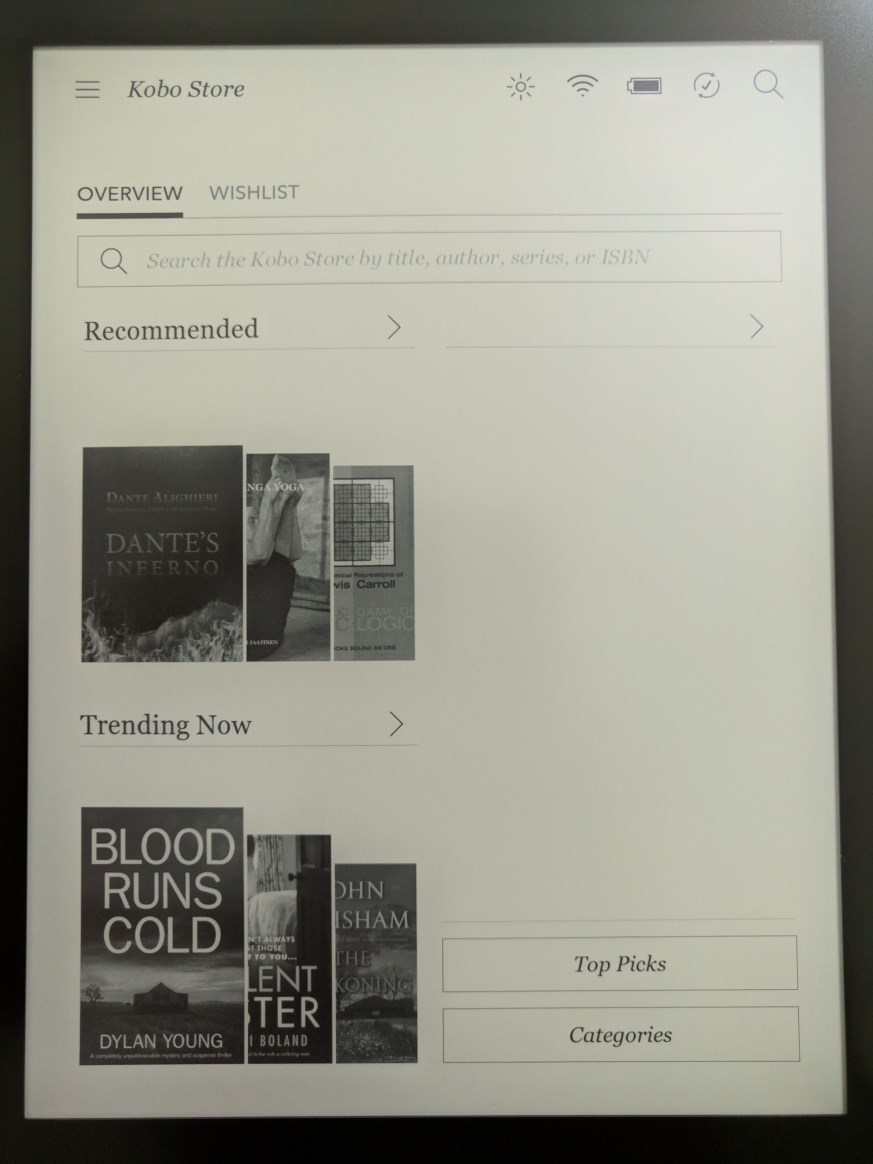
Kobo Store. This is where Kobo wanted you to get your book from. Supposedly it have more than 5 millions books so choices will not be limited, but most online comparison said Amazon have more. I searched for Billion Dollar Whale and Kobo Store does have it.

user posted image
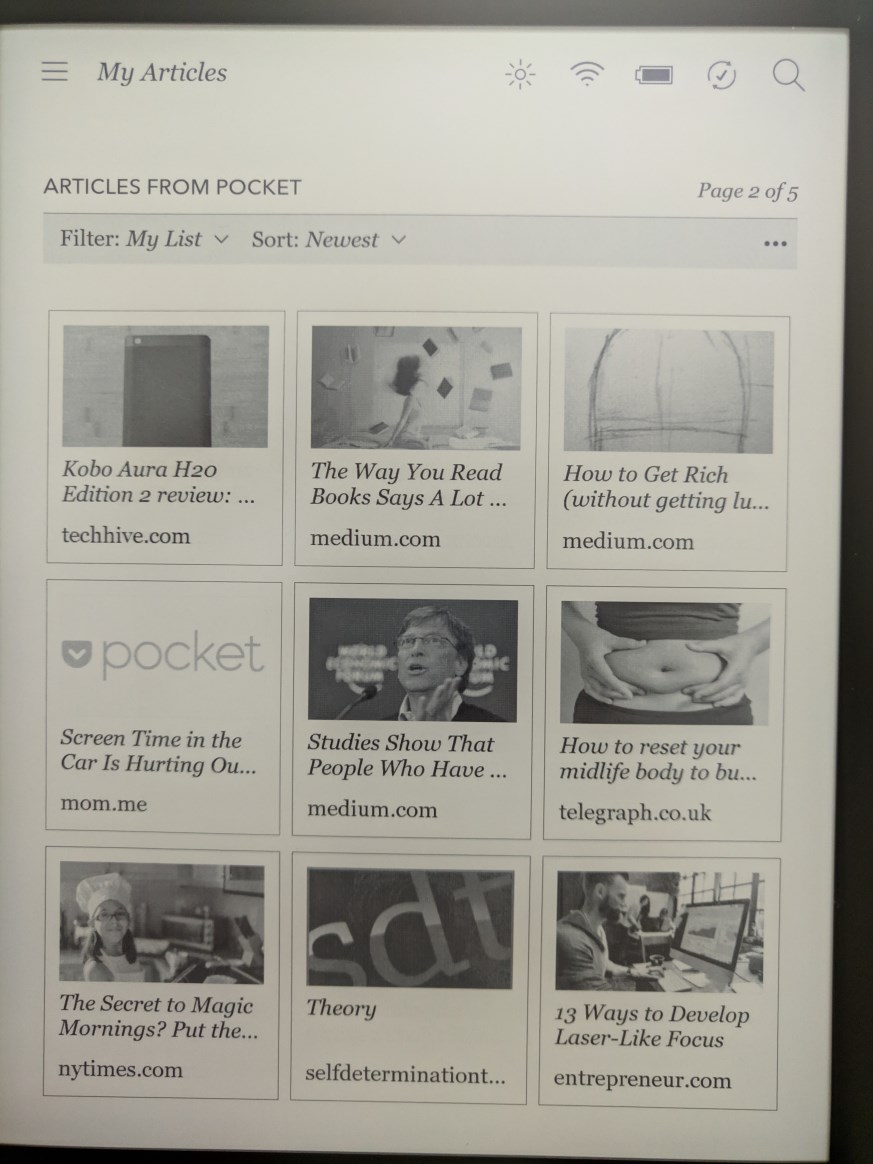
Articles from Pocket
This is the main advantage of Kobo from Kindle. Pocket is built in to Kobo software. If you don't know what is Pocket, from their site: "Pocket is a free service that makes it easy to discover great content that’s personalized to your interests, and save this content so you can return to it later – on any device, at any time. It’s your one-stop destination for reading engaging content, catching up on your favorite blogs and news sources, and watching videos that you discovered but weren’t in the right place to watch. Now, there's no longer a reason to worry about finishing up an article before getting to work, sending the kids to school, or making that next cup of coffee."
You can be using web browser on PC, laptop, tablet or smartphone, and once you saw article or news that you like to read but because it's very long and you don't have the time to read it till finish, you can choose Save to Pocket (Need to install the app or extension first) and it will be synced to the Kobo e-reader. Reading articles on e-ink display is just feel much nicer.

In addition to these, you can also use Calibre (on PC) to get e-book or like what I'm using it, to get news from site such as Anandtech, PC World, TIME, just to name a few, and have it compiled as e-book and copied to e-reader. For manga you can use Kindle Comic Converter (on PC) to convert files of jpg/png to epub, very useful if you want to have listing of chapters.

Kobo also have built-in web browser where you can do some reading such as at Wikipedia, saved articles to Pocket. But it slow and only suitable for very light website.

Battery Life
This is something of non issue unlike laptop/tablet/smartphone. I never actually measure how long the battery will last because it can last by weeks. If you always use backlight then it will consume more battery. Reading manga (as opposed to text) will also consume more battery. Charging time about an hour or so.

Wrap-up
If you like reading and can read for hours, then get a e-ink reader. It just make it much more enjoyable and less fatigue compared to LCD screen. There's study or case previously that find our cornea will have tiny holes in it if always looking at LCD screen that's too bright in dark room. In addition to Kobo and Kindle, nowadays there's many more e-reader on the market. To get more info on available e-reader or read more comprehensive review and comparison go to https://goodereader.com and their youtube channel, they have almost all available e-reader reviewed and compared.

K2pdfopt (Kindle 2 PDF Optimizer) text re-flow program for PDF file

This post has been edited by xxboxx: Jun 28 2021, 10:59 PM
7cantona
post Jun 13 2019, 09:51 PM

On my way
****
Junior Member
586 posts

Joined: Apr 2019
QUOTE(xxboxx @ Jun 8 2019, 01:51 AM)
I noticed there doesn't seem to be any review of e-ink reader in here, apart from the 2 e-reader review that was done in 2011. In LYN Book Club subforum got one thread for Kindle which last post is in 2016. I'm here to give review and thought on these 2 e-readers that I have, the Kobo Aura One 7.8 inch which I purchase more than 2 years ago around RM1100 and Kobo Clara HD 6.0 inch which I purchase few months ago around RM600.

Now, when mentioning e-ink reader most people would only know Kindle, and the better model Paperwhite. I thought about buying it last time too but after reading how hassle it was to sideload ebook and also it support less format I decided to go with Kobo. Last time I also wanted bigger screen than 6 inch for reading manga, that time the choice were Aura One and Kindle Oasis, decided against Oasis because the higher price, only 7 inch screen, and earlier mention hassle. After using for a year I found while 7.8" is great for manga and if you properly seating for reading, it's not great at all for portability and holding with one hand. So I decided to get the 6 inch for purely reading e-book.

user posted image
The boxes

user posted image
Aura One and Clara HD side-by-side

Design and build quality
Both devices are made of plastic but you don't feel like it's a cheap device. The build quality is superb, no creaking or flexing on both devices. Both devices only have micro-USB port and power button, there's no physical button for page turning. Aura One have a big blue power button at the back which you can easily find without looking, Clara HD have a small button at bottom which sit flush and that makes it harder to press it, the good point is it's harder to accidentally press it. Still I feel Aura One button placement is much better. Aura One dimension is 195.1 x 138.5 x 6.9 mm while Clara HD is 159.6 x 110 x 8.35 mm. Aura One is certified IPX8-rated water-resistance, up to 60 mins in 2 meters of water, so you can bring it to tub, pool, or even in rain without worrying about damaging the reader. Clara HD unfortunately have no water resistance so you need to be extra careful when near water.

user posted image
Both have a textured back, it helps to give your finger a better grip on device. With the adequate bezel on the side of the screen both devices can be held with one hand, just Aura One will make the hand tired much earlier. Aura One have flush bezel with screen while Clara HD bezel is not flush with screen. I prefer flush screen as you'll feel the text is directly in front like when you looking at the text in book. With Clara HD bezel there's shadow which make you feel the text is at behind a thick bezel, sort of like old monitor with thick bezel, it kills the immersion. The plus side is the raised up bezel help to avoid the screen from being scratched.

Both is using Freescale SoloLite 1Ghz and storage is 8GB, usable 6.5GB with no support for SD card. There's also Aura One model with 32GB storage. It doesn't have speaker or even bluetooth, so no audio book.

Screen
Aura One screen resolution is 1872x1404 while Clara HD is 1448x1072. Both have same 300ppi which makes the text or image looks very smooth, no jagged edge up close. Both screen have backlight with ComfortLight PRO which help to reduce eyes strain when using on night time, something like night light. Aura One is lit by nine white LEDs and eight RGB LEDs around the frame. The additional RGB LEDs allow the device to have a night reading mode that limits the blue light that comes from white LEDs. Clara HD have eight white LEDs and seven orange LEDs. Reading on e-ink is similar to reading on paper, there's no glare unlike LCD screen which make your eye strain. Even with backlight it does not blast light to your eyes, it just shine light to the screen.

user posted image
Pardon my photography skill, somehow the photo only sharp at middle while blur for the sides. In actual both screen text looks very nice with it's high ppi. Those with eagle eye will notice there's plastic matte screen protector on Clara HD, this is another issue with e-ink which I'll explain later. In not so bright lighting the screen looks a bit greenish. If at outside with sunlight the screen will look whitish.

user posted image
With backlight, Aura One give a bit warmer colour while Clara HD more whitish colour. 7.8" is just much better for manga, you can see more details of the drawing.

user posted image
Backlight at 100% in dark room

user posted image
Both night light at 100%. Aura One is saturated orange colour (photo come out look like red) while Clara HD more like half saturated yellow colour.
Personally I prefer Aura One night light as I feel less eye strain from it.

Now let's talk about e-ink and screen protector. Obviously like handphone or tablet, the first thing I look for when I got my Aura One is a screen protector. Got myself a clear screen protector as wanted to preserve the screen clarity, especially important for manga. And I remove the screen protector almost immediately after I apply it because it become too much reflective I feel like looking at tablet screen instead. Plus the plastic makes the finger feels swiping on smooth surface (Additional note: both devices actual screen does not feel smooth like glass, it were purposely to be rough like that to mimic the feeling like when swiping on paper). Imagine how much reflective it would be if I have gotten a glass screen protector. With Clara HD since I gonna use it solely for text reading I thought it will have less problem if to put screen protector, I gotten matte protector this time to avoid the screen become reflective. Fortunately the matte screen protector also have the rough texture so it able to preserve the feeling like swiping on paper. Yet it still have issues.

user posted image
I'm not sure this photo able to show how it looks like when there's light that reflective on the screen. On Aura One without screen protector the reflective light feels like it's on the text and disperse more so it's not too disturbing. On Clara HD the reflective light more concentrated on the screen protector which make the text harder to read and it also create the annoying feel of a layer of screen above the text. The matte properties of the screen protector also make the text look less sharper, it feels like the screen is 720p with the screen protector and 1080p without it. It totally defeat the purpose of having e-ink display and 300ppi sharpness. Maybe I'm just too much OCD on this. In the end I remove the screen protector. Screen protector is like Kryptonite to e-ink display.

Continue next post
*
e-reader review less is bcoz ppl just buy tablet n use it as e-reader ? hmm.gif

great detail review man btw thumbsup.gif good job thumbup.gif
TSxxboxx
post Jun 14 2019, 06:30 PM

The mind is for having ideas, not holding them
*******
Senior Member
5,261 posts

Joined: Oct 2004
From: J@Y B33


QUOTE(7cantona @ Jun 13 2019, 09:51 PM)
e-reader review less is bcoz ppl just buy tablet n use it as e-reader ?  hmm.gif

great detail review man btw  thumbsup.gif  good job  thumbup.gif
*

Maybe some doesn't want to spend additional just for e-reader.
Maybe some doesn't know the benefit of using e-ink.
That's why I do this review, to give more information about e-reader.

Thank you. smile.gif
champu
post Jun 17 2019, 08:52 PM

Champu
****
Senior Member
633 posts

Joined: Apr 2014


Cool review brah, sampai dua post mang.
tertiary
post Jun 18 2019, 11:02 AM

On my way
****
Junior Member
664 posts

Joined: Nov 2016
Good, accurate review. I own the Aura One and love it. The only thing I find annoying is the poor handling of graphic-heavy PDF docs - takes ages to load each page and cannot zoom in to look at small details.

I bought mine in person at Swindon Books in HK. I can't really recommend their customer service. They had no demo model and wouldn't even allow me to look at the Kobo outside the box before I paid for it!
TSxxboxx
post Jun 18 2019, 11:19 PM

The mind is for having ideas, not holding them
*******
Senior Member
5,261 posts

Joined: Oct 2004
From: J@Y B33


QUOTE(champu @ Jun 17 2019, 08:52 PM)
Cool review brah, sampai dua post mang.
*

Thank you. Had to split into 2 posts because max images reached per post.


QUOTE(tertiary @ Jun 18 2019, 11:02 AM)
Good, accurate review. I own the Aura One and love it. The only thing I find annoying is the poor handling of graphic-heavy PDF docs - takes ages to load each page and cannot zoom in to look at small details.

I bought mine in person at Swindon Books in HK. I can't really recommend their customer service. They had no demo model and wouldn't even allow me to look at the Kobo outside the box before I paid for it!
*

Thank you. Ya these e-ink reader have refresh rate like 1 fps so will feel very slow. Even Android e-reader with it's octa core CPU is not fast enough to handle graphic zooming smoothly. For PDF usage it will better to get big screen like Sony Digital Paper or Onyx Boox Max so no need to zoom. But the price...
It'll be better to just use iPad or Android tablet for PDF reading.
7cantona
post Jun 22 2019, 05:38 AM

On my way
****
Junior Member
586 posts

Joined: Apr 2019
QUOTE(xxboxx @ Jun 14 2019, 06:30 PM)
Maybe some doesn't want to spend additional just for e-reader.
Maybe some doesn't know the benefit of using e-ink.
That's why I do this review, to give more information about e-reader.

Thank you. smile.gif
*
ya nod.gif
wats e-ink ? hmm.gif confused.gif

you r welcome smile.gif
TSxxboxx
post Jun 22 2019, 09:25 PM

The mind is for having ideas, not holding them
*******
Senior Member
5,261 posts

Joined: Oct 2004
From: J@Y B33


QUOTE(7cantona @ Jun 22 2019, 05:38 AM)
ya  nod.gif
wats  e-ink ?  hmm.gif  :confused:

you r welcome  smile.gif
*

This whole review is about e-ink sweat.gif
7cantona
post Jun 23 2019, 04:55 AM

On my way
****
Junior Member
586 posts

Joined: Apr 2019
QUOTE(xxboxx @ Jun 22 2019, 09:25 PM)
This whole review is about e-ink sweat.gif
*
lol tongue.gif i just look at brand name wink.gif
chilskater
post Dec 21 2019, 01:18 AM

Regular
******
Senior Member
1,124 posts

Joined: Oct 2004
Hi,
i have literally hundreds of pdf n epub file.. So Kobo Clara HD is recommended? Any used ereader?
TSxxboxx
post Dec 21 2019, 01:45 AM

The mind is for having ideas, not holding them
*******
Senior Member
5,261 posts

Joined: Oct 2004
From: J@Y B33


QUOTE(chilskater @ Dec 21 2019, 01:18 AM)
Hi,
i have literally hundreds of pdf n epub file.. So Kobo Clara HD is recommended? Any used ereader?
*
Pdf show by letter size, unless you find ebook screen size as big as a letter, you gonna have hard time reading it on e-ink e-reader.
Epub is ok. For portability small size like Clara HD is good. 7.8" or 8" if you want bigger screen size which ease on eyes.
Aliexpress and Taobao have plenty of used e-reader.

I heard now Amazon allow Kindle to sync with e-book that's emailed to the device/account. So you can read halfway on one Kindle and then continue on another Kindle or device with Kindle app such as phone/tablet/pc. You might want to research more on this.
miyakochan89
post Apr 24 2021, 07:24 PM

Wut?
*******
Senior Member
6,724 posts

Joined: Aug 2008


TS, where did you get your KOBO from?
I wanna get a Kobo Clara HD.
tertiary
post Apr 24 2021, 08:33 PM

On my way
****
Junior Member
664 posts

Joined: Nov 2016
QUOTE(miyakochan89 @ Apr 24 2021, 07:24 PM)
TS, where did you get your KOBO from?
I wanna get a Kobo Clara HD.
*
Very difficult, probably impossible to source locally. I bought my Aura One when I was in Hong Kong three years ago.
miyakochan89
post Apr 24 2021, 08:39 PM

Wut?
*******
Senior Member
6,724 posts

Joined: Aug 2008


QUOTE(tertiary @ Apr 24 2021, 08:33 PM)
Very difficult, probably impossible to source locally. I bought my Aura One when I was in Hong Kong three years ago.
*
ah, then i might end up getting Boox.
Im using Kindle, 5 years already. Still working well but I am planning to change to other things than Kindle, due to some personal reasons.
TSxxboxx
post Apr 25 2021, 01:00 PM

The mind is for having ideas, not holding them
*******
Senior Member
5,261 posts

Joined: Oct 2004
From: J@Y B33


QUOTE(miyakochan89 @ Apr 24 2021, 07:24 PM)
TS, where did you get your KOBO from?
I wanna get a Kobo Clara HD.
*
I bought it online at ebay. I think there's seller also in garage sales that bring in. Also try check at Lazada and Shopee.
Kobo got newer model called Nia, same 6 inch but lesser pixel. Cheaper too if not mistaken. EDIT: also no orange/yellow light, so not gonna be great for reading at dark before sleep.

If you want to use it more than just as e-reader, can install apps, writing, bluetooth, email, Boox seems to be a better choice since it is using Android as OS. But battery life not going to last as long.

This post has been edited by xxboxx: Apr 25 2021, 01:04 PM
miyakochan89
post Apr 25 2021, 01:08 PM

Wut?
*******
Senior Member
6,724 posts

Joined: Aug 2008


QUOTE(xxboxx @ Apr 25 2021, 01:00 PM)
I bought it online at ebay. I think there's seller also in garage sales that bring in. Also try check at Lazada and Shopee.
Kobo got newer model called Nia, same 6 inch but lesser pixel. Cheaper too if not mistaken. EDIT: also no orange/yellow light, so not gonna be great for reading at dark before sleep.

If you want to use it more than just as e-reader, can install apps, writing, bluetooth, email, Boox seems to be a better choice since it is using Android as OS. But battery life not going to last as long.
*
I am just using it for reading. and yes I would like to have the light since I'm used to Kindle Paperwhite myself.
I have checked Lazada and Shopee, no one is bringing Kobo. Perhaps I will try Aliexpress and see.
Have you used Boox before? How's the quality like?
TSxxboxx
post Apr 25 2021, 01:25 PM

The mind is for having ideas, not holding them
*******
Senior Member
5,261 posts

Joined: Oct 2004
From: J@Y B33


QUOTE(miyakochan89 @ Apr 25 2021, 01:08 PM)
I am just using it for reading. and yes I would like to have the light since I'm used to Kindle Paperwhite myself.
I have checked Lazada and Shopee, no one is bringing Kobo. Perhaps I will try Aliexpress and see.
Have you used Boox before? How's the quality like?
*
Garage sales this seller got sell https://forum.lowyat.net/topic/2972215

Lazada got 1 guy selling, but the seller is new, totally no track record so proceed with caution.
https://www.lazada.com.my/products/ereader-...8346292834.html

Aliexpress also have but those are second hand goods, probably they import from US.

I never use Boox before. It looks interesting due to the additional things I mention earlier but battery life and the additional things becoming distraction could be a concern.
miyakochan89
post Apr 25 2021, 01:48 PM

Wut?
*******
Senior Member
6,724 posts

Joined: Aug 2008


QUOTE(xxboxx @ Apr 25 2021, 01:25 PM)
Garage sales this seller got sell https://forum.lowyat.net/topic/2972215

Lazada got 1 guy selling, but the seller is new, totally no track record so proceed with caution.
https://www.lazada.com.my/products/ereader-...8346292834.html

Aliexpress also have but those are second hand goods, probably they import from US.

I never use Boox before. It looks interesting due to the additional things I mention earlier but battery life and the additional things becoming distraction could be a concern.
*
Nice thank you! Gonna look into all of them.
bkyee
post Jun 28 2021, 07:35 PM

New Member
*
Newbie
1 posts

Joined: Feb 2016
I just bought a Kobo Clara HD from kobomalaysia. The store is also available in Shopee.

2 Pages  1 2 >Top
 

Change to:
| Lo-Fi Version
0.0176sec    0.34    5 queries    GZIP Disabled
Time is now: 16th December 2025 - 05:01 PM