Hi,I have bought the Totolink LR1200 4G AC1200 Router.In Malaysia,there have many telco support like Maxis/hotlink,Xpax/Celcom,Digi,U Mobile,Red One,Xox,Yes 4G,Unifi Mobile.If your phone need to share many device to use internet,we suggest to buy the 4G router then take out phone sim card to put the 4G router to hotspot to avoid your smartphone heating issue.The price I buy on market around +/-RM339 so let’s go to read my review.Totolink Malaysia also cover 3 years warranty when your date of purchase and you just need to keep your receipt when you need to claim warranty for totolink.The testing equipment I will use is 1pcs asus laptop,1pcs realme 6Pro smartphone,speedtest apps,1pcs lan cable,wifi monitor apps and iperf.At last if you are using Unifi,Maxis fibre or Time Fiber it also support these 4G Router.
Packing unboxing and hardware Specification:
-1pcs AC Adaptor 3Pin(DC 12V,1A)
-1pcs 4G Router - Lan Cable Cat 5E/6 -Sim card Adaptor for 1pcs nano,1pcs micro sim card
-4G LTE Processor is Qualcomm MDM9x07 -LTE network type support LTE FDD : B1/B3/B7/B8/B20, LTE TDD : B38/B39/B40/B41, WCDMA : B1/B5/B8 -Wireless feature standard support IEEE 802.11a/b/g/n/AC -Wifi speed for 2.4Ghz is 300Mbps and wifi speed 5Ghz is 867Mbps. -Wireless Client for wifi 2.4Ghz can support to 32 devices and wifi 5Ghz can support to 32 devices. -Body dimension 4G Router: 120mm x 180mm x 256 mm -Default IP address is 192.168.0.1/type domain name:http://itotolink.net
Front video LED light indicator:(System,Message,Wifi,2G/3G,4G,Cellular Signal1~4)
Back Cover: -4pcs normal LAN port is 10/100Mbps -1pcs WAN port is 10/100Mbps -Antenna:2pcs 5dbi detachable external 4G Antenna,build in 2pcs 5dbi wifi antenna (2.4Ghz/5Ghz)
Bottom Cover: -2 Hole can hang at wall if you want
4G Antenna Video:
Here I would like to use lan cable,wifi 2.4Ghz,wifi 5Ghz to do the speed test. Note:All telco network speed and stability depend environment speed test or package you subcribe.Before you put on sim card please unlock your sim pin on smartphone. Tips for default password sim pin number-(Maxis/Hotlink-0123),(U Mobile,Celcom/Xpax,Digi-1234) Telco hotline support in Malaysia-Celcom-1300111000,Hotlink-1300820120,Digi-0162211800,U mobile-0183881318 Here is regard telco band 4G list in Malaysia: Digi = Band 1, 3, 7, 8 Celcom = Band 1, 3, 7 Maxis = Band 1, 3, 7 Umobile = Band 1, 3, 7 Webe/Unifi = Band 5, 28, 38, 40 Yes 4g = Band 20, 38, 40 Here is the link regard all country telco band: 1.) https://www.frequencycheck.com/ 2.) https://en.wikipedia.org/wiki/List_of_LTE_networks_in_Asia 3.) https://en.wikipedia.org/wiki/List_of_LTE_networks Maxis/Hotlink Sim card speedtest:(by lan cable)-
2.) Totolink Basic Interface with 5 Language On Screen Display Choosen
3.) Totolink advanced page setup interface
4.) Totolink basic wireless interface
5.) Totolink wireless multi frequency integration interface:-easy call smart connect
6.) Totolink APN Settings
7.) Totolink DDNS Service Provider-you can choose www.3322.org,DynDNS,NO-IP
8.) Totolink Firmware version interface
9.) Totolink IP/Mac Binding
10.) Totolink IP/Port Filtering
11.) Totolink mac filtering.
12.) Totolink internet strategy page-you can choose 3G,4G,wire or automatic
13.)Totolink Wifi Protected Setup/WPS interface for wifi 2.4Ghz and wifi 5Ghz
14.)Totolink network lan interface
15.)Totolink Parental Control Interface
16.)Totolink remote interface
17.)Totolink route tracking interface
18.)Totolink SMS Service interface
19.)Totolink USSD Interface
20.)Totolink VPN Passthrough(L2TP,PPTP,IPSec,Ping access on Wan)
21.)Totolink Smart QOS
Here is some before and after Smart QOS function:
Before speedtest:
After speedtest:
22.)Totolink port forwarding interface
23.)Totolink change login password
24.)Totolink URL filtering interface
-Only www.weibo.com,www.twitter.com cannot filter.Please look for video
25.)Totolink System interface
26.)Totolink DMZ Interface
27.)Totolink system log interface
28.)Totolink Time setup interface
29.)Totolink diagnosis interface
30.)Totolink wifi 2.4Ghz and 5Ghz country can choose China,Other,USA or Europe.Wifi 2.4Ghz channel width can choose auto,20M,40M.Channel can choose auto,1 until 13Wifi 5Ghz channel width can choose auto,20M,40M,80M.Wifi 5Ghz channel can choose auto,36,40,44,48,52,56,60,64,100,104,108,112,116,120,124,128,132,136,140,149,153,157,161.
31.)Totolink Schedule Reboot-
Totolink Router Apps for android: -Only test for totolink LR1200 Scan QR code or go through these link-https://play.google.com/store/apps/details?id=com.carystudio.routermanage
Totolink Router Apps Video intro for Totolink LR1200:
Video Briefing on youtube unboxing and review:
Wifi Coverage home layout:
Wifi Strength test by wifi monitor and Iperf apps:
Extra feature:
Unifi Setup,Maxis fibre and also enable IPTV Settings:
Step to go in type 192.168.0.1>type admin>Advanced>Network>Choose internet Strategy to wired>connection type choose PPPoE>type ISP user ID and password ISP(need to enquiry from ISP)>Click Apply>Go to IPTV>IPTV On/Off Slide to right side>Click to mode to choose Malaysia-Unifi(lan 1 for IPTV cannot use internet)/Malaysia-Maxis(Lan 1 and Lan 4 cannot use internet just for lan 1 for IPTV and lan 4 for VOIP)
Malaysia Maxis IPTV Setup:
TM Unifi Lan Speedtest for totolink LR1200 Router:
TM Unifi Wifi 2.4Ghz Speedtest for totolink LR1200 Router:
TM Unifi Wifi 5Ghz Speedtest for totolink LR1200 Router:
*Note:If you want you can manual key in vlan ID just choose mode user define-(Malaysia Unifi internet vlan is 500,IPTV put vlan 600,IP Phone put 400),(Malaysia-Maxis internet vlan put 621,IP phone vlan put 822,IPTV vlan put 823)*
Access Point Setup:
Step to go in type 192.168.0.1>type admin>Advanced>Network>Choose internet Strategy to wired>connection type choose dynamic IP>Click Apply>Go to choose LAN>change ip address 192.168.X.1>
Conclusion:These 4G router is convenient if your area have not unifi,maxis fibre or time fiber,you can buy it to save your monthly subscription internet fee telco.You can bring anywhere if your move your place and no need any ISP account setup. Market price online lazada is RM298-RM349-https://www.lazada.com.my/catalog/?q=totoli....75f82e7eHQkjDu
Verdict: 👍Worry free using nano,micro sim card because totolink provide sim card adaptor to transfer if you using Nano,micro sim card 👍Great/stable processor using Qualcomm processor technology 👍Details LED indicator on 4G router signal status. 👍Plug and Play sim card use and zero configuration unless need to change new wifi name or new wifi password. 👍Great apps to monitor totolink router for install on android when connect totolink router 👍Extra one pcs Wan port independent without sharing other lan port. 👍Support unifi fibre,time fibre and maxis fibre internet speed 100Mbps
❌Only Lan support 10/100 Megabit and not 1000Mbps ❌At the back no wifi on/off button and must go through internet browser setting page. ❌If room very large and too far wifi 5Ghz cannot coverage very far if room too big suggest to add mesh wifi for better roaming and stable speed or repeater for extend coverage but slower the internet speed.
Author by Overpass Last Update:6-9-2020
This post has been edited by overpass: Sep 6 2020, 09:29 PM
Hi,I have bought the Totolink LR1200 4G AC1200 Router.In Malaysia,there have many telco support like Maxis/hotlink,Xpax/Celcom,Digi,U Mobile,Red One,Xox,Yes 4G,Unifi Mobile.If your phone need to share many device to use internet,we suggest to buy the 4G router then take out phone sim card to put the 4G router to hotspot to avoid your smartphone heating issue.The price I buy on market around RM so let’s go to read my review.Totolink Malaysia also cover 3 years warranty when your date of purchase and you just need to keep your receipt when you need to claim warranty for totolink.The testing equipment I will use is 1pcs asus laptop,1pcs realme 6Pro smartphone,speedtest apps,1pcs lan cable,wifi monitor apps and iperf.At last if you are using Unifi,Maxis fibre or Time Fiber it also support these 4G Router.
Packing unboxing and hardware Specification:
-1pcs AC Adaptor 3Pin(DC 12V,1A)
-1pcs 4G Router - Lan Cable Cat 5E/6 -Sim card Adaptor for 1pcs nano,1pcs micro sim card
-4G LTE Processor is Qualcomm MDM9x07 -LTE network type support LTE FDD : B1/B3/B7/B8/B20, LTE TDD : B38/B39/B40/B41, WCDMA : B1/B5/B8 -Wireless feature standard support IEEE 802.11a/b/g/n/AC -Wifi speed for 2.4Ghz is 300Mbps and wifi speed 5Ghz is 867Mbps. -Wireless Client for wifi 2.4Ghz can support to 32 devices and wifi 5Ghz can support to 32 devices. -Body dimension 4G Router: 120mm x 180mm x 256 mm -Default IP address is 192.168.0.1/type domain name:http://itotolink.net
Front video LED light indicator:(System,Message,Wifi,2G/3G,4G,Cellular Signal1~4)
Back Cover: -4pcs normal LAN port is 10/100Mbps -1pcs WAN port is 10/100Mbps -Antenna:2pcs 5dbi detachable external 4G Antenna,build in 2pcs 5dbi wifi antenna (2.4Ghz/5Ghz)
Bottom Cover: -2 Hole can hang at wall if you want
4G Antenna Video:
Here I would like to use lan cable,wifi 2.4Ghz,wifi 5Ghz to do the speed test. Note:All telco network speed and stability depend environment speed test or package you subcribe.Before you put on sim card please unlock your sim pin on smartphone. Tips for default password sim pin number-(Maxis/Hotlink-0123),(U Mobile,Celcom/Xpax,Digi-1234) Telco hotline support in Malaysia-Celcom-1300111000,Hotlink-1300820120,Digi-0162211800,U mobile-0183881318 Here is regard telco band 4G list in Malaysia: Digi = Band 1, 3, 7, 8 Celcom = Band 1, 3, 7 Maxis = Band 1, 3, 7 Umobile = Band 1, 3, 7 Webe/Unifi = Band 5, 28, 38, 40 Yes 4g = Band 20, 38, 40 Here is the link regard all country telco band: 1.) https://www.frequencycheck.com/ 2.) https://en.wikipedia.org/wiki/List_of_LTE_networks_in_Asia 3.) https://en.wikipedia.org/wiki/List_of_LTE_networks Maxis/Hotlink Sim card speedtest:(by lan cable)-
Unifi Mobile Sim card speedtest:(by wifi 5Ghz)- User interface Setup Totolink LR1200 4G AC1200 router: 1.) Login Page
2.) Totolink Basic Interface with 5 Language On Screen Display Choosen
3.) Totolink advanced page setup interface
4.) Totolink basic wireless interface
5.) Totolink wireless multi frequency integration interface:-easy call smart connect
6.) Totolink APN Settings
7.) Totolink DDNS Service Provider-you can choose www.3322.org,DynDNS,NO-IP
8.) Totolink Firmware version interface
9.) Totolink IP/Mac Binding
10.) Totolink IP/Port Filtering
11.) Totolink mac filtering.
12.) Totolink internet strategy page-you can choose 3G,4G,wire or automatic
13.)Totolink Wifi Protected Setup/WPS interface for wifi 2.4Ghz and wifi 5Ghz
14.)Totolink network lan interface
15.)Totolink Parental Control Interface
16.)Totolink remote interface
17.)Totolink route tracking interface
18.)Totolink SMS Service interface
19.)Totolink USSD Interface
20.)Totolink VPN Passthrough(L2TP,PPTP,IPSec,Ping access on Wan)
21.)Totolink Smart QOS
Here is some before and after Smart QOS function:
Before speedtest:
After speedtest:
22.)Totolink port forwarding interface
23.)Totolink change login password
24.)Totolink URL filtering interface
-Only www.weibo.com,www.twitter.com cannot filter.Please look for video
25.)Totolink System interface
26.)Totolink DMZ Interface
27.)Totolink system log interface
28.)Totolink Time setup interface
29.)Totolink diagnosis interface
30.)Totolink wifi 2.4Ghz and 5Ghz country can choose China,Other,USA or Europe.Wifi 2.4Ghz channel width can choose auto,20M,40M.Channel can choose auto,1 until 13Wifi 5Ghz channel width can choose auto,20M,40M,80M.Wifi 5Ghz channel can choose auto,36,40,44,48,52,56,60,64,100,104,108,112,116,120,124,128,132,136,140,149,153,157,161.
31.)Totolink Schedule Reboot-
Totolink Router Apps for android: -Only test for totolink LR1200 Scan QR code or go through these link-https://play.google.com/store/apps/details?id=com.carystudio.routermanage
Totolink Router Apps Video intro for Totolink LR1200:
Video Briefing on youtube unboxing and review:
Video is coming soon
Wifi Coverage home layout:
Wifi Strength test by wifi monitor and Iperf apps:
Extra feature:
Unifi Setup,Maxis fibre and also enable IPTV Settings:
-Photo and settings upload coming soon
Access Point Setup:
-Photo and settings upload coming soon
Conclusion:These 4G router is convenient if your area have not unifi,maxis fibre or time fiber,you can buy it to save your monthly subscription internet fee telco.You can bring anywhere if your move your place and no need any ISP account setup. Market price online lazada is RM298-RM349-https://www.lazada.com.my/catalog/?q=totoli....75f82e7eHQkjDu
Verdict: 👍Worry free using nano,micro sim card because totolink provide sim card adaptor to transfer if you using Nano,micro sim card 👍Great/stable processor using Qualcomm processor technology 👍Details LED indicator on 4G router signal status. 👍Plug and Play sim card use and zero configuration unless need to change new wifi name or new wifi password. 👍Great apps to monitor totolink router for install on android when connect totolink router 👍Extra one pcs Wan port independent without sharing other lan port. ❌Only Lan support 10/100 Megabit and not 1000Mbps ❌At the back no wifi on/off button and must go through internet browser setting page. ❌If room very large and too far wifi 5Ghz cannot coverage very far if room too big suggest to add mesh wifi for better roaming and stable speed or repeater for extend coverage but slower the internet speed.
Author by Overpass Last Update:11-8-2020
How much at low yat plaza shop selling at Viewnet Computer or Sri Computer Sdn Bhd shop?
Even you have user id and password from Malaysia ISP,you still need to know Malaysia ISP vlan tagging.If you don't know you fail to setup a new router.
This post has been edited by sonic89: Jun 10 2021, 09:28 AM
Sorry to late reply your message,regard totolink T10 firmware,you can message to Totolink Malaysia facebook pages.Link here-Totolink Malaysia Facebook Pages
I also found totolink AX1800 X5000R Wifi Router feature with WPA3 security encryption,easy mesh,Mu-Mimo for multiple device connect simutenously,OFDMA for faster transmission carrying data,Beamforming to target the device connect.
If you want to buy totolink product and cannot find at computer shop and here have 2 online platform and also totolink Malaysia official store.One is Lazada and Shopee.
Link Totolink Malaysia Lazada-Totolink Malaysia Lazadahttps://tinyurl.com/Totolink-Malaysia-Lazada
Link Totolink Malaysia Shopee-Totolink Malaysia Shopeehttps://tinyurl.com/Totolink-Malaysia-Shopee
This post has been edited by kcking: Sep 25 2021, 05:57 PM
If you want to buy totolink product and cannot find at computer shop and here have 2 online platform and also totolink Malaysia official store.One is Lazada and Shopee.
Link Totolink Malaysia Lazada-Totolink Malaysia Lazadahttps://tinyurl.com/Totolink-Malaysia-Lazada
Link Totolink Malaysia Shopee-Totolink Malaysia Shopeehttps://tinyurl.com/Totolink-Malaysia-Shopee
If you feel your wifi sometime disconnect or not stable you can stand by usb to lan port connection either Totolink U100 or U1000 model you want.Your desktop or laptop PC lan port already spoil or not function well,you also can buy to enjoy.
This post has been edited by dimension77: Oct 10 2021, 10:28 PM
1) Support Ethernet Backhaul ? 2) Can name the dual band SSID into common/one SSID only ? 3) Only Main can support IPTV and not the satelite ?
Thank you
Hi andrewleewaikeong,sorry to delay to reply your message and thank you to enquiry interesting question regard totolink T10 products and here are answer.
1.)no 2.)yes,please settings at router configuration pages 3.)yes,main only.
A story tell a girl with using poor router or old router with lagging,slow internet speed,poor coverage.After that,she decide to upgrade totolink t8 mesh wifi system suddenly all internet become smooth and stable wifi connection.Many AIOT devices need using a great mesh wifi system and great coverage and internet speed.Now a days without mesh system our life become meaningless.
This post has been edited by fireproof: Dec 13 2021, 11:58 PM
❶𝗥𝗲𝗹𝗼𝗰𝗮𝘁𝗲 𝗿𝗼𝘂𝘁𝗲𝗿 𝗹𝗼𝗰𝗮𝘁𝗶𝗼𝗻 Place router at open area which without too many distractions ❷𝗦𝗲𝗹𝗲𝗰𝘁 𝗥𝗼𝘂𝘁𝗲𝗿 𝗦𝘂𝗽𝗽𝗼𝗿𝘁 𝗤𝗼𝗦 Smart traffic management, reduce load to guarantee faster connection ❸𝗨𝘀𝗲 𝗪𝗶𝗙𝗶 𝗘𝘅𝗻𝘁𝗲𝗻𝗱𝗲𝗿 Recommend『EX1200T WiFi Extender』➔Extend coverage area ❹𝗨𝗽𝗴𝗿𝗮𝗱𝗲 𝘆𝗼𝘂𝗿 𝗥𝗼𝘂𝘁𝗲𝗿 Recommend『X5000R WiFi Router』➔Support WiFi6
No WiFi No worry With TOTOLINK device can make WiFi Hotspot from Windows Here are the tips connect with TOTOLINK #A2100UA USB Wireless Adapter from Windows 11,it can do soft AP mode for wifi adaptor Compatible Model: A2100UA A2000UA A650USM A650UA
TOTOLINK BRIDGE MODE SETUP GUIDE Support Model: X5000R A7000R A720R
【TOTOLINK A3002RU Unifi & Maxis SETUP Guide】 -Dual Band 1167Mbps; 867Mbps on 5GHz and 300Mbps on 2.4GHz -5 Gigabit ports(1*WAN + 4 LAN) 1* USB port -Gigabit wired - ideal for HD video & gaming -WPS button for one click extension, compatible with almost all range extenders -MU-MIMO allows simultaneously streaming to multiple devices -Beamforming allows intensive data transmission to connected devices -QoS allows bandwidth control via IP address -Multiple SSIDs allows group management of internet access -Phone UI for easy and simple setup -Better range with 4 external antennas -Support IPTV, IPv6, TR-069 and etc
TOTOLINK #A720R AC1200 Mini WiFi Dual Band Router 【𝗨𝗻𝗯𝗼𝘅 & 𝗥𝗲𝗽𝗲𝗮𝘁𝗲𝗿 𝗦𝗲𝘁𝘂𝗽】 -Wi-Fi speed up to 1200Mbps (300Mbps 2.4GHz + 867Mbps 5GHz) -1*10/100Mbps WAN port, 2*10/100Mbps LAN ports -Operation modes: Router(Gateway), AP(Bridge), Repeater and WISP -Supports IPTV, IPv6, DDNS, Beamforming, Guest Network, Parental Control
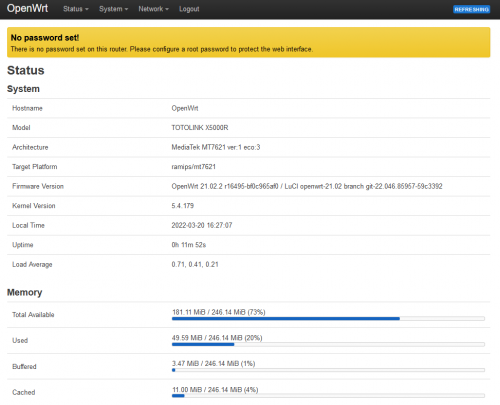
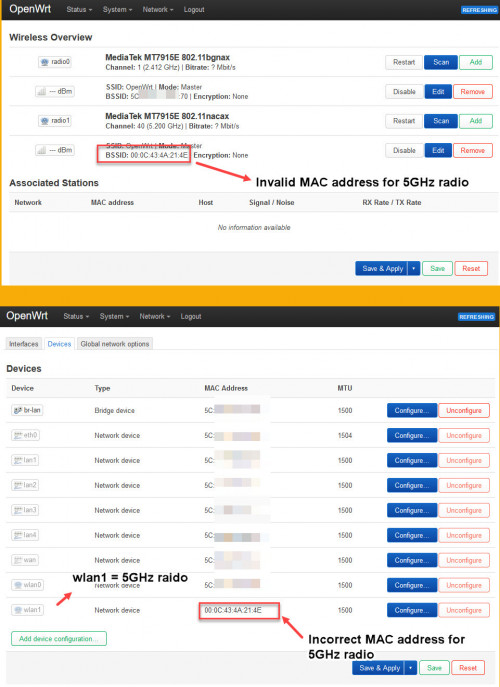
I bought this router to use OpenWRT. Hopefully somebody finds a way to flash it, otherwise it's a bad buy 😅
You can find older official firmware on their website. But not sure you can downgrade it or not. Then only flash openwrt. (I supposed. I don't own X5000R. Use it at your own risk.)
You can find older official firmware on their website. But not sure you can downgrade it or not. Then only flash openwrt. (I supposed. I don't own X5000R. Use it at your own risk.)
Who want to buy totolink product please below link,it is safe to buy and faster delivery to your house and you do need to come my shop.It comes with 3 years manufacture Malaysia warranty.Router support vlan for fibre internet like Unifi,maxis,Digi,Allo,Celcom fibre.
I heard totolink have USB wifi adaptor for wifi 6 Generation,It is good to use which have wifi 6 Router or user already use wifi 6 router.The model is X6100UA.
USB 3.0 Interface connection support older USB 2.0 connection
Three more feature antenna support 90/180 degree rotation,mu-mimo technology and os support windows 10/11
This post has been edited by lacusclynee: Aug 6 2022, 08:05 PM
Here is the video tutorial to add on mesh model for totolink T6-AC1200 Dual Band Smart Home Wi-Fi Mesh,T8-AC1200 gigabit Dual Band Smart Home Wi-Fi Mesh ,X18-AX1800 #wifi6 Smart Mesh System.Guide to add more mesh into existing TOTOLINK mesh network Introduction on how to add more mesh into existing TOTOLINK mesh networking.
TOTOLINK A720R AC1200 Mini WiFi Dual Band Router ✅Wi-Fi speed up to 1200Mbps (300Mbps 2.4GHz + 867Mbps 5GHz) ✅1*10/100Mbps WAN port, 2*10/100Mbps LAN ports ✅Operation modes: Router(Gateway), AP(Bridge), Repeater and WISP ✅Supports IPTV, IPv6, DDNS, Beamforming, Guest Network, Parental Control
What's GOOD about Parental Control setting⁉️ ✅Monitor / schedule child's Internet activity ✅Limit the websites and services your kids can access from any device on your home network ✅Help reduce the risk of your child viewing inappropriate content on the web ✅Filter and block specific content, such as pornography and violence
Do u know Totolink have VPN feature?Here video tutorial for styp VPN.Totolink router model support VPN is N200RE,A720R,A3002RU,A7000R,X5000R,T6,T8,T10,LR1200.
Guide to setup Dynamic IP(Access Point Mode) for Totolink T8
We have person from 7Mbps now become 70Mbps,how to do that,what model Totolink he used?
This post has been edited by world48: Aug 6 2022, 08:45 PM
Recently bought totolink T10, found out if I off IPTV option, it won’t connected to internet unless set it On. Anyone encounter this problem.
It is normal because our telco Malaysia like Unifi,Digi Fibre,Maxis Fibre,Celcom fibre have Vlan tagging related with IPTV if IPTV not turn on cannot access internet.That is normal for your totolink T10
Like Unifi internet vlan is 500 and IPTV is 600,Maxis Fibre by using TM Modem internet is 621 and IPTV is 823,final Maxis Fibre using by Maxis modem internet is 11 and IPTV is 17.
You can use either user define or unifi mode to set with your Totolink T10.
or
If maxis choose maxis mode.
This post has been edited by fireproof: Oct 30 2022, 02:42 PM
Even you have user id and password from Malaysia ISP,you still need to know Malaysia ISP vlan tagging.If you don't know you fail to setup a new router.
These look a little bit outdated I should update the details Malaysia Telco Vlan tagging
Many people enquiry how to install Totolink Wifi 6 AX1800 X6100UA USB Adaptor,so i found have people review and show us how to install,language is Chinese mix with Malay.
i have totolink....but the web ui is terrible...i flashed it with openwrt
May I know what model u use for totolink and openwrt are not developed by Totolink and that are third party firmware and u flashed then void your warranty.
May I know what model u use for totolink and openwrt are not developed by Totolink and that are third party firmware and u flashed then void your warranty.
TOTOLINK X5000R. Dont worry about your warranty. They wont even know what fw is on the router if your router is fried. They will just replace with a new one. If it is a software issue, just flash back original FW.
This post has been edited by carnby77: Dec 30 2022, 03:28 PM
TOTOLINK X5000R. Dont worry about your warranty. They wont even know what fw is on the router if your router is fried. They will just replace with a new one. If it is a software issue, just flash back original FW.
Are u sure?You go to Totolink service centre and he said like that?
When you plug wifi receiver N found blue screen and no need panic and solution is go to login router to change Wireless encrytion to WPA/WPA 2 Personal because Wifi 6 Router cause WPA3 encrytion cause blue screen
Above Pic mentioned you buy Totolink X5000R,X6000R and 2pcs EX1800L can form mesh wifi.
If you buy two pcs Totolink X5000R(AX1800)or X6000R(AX3000)router also can form mesh wifi.
If you buy two pcs EX1800L(AX1800) cannot form mesh wifi at least you buy either one router Totolink X5000R(AX1800) or X6000R(AX3000)then can form mesh wifi.
If buy two pcs EX1800L(AX1800),one can do access point and another one do range extender/wifi repeater mode.
We suggest to use Windows10/11 because it stable Operating System but for Windows 7 also can support and you key in Realtek 8832AU Wireless LAN WiFi 6 USB NIC.I saw got support Windows 7.
One day I go to customer house at GCB Court to do Totolink X6000R WiFi 6 AX3000 router settings and we use lan cable speed test got these result because customer Internet Speed 300Mbps.


 Jun 5 2019, 11:53 PM, updated 7y ago


 Quote
Quote








 0.1737sec
 0.62
0.62
 6 queries
 GZIP Disabled