Outline ·
[ Standard ] ·
Linear+
Problem with Tp-link Deco M5
|
elmodistortion
|
 Apr 18 2020, 12:02 AM Apr 18 2020, 12:02 AM
|

|
QUOTE(blacktubi @ Apr 16 2020, 11:01 AM) The Deco app will use the closest speedtest server based on the ping. Besides, because the speedtest is done directly on the router, there will be no loss on transmission. Help 😣 Hi bro, any idea why my deco ethernet backhaul not working ? My setup is unifi btu - main deco (setup as router) - slave deco. The slave seem connected thru wifi instead of ethernet. Any idea? So far Network port for both deco is ok. This post has been edited by elmodistortion: Apr 18 2020, 09:59 AM |
|
|
|
|
|
elmodistortion
|
Apr 18 2020, 12:38 PM
|
|
|
QUOTE(blacktubi @ Apr 18 2020, 12:14 PM) Can you take a screenshot of the VLAN/IPTV setup screen on your Deco app? 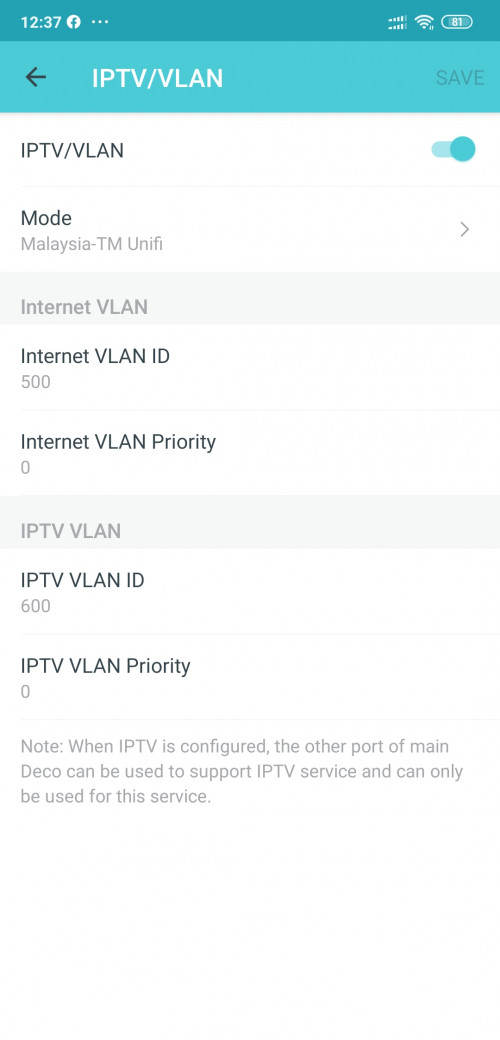 As attached. Use preset unifi vlan settings. |
|
|
|
|
|
elmodistortion
|
Apr 18 2020, 01:00 PM
|
|
|
QUOTE(blacktubi @ Apr 18 2020, 12:40 PM) Oh crap, you are running the latest firmware where they reserved the second LAN port for HyppTV and there's no way to disable it now.  One possible way to solve this is to downgrade to an older firmware using the web interface. I saw there is custom in existing preset unifi. Can u have a look bro? 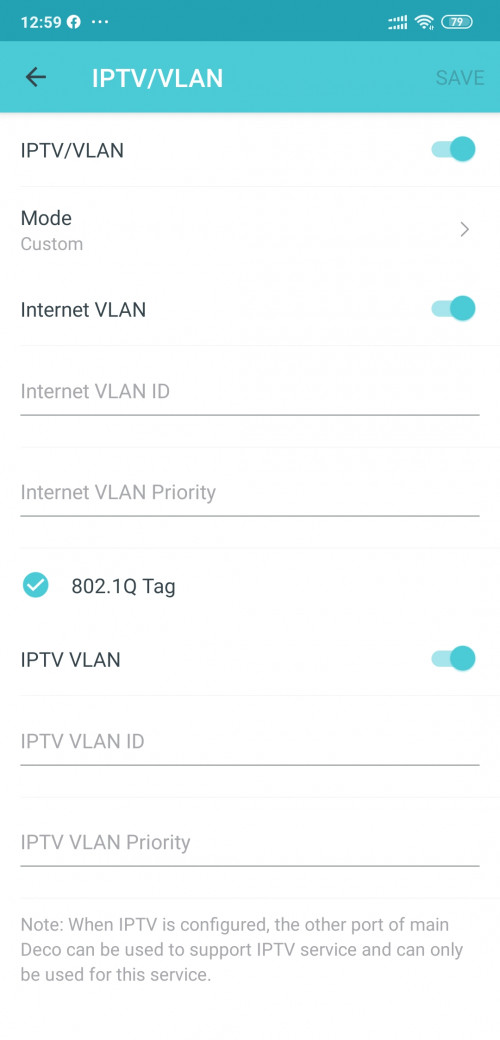 |
|
|
|
|
|
elmodistortion
|
Apr 18 2020, 01:02 PM
|
|
|
Anyway I'm also need unifi playtv as now unifi tv channel quite ok.
|
|
|
|
|
|
elmodistortion
|
Apr 18 2020, 02:15 PM
|
|
|
QUOTE(blacktubi @ Apr 18 2020, 01:16 PM) You can only choose one. Either Ethernet backhaul or Unifi TV.  Should i disable 2.4ghz and how wireless backhaul connect each deco m5 node? Can this 5ghz use for multiple user in house? |
|
|
|
|
|
elmodistortion
|
Apr 18 2020, 09:48 PM
|
|
|
QUOTE(blacktubi @ Apr 18 2020, 02:44 PM) No need to do anything special, the Deco M5 works well by default. Of course it support multiple users. Been using for 2 days now. Both deco is quite hot ya. Hotter than my standard unifi router. is it normal? |
|
|
|
|
|
elmodistortion
|
May 31 2020, 05:10 PM
|
|
|
QUOTE(calvinyeap @ May 28 2020, 03:44 PM) Unfortunetely unable to downgrade the firmware. "Upgrade failed. Please select the latest version of firmware to upgrade." I also tried setting this manually, with only Internet VLAN and disable IPTV VLAN but it won't connect to the Internet. Anyone found a solution to this? it wont connect to internet if we disable IPTV VLAN? |
|
|
|
|
|
elmodistortion
|
Jun 7 2020, 05:21 PM
|
|
|
I have use custome vlan 500 internet. But sad if i van setup second m5 deco to vlan 600 for second port will be great.
|
|
|
|
|



 Quote
Quote
 0.0208sec
 0.95
0.95
 6 queries
 GZIP Disabled