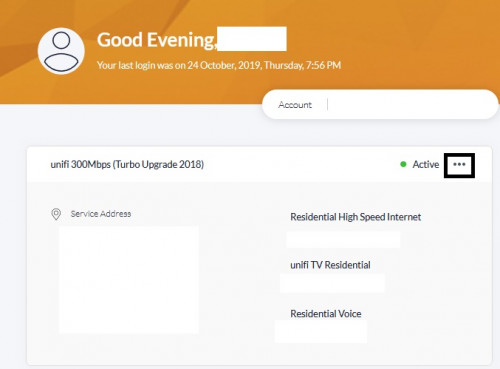
STEP 1 Go to your profile and click ... > Choose Change My Plan
 STEP 2
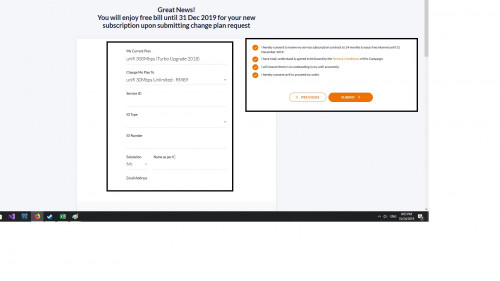
 Select change desired plan. ( I choose mine from 300MBps to 30 MBps RM89) > You will need to tick all in order to submit (Note: New Contract reset 24 hours)
\
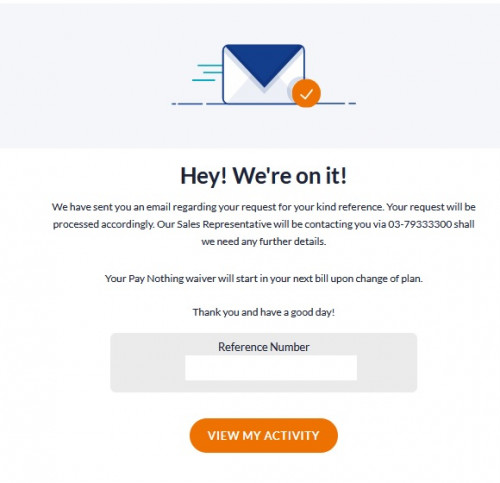
STEP 3 Once you submit your request you will get a reference number.
Hi guys,
I try one of the forum-er advice and try to change my plan via web/ mobile apps.
Check both UI (mobile/desktop) and it is similar.
NOTE:.
My request submission is from web application via desktop.
It seems didn't state and penalty charge. But i never bother go and read the Term & Conditions.
If(In case) there is penalty charge it will be RM 200 for me base on my contract till 2020 March. (Other user might varies)
Anyway other forum-er seems to have success in the change plan request from 300MBps to 30 MBps ( without any charges with 1 year contract intact).
Please note if you click "Pay for nothing Promo" link straight away as advertise you will only eligible to get free internet until Dec 2019 with
Current Plant.
*(What i need is cheaper plan that is why i apply STEP1~STEP3 as advice by forum-er) So hopefully, everything works as intended with no charge.

FYI This is my before state. Will compare with after state if my submission approved.



 Mar 8 2019, 07:16 PM


 Quote
Quote [attachmentid=10344573]
 0.1977sec
 0.40
0.40
 7 queries
 GZIP Disabled