

QUOTE(Fantasia @ Oct 4 2025, 03:43 PM)
I saw 1 instagram post said that it will still use Hotstar version
https://www.instagram.com/p/DPVgnSPAccg/

https://www.instagram.com/p/DPVgnSPAccg/
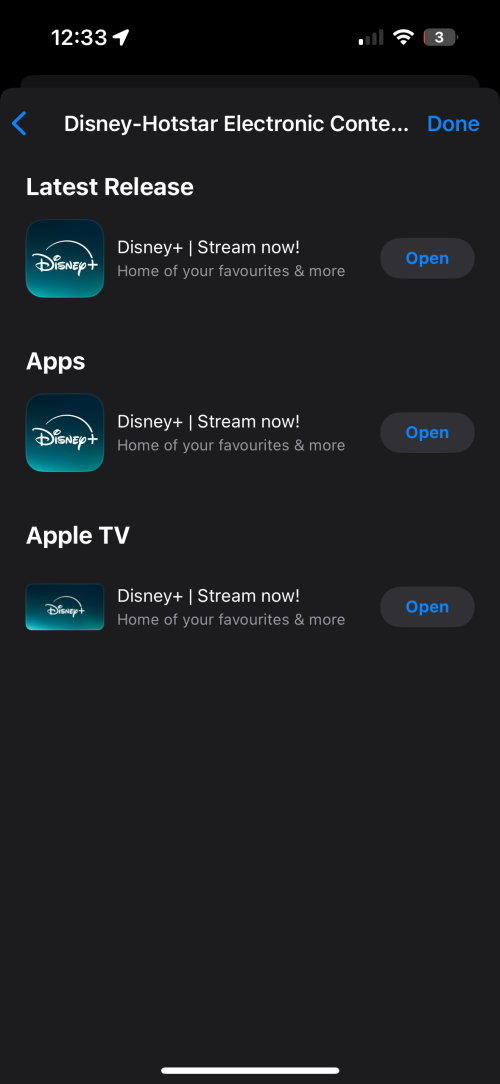
This post has been edited by doubleM2: Oct 8 2025, 12:34 AM
Unifi TV Ver 2, Formerly known as HyppTV
|
|
 Oct 8 2025, 12:33 AM Oct 8 2025, 12:33 AM
Return to original view | IPv6 | Post
#521
|
 
Senior Member
1,031 posts Joined: Jun 2019 
|
QUOTE(Fantasia @ Oct 4 2025, 03:43 PM) I saw 1 instagram post said that it will still use Hotstar version https://www.instagram.com/p/DPVgnSPAccg/ This post has been edited by doubleM2: Oct 8 2025, 12:34 AM |
|
|
|
|
|
Oct 9 2025, 12:44 AM
Return to original view | IPv6 | Post
#522
|
|
Senior Member
1,031 posts Joined: Jun 2019
|
QUOTE(Fantasia @ Oct 8 2025, 08:55 PM) I opened the app in my TV just now. It still show Hotstar Fret not.It’s now Disney+ from today onwards. Despite the rebrand, the platform still runs on “Hotstar X,” worlds apart from the polished Disney+ app seen in the U.S. and Singapore. |
|
|
Oct 11 2025, 04:18 PM
Return to original view | IPv6 | Post
#523
|
|
Senior Member
1,031 posts Joined: Jun 2019
|
QUOTE(Microsuck360 @ Oct 11 2025, 03:48 PM) Still no 4k movies? No.Expect less from Unifi TV next time. |
|
|
Oct 11 2025, 07:08 PM
Return to original view | IPv6 | Post
#524
|
|
Senior Member
1,031 posts Joined: Jun 2019
|
QUOTE(Iptvfan @ Oct 11 2025, 06:11 PM) Astero has a lot of 4K movies? I never use them for long time. My current HD is enough for unifitv things. Netflix or disney got some 4K is good. Even less. Most of their latest rental flicks (incl. Early Access) are FHD only.Their 4K library is now consists of Astro Originals’ series & Love Nature 4K On Demand. This post has been edited by doubleM2: Oct 11 2025, 08:00 PM |
|
|
Oct 13 2025, 05:24 PM
Return to original view | IPv6 | Post
#525
|
|
Senior Member
1,031 posts Joined: Jun 2019
|
QUOTE(Khan92 @ Oct 13 2025, 01:42 PM) Does D+ offer for Unifi tv subs still ongoing? Still is.https://unifi.com.my/tv/index.html#/promotions/special-price |
|
|
Oct 16 2025, 10:04 PM
Return to original view | IPv6 | Post
#526
|
|
Senior Member
1,031 posts Joined: Jun 2019
|
QUOTE(Khan92 @ Oct 16 2025, 06:30 PM) Movie pack subs, noticed HBO channel gone already? Non-watchable anymore? |
|
|
|
|
|
Oct 20 2025, 11:28 PM
Return to original view | IPv6 | Post
#527
|
|
Senior Member
1,031 posts Joined: Jun 2019
|
QUOTE(Arsyad1105 @ Oct 20 2025, 09:40 PM) [attachmentid=11520612] Kindly check the MyUnifi app (or Unifi UniVerse) as well to confirm the exact entitlements included with your Max Plus Pack.I was subscribed to Max Plus Pack and it should have HBO Max subs with other 6 apps but it didn't show up on streaming apps tab, only HBO Max available [attachmentid=11520613] Already reported to unifi since last month and they opened case with no update. Not only that but I'm stuck with build your own pack which is useless since I already have full channel with Max Plus pack. *note that Disney+ is ala carte not part of pack In my case, this Unifi TV Portal shows my subscription as ‘no active service,’ like this error below, which seems inaccurate. 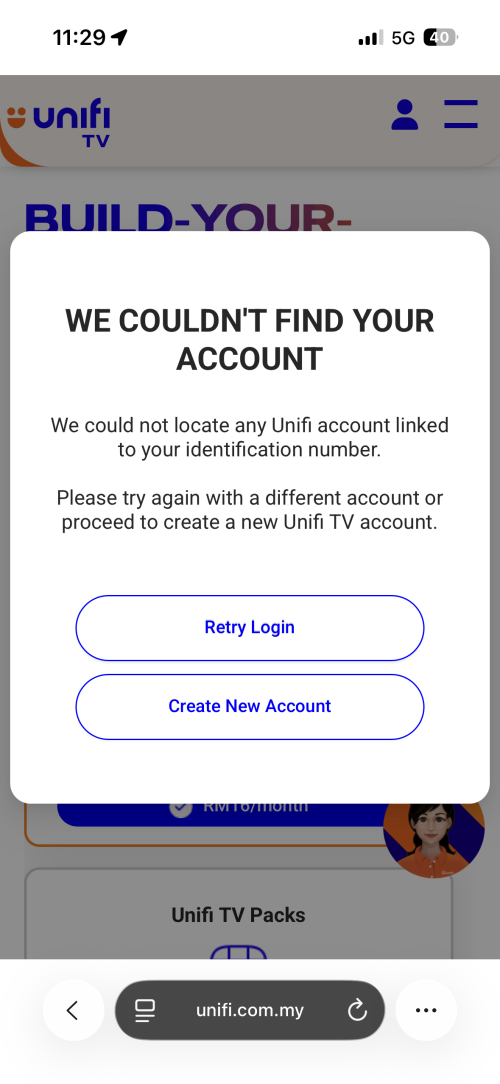 This post has been edited by doubleM2: Oct 20 2025, 11:30 PM |
|
|
Oct 21 2025, 12:18 AM
Return to original view | IPv6 | Post
#528
|
|
Senior Member
1,031 posts Joined: Jun 2019
|
QUOTE(Arsyad1105 @ Oct 21 2025, 12:07 AM) I'm registered for unifi tv standalone so can't use both of that app In that case, your account is tagged under the Unifi UniVerse app. You can actually.But first. Did you register for a Unifi Digital ID before subscribing to the Unifi TV pack? |
|
|
Oct 21 2025, 10:39 AM
Return to original view | IPv6 | Post
#529
|
|
Senior Member
1,031 posts Joined: Jun 2019
|
QUOTE(Arsyad1105 @ Oct 21 2025, 01:37 AM) I registered for it and the universe app not working. Already ask CS and they said standalone can't use any app[attachmentid=11520615] I faced this exact issue when I first subscribed to Unifi TV standalone last month.At that time, I couldn’t access my Unifi TV subscription summary on Unifi UniVerse and could only manage it through the Unifi TV Portal. Out of frustration, I ended up creating a new Unifi TV account using my passport instead. This time, however, I registered for a Unifi Digital ID on Unifi UniVerse before subscribing to Unifi TV. The system then merged both accounts for confirmation, allowing me to finally manage everything directly through the Unifi UniVerse app. Since I ended up with two Unifi TV accounts under the same name (one registered with my IC, which I wanted to delete, and another with my passport), I contacted a TM agent through the Maya portal to request the removal of the IC-linked account to avoid double charges. The agent promptly managed to delete my first Unifi TV account tied to my IC. |
|
|
Oct 23 2025, 01:56 PM
Return to original view | IPv6 | Post
#530
|
|
Senior Member
1,031 posts Joined: Jun 2019
|
QUOTE(jusbella @ Oct 22 2025, 08:39 PM) Anyone tried change pack and get error message? Verification Failed Request parameter {0} is empty. QUOTE(space_boy_88 @ Oct 23 2025, 10:57 AM) yes , i also encounter the same error From Unifi TV Portal or MyUnifi/Unifi UniVerse app? |
|
|
Oct 24 2025, 04:16 PM
Return to original view | IPv6 | Post
#531
|
|
Senior Member
1,031 posts Joined: Jun 2019
|
QUOTE(jusbella @ Oct 24 2025, 03:03 PM) When I tried do that, there is existing legacy pack on my account and seems cannot be removed, only can add new subscription. If I’ve understood your situation correctly, yes.So tat means if I choose Ying Xiong pack RM21 then I will need to pay RM21 + legacy ultimate pack RM60 ? Your new second account is created solely for the Unifi TV pack you’ve selected, which TM has tagged as a separate add-on. Because of this, your previous Unifi TV pack (tagged with Unifi Home) cannot be merged or switched into the new one. This post has been edited by doubleM2: Oct 24 2025, 04:20 PM |
|
|
Oct 27 2025, 08:12 AM
Return to original view | IPv6 | Post
#532
|
|
Senior Member
1,031 posts Joined: Jun 2019
|
QUOTE(xperiaVuser @ Oct 26 2025, 08:50 PM) Hello guys, I have cancelled Unifi TV subscription but I still want to use the hardware as a normal android tv box. Is there a way to revert firmware back to the previous version? No. End of story. |
|
|
Oct 27 2025, 05:06 PM
Return to original view | IPv6 | Post
#533
|
|
Senior Member
1,031 posts Joined: Jun 2019
|
QUOTE(xperiaVuser @ Oct 27 2025, 11:04 AM) Thanks for replying. Another e-waste then. The Unifi TV box is a Skyworth Leap S4 equivalent right? The Unifi TV Box is made by Skyworth as well.Never mind, it's too much work flashing to other firmware. xperiaVuser liked this post
|
|
|
|
|
|
Oct 29 2025, 10:01 PM
Return to original view | IPv6 | Post
#534
|
|
Senior Member
1,031 posts Joined: Jun 2019
|
QUOTE(MrSpeedy @ Oct 29 2025, 08:04 PM) Or you can even install custom launcher to make it more familiar to Android TV home page. Ooh, will try later.I recommend Projectivy from PlayStore that has option to get rid of the default Unifi TV launcher. Is it still lagging after switching to custom launcher though? |
|
|
Nov 1 2025, 02:55 AM
Return to original view | IPv6 | Post
#535
|
|
Senior Member
1,031 posts Joined: Jun 2019
|
QUOTE(amirul hafizz @ Oct 31 2025, 11:51 PM) My id already migrate from unifi tv 1.0 to unifi tv 2.0 but i still can use on stb white color with VLAN. Enjoy it while it lasts.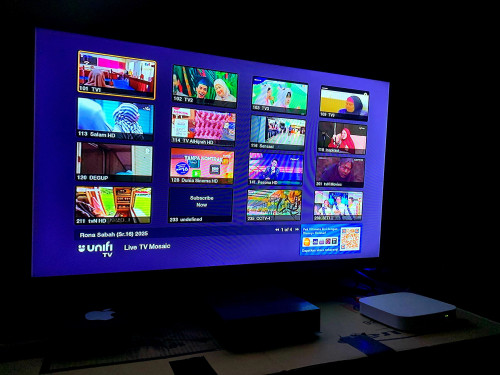 jusbella liked this post
|
|
|
Nov 9 2025, 06:47 PM
Return to original view | IPv6 | Post
#536
|
|
Senior Member
1,031 posts Joined: Jun 2019
|
QUOTE(JohnLai @ Nov 9 2025, 08:49 AM) Hmm.......how do one change the default purchase PIN 123456 on the new box? Change PIN only accessible via https://unifitv.com.my or Unifi TV 2.0 mobile app:My Account > Reset PIN > Verify OTP > Create new PIN > Done Source: https://youtu.be/YxxPKieO3PA |
|
|
Nov 9 2025, 06:52 PM
Return to original view | IPv6 | Post
#537
|
|
Senior Member
1,031 posts Joined: Jun 2019
|
QUOTE(jusbella @ Nov 8 2025, 10:42 PM) How do I redeem trial streaming apps? Read here: https://unifi.com.my/tv/sites/default/files...8Oct2025-V2.pdf jusbella liked this post
|
|
|
Nov 9 2025, 08:51 PM
Return to original view | IPv6 | Post
#538
|
|
Senior Member
1,031 posts Joined: Jun 2019
|
QUOTE(JohnLai @ Nov 9 2025, 07:33 PM) I see...... You can try to rename the box first. See if it works.Another issue, when I turn on the power of the new box, even in standby mode, I can see the box broadcasting Bluetooth "TVPlayer" on my phone and laptop. Apparently I can connect to it from multiple devices, is there any way to disable this? I don't want my neighbour to connect to my box.  Settings > Device Preferences (or System) > About > Device Name In most cases, someone cannot fully connect to your box without you physically accepting a pairing request on your TV screen. This post has been edited by doubleM2: Nov 9 2025, 08:52 PM |
|
|
Nov 10 2025, 02:15 AM
Return to original view | IPv6 | Post
#539
|
|
Senior Member
1,031 posts Joined: Jun 2019
|
QUOTE(jusbella @ Nov 9 2025, 10:40 PM) There is no free button on both my universe and MyUnifi apps, web portal same no free button. Exactly. So read again.TL;DR: Please select the streaming app of your choice first, then proceed to the next steps. You won't be charged for the first month until your next Unifi bill. jusbella liked this post
|
|
|
Nov 10 2025, 06:35 PM
Return to original view | IPv6 | Post
#540
|
|
Senior Member
1,031 posts Joined: Jun 2019
|
QUOTE(JohnLai @ Nov 10 2025, 05:45 PM) Just realise the tvbox automatically turned on from standby whenever there is a pairing request. Um, how about this?Although I cancelled the pairing every time when it popped up, but it is kinda annoying when my neighbour tried to pair it multiple times in a day  Switch Bluetooth off, then use the Google TV or Google Home app to link your phone to the box. Ensure the same Google account is signed in and both devices are connected to the same Wi‑Fi. |
| Change to: |  0.1889sec 0.1889sec
 0.70 0.70
 7 queries 7 queries
 GZIP Disabled GZIP Disabled
Time is now: 22nd December 2025 - 03:20 PM |
 Quote
Quote