Outline ·
[ Standard ] ·
Linear+
Unifi TV Ver 2, Formerly known as HyppTV
|
doubleM2
|
 Mar 17 2020, 03:56 AM Mar 17 2020, 03:56 AM
|

|
QUOTE(michaellks @ Mar 16 2020, 09:00 PM) hi guys, are you able to watch unifi tv from internet browser? I've tried with Chrome and Internet Explorer and it doesn't work. I could watch it on I.E. before the migration.  LIVE TV and VOD content viewing are not supported through all major browsers yet (Chrome, IE, Edge, Firefox, Safari). It only works for content purchasing, especially for iOS users (iPhone, iPad) since the playTV app doesn't include In-App Purchase. |
|
|
|
|
|
doubleM2
|
Apr 4 2020, 06:39 PM
|
|
|
QUOTE(chinonet @ Mar 31 2020, 09:57 AM)   working great on Mibox S.. got some new features.. Down: channel select Up: EPG/Sub/Audio *new* Left/Right: switch channel Back: Menu SAME HERE! Thanks a lot mates! 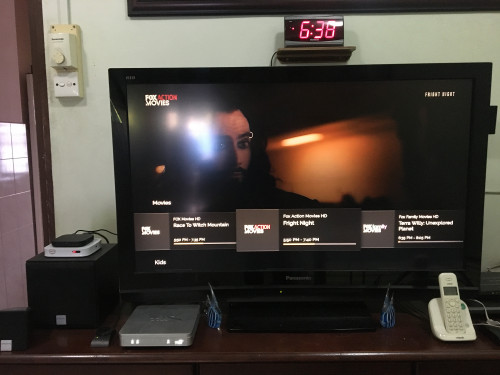 |
|
|
|
|
|
doubleM2
|
Apr 7 2020, 05:37 PM
|
|
|
QUOTE(linkinxmen @ Apr 6 2020, 07:57 PM) how did you change the picture quality? i cant find it, thanks  I found that picture quality setting only works via On Demand section. Now where’s the aspect ratio option? Watching TV1 and it’s 4:3  I keep changing to “4:3 Full” using conventional HDTV remote instead. Hoping next apk update link have this back, and other bugs happening right now, including audio/subtitles options. |
|
|
|
|
|
doubleM2
|
Apr 10 2020, 10:51 PM
|
|
|
Movie Lounge channel now open starting today. Selected winners will get complimentary 48-hour viewing. 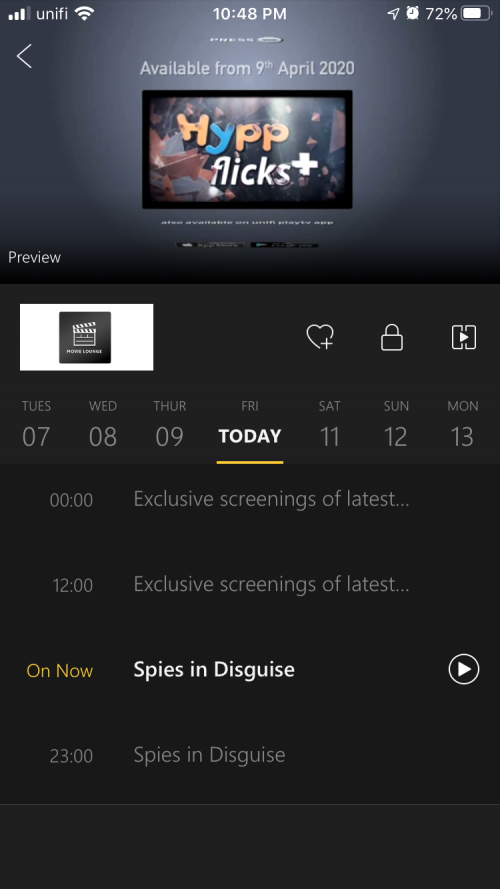 |
|
|
|
|
|
doubleM2
|
Apr 17 2020, 07:28 PM
|
|
|
QUOTE(doubleM2 @ Apr 7 2020, 05:37 PM) I found that picture quality setting only works via On Demand section. Now where’s the aspect ratio option? Watching TV1 and it’s 4:3 I keep changing to “4:3 Full” using conventional HDTV remote instead.Hoping next apk update link have this back, and other bugs happening right now, including audio/subtitles options. Well it’s gone now. Full 16:9 by default. After recent Android 9 Update on my Mi Box S. |
|
|
|
|
|
doubleM2
|
Jun 1 2020, 07:36 PM
|
|
|
QUOTE(pendekar7 @ May 31 2020, 08:18 PM) * *For Android TV (Television with Android built-in, not China Android boxes) & certified Android TV Box (eg: MiBox S) with real ATV (Leanback)* *  ATV apps are optimized to operate using tv remote easily. For NON Android TV device, please proceed to use THIS (playtv@unifi). [For certified Android TV Box] (eg: MiBox S) v1.2.01 unify playTV ATVBOX_1201_rev3 - tested and using on my MiBox S[For certified Android TV] (eg: Sharp LCUE630X) v1.1.06 unify playTV AND-TV_1106_rev3 - tested and using on my old SharpTV*All variants has Unifi Plus Box device restriction bypass mod. *All variants has force update disabled. Can keep using when new update available on PlayStore. *My test results are just for knowledge-base sharing and may vary on other device model. *If u encounter stuck at loading/buffering animation, simply reboot your device. *Please dont report crash without logcat bcos I cant help if u are not using MiBox S or Sharp LCUE630X  * As always, thanks sooo much for this mod update! All works fine on my Mi Box S. |
|
|
|
|
|
doubleM2
|
Jun 1 2020, 09:44 PM
|
|
|
QUOTE(joshhd @ Jun 1 2020, 09:09 PM) What's so special about TV3 till the point that some devices can't view the channel properly?  It’s TV3’s 36th anniversary today apparently I think that’s why got unwatchable huhu |
|
|
|
|
|
doubleM2
|
Jul 1 2020, 06:32 PM
|
|
|
I’m in disbelief rn. From unifi Community page said that Yupp Thirai HD will start today July 1, on Ch 301. But I pressed 301 on white STB and got “Invalid Channel Number”. Why are they being like this?
|
|
|
|
|
|
doubleM2
|
Jul 1 2020, 07:19 PM
|
|
|
QUOTE(syazone @ Jul 1 2020, 11:59 AM) yes, tested & working well on mibox as well Btw same here. Flawlessly works on my Mi Box S. |
|
|
|
|
|
doubleM2
|
Jul 6 2020, 09:25 PM
|
|
|
QUOTE(ayam_kampung @ Jul 6 2020, 03:13 PM) can somebody with Mibox S + ultimate package feedback if install this version from playstore, channel musang (muvee musang dan sukan musang) can view or not? Mi Box S + Ultimate Pack user here, can watch FOX Sports and FOX Movies networks without any issue. |
|
|
|
|
|
doubleM2
|
Jul 8 2020, 01:23 AM
|
|
|
QUOTE(ohtheirony @ Jul 6 2020, 09:50 PM) Your package comes with stb? The white/silver one Yep mine with white STB since July 2017. |
|
|
|
|
|
doubleM2
|
Jul 14 2020, 03:14 PM
|
|
|
|
|
|
|
|
|
doubleM2
|
Jul 23 2020, 11:50 PM
|
|
|
QUOTE(matju @ Jul 23 2020, 10:28 PM) how to watch unifi playtv via laptop/desktop? It's currently not accessible via Windows PC & macOS as unifi playTV only supports streaming thru iOS & Android smartphones and tablets, and Android TV. Before the overhaul change of the UI in Nov 2019, unifi playTV was accessible on PC via Internet Explorer 11. |
|
|
|
|
|
doubleM2
|
Jul 26 2020, 12:56 AM
|
|
|
QUOTE(SMF97 @ Jul 25 2020, 07:55 PM) 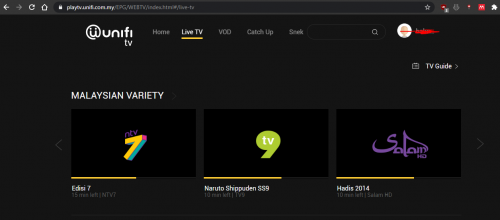 is this website is new for watching unifitv? I never heard this other than ded hypptv website than only available for IE https://playtv.unifi.com.my/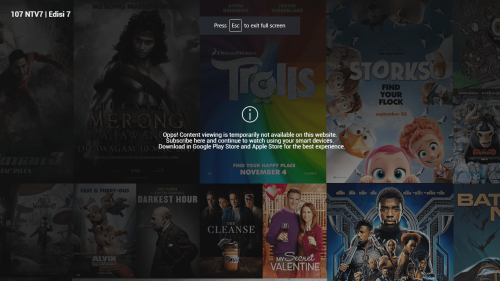 it seem no available for me now  Yep, from November 2019 onwards, and it's currently unavailable to watch for desktop users. It only works for purchasing especially VOD content e.g. HyppFlicks Plus for iOS users, as the iOS app of unifi playTV doesn't allow in-app purchasing instead. For Android users (both Android Mobile and Android TV) have no problem doing so. This post has been edited by doubleM2: Jul 26 2020, 01:00 AM |
|
|
|
|
|
doubleM2
|
Aug 8 2020, 11:24 AM
|
|
|
QUOTE(choonsern @ Aug 8 2020, 10:59 AM) This is taken out from the playunifi? How about those with mi box? It will stay on the official unifi TV app via Android TV. The removal only affects playTV@unifi users. |
|
|
|
|
|
doubleM2
|
Aug 8 2020, 09:38 PM
|
|
|
QUOTE(choonsern @ Aug 8 2020, 08:37 PM) So, that three channels are still there or will be gone? Deleted This post has been edited by doubleM2: Aug 8 2020, 09:55 PM |
|
|
|
|
|
doubleM2
|
Aug 8 2020, 09:51 PM
|
|
|
QUOTE(choonsern @ Aug 8 2020, 04:08 PM) Sorry , bro Dun quite understand. If I have mi box, can I still have those channels? I only know for sure no more on Android phones Yes bud. Those channels aren't gonna be ceased anyway on unifi TV platform. It's just not viewable via playTV mobile app from Aug 10 onwards. In other words, those users with either: - unifi TV White/Silver STB, - unifi Plus Box, or - unifi TV app installed on non-unifi Plus Box (e.g. Mi Box S), will continue to watch Nat Geo People, FOX Sports, and FOX Sports 2, uninterrupted. This post has been edited by doubleM2: Aug 8 2020, 10:05 PM |
|
|
|
|
|
doubleM2
|
Aug 10 2020, 01:40 PM
|
|
|
QUOTE(doubleM2 @ Aug 8 2020, 09:51 PM) Yes bud. Those channels aren't gonna be ceased anyway on unifi TV platform. It's just not viewable via playTV mobile app from Aug 10 onwards. In other words, those users with either: - unifi TV White/Silver STB, - unifi Plus Box, or - unifi TV app installed on non-unifi Plus Box (e.g. Mi Box S), will continue to watch Nat Geo People, FOX Sports, and FOX Sports 2, uninterrupted. Update: Today’s Monday, August 10, 2020. So I just checked the availability of those channels on unifi playTV mobile app, they’re still there to watch. I’m a unifi 300Mbps subscriber. Those who are non-unifi subscribers also can watch. 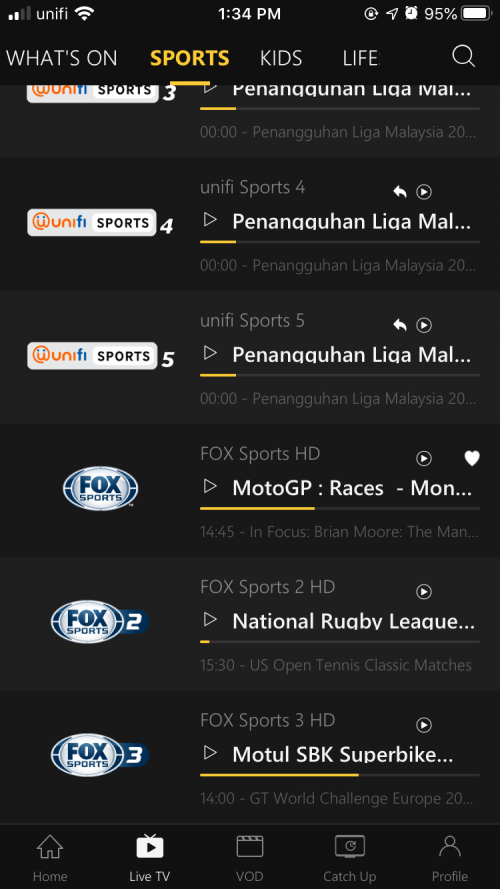 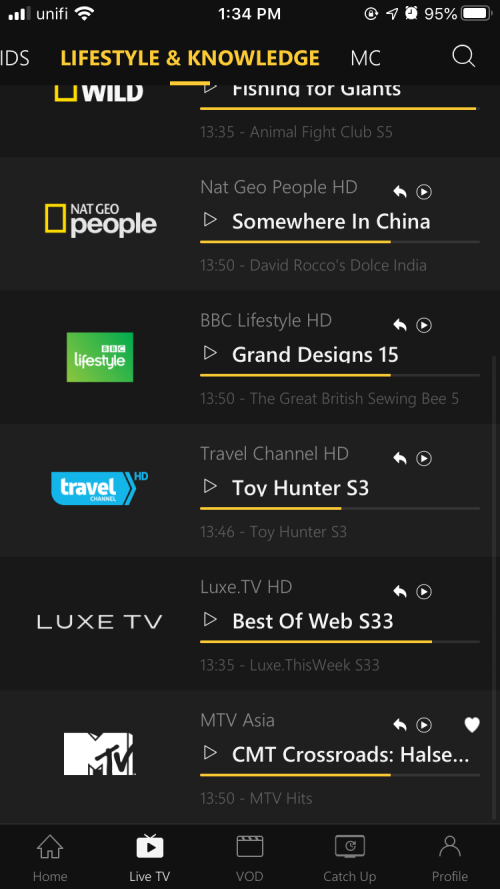 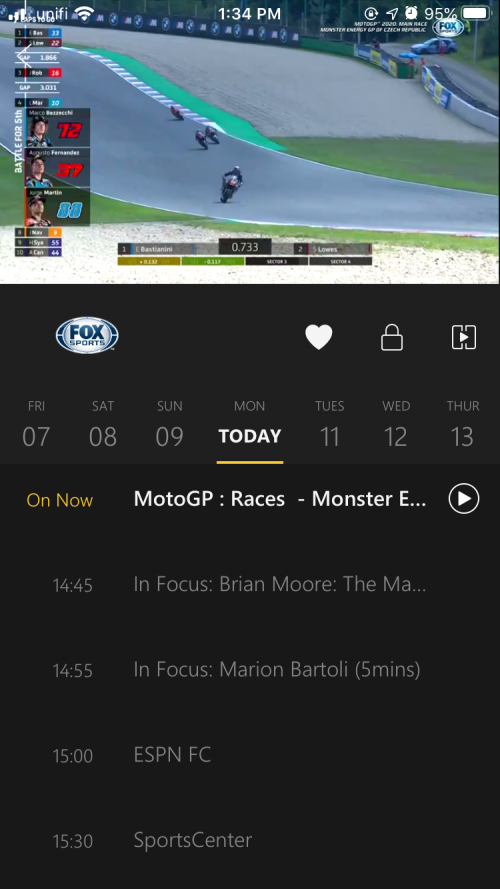 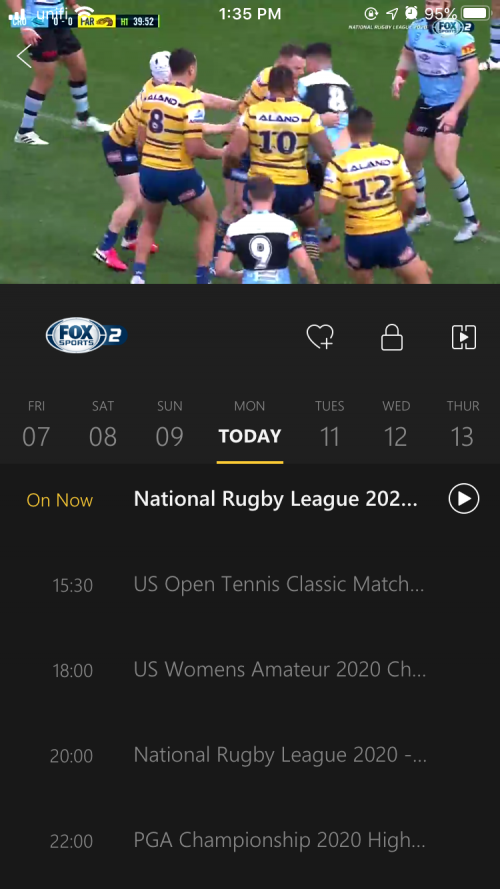 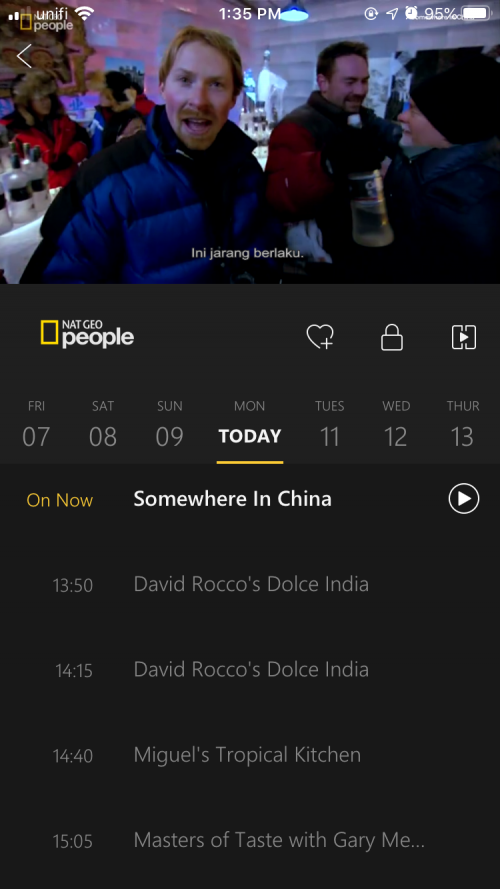 This post has been edited by doubleM2: Aug 10 2020, 01:42 PM This post has been edited by doubleM2: Aug 10 2020, 01:42 PM |
|
|
|
|
|
doubleM2
|
Aug 12 2020, 07:56 PM
|
|
|
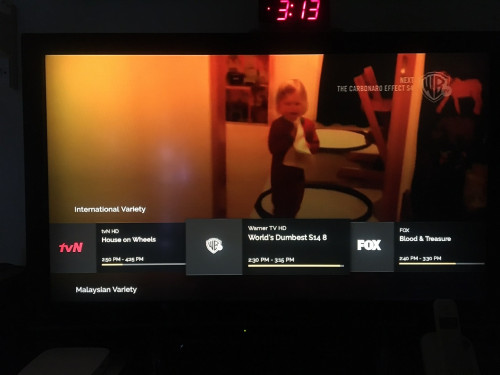
QUOTE(gastacopz @ Aug 11 2020, 09:54 PM) How to fix 414590 error on tx6? The box is rooted I think based on the popup.message after installed the APK from playstore Try these modded apk links from ver 1.2.3 that just released today. unifitv_1.2.3mod-r0 1. https://androidfilehost.com/?fid=88897916106829132752. https://github.com/dysoct/unifitvmod/releas...1.2.3mod-r0.apk |
|
|
|
|



 Quote
Quote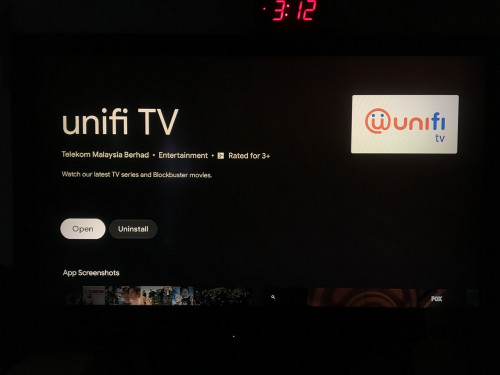


 0.0339sec
 0.94
0.94
 7 queries
 GZIP Disabled