QUOTE(smithkuan @ Nov 5 2018, 04:13 PM)
oh i see. my hardware is v1, so which firmware is the latest for this?

You can refer to this thread:https://forum.lowyat.net/topic/4497511
Unifi Official TM UniFi High Speed Broadband Thread V36, READ 1ST PAGE FOR TURBO SPEED INFO!
|
|
 Nov 5 2018, 04:20 PM Nov 5 2018, 04:20 PM
Return to original view | IPv6 | Post
#1
|
 
Junior Member
460 posts Joined: Jun 2012  
|
QUOTE(smithkuan @ Nov 5 2018, 04:13 PM) oh i see. my hardware is v1, so which firmware is the latest for this? You can refer to this thread:https://forum.lowyat.net/topic/4497511 |
|
|
|
|
|
Nov 11 2018, 10:19 PM
Return to original view | IPv6 | Post
#2
|
|
Junior Member
460 posts Joined: Jun 2012
|
Anyone tried Pi-Hole? Will Unifi be affected from it?
Planning to install Pi-Hole for my family |
|
|
Nov 12 2018, 01:58 AM
Return to original view | IPv6 | Post
#3
|
|
Junior Member
460 posts Joined: Jun 2012
|
QUOTE(taqu @ Nov 11 2018, 11:32 PM) I don't think so. Also plan to use it in future. Too much ads on kids' devices. Yeah especially those porno-ish like Tik-Tok ads getting wilder...Now looking for 2nd hand Raspberry Pi. Do USB from Tplink AC1200 suffice for powering up? |
|
|
Nov 12 2018, 04:06 PM
Return to original view | Post
#4
|
|
Junior Member
460 posts Joined: Jun 2012
|
QUOTE(taqu @ Nov 12 2018, 12:33 PM) Probably enough, depending on which Pi model. Pi 3 B+ consumes almost 3W under load, while most HDDs consume 2-2.7W. QUOTE(lol4291 @ Nov 12 2018, 01:32 PM) Are there 2nd Raspberry Pis? I've looked for a few before, but there's barely price difference between selling used and new. Well for my upcoming Pi-Hole mini project, these components I will use:Are you planning to power the Pi via the USB port on AC1200? It could work i suppose. AC1200 is USB 2.0, so, should be able to deliver a max of 500mA [according to standard spec]. Rpis power consumption table here. EDIT: I did some searching. It may or may not work, ymmv. These links are old but there's some info there. Link 1. Link 2. Link 3. I'm not sure if there's a local steam cache setup for a community or the like. But a while back, I found this. 1. Raspberry Pi Zero (w/o Wifi) 2. ENC28J60 10Mbps Network Adapter Module According to this site, Raspberry Pi Zero (w/o Wifi) has the lowest power consumption among all Pi's. So hopefully it shouldn't be any problem when supplying from USB port from the back of the router. Bonus, a Reddit user post his setup with display which power supplied from TP-LINK router. Link: https://old.reddit.com/r/pihole/comments/9k...y_to_my_pihole/ 
Wish me luck!  This post has been edited by MrSpeedy: Nov 12 2018, 04:08 PM |
|
|
Nov 16 2018, 07:21 PM
Return to original view | IPv6 | Post
#5
|
|
Junior Member
460 posts Joined: Jun 2012
|
QUOTE(mylinear @ Nov 16 2018, 07:14 PM) Everyone please go read #12. WTFFFFFFhttps://unifi.com.my/lsds/assets/images/per...Q-Home-plan.pdf They have been changing things. That was not there before. TM cant do this! There's literally RM30 perpetual discount on my dashboard |
|
|
Nov 22 2018, 10:05 PM
Return to original view | IPv6 | Post
#6
|
|
Junior Member
460 posts Joined: Jun 2012
|
QUOTE(fruitie @ Nov 22 2018, 09:25 PM) Hmm. Others are paying RM 159 for the same thing. I'm paying much lower than RM 159 but mine cannot be made as a case reference. 1. Race card. Anyway, I may have missed this but well if this is shared earlier. https://mindarakyat.blogspot.com/2018/11/ke...lah-tm.html?m=1 From what the author said, it seems the government cari pasal with TM.  To me, it wasn't initiated by the government. It was TIME that changed the whole game. To me, it wasn't initiated by the government. It was TIME that changed the whole game.  Anyway this link was shared by my friend who is working with TM.. 2. Najib card. 3. DAP card. The perfect trio for politikus ingredients. Stop this nonesense, if company being asshole it's their fault. Nothing todo with races. This post has been edited by MrSpeedy: Nov 22 2018, 10:06 PM |
|
|
|
|
|
Nov 22 2018, 10:48 PM
Return to original view | IPv6 | Post
#7
|
|
Junior Member
460 posts Joined: Jun 2012
|
QUOTE(zragon @ Nov 22 2018, 10:34 PM) Update on my previous post (page 132), Man I wish I can replace for that BTU. i called them 8am, they said wait for tomorrow. Then suddenly received call from unifi staff they want to come over 'NOW' lol, that's fast, i don't expect them to come over in just 5hrs. So, they replace my old BTU with new huawei one. & here's my new speedtest using CAT6 10 meter flat cable (using Asus AC68U bought last year) : 😁 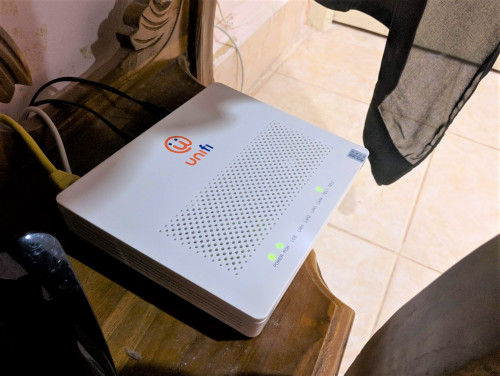 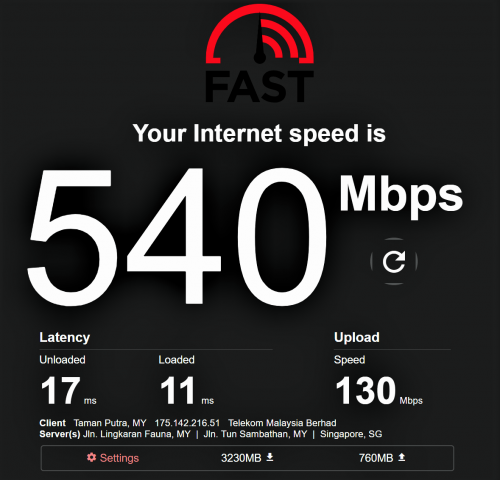 Too bad my BTU (Huawei silver) already support 1Gbps. I'm jelly with that aesthetic. |
|
|
Dec 9 2018, 02:14 PM
Return to original view | IPv6 | Post
#8
|
|
Junior Member
460 posts Joined: Jun 2012
|
Simple question:
In IPv6 settings, which one is better to obtain IPv6 WAN address? 1. Auto 2. SLAAC 3. DHCPv6 4. As specified by ISP Tplink Archer c1200 Edit: And no, I won't turn off IPv6 for now. This post has been edited by MrSpeedy: Dec 9 2018, 02:57 PM |
|
|
Dec 9 2018, 04:38 PM
Return to original view | IPv6 | Post
#9
|
|
Junior Member
460 posts Joined: Jun 2012
|
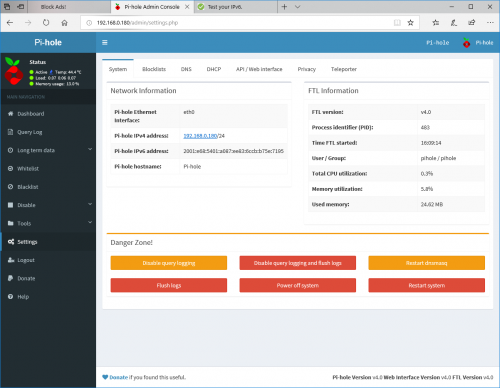
QUOTE(Doraku @ Dec 9 2018, 04:24 PM) I not a IPv6 expert but there is no such thing which is better for obtaining IPv6 WAN Address, Just use SLAAC. Yeah I tried both DHCPv6 and SLAAC (one-by-one), my router always gives Orange LED and indicates "Poor Network" from the web management once it can connect to IPv6. Probably due to Pi-Hole DNS I'm using it now. If you aware few weeks ago, I mentioned that to you guys that I will set up Pi-Hole for my home. Everything is working except IPv6 (kinda work just Tplink C1200 reported poor network for IPv6 with Pi-Hole DNS for some reasons). Gonna give it few hours to test. Expect tomorrow for the rep-up. |
|
|
Dec 9 2018, 05:44 PM
Return to original view | IPv6 | Post
#10
|
|
Junior Member
460 posts Joined: Jun 2012
|
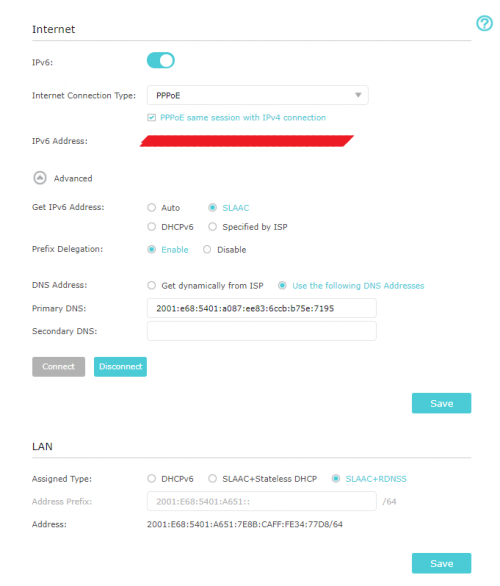
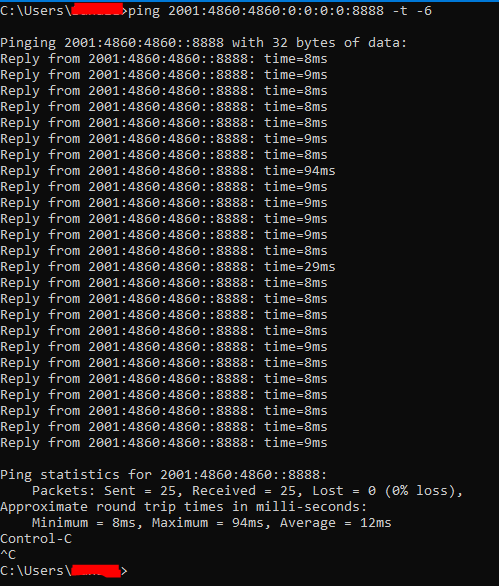
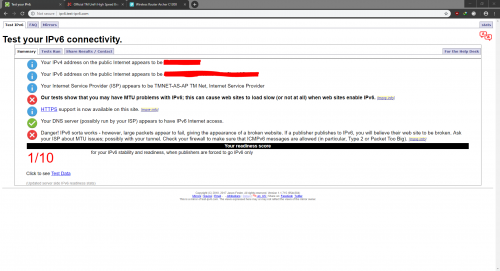
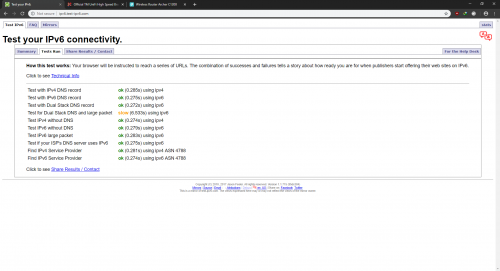
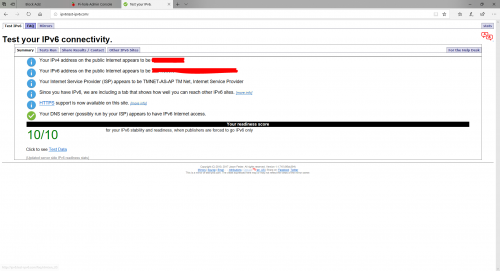
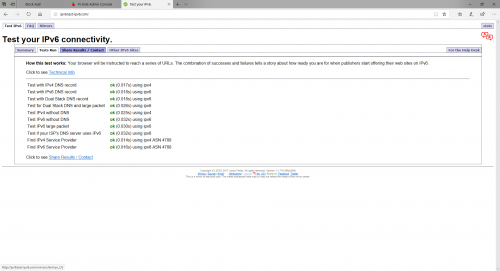
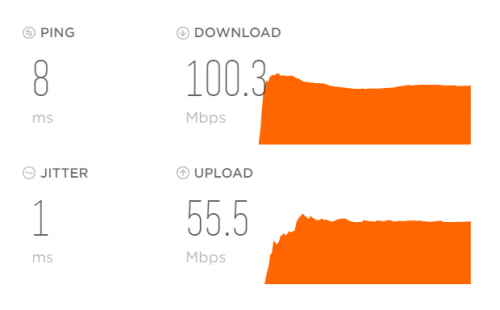
QUOTE(Doraku @ Dec 9 2018, 04:52 PM) Could you ping IPv6 Directly without domain name? My IPv6 settings:try ping google IPv6 DNS address? [2001:4860:4860:0:0:0:0:8888] Edit : BTW does your pc and router has IPv6 address and ipv6 DNS assigned? » Click to show Spoiler - click again to hide... « IPv6 ping test: » Click to show Spoiler - click again to hide... « IPv6 test (Chrome): » Click to show Spoiler - click again to hide... « IPv6 test (Edge): » Click to show Spoiler - click again to hide... « ipconfig /all » Click to show Spoiler - click again to hide... « Speedtest: » Click to show Spoiler - click again to hide... « |
|
|
Dec 9 2018, 07:22 PM
Return to original view | IPv6 | Post
#11
|
|
Junior Member
460 posts Joined: Jun 2012
|
QUOTE(Doraku @ Dec 9 2018, 06:21 PM) Did you assign your Pi-Hole with Global Unicast address lol? (2XXX /2001 prefix is global address AKA public address) your Pi-hole probably routable on internet that mean i could just enter your Pi-hole ipv6 DNS address on my PC and use as my unreliable DNS IDK this is what local IPv6 that is given during setup. During setup there's only static for IPv4, after I proceed it's just automatically assign this IPv6 address instead. And does Your Pi-hole Address setting is dynamic or static? » Click to show Spoiler - click again to hide... « So should I leave the IPv6 DNS empty (or CloudFlare v6 DNS), and remain 192.168.0.180 as DHCP primary address? |
|
|
Dec 9 2018, 10:01 PM
Return to original view | IPv6 | Post
#12
|
|
Junior Member
460 posts Joined: Jun 2012
|
» Click to show Spoiler - click again to hide... « PROBLEM SOLVED! Basically just need to set Pi-Hole IPv4 address as DHCP DNS server... WAN: DNS set to CloudFlare IPv4 IPv6: Settings remain the same as picture, but change DNS to CloudFlare IPv6 DHCP: Primary DNS replace with Pi-Hole IPv4 address (192.168.0.180 for my case), secondary remain empty. It looks like Pi-Hole will block incoming ads from both IPv4 and IPv6 address although DNS from DHCP is only IPv4 Everything is okay, TPLink C1200 no more report "Poor Network". Only my iPad need to set DNS manually to get ad-blocked (probably there's a fixed to unknown DNS if remain auto). |
|
|
Dec 17 2018, 04:08 PM
Return to original view | IPv6 | Post
#13
|
|
Junior Member
460 posts Joined: Jun 2012
|
QUOTE(roosie @ Dec 17 2018, 04:05 PM) I have finally gotten my turbo! Oh god.  No SMS or email sent and noticed it this morning when I logged into my Unifi portal. Thank you TM ! Will update all after testing it either tonight or tomorrow. 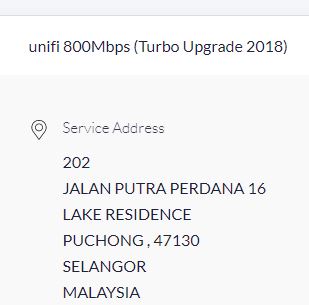 You better watch out for Agent 47! |
|
|
Dec 20 2018, 07:48 AM
Return to original view | IPv6 | Post
#14
|
|
Junior Member
460 posts Joined: Jun 2012
|
QUOTE(@skyhawk@ @ Dec 20 2018, 07:05 AM) guys, need opinion.. should i apply 100mb rm129 package now or wait for new offer of new year? any info TM will offer new promo better compare to current promo? QUOTE(Superodua @ Dec 20 2018, 07:21 AM) I m also waiting for next year, better wait cos TIME is attacking TM non stop, price war mang TM: You can't defeat me.  Time: I know, but he can. TNB: TNB has joined the server... |
|
|
Jan 8 2019, 06:40 PM
Return to original view | IPv6 | Post
#15
|
|
Junior Member
460 posts Joined: Jun 2012
|
Astro, Celcom, City Broadband, Digi, Maxis and Time has joined the server
Now playing: "TMNut's Bawang-gers - End Game" Official Trailer. This post has been edited by MrSpeedy: Jan 8 2019, 06:42 PM |
|
Topic ClosedOptions
|
| Change to: |  0.2194sec 0.2194sec
 0.63 0.63
 7 queries 7 queries
 GZIP Disabled GZIP Disabled
Time is now: 1st December 2025 - 02:48 PM |
 Quote
Quote