Welcome Guest ( Log In | Register )

Outline · [ Standard ] · Linear+

TIME [OFFICIAL] TIME Fibre Broadband™ v4, Experience the ONE TRUE 2Gbps

views
     
rickyro
post Aug 27 2020, 08:48 PM

Enthusiast
*****
Junior Member
914 posts

Joined: Mar 2011
user posted image

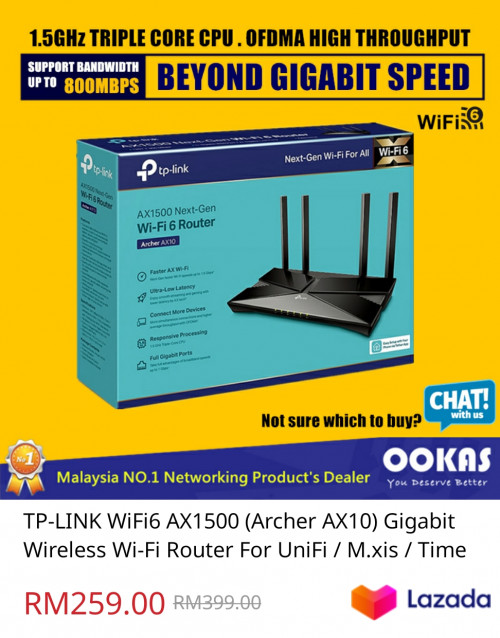
Can this Wi-Fi 6 router able to support both 500mbps download and 500mbps upload on WiFi 6? On paper it seems able to, but what about in reality..

I'm on 2x RE650 repeaters now, 2nd repeater able to get 150mbps only

Was alao thinking of getting 2xM9 plus too

This post has been edited by rickyro: Aug 27 2020, 08:50 PM
rickyro
post Aug 27 2020, 10:34 PM

Enthusiast
*****
Junior Member
914 posts

Joined: Mar 2011
QUOTE(FusionXY @ Aug 27 2020, 08:57 PM)
Hello, may I know what's your house size in sqft?

Thanks.
*
1600sqft
rickyro
post Aug 27 2020, 10:35 PM

Enthusiast
*****
Junior Member
914 posts

Joined: Mar 2011
QUOTE(magma_blaziken @ Aug 27 2020, 10:21 PM)
I used the AX50 with a Intel 9260 (160MHz Capable WIFI5). Could not get the full 500Mbps until I set the rate to 2400 for 5GHz. Note that this was behind 2 thick walls. Seeing as AX10 can only go max 1200 for 5GHz means you can only get full speed as long as you're near it without obstruction. Why not consider AX50 where I can still see a few sellers on Shopee still having the RM299 offer.
*
Whichever is the best model, I'll perhaps go for it...
rickyro
post Aug 28 2020, 09:44 AM

Enthusiast
*****
Junior Member
914 posts

Joined: Mar 2011
QUOTE(ryansxs @ Aug 28 2020, 08:46 AM)
It can surely support, just the question of coverage.
If your home is big, then you might need repeaters or build a mesh network to cover your whole house.
*
I just bought 1 AX50... Lets see how it goes from there, if it is okay, i may just sell off 2 of my RE650
rickyro
post Aug 28 2020, 10:41 AM

Enthusiast
*****
Junior Member
914 posts

Joined: Mar 2011
QUOTE(vickyrao @ Aug 28 2020, 09:58 AM)
On cable, you should easily achieve 500mbps as its gigabit ports. On Wifi though it depends on your house.

Does not make any much difference of having Wifi 6.

Suggest you look into Mesh Wifi but that also if you can connect multiple mesh unit with cable to increase the stability of the whole home wifi, then you will be able to hit 500mbps on wifi easily as long as your device is capable of WIFI 5.

I am currently using 2-unit TP-Lin Deco M5 for my whole home coverage. I connected it via Cable. Every corner of my home, easily averages at 480mbps. Cause there are some devices constantly running on the background so it is using the connection. But at times, i get full 500mbps.

user posted image

Earlier my Mesh was running on wireless and stability is not great but still able to achieve average of 400mbps. But by having it on ethernet backhaul, the stability improved tremendously. And i use one of the port to split to a switch and connect my computer, laptop and printer on ethernet cable.

Definitely enjoying my 500mbps at its fullest. I have more than 20 wireless devices in used at the same time. Pretty much due to smart home as i have alot of those hubs and lights and etc.
*
So I'm guessing even getting 2xM9 PLUS connected wireless wouldnt help much to achieve 500mbps on 2nd node,i tried 2xM5 deco, i only get like 200mbps on the second node, which is no different than the 2nd node of my RE650, just that the RE650 takes a bit longer to switch between nodes

 

Change to:
| Lo-Fi Version
0.0286sec    1.20    7 queries    GZIP Disabled
Time is now: 19th December 2025 - 12:13 PM