

Can anyone recommend a good router for Maxis 4G Home Wifi? The router they gave (TP-Link AC750 Archer MR200) is 1/4 the speed of when I use the sim card on my phone. Thanks!
Home Networking WiFi Router Discussion Thread, Updated for 2023
Home Networking WiFi Router Discussion Thread, Updated for 2023
|
|
 Oct 25 2023, 08:48 PM Oct 25 2023, 08:48 PM
Return to original view | IPv6 | Post
#1
|
 
Junior Member
102 posts Joined: Jan 2011 
|
Can anyone recommend a good router for Maxis 4G Home Wifi? The router they gave (TP-Link AC750 Archer MR200) is 1/4 the speed of when I use the sim card on my phone. Thanks!
|
|
|
|
|
|
Oct 26 2023, 12:15 AM
Return to original view | IPv6 | Post
#2
|
|
Junior Member
102 posts Joined: Jan 2011
|
QUOTE(BOTAK_WAI @ Oct 25 2023, 09:24 PM) get a 5G router Tq can I ask why it needs CA & any suggested router to get?or 4G router with 3CA or 4CA MR200 is cat4 router doesn't do any CA  |
|
|
Nov 4 2023, 05:33 PM
Return to original view | Post
#3
|
|
Junior Member
102 posts Joined: Jan 2011
|
Hi I got this router but when I put my Maxis 4G sim card inside it says sim card not detected. Does this need special installation for it to work?
QUOTE(BOTAK_WAI @ Oct 26 2023, 08:44 AM) top up a bit can get 5G router liao. 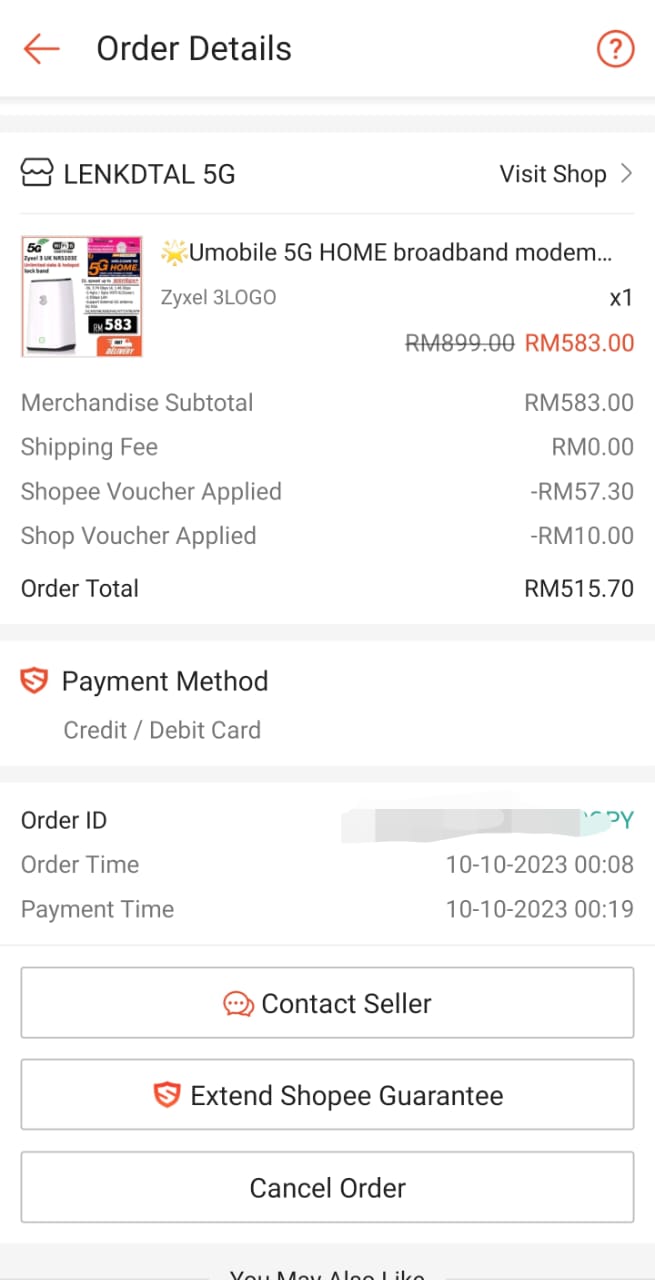 |
|
|
Nov 4 2023, 05:49 PM
Return to original view | Post
#4
|
|
Junior Member
102 posts Joined: Jan 2011
|
Sorry, it's Maxis 4G Home Wifi unlimited. It worked with tplink router.
QUOTE(Oltromen Ripot @ Nov 4 2023, 05:41 PM) where did you get the SIM from? What subscription. This post has been edited by mojo86: Nov 4 2023, 05:53 PMIf it was from Maxis 4G Backup SIM meant to be used with Maxis Fibre, then it is locked to function only when used with the dongle it came with AND the dongle itself is inserted into Maxis Fibre-approved router device. |
|
|
Nov 4 2023, 05:56 PM
Return to original view | Post
#5
|
|
Junior Member
102 posts Joined: Jan 2011
|
I'm not sure if it auto detects but when putting into tp link router it worked automatically. I unboxed the router, put the sim card (with sim adapter) in, restarted. Set up web login password. Under sim connection it said "sim card not detected". I'm not sure what APN is sorry, is it something that needs to be set?
QUOTE(Oltromen Ripot @ Nov 4 2023, 05:51 PM) Auto-detect telco? Or need to manual detect? Signal locked to band that is not available in your area? APN? |
|
|
Nov 5 2023, 10:41 AM
Return to original view | Post
#6
|
|
Junior Member
102 posts Joined: Jan 2011
|
THANK YOU! This worked perfectly
 QUOTE(BOTAK_WAI @ Nov 4 2023, 06:05 PM) make sure your sim card is inserted correctly. if your sim is Maxis 4G plan, it won't works with 5G (band B28+N78) or 4G (band B28) [started from 28 Aug 2023] it will works in 4G (band B1/3/7/8) [3 and 7 is primary band] APN setting page maxis official setting will be: APN: unet or bbnet Username: maxis Password: wap Authentication: pap/chap [in fact maxis works with blank username,password, authentication and whatever apn you key in if not mistaken] 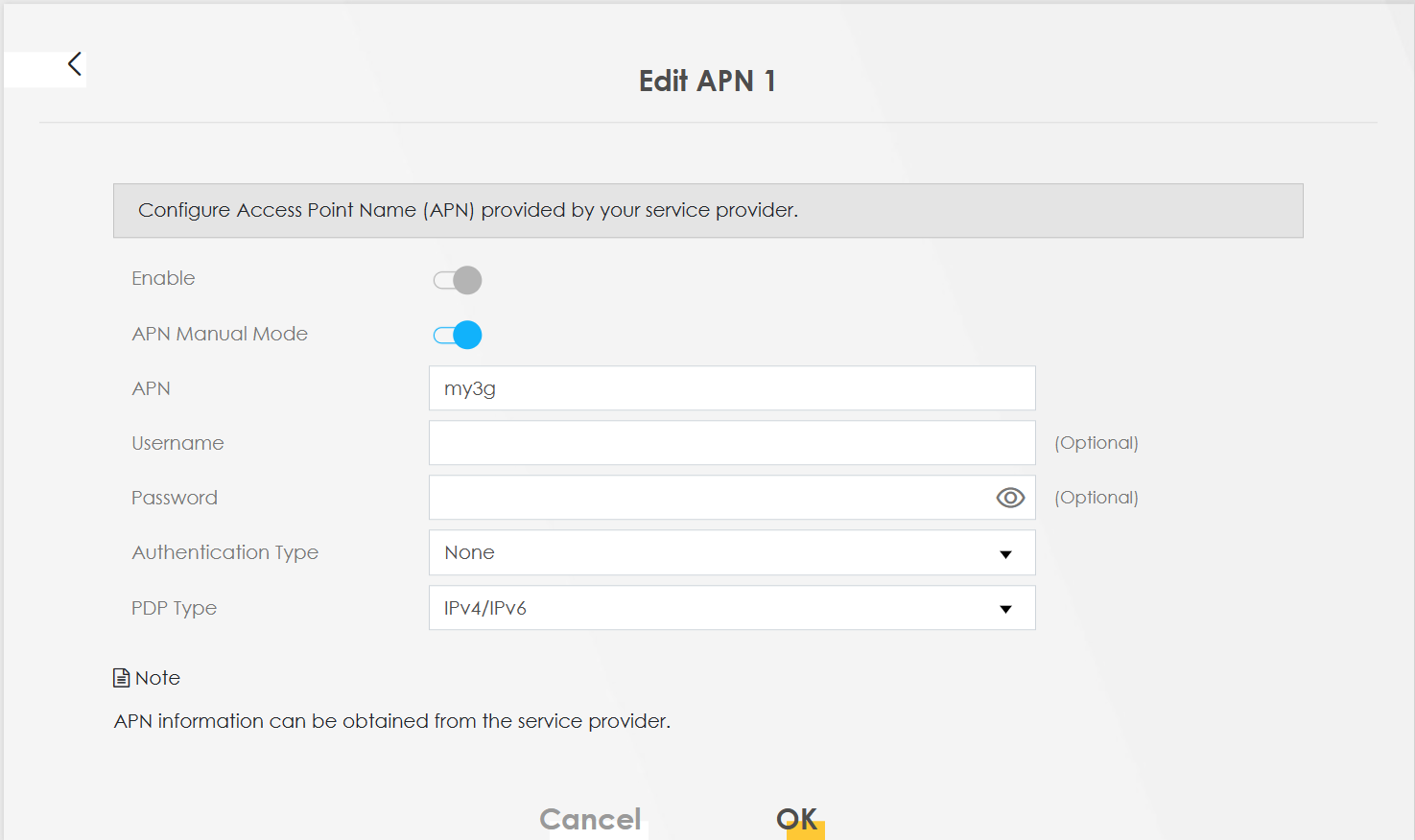 Band page (4G only) 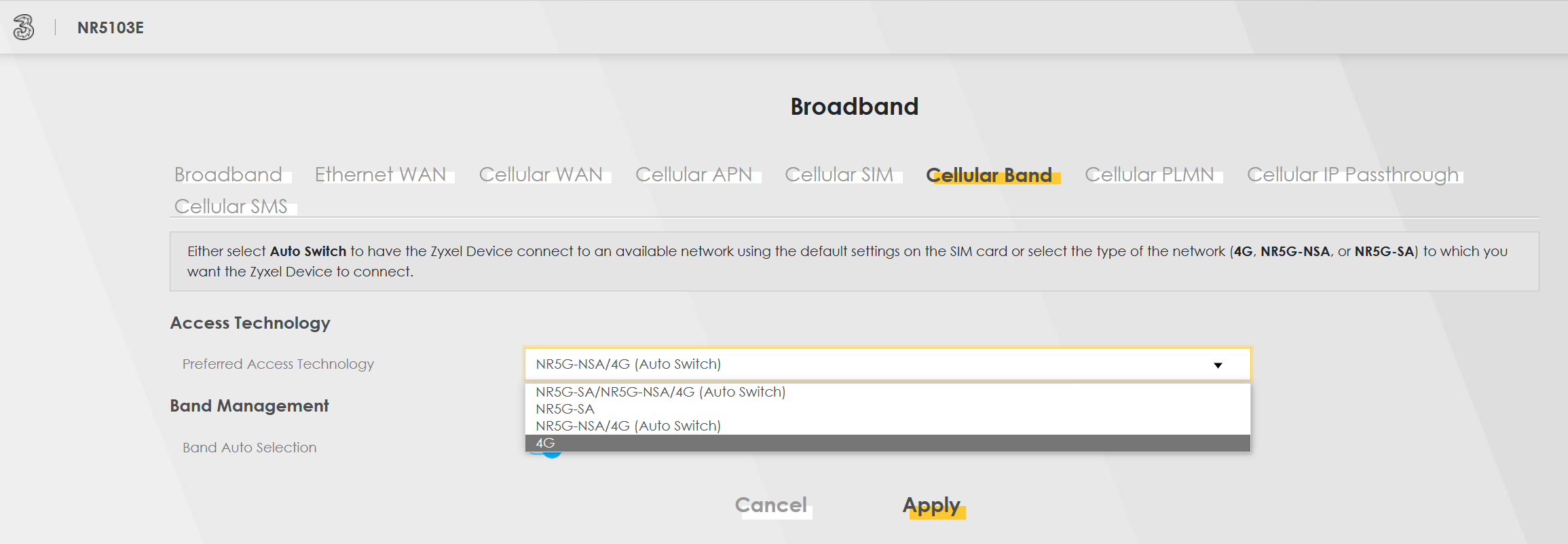 for the band selection u can leave it auto and try 1st. |
|
|
Nov 5 2023, 03:46 PM
Return to original view | Post
#7
|
|
Junior Member
102 posts Joined: Jan 2011
|
Thanks again. Will try these out
QUOTE(BOTAK_WAI @ Nov 5 2023, 11:21 AM) you can check in the cell info section for the CA (carrier aggregation) for 5G then it will be b28+n78 for 4G then it will be combo/only of b1/3/7/8 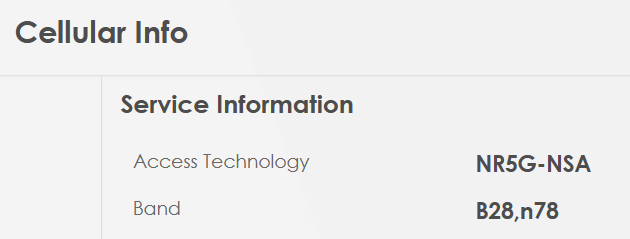 you can play with any combo/only of the band and see which works best in your area b1 b3 b7 b8 b1+b3 b1+b7 b1+b8 b3+b7 b3+b8 b7+b8 b1+b3+b7 b1+b3+b8 b1+b7+b8 b3+b7+b8 b1+b3+b7+b8 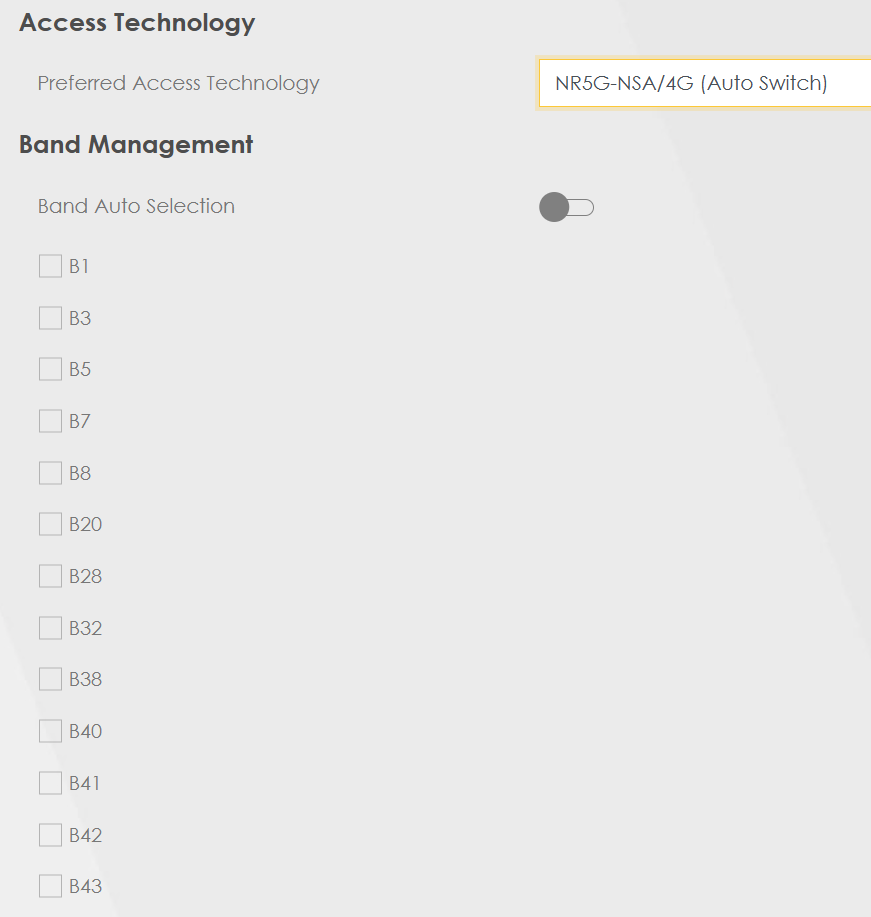 if you tried b28 only or b28+n78 and it cannot connect, then your sim card is limited by maxis to use on 4G band b1/3/7/8 only. last time i was using tplink mr200 4G router too, only get 10-20mbps speed in my area. then i changed to zte mf286d, then i get around 20-30mbps (70mbps off peak hour) speed with 3CA. and i tried with locked to b28 only, and i get 50mbps consistently on and off peak hour. after using with b28 for a year, maxis decided to disallow 4G plan user to connect to b28. then i have no choice and change to 5G plan. |
| Change to: |  0.0295sec 0.0295sec
 0.67 0.67
 7 queries 7 queries
 GZIP Disabled GZIP Disabled
Time is now: 20th December 2025 - 06:49 PM |
 Quote
Quote