Outline ·
[ Standard ] ·
Linear+
Home Networking WiFi Router Discussion Thread, Updated for 2023
|
jchong
|
 Oct 25 2020, 10:43 PM Oct 25 2020, 10:43 PM
|

|
QUOTE(blacktubi @ Jun 19 2020, 01:32 PM) The overheating is fixed in the latest firmware update. Performance also improved significantly. I think the RT-AX3000 still faster in terms of WiFi but Archer AX50 is very close. Glad to know the firmware update solved the heating issue with AX50. Even so, after the update is the AX50 as cool as the AX20? |
|
|
|
|
|
jchong
|
Oct 26 2020, 12:03 PM
|
|
|
QUOTE(zher4883 @ Oct 26 2020, 10:43 AM) Currently I'm hunting for a new router but wasn't sure if the Archer AX10/20 is justified for the extra cost over the Archer C80. I have 10 connected device connected with 100Mbps connection in a single storey 1500 sq ft house. Only one of the device is AX with rest of it AC. I was also thinking about C80 since it is about RM40-50 cheaper than AX20. But according to blacktubi AX20 still has better coverage so I went for that. 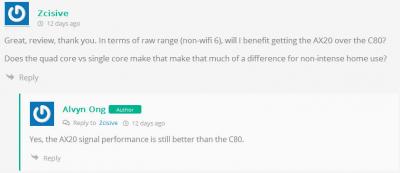
|
|
|
|
|
|
jchong
|
Oct 26 2020, 12:18 PM
|
|
|
QUOTE(labtec @ Oct 25 2020, 12:13 PM) May I know is there a way to schedule daily reboot on ZXHN H267A V1.0 modem that I got from tmnet? I only see the option to do manual reboot Another option is buy a timer for the power point. Schedule it to turn on/off once a day. |
|
|
|
|
|
jchong
|
Nov 13 2020, 02:01 PM
|
|
|
QUOTE(FusionXY @ Nov 13 2020, 10:13 AM) 2 pack of TP-Link Archer AX20 is fine as long you have LAN Cable connection to each other as the One Mesh doesn't work from router to router. You mean for AX20 One Mesh will work with a wired LAN connection between two AX20s, but not wirelessly. Is that correct? Also has the One Mesh firmware for AX20 been released? I know for AX20 it is listed as "Planned" to have One Mesh. |
|
|
|
|
|
jchong
|
Nov 28 2020, 05:13 PM
|
|
|
QUOTE(wcpon @ Nov 26 2020, 12:23 PM) hw version v1.2 just released new firmware that support one mesh.. i just upgraded.. Thanks for mentioning this. I checked the AX20 v1.2 firmware support page and the new firmware was released on 24/11. Download link here: https://static.tp-link.com/2020/202011/2020...V1.2_201023.zip |
|
|
|
|
|
jchong
|
Jan 28 2021, 02:52 PM
|
|
|
QUOTE(hlmilk112 @ Jan 28 2021, 08:00 AM) TP link AX5400 preorder seem solid. no review for this yet: any comment about this beast? Blacktubi has just released the review yesterday: https://www.blacktubi.com/review/tp-link-archer-ax73/ |
|
|
|
|
|
jchong
|
Jan 28 2021, 05:52 PM
|
|
|
QUOTE(hlmilk112 @ Jan 28 2021, 03:48 PM) Those that don't want to spend so much can try the TP Link AX20. Also well reviewed by Blacktubi. |
|
|
|
|
|
jchong
|
Jan 31 2021, 02:49 PM
|
|
|
QUOTE(FusionXY @ Jan 29 2021, 04:46 PM) Yes, if walls are too thick. Using Mesh Solution will help. As I cannot guarantee whether single router can cover over thick walls. Most condominiums and apartments have thick walls due to soundproofing that your neighbor can't hear you very loud. The thick walls (if any) would only be between different units. Within your own unit the walls should be the normal thickness. |
|
|
|
|
|
jchong
|
Mar 10 2021, 07:19 PM
|
|
|
I have this scenario:
1. Want to install a few outdoor wi-fi CCTVs around my property
2. The CCTVs only support 2.4 GHz band
3. The router will be placed in the house
Since the CCTVs will be from 40-60 ft away from the house, I'm looking for a good long range router that connect to them. So I thought of some models like the Asus RT-N14UHP, Totolink N300RH, or TP-LINK TL-WR941HP.
Are those good choices or got something better out there?
|
|
|
|
|
|
jchong
|
Mar 29 2021, 03:05 PM
|
|
|
QUOTE(HiT-AbLe @ Mar 29 2021, 02:05 PM) For budget around RM200-RM250, any good router can recommend? This is for office use though so no need get high end model. TP-Link AX20 |
|
|
|
|
|
jchong
|
Mar 29 2021, 08:09 PM
|
|
|
QUOTE(hammerjit @ Mar 29 2021, 03:24 PM) ac86u and ac87u is a bit out of budget...any other recommendation below 250? For me, I'll still suggest the TP Link AX20. |
|
|
|
|
|
jchong
|
Apr 9 2021, 02:16 PM
|
|
|
QUOTE(blacktubi @ Apr 7 2021, 01:36 PM) However, the main reason why I recommend this model is due to the class-leading 2.4Ghz signal on the RT-AC86U. I still find this router perform most reliably when dealing with IoT devices. It's good that you mention the 2.4GHz signal on the RT-AC86U. I often see router reviews emphasize on 5GHz performance. Are there any routers which have class leading performance for both 2.4 and 5GHz? |
|
|
|
|
|
jchong
|
Apr 9 2021, 02:27 PM
|
|
|
QUOTE(kkm @ Apr 9 2021, 12:44 PM) Less than rm500? Got so cheap meh? Should be 600+, unless you catch a sale offer... RM499, some more have 10% cashback. |
|
|
|
|
|
jchong
|
Apr 27 2021, 11:49 AM
|
|
|
QUOTE(joeblow @ Apr 26 2021, 10:01 PM) Double Storey Terrace, 3 bedrooms upstairs. May I know if TP-Link Archer AX20 still the recommended router nowadays? If need to setup mesh, which mesh systems do you recommend for this router? BTW it seems the room upstairs have ready LAN points, working or not I don't know yet. I assume plug and play works? The mesh system needs to connect to a LAN point right? I am thinking one AX20 downstairs and one mesh in the middle room upstairs. This kind of setup ok? Many thanks. Depends on your budget, for around RM200-250 I think the AX20 is a good pick. If you can spend more, then you can get an even better router. Mesh can work wirelessly or via LAN point (called an ethernet backhaul) - it depends on the model you buy. For best performance across the mesh network, get a model that can support ethernet backhaul since you have LAN points upstairs. If you want mesh, then go directly for a mesh setup. AX20 is a router (that uses a lesser version called OneMesh), it's not a dedicated mesh system like the Deco series. |
|
|
|
|
|
jchong
|
Apr 28 2021, 04:13 PM
|
|
|
QUOTE(joeblow @ Apr 27 2021, 03:29 PM) I checked online prices, I don't really need WIFI 6 now even though my PC and mobile is WIFI 6 ready. Bandwidth is 100M only. So if WIFI 6 I might go TPLink Deco X60 2 pack or go TPLink Deco 5 (2 pack). What do you think? One ground floor one upper floor. If get Deco 9+ I might as well get X60. I haven't used Deco X60 or M5 before, so can't comment. Good idea to read some reviews, e.g. this one: https://www.blacktubi.com/review/tp-link-deco-x60/But note the Deco X60 is a different level than Deco M5 and much more expensive. This post has been edited by jchong: Apr 28 2021, 04:17 PM |
|
|
|
|
|
jchong
|
Apr 30 2021, 10:19 AM
|
|
|
QUOTE(joeblow @ Apr 29 2021, 09:59 PM) OK my new house apparently has Data points in each room. Big question is all the DATA points linked by a switch? If so hope it is not D-link, which has compatibility issue with Deco. Most likely all the data points cabling will be pulled back to a central location. You will likely need to buy a switch for this location. I don't think your house will come with a switch. |
|
|
|
|
|
jchong
|
Apr 30 2021, 10:30 AM
|
|
|
QUOTE(joeblow @ Apr 29 2021, 09:59 PM) Wow I really need to brush up networking skill after reading this "tri-band". Tri-band just means it has a dedicated 3rd band for the wireless backhaul. If a router is not tri-band, then the wireless backhaul uses the existing dual-band (this will slow down wifi performance especially if you have a fast broadband). But if you're using ethernet backhaul, then this 3rd band will be redundant. This post has been edited by jchong: Apr 30 2021, 10:32 AM |
|
|
|
|
|
jchong
|
May 4 2021, 10:01 AM
|
|
|
QUOTE(StevenL @ May 2 2021, 12:25 AM) Test below are 30m away fro router with expressvpn connected. Was it 30m or 30ft? 30m is quite far away (probably outside the house already). |
|
|
|
|
|
jchong
|
May 5 2021, 01:14 PM
|
|
|
QUOTE(FusionXY @ May 2 2021, 12:11 PM) Don't forget to collect bonus voucher from Lazada for more discount. Not sure got last minute voucher via Lazada or not. If got luck that at night still got stock. I think Ookas on Lazada has the best deal on AX73. With the shop voucher and enough Lazada bonus, the net price is around RM290. |
|
|
|
|
|
jchong
|
May 5 2021, 08:59 PM
|
|
|
QUOTE(fruitie @ May 5 2021, 04:41 PM) Suddenly I saw a deal on Lazada for 5.5 and couldn't resist it. Not sure if it is a mistake on pricing, I bought it for RM 521.73 with shop voucher - RM 55 and some Lazada bonus voucher. For that price, I think maybe cannot even get the AX3000 (non TUF). Hope all OK later.  Good deal you got there. |
|
|
|
|





 Quote
Quote


 0.0344sec
 0.43
0.43
 7 queries
 GZIP Disabled