Welcome Guest ( Log In | Register )

Outline · [ Standard ] · Linear+

Home Networking WiFi Router Discussion Thread, Updated for 2023

views
     
ckimsem
post Oct 24 2020, 09:10 PM

Regular
******
Senior Member
1,132 posts

Joined: Jun 2011
From: Perak.


blacktubi
House type: landed house
Size of house: 25'x70', single floor
Features required: don't know
Number of devices connected to WiFi: 8 or more
Internet Speed: 100Mbps unifi
Budget: Around RM400

I'm considering the TP Link AX20 or AX50, which one is better? About RM20 differences.
And wireless adapter is either TP Link TX3000E or Asus RT AX58BT? About RM50 differences.

Or could you recommend any better alternative, TQ?

This post has been edited by ckimsem: Oct 25 2020, 11:53 AM
ckimsem
post Oct 25 2020, 08:40 PM

Regular
******
Senior Member
1,132 posts

Joined: Jun 2011
From: Perak.


QUOTE(andrekua2 @ Oct 25 2020, 05:11 PM)
Just bought a new AX50 from carousel for RM250. Seller letting go because he didn't think he needs it.

You can find AX50 slightly cheaper on Shopee for RM279 vs RM292 on Lazada.
*
1) Which router did you get from TM?
2) How is the performance of the AX50?
3) Does it have significant or minor improvement?

I may get it on 11.11, hope it gets discount. smile.gif
ckimsem
post Nov 15 2020, 07:27 PM

Regular
******
Senior Member
1,132 posts

Joined: Jun 2011
From: Perak.


QUOTE(Dickong @ Nov 15 2020, 01:33 PM)
Can it be my fibre cable problem bro n this is my first time my unifi break down after so many years using.tq
*
May I ask how long have you been using since you said this is your first problem?
Just want to ask everyone if this Unifi will have many problems or not? Cause just started to use Unifi fibre internet for less than a month.
As experience with Streamyx a few years back, it has a lot of problem, probably once or twice a month like DC.
ckimsem
post Nov 29 2020, 09:52 AM

Regular
******
Senior Member
1,132 posts

Joined: Jun 2011
From: Perak.


QUOTE(FusionXY @ Nov 28 2020, 12:30 PM)
Hello, if you wish to get AX50 then you should have Intel AX200 as it supports 160MHz and able to achieve full speed.

If you don't have Intel AX200 chipset on your laptop then AX20 is recommended.

Thanks.
*
May I know what's Intel AX200? and are all WiFi 6 PCIe network card using Intel AX200? confused.gif

Update: when I check on 'Device Manager' for 'network adapters'. There's an "Intel® Wi-Fi 6 AX200 160MHz", so the TP Link TX50e is an WiFi 6 card using Intel AX200 chipset, right?
And it should perform better with the TP Link Archer AX50 router, correct?

This post has been edited by ckimsem: Nov 29 2020, 10:42 AM
ckimsem
post Dec 6 2020, 05:52 PM

Regular
******
Senior Member
1,132 posts

Joined: Jun 2011
From: Perak.


Does router really need fan cooler? Or does it have any effect on the router like performance or life span?
If anyone uses it, mind telling why?
Attached Image
ckimsem
post Dec 6 2020, 08:51 PM

Regular
******
Senior Member
1,132 posts

Joined: Jun 2011
From: Perak.


QUOTE(FusionXY @ Dec 6 2020, 07:07 PM)
Routers will last longer with fan if the router overheats easily.
My router that I am using now without Fan Cooler running for 3 years so far no issues.
Now still working except sometimes getting frequent disconnection.
Might change mine when the time comes.

With the fan cooler will increase the lifespan of the routers.

Thanks.
*
Do you turn off the router at sleeping time or run it 24/7?
If it is the latter, can last 3 years that's acceptable without fan. Plus, the TP Link router I bought comes with 3 years warranty.

QUOTE(kk131 @ Dec 6 2020, 07:36 PM)
Broadcom chips (used in a lot of Asus routers) are designed to run at up to 90 degC, they will throttle if the design temperature is exceeded.

One reference - https://www.snbforums.com/threads/my-experi...211/post-145258
*
I'm using TP Link one, not sure it'll be like Asus or not. Well, I think fan cooler is really not needed.
ckimsem
post Jan 13 2021, 10:09 PM

Regular
******
Senior Member
1,132 posts

Joined: Jun 2011
From: Perak.


QUOTE(hlmilk112 @ Jan 13 2021, 10:47 PM)
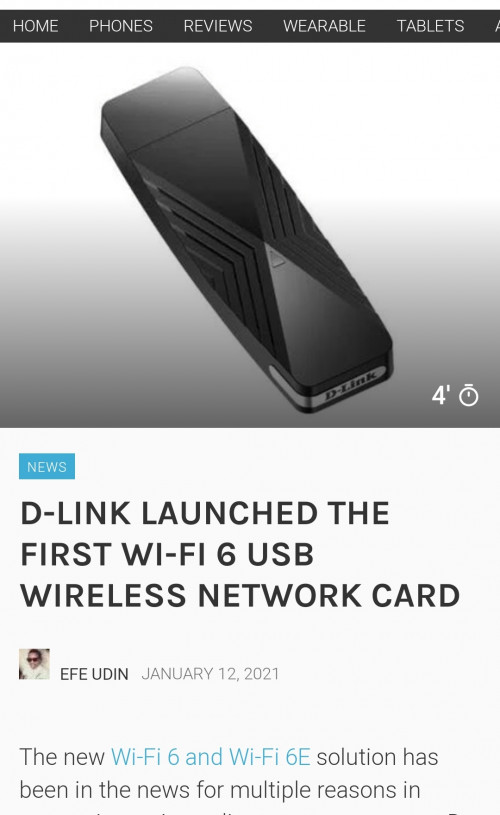
Dunno Malaysia will cost how much for this stuff. Wonder about its performance also

user posted image
*
I preferred PCIe wireless network card because most of the USB wireless adapter appear on the removable devices which you might accidentally removed it when you're trying to removed any USB drive. Furthermore, some USB wireless adapter won't be detected on booting up PC.
ckimsem
post Jan 14 2021, 07:50 PM

Regular
******
Senior Member
1,132 posts

Joined: Jun 2011
From: Perak.


QUOTE(KenDiriwan @ Jan 14 2021, 02:51 AM)
Need recommendation for upgrade, just installed unifi 30mbps.
Surprised it came with 2in1 Modern+Router.

Any affordable upgrade to be considered? Im fine with even separating modem and router apart. Possible to have it done within RM400?
*
I was told by TM technicians that fiber internet comes with separate modem and router. And, we may change the router and set it up ourself, but we're not able to configure the modem.
Since you're using 2in1 modem+router, you might be running on copper-wired unifi with some tech enabled to run much higher speed. So, you had better make sure if you could change any 3rd party modem+router or not.
Anyway, I repeat that the above was what I was told, and I hope someone with the knowledge could explain it.
ckimsem
post Jan 26 2021, 04:56 PM

Regular
******
Senior Member
1,132 posts

Joined: Jun 2011
From: Perak.


QUOTE(weixiong91 @ Jan 26 2021, 03:03 PM)
Hi Sifus, which would you recommend for Tenda AC23 vs TP-Link AX20?

P/S: No Wifi6 devices at the moment
*
Just go for TP-Link AX20 since the price is not much different. And, are you planning to change router again once you have WiFi 6 device?
ckimsem
post Mar 1 2021, 08:32 PM

Regular
******
Senior Member
1,132 posts

Joined: Jun 2011
From: Perak.


Currently, I'm using TP Link AX50 which is a WiFi6 router. The TP Link Deco M4 mesh listed as AC1200, which given by TM for upgrading to 300mbps.

My question is if I use the Deco m4, it seems like I may increase the WiFi coverage but downgrading back to WiFi5, am I correct?
Is it better to use AX50 if I don't have wifi coverage problem?
Thinking of selling the Deco M4 to offset the bill if not really needed/useful for my case.
Hope someone could clear up my queries, thanks.

This post has been edited by ckimsem: Mar 1 2021, 10:19 PM
ckimsem
post Mar 2 2021, 08:23 PM

Regular
******
Senior Member
1,132 posts

Joined: Jun 2011
From: Perak.


QUOTE(tachlio @ Mar 2 2021, 01:25 PM)
If your use case is need larger coverage M4 will be more suitable. (presume you able wire backhaul)
But if small area and AX50 able to cover, Wifi6 is better choice.
*
I’ll be connecting the M4 wirelessly, wired backhaul is not possible. Old house here.
In fact, AX50 coverage is enough for my house except the kitchen part which no one sit there.
But, just want to know if there’s any benefit for using M4 other than larger WiFi coverage. I haven’t got the Deco M4 2-packs yet.
TM just call me yesterday (01/03) for the offers, and today (02/03) my plan already upgraded, unifi 300Mbps - Loyalty Super Value (Broadband + MESH WiFi M4)
Previous plan was Try Me Broadband 100mbps.

This post has been edited by ckimsem: Mar 2 2021, 08:31 PM
ckimsem
post Mar 5 2021, 08:58 PM

Regular
******
Senior Member
1,132 posts

Joined: Jun 2011
From: Perak.


QUOTE(tachlio @ Mar 5 2021, 11:40 AM)
You wont able connect AX50 to M4 wirelessly, so you need cable between AX50 & M4.
Then M4 need to set as AP.

Then AX50 & M4 if set same SSID, you will having issue(when moving around) as both is not Mesh system, so I dont see benefit you using both together.

If really want to try, using M4 as router then put another M4 to extend the coverage.
*
I don’t know much about mesh wifi. So, I though it needs to connect to router first. blush.gif tongue.gif
After checking some YouTube clips, I knew that M4 could be used as the way you mentioned (bold words by me). So, I would like to know any advantage of using M4, since they are wifi5 only, instead of AX50. I think I better try them myself when the M4 arrived.
Anyway, thanks for your response. smile.gif
ckimsem
post Mar 12 2021, 08:07 AM

Regular
******
Senior Member
1,132 posts

Joined: Jun 2011
From: Perak.


QUOTE(FusionXY @ Mar 12 2021, 02:19 AM)
Try to disable AX Mode and see.

Thanks
*
What's the point of disable AX mode when we bought the router because of it's WiFi6 capable confused.gif ?
Yeah, when using TP Link AX50, I get the link variable link speed at 600mbps~1.2gbps. The speed won't always achieve 300mbps DL or 50mbps UL. Whereas when using TP Link Deco M4 as router (1 unit), I can get stable link speed at 867mbps, and the speed is getting 300mbps DL and 50mbps UL much easily.
Anyway, the above stated is not an issue to me, just feeling AC1200 WiFi5 may perform better than AX3000 WiFi6 is something not correct. confused.gif
ckimsem
post Mar 12 2021, 10:29 AM

Regular
******
Senior Member
1,132 posts

Joined: Jun 2011
From: Perak.


QUOTE(FusionXY @ Mar 12 2021, 09:40 AM)
Does your receiving device support AX?

Try setting to 40MHz.

Thanks.
*
I've tried setting to 40mhz only, it seems more or less the same, but the ping is getting a bit higher = bad, not causing any issue though.

QUOTE(weixiong91 @ Mar 12 2021, 10:40 AM)
Hi, so I'm not alone. You are experiencing something like this as well. FYI I have disabled AX for both 2.4G and 5G bands. But still getting the same result even when standing next to router
*
Yes, when connecting to wifi6, the link speed is changing frequently at around 600~1.2gbps. whereas very stable at 867mbps when on AC1200.
Probably, we may see the benefits of Wifi6 when most of the connected devices are also wifi6. Well, that's my guesses since idk much about networking, and just want or go with latest tech since the price difference is very similar.

This post has been edited by ckimsem: Mar 12 2021, 10:39 AM
ckimsem
post Mar 28 2021, 08:58 AM

Regular
******
Senior Member
1,132 posts

Joined: Jun 2011
From: Perak.


QUOTE(studentsurvey @ Mar 28 2021, 03:38 AM)
Hey guys, i'm planning to get a 2nd hand deco unit from someone who signed up for TM. Was wondering, if the unit is spoilt, how do i claim for warranty? Do I need to get the receipt from my friend or is already tagged in the deco itself?
Thanks!
*
Ask your friend to print out the email regarding the delivery of Deco from Lapasar.
According to TP Link helpline, the Deco warranty date will follow the delivery date. Otherwise, it'll follow the S/N number (manufactured date).
ckimsem
post Jun 15 2021, 03:43 PM

Regular
******
Senior Member
1,132 posts

Joined: Jun 2011
From: Perak.


QUOTE(nokia6280 @ Jun 15 2021, 03:53 PM)
Anyone got lubang for TP-Link AX73? So far cheapest from Lazada RM339+RM3 (delivery charge). tongue.gif
*
Probably wait for upcoming 7.7 or 8.8 sales.
I saw it was below RM300 after all vouchers at 6.6 sales.

This post has been edited by ckimsem: Jun 15 2021, 03:44 PM
ckimsem
post Jun 19 2021, 04:17 PM

Regular
******
Senior Member
1,132 posts

Joined: Jun 2011
From: Perak.


QUOTE(AndriodOne @ Jun 19 2021, 04:05 PM)
Hey guys, bought a new TP link AX70 router to replace my existing maxis router.

I understand i needs PPPOE id and password, may I know is the id and password is same for everyone? If yes, can someone share here? Thanks
*
If you understand, then you should have known everyone’s ID and password are different.
Just call to Maxis helpline to ask for your id and password for setting up your new router.

This post has been edited by ckimsem: Jun 19 2021, 04:17 PM
ckimsem
post Jun 22 2021, 02:54 PM

Regular
******
Senior Member
1,132 posts

Joined: Jun 2011
From: Perak.


QUOTE(xFreedomBoix @ Jun 22 2021, 01:18 PM)
hello all.
my current setup:
unifi modem -> aztech DS244WSGV (wifi off) -> deco m4 #1 -> ethernet backhaul deco m4 #2
wifi is done by the m4s

I wonder if i should change the router (aztech)? Feel like the router is kinda bad lol. My plan is to add a deco X20 to the system

planned setup:
unifi modem -> deco X20 (main router) -> aztech (as switch, off wifi, dhcp, etc) -> ethernet deco m4 #1 -> deco m4 #2

will this works/improve stability or performance? or i should just stick to current setup
*
You can use the Deco M4 as router if only you don’t need the extra LAN ports.

unifi modem -> ethernet deco m4 #1 -> deco m4 #2.

This post has been edited by ckimsem: Jun 22 2021, 02:55 PM
ckimsem
post Jun 23 2021, 02:42 PM

Regular
******
Senior Member
1,132 posts

Joined: Jun 2011
From: Perak.


QUOTE(malaozhai @ Jun 23 2021, 03:26 PM)
I wonder Tenda have any wifi6 router now?
*
Yes, Tenda has WiFi6 router as well as WiFi6 PCI-e card.
Watch Tenda TX3 - HERE.
And Tenda E30 - PCIe WiFi6.


This post has been edited by ckimsem: Jun 23 2021, 02:51 PM
ckimsem
post Jun 24 2021, 08:03 PM

Regular
******
Senior Member
1,132 posts

Joined: Jun 2011
From: Perak.


QUOTE(Dylnyat @ Jun 24 2021, 07:56 PM)
Have u receive your order@ email yet? Just get upgraded today. No email yet for mesh wifi 😅
*
Have you received SMS about the Deco mesh? or did you check your junk or spammed email?
FYI, I received the SMS on the next day after upgrade done, and also the email on the same date in the junk mail section.

The email date is quite important as it's the reference date for warranty for your Deco sets. Without that email, the warranty will follow the Serial Number (S/N) for their manufacturing date. Those were what I was told by TP Link CS when I called to TP Link helpline.

This post has been edited by ckimsem: Jun 24 2021, 08:08 PM

2 Pages  1 2 >Top
 

Change to:
| Lo-Fi Version
0.0341sec    0.48    7 queries    GZIP Disabled
Time is now: 22nd December 2025 - 06:32 PM