Welcome Guest ( Log In | Register )

Outline · [ Standard ] · Linear+

Home Networking WiFi Router Discussion Thread, Updated for 2023

views
     
chkwong
post Jan 19 2021, 08:27 AM

Casual
***
Junior Member
411 posts

Joined: Mar 2013
QUOTE(jeushyun @ Jan 18 2021, 06:07 PM)
Hi guys, I am planning to upgrade my router and currently is using maxis fibre 300mbps with Archer C5v AC1200.  Any recommendation?  Still fresh and don't know how to configure the router if i buy a new one  bye.gif
*
Are you on Maxis (or Astro bundled) broadband? First take all info (either by writing down or screenshot) of your existing router. Log in as admin, using the password sticker behind the router. Make sure you capture the info correctly. The standard user login they may have provided to you doesn't have all the info when you login to the router (web) page. Then call up Maxis (or Astro), and tell them you want to replace your router with another better model, they may give you the PPoE user/pass info. Once you got it, then you are good to go to replace it. Good luck. Make sure the replacement model has VLAN functionality, to be safe.

This post has been edited by chkwong: Jan 19 2021, 08:28 AM
chkwong
post Jan 19 2021, 08:27 PM

Casual
***
Junior Member
411 posts

Joined: Mar 2013
QUOTE(jeushyun @ Jan 19 2021, 10:53 AM)
Bought 2x TP Link Deco M5 this earlier morning. Is it a good choice?
*
Yes, it is.

https://www.blacktubi.com/review/tp-link-deco-m5-review/

https://www.ookas.my/review/tp-link-deco-m5-review/


chkwong
post Jan 27 2021, 05:18 PM

Casual
***
Junior Member
411 posts

Joined: Mar 2013
QUOTE(yanstudio @ Jan 27 2021, 11:25 AM)
Need some advise here.

Condo 1300 sqft
Time 100mbps with stock DLink DIR-805L router
Bad WiFi signal coverage in all 3 rooms, router located in living room (relative near to bedroom but with wall partition and seat beside my "floor speaker", I know it is not ideal with the big speaker beside the router.

Planning to improve WiFi signal.

Looking into Huawei AX3 or TP-Link AX20.

Will above router helps? Or should I use Mesh WiFi?
If not mistaken both model above do support Mesh WiFi.

Have a cable connected MiRouter 3 in room3 for WFH, but it only good in the room, it wouldn't roaming properly when I walk out to living hall.

Kids need better wifi for online class.... please advise...
*
Just changed to Huawei AX3 Pro recently, this thing rocks! Double storey house, router at ground floor, gaming at 1st floor back room. More than 15+ devices connected
chkwong
post Feb 27 2021, 03:01 PM

Casual
***
Junior Member
411 posts

Joined: Mar 2013
QUOTE(daigoking @ Feb 26 2021, 12:19 PM)
Bro, your AX3 Pro bought within Malaysia or Taobao?

You use it as main router or bridge it as Wifi AP only?

Are you using Unifi? If yes, got any VLAN issue?
*
Main router. Unifi. VLAN no issue. Malaysia, Lazada local seller.
chkwong
post Sep 15 2021, 12:33 PM

Casual
***
Junior Member
411 posts

Joined: Mar 2013
QUOTE(kshoo @ Sep 15 2021, 09:19 AM)
Hi all,

I have been contacted by Unifi for a potential upgrade, from 100Mbps to 300Mbps add-on with a set pf Tplink Mesh Wifi (not sure which model). I don't have any backend wired ethernet, and have no intention of pulling/concealing CAT7. I just want to rely on WIFI, and thus far, despite some walls the speed is still pretty good.

The last time I was offered a free upgrade, I remember that after the technician came to my house to check, he mentioned that for whatever WIFI tech at that time (about 2 years back) it's quite difficult to get past 200Mbps consistently from the router and WIFI that was offered to me (I think it is a Huawei modem-router, plus a TP link WIFI), which was why I had no choice but to subscribe to the 100Mbps package.

Question -> Has the tech evolved so much now that it can support 300Mbps consistently? Is it worth the upgrade (need to add RM30 per month to get the package) The speed would be welcomed because we have multiple devices, and also an Android TV.
*
Not worth it. Unless you are into heavy streaming. Even streaming 4 TVs at FULL HD doesn't consume more than 50-60 Mbps total. Unless you do 4k streaming.

Get a good router 4x4 MIMO (or 3x3) with strong signal transmission and good repeater. Or good mesh system.

Don't donate free bandwidth back to unifi. Get a good router system and have full speed thru out the house.
chkwong
post Sep 25 2021, 02:01 PM

Casual
***
Junior Member
411 posts

Joined: Mar 2013
QUOTE(drbionicle @ Sep 24 2021, 02:27 PM)
Hi Sifuz,

Currently using Archer C5v (stock router from Maxis). Reception at upper floors not great, so looking to either upgrade router or change to wifi mesh. Appreciate your advice.

House type: Landed
Size of house: 3 storey
Features required: improve connection at ypper floors
Number of devices connected to WiFi: 4 HP, 1 android tv (mainly for Netflix), 4 computers (frequently uses Zoom, VPN)
Internet Speed: Maxis 30 Mbps (looking to upgrade to 100Mbps)
Budget: 1k
*
Try Mercusys MR50G. Simple router. Cost less than RM130. Gets the job done. No hassle. Strong signal throughout, double story house, and outside area too. Approx 15+ devices connected. Stable internet connection.

This post has been edited by chkwong: Sep 25 2021, 02:02 PM
chkwong
post Aug 10 2022, 08:42 AM

Casual
***
Junior Member
411 posts

Joined: Mar 2013
QUOTE(Bi-bimbap @ Aug 9 2022, 03:45 PM)
Hi all,

Not sure if this is the right thread, but below is my question:

I've subscribed to Unifi 100mbps plan and using stock Unifi router Aztech ds244wsgv. Running speedtest.net on 2 of my phones (IPhone 13 & OnePlus 7t) on 2.4ghz able to get around 40-50mbps which i think is fine. On my laptop HP Pavilion 14-ab020tx, I am only able to get <10mbps. The laptop is using Broadcom BCM43142 802.11 bgn Wi-Fi M.2 Adapter which is pretty old and not cable of 5ghz.

I wanted to upgrade the network card but later found that my laptop comes with only 1 antenna cable which limits the network card options. After some research, I found that the Realtek RTL8821CE 802.11b/g/n/ac (1x1) is the only AC card that works with one antenna cable. Would this be a good upgrade? Or should I get USB adapters like TP-Link T9UH instead? Another option would be to add an additional antenna cable which then I am able to pick newer/better network cards, but that is pretty technical and complicated for me so i'm not really considering that approach.

My main goal is to get more stable and faster speeds on my laptop. I am aware that stock Unifi router is pretty bad, but since both my phones can obtain pretty reasonable speeds and is quite stable, it seems the issue mainly stems from my laptop. Let me know if you have any opinion/alternatives to consider, would appreciate any input.

(Attaching image of my laptop internals just in case it can provide more info).

Thanks in advance.
*
Most modern laptops can be upgraded (DIY) to Wifi 6/6E internal card. Just swap it out and put in. Buy additional wifi cables (cost less than RM10). Wifi 6/6E card about RM 70+. Did this with couple of laptops and wifi speed/stability is good. If yours is having 1 antenna, re-use that. Put the extra antenna in, note that there are antenna markings designated 1/2 or white/black. Route the new antenna along those empty space inside your laptop. It won't matter a lot if the new antenna is not in the same route as the original one that came with the laptop. It's designed to be antenna diversity.

On some rarer HP laptops, the whitelist could be there and only works with special Wifi 6 card designated for it.

https://shopee.com.my/BTSG-1Pair-NGFF-M.2-W...ad-575ce1978ed2

chkwong
post Aug 10 2022, 09:35 PM

Casual
***
Junior Member
411 posts

Joined: Mar 2013
QUOTE(Bi-bimbap @ Aug 10 2022, 11:39 AM)
Is there any way to check/confirm if there is any whitelist on the wi-fi card for HP laptops?
*
Try reddit forum. AFAIK, HP don't publish the info. Even some of the new laptop still has this 'crap'. Found it out the hard way. I got a HP laptop, upgraded to Wifi 6, didn't work. Plug out and put in another 2 laptops (different brand) and it works. So, guess it has whitelist. Purchased one HP-designated wifi 6 from Amazon, and it works on the earlier HP laptop.

chkwong
post Jun 16 2023, 08:29 AM

Casual
***
Junior Member
411 posts

Joined: Mar 2013
QUOTE(This is a Lamp @ Jun 15 2023, 02:06 PM)
Hi all, looking for a router to replace the TPLINK EC230 from Time.
I don't have a dire need for fast WIFI connectivity but more towards stable LAN connectivity for gaming with min 2 LAN ports.
The router is in the PC room connected to CAT6A cables on 2 PCs.

WIFI connectivity is secondary as it is just phones, sometimes laptops, occasional Netflix on smart TV and smart IoT devices (pet feeder, water fountain).

Was looking at Mercusys MR80X but idk if it's overkill. I assume I just set the PPPoE on the new router to set it up in the future right?

House type: Condo
Size of house: 980sqft, 3 room
Features required: Stable LAN connectivity
Number of devices connected to WiFi: 7-10
Internet Speed: Time 300MBps
Budget: RM200-RM400
*
Am using the older model MR50G. One blardy hell value for money of router equipment. Basic and get the job done. Coverage for double storey house is good-to-excellent. From car porch to backyard, upstairs and inside toilet! Previously on TP-Link which was having router issue (need to reboot to restore connectivity once in a while).

Perhaps, the newer MR80X should be better.
chkwong
post Oct 20 2023, 08:18 AM

Casual
***
Junior Member
411 posts

Joined: Mar 2013
QUOTE(Chiggah @ Oct 19 2023, 03:04 PM)
House type: Bungalow
Size of house: 2500sqf, 1 floor
Features required: Antivirus? QoS? Bandwidth Limiter? VPN? None
Number of devices connected to WiFi: 6 but not all devices are connected to use bandwidth at same time
Internet Speed: 300mbps
Budget: Can range from RM200-RM1000 . Looking for best bang for buck

Just me and wife using at the moment. I am WFH + use ethernet for desktop games. Wife is a light user.

Currently using TP Link Archer C1200.
*
Am using MR50G, best bang for buck IMHO. Less than RM 120. Even inside toilet got full speed. Double storey, 2k sqf. There is a newer model I think should be better. Check out blacktubi website, keyword "Mercusys".
chkwong
post Oct 26 2023, 08:32 AM

Casual
***
Junior Member
411 posts

Joined: Mar 2013
QUOTE(BOTAK_WAI @ Oct 26 2023, 07:30 AM)
u no state budget pun.

CA = Carrier Aggregation = LTE-Advanced = 4G+

MR200 is a cat4 router only connect to nearest cell tower either B3 OR B7

for cat6 router then can connect to B3 AND B7 cell tower

for cat12 router then can connect to B1 AND B3 AND B7 cell tower

for cat18 router then can connect to B1 AND B3 AND B7 AND B8 cell tower
*
Budget RM400 to 500, what can get ya? Thanks.
chkwong
post Oct 26 2023, 12:22 PM

Casual
***
Junior Member
411 posts

Joined: Mar 2013
QUOTE(BOTAK_WAI @ Oct 26 2023, 08:44 AM)
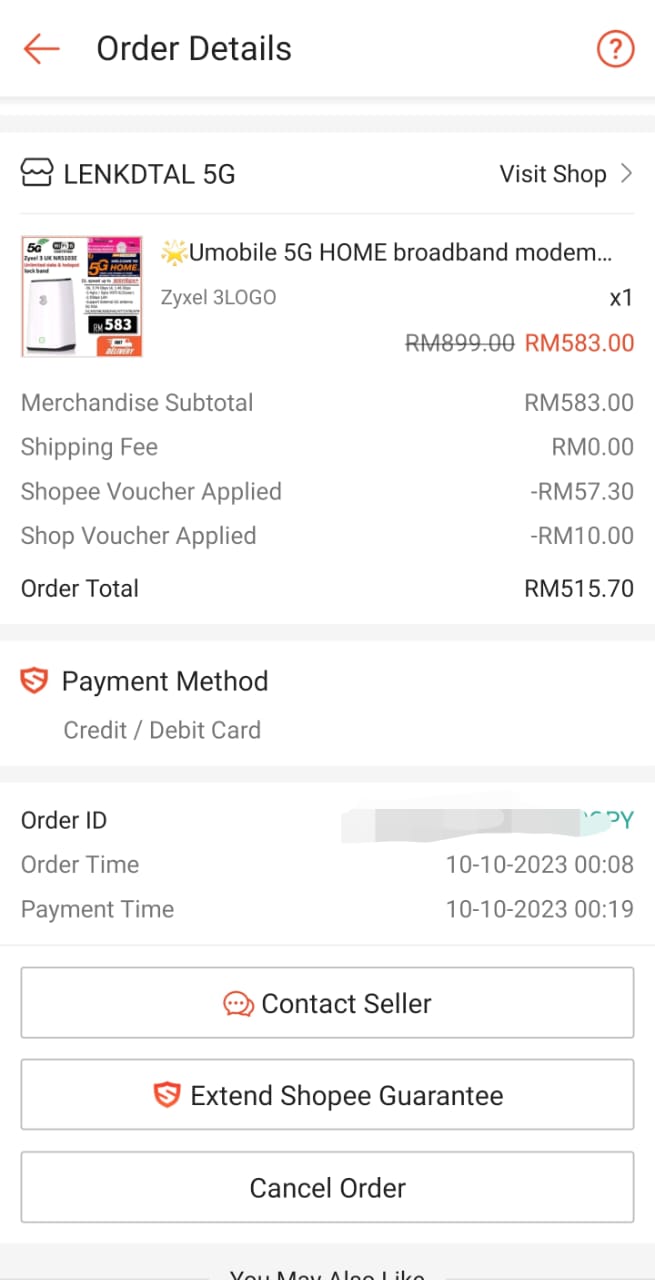
top up a bit can get 5G router liao.

user posted image
*
Is that good modem router for 5G?

What about non-5G ones?

Thanks.


Change to:
| Lo-Fi Version
0.1590sec    0.27    7 queries    GZIP Disabled
Time is now: 8th December 2025 - 07:52 PM