

QUOTE(akmalrosli @ Sep 4 2018, 11:17 PM)
He got them from Taobao. I bought my mac pro xeon cpus from aliexpress.

I see. All working well? Will look into it then, thanks sifuMac Pro 4,1 Upgrade Adventure, Sharing my experience
|
|
 Sep 4 2018, 11:32 PM Sep 4 2018, 11:32 PM
Show posts by this member only | IPv6 | Post
#21
|
 
Senior Member
1,475 posts Joined: Nov 2005  
|
QUOTE(akmalrosli @ Sep 4 2018, 11:17 PM) He got them from Taobao. I bought my mac pro xeon cpus from aliexpress. I see. All working well? Will look into it then, thanks sifu |
|
|
|
|
|
Sep 5 2018, 08:06 AM
|

Junior Member
276 posts Joined: Oct 2005 From: Old Klang Road
|
QUOTE(giggs_509 @ Sep 4 2018, 08:32 PM) Where u buy the x5690? Those mini 6 pins? Can share? I’ve ordered from taobao. Got fast reliable shipper. I usually gets the item in under a week to 10 days. Never try AliExpress but I believe the difference is minimal. AliExpress has got English version and usually they provide the shipping services directly. But taobao wise we have to know mandarin and to have our own shipper in china. I buy most of the time in taobao because I can fund cheaper local deals and I get to spend my chinese yuan currency. If u want some mini 6 pin to big 6 pin, mini 6 pin to 8pin and dual mini 6pin to 8pin. Just let me know, I’ve just sold one to Fah Rul and waiting for Akmal to collect another from me. As for X5690, I’m ordering a new batch at the moment. You can tumpang if you want. It usually cost about RM300 before shipping. |
|
|
Sep 14 2018, 01:31 AM
|

Newbie
6 posts Joined: Nov 2010
|
Any plan to order another batch of SM951?
|
|
|
Sep 14 2018, 11:41 AM
|
|
Junior Member
276 posts Joined: Oct 2005 From: Old Klang Road
|
QUOTE(naimhusin @ Sep 14 2018, 01:31 AM) Any plan to order another batch of SM951? What's the size you want?Currently shortage on SM951 ACHI. Tried to look for supply for some of the bros here. |
|
|
Sep 14 2018, 08:29 PM
Show posts by this member only | IPv6 | Post
#25
|
|
Newbie
6 posts Joined: Nov 2010
|
QUOTE(kfc @ Sep 14 2018, 11:41 AM) What's the size you want? Any size with affordable price hehe.Currently shortage on SM951 ACHI. Tried to look for supply for some of the bros here. |
|
|
Sep 14 2018, 10:11 PM
|
|
Junior Member
276 posts Joined: Oct 2005 From: Old Klang Road
|
QUOTE(naimhusin @ Sep 14 2018, 08:29 PM) Any size with affordable price hehe. PM you. |
|
|
|
|
|
Sep 16 2018, 06:45 AM
|
 
VIP
9,495 posts Joined: Dec 2004
|
Have you guys seen the prices for the new Mac Pro's? I think they've gone up since the launch of the new phone.
|
|
|
Sep 16 2018, 03:59 PM
|
|
Junior Member
276 posts Joined: Oct 2005 From: Old Klang Road
|
QUOTE(pizzaboy @ Sep 16 2018, 06:45 AM) Have you guys seen the prices for the new Mac Pro's? I think they've gone up since the launch of the new phone. Where's the price that you are referring to? |
|
|
Sep 16 2018, 07:52 PM
|

Junior Member
279 posts Joined: Nov 2008 From: Heart <3 
|
May I know where you get your Mac Pro 4,1 and 5,1? As me wanna venture into the same pathway as well !
|
|
|
Sep 16 2018, 11:33 PM
|
|
Junior Member
276 posts Joined: Oct 2005 From: Old Klang Road
|
QUOTE(Shaney @ Sep 16 2018, 07:52 PM) May I know where you get your Mac Pro 4,1 and 5,1? As me wanna venture into the same pathway as well ! There are two ways to get it now.The first link I've posted above, you can find a seller name Benny in the garage sale. His stock is all in single processor setup. The other way is that I can ship for dual processor 5,1 from oversea. The cost in total is almost equal to buying from Benny and sniping for the cheapest dual cpu tray from ebay with a bit of luck. I'm trying to ship a unit for Pizzaboy now. Will let you guys know if it's successful. Cheers. |
|
|
Sep 25 2018, 07:53 PM
|
|
VIP
9,495 posts Joined: Dec 2004
|
Dayum these 951's are fast! Highly recommended upgrade for anyone doing these mods. My babies are so much faster and smoother and it was a super simple upgrade.

|
|
|
Sep 25 2018, 08:23 PM
|
|
Newbie
6 posts Joined: Nov 2010
|
QUOTE(pizzaboy @ Sep 25 2018, 07:53 PM) Dayum these 951's are fast! Highly recommended upgrade for anyone doing these mods. My babies are so much faster and smoother and it was a super simple upgrade. Wow so fast. I'm still waiting for an adapter shipped from China.
|
|
|
Sep 26 2018, 12:05 PM
|
|
Senior Member
1,475 posts Joined: Nov 2005
|
U guys updated to mojave?
|
|
|
|
|
|
Sep 26 2018, 06:38 PM
|
|
Junior Member
276 posts Joined: Oct 2005 From: Old Klang Road
|
QUOTE(giggs_509 @ Sep 26 2018, 12:05 PM) U guys updated to mojave? Not yet. Unless we absolutely need it for Xcode requirement. So far all fine with High Sierra. Other members in FB group reported that it's ok as long as you have Metal Enabled GPU. |
|
|
Sep 27 2018, 06:40 PM
|
|
Junior Member
276 posts Joined: Oct 2005 From: Old Klang Road
|
https://wp.me/pa5OD8-2A
Mac Pro 4,1 Upgrade Adventure Stage 3 I have used to handsoff function since my iMac 2011 Mid and also my Macbook Pro 2012 Mid. It is such a useful feature for me especially using it with my other i-devices (iPhone and iPads). I’m also a big fan of using Magic Mouse (Don’t judge me, I still use razer mouse for gaming). Unfortunately the default bluetooth 2.1 + EDR module aren’t up the the standard for lag free magic mouse glory. Today my post is about on how to fix that. https://www.osxwifi.com/product/mac-pro-200...-bluetooth-4-0/  It’s too damn expensive after conversion. As of today it’s cost us RM 683.15. That’s nearly half of the cost of my Mac Pro 4,1 (Single CPU). Thank god I have some connections in GuangZhou China in HuaQiangBei. That’s where we can find some brilliant chinese makers who can make some awesome upgrade kit for us. Made a few calls by Wechat, I’ve found a nice chap willing to put together a similar upgrade kit for me. It took the package about 10 days to arrive to my home. Before the item arrived, a few members (Mac Enthusiast) that I met over the course of the last whole month has been anticipating for this upgrade. It seems like a significant upgrade to our system especially for those who depends on the hands-off function.  The upgrade has to be made by removing my Airport Extreme Card and also the Bluetooth Modules.  Here’s a close up of how it looks like in my Mac Pro. It was installed in my previous upgrade.  This is the original Bluetooth Module with BT 2.1 and EDR (whatever it means).  Removing the Airport Extreme is easy. Just uncrew and remove.  Here we can see 3 antennas which labled with 1, 2 and 3. Has to be very careful with this as we has to plug in to the new Airport PCI card in the correct order.  Here’s the comparison shot of the new Airport Extreme card and the old.  |
|
|
Sep 27 2018, 06:41 PM
|
|
Junior Member
276 posts Joined: Oct 2005 From: Old Klang Road
|
The card came with the BT antenna plugged in to the wifi port of the card. Gave me a bit of trouble to find out. In fact, the supplier in China don’t even know that the card has to be follow a certain order for antenna to work properly. In my first few tries, the signal keeps dropping and I have to keep tinkering with it to get it work properly.
 Removing the Bluetooth Module.  This is how it looks like without the Bluetooth Module. However, then I realised that I should have removed the power cable for the bluetooth module too so that I can fit in the new power cable for the airport extreme.  Manage the cable by hiding behind the frame. I did a lousy job of hiding it actually. Perhaps I should ask those chinese suppliers to paint their cable black next time. haha…  There is a piece of pad under the original bluetooth module. I’ve tried to reuse that in the installation.  tighten the screw and I call it done for the Bluetooth Module.  |
|
|
Sep 27 2018, 06:41 PM
|
|
Junior Member
276 posts Joined: Oct 2005 From: Old Klang Road
|
Now, here’s the installation order for all of the antennas in the airport extreme card. The antenna is actually plugged in to the PCI card that’s holding the airport extreme in it. Make sure that you follow my order or you’ll have a finicky experience with your WIFI and Bluetooth signal.
 The issue with this card is also the length of the PCI card. It’s actually longer than the frame of the Mac Pro casing. To install it, first I have to let the rear portion of the card under the frame first. Make sure that none of the antenna went lose and then plug the whole PCI card in to the socket. Quite tricky, but I got it done anyway.  This is how it looks like when it’s done. Excuse me again for the lousy job of not hiding the extension cable properly.  First check, Wifi shows up!  My 5GHZ networks detected. Connected fine.  Hands-off supported!  I got all of the installation done within 15 minutes. However, the fiddling to find the correct antenna order took me close to 45 minutes. The whole upgrade kit cost me RM 350 inclusive of shipping to Malaysia. It cost only 50% of the total cost of identical kit from osxwifi.com. Eventhough it’s not the exact kit but I really have to give those HuaQiangBei Wizards in GuangZhou props for making the clone version works. If anyone here wanted to make an order, just drop me a comment here and I can make the arrangement to courier the kit to you guys. The base cost of the item is USD 75 not inclusive of shipping cost. For those who knows me personally, just drop me a message. Cheers. |
|
|
Sep 28 2018, 03:36 PM
Show posts by this member only | IPv6 | Post
#38
|
|
Senior Member
1,475 posts Joined: Nov 2005
|
nice job bro! So now able to connect to wifi ac?
|
|
|
Sep 30 2018, 01:28 AM
|
|
Junior Member
276 posts Joined: Oct 2005 From: Old Klang Road
|
QUOTE(giggs_509 @ Sep 28 2018, 03:36 PM) nice job bro! So now able to connect to wifi ac? Yeah. Wireless AC is working. |
|
|
Oct 3 2018, 03:32 PM
|
|
Newbie
6 posts Joined: Nov 2010
|
QUOTE(kfc @ Aug 4 2018, 04:12 PM) https://kongtech.wordpress.com/2018/08/04/m...enture-stage-1/ Hi bro. Where did you bought the USB 3 adapter? USB 3.0 Upgrade Did a bit of research and I was trying to look for a cheap one that works without additional driver installation. Settled with this brand called “Debroglie”. I put this in pcie slot 3 (Pcie 2.0 x4) and it works right out of the box. 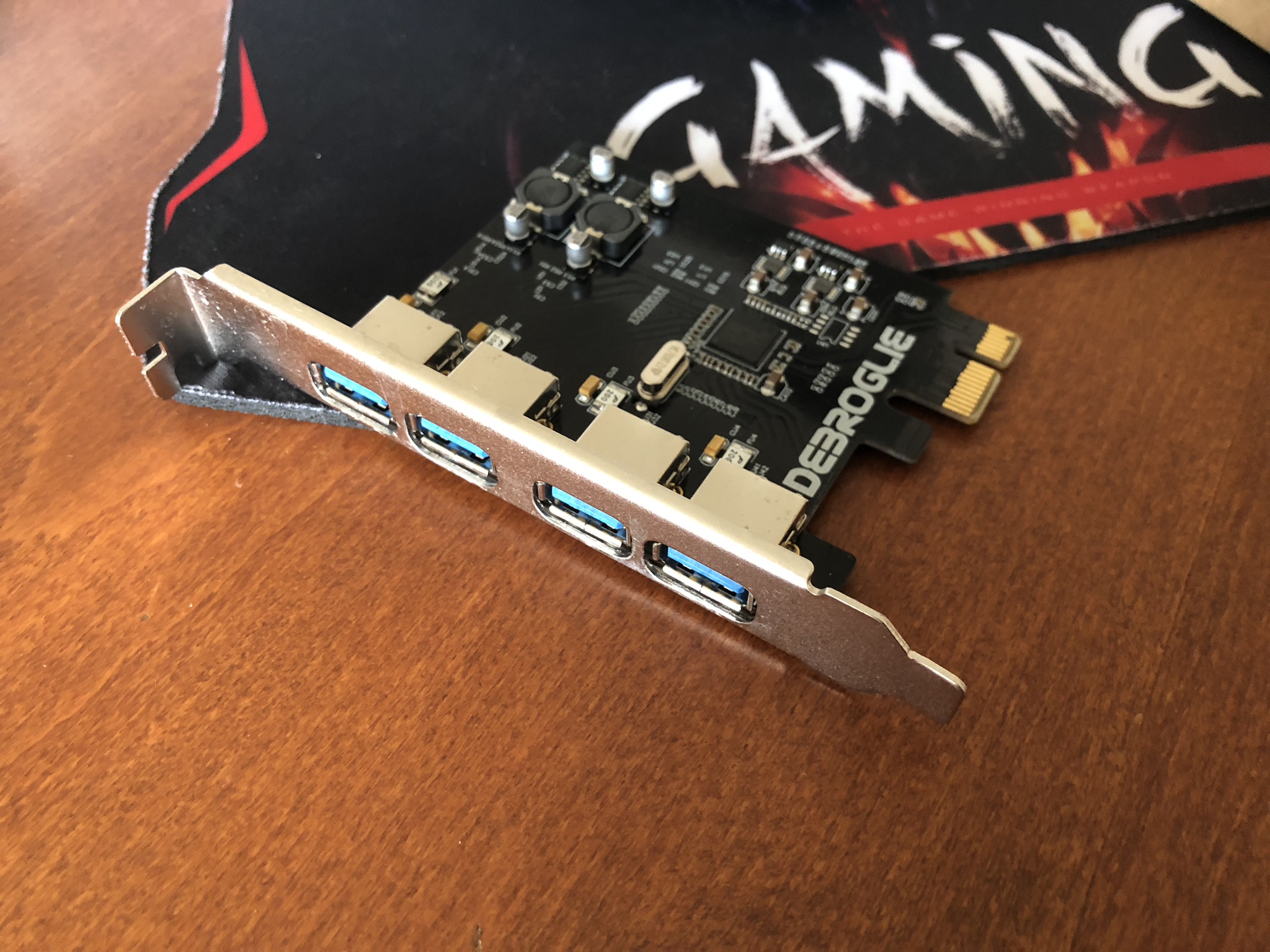 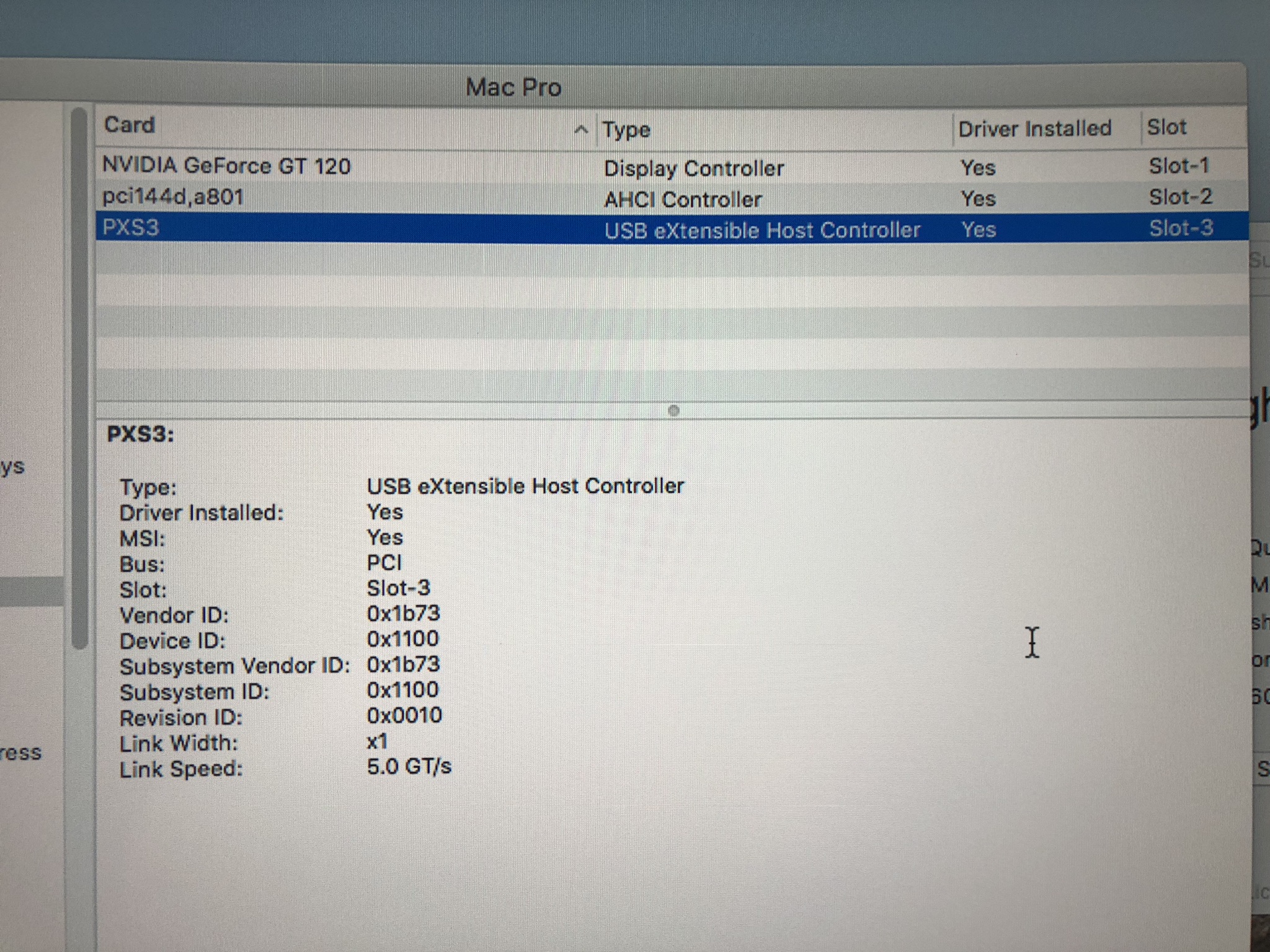 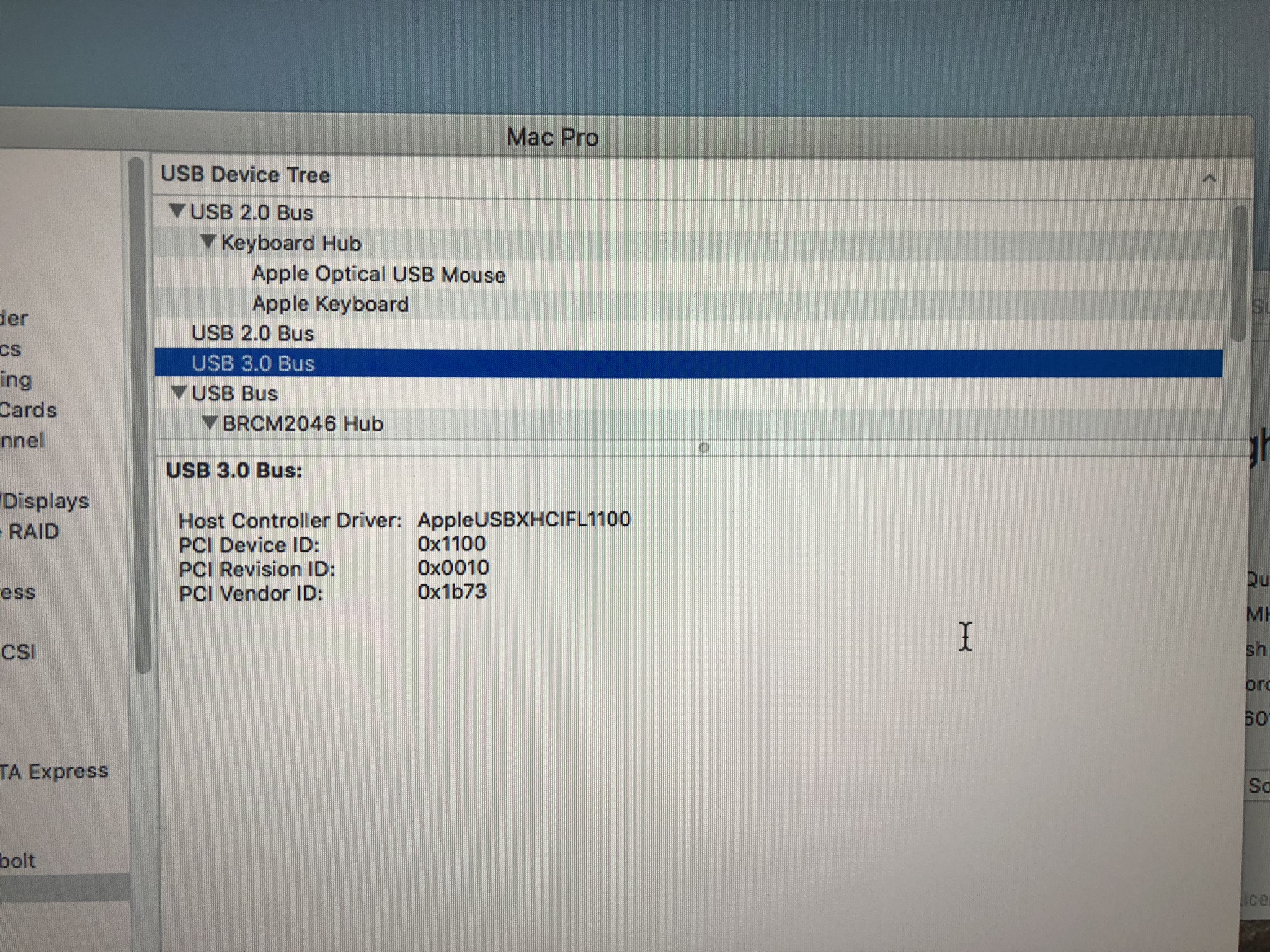 The SSD recognised right out of the box with no tinkering. I did the HDD transfer to the new SSD. 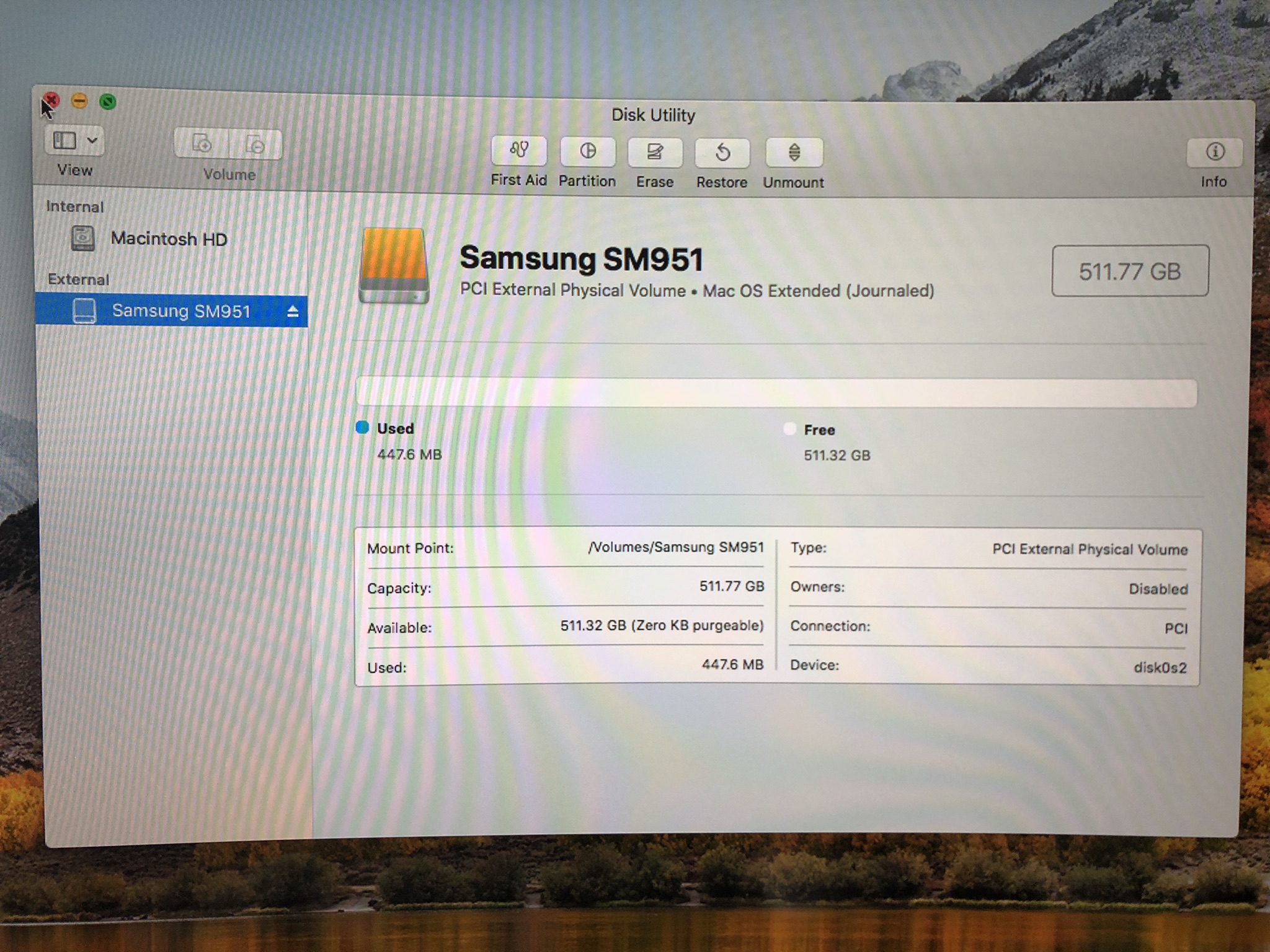 The speed seems to be satisfying. 1.4k read and write seems to be good enough for the work. 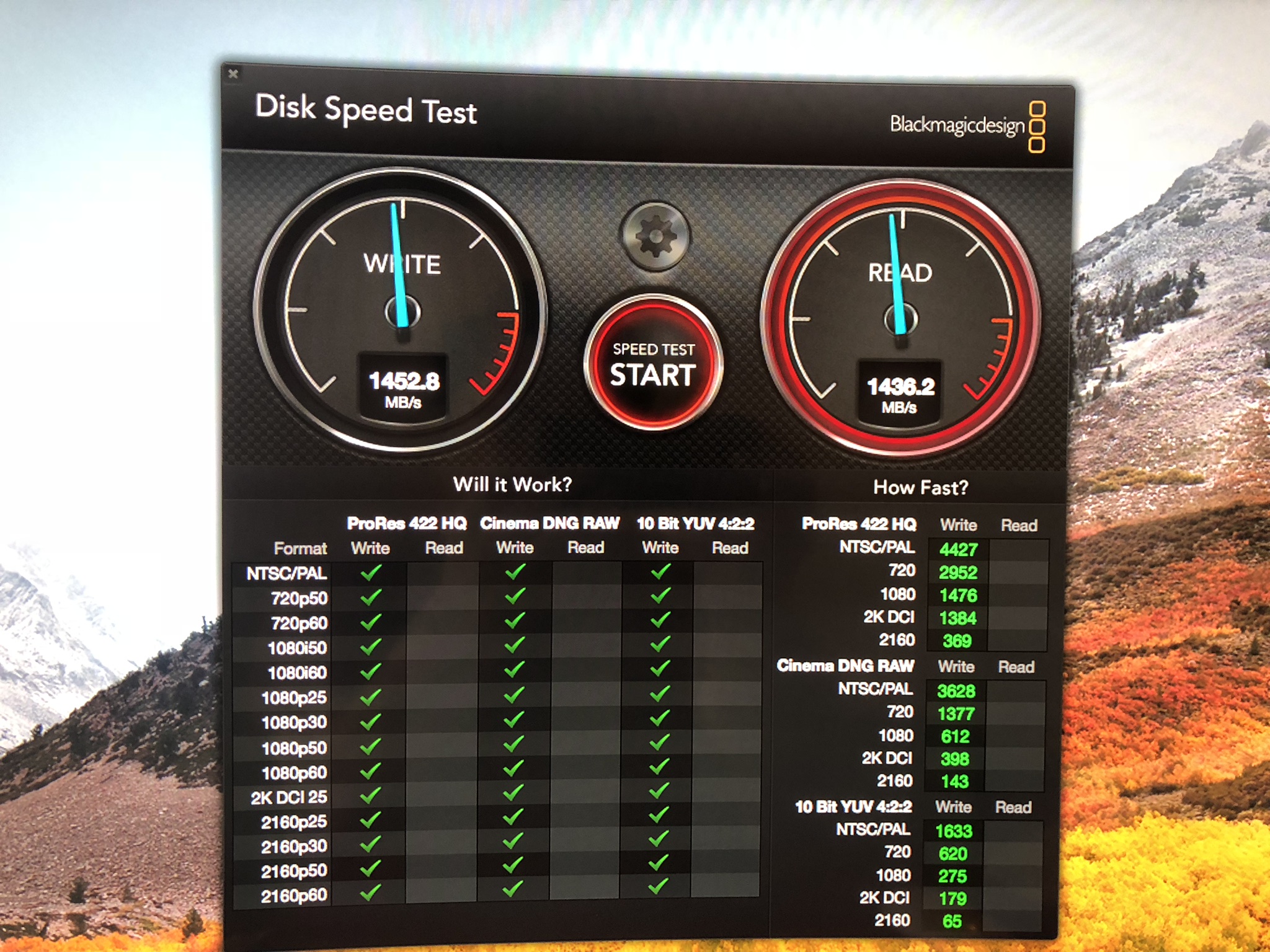 https://kongtech.wordpress.com/2018/08/04/m...enture-stage-1/ |
| Change to: |  0.0230sec 0.0230sec
 0.47 0.47
 6 queries 6 queries
 GZIP Disabled GZIP Disabled
Time is now: 24th December 2025 - 11:24 AM |
 Quote
Quote