Welcome Guest ( Log In | Register )

Outline · [ Standard ] · Linear+

 Mac Pro 4,1 Upgrade Adventure, Sharing my experience

views
     
TSkfc
post Aug 4 2018, 04:10 PM, updated 6y ago

Getting Started
**
Junior Member
276 posts

Joined: Oct 2005
From: Old Klang Road


https://kongtech.wordpress.com/2018/08/04/m...enture-stage-1/

Ever since the weakening of Ringgit (Malaysia), buying a new Apple Computer in Malaysia is a really difficult thing to do when we used to be able to buy a Mac pro for just over RM10,000 but now we have to fork out more than RM 18,000 just to get an similar spec system.

I've tried Hackintosh a few years ago but I knew it's not going to be the same no matter how we do it.

My career kinda rely on Mac exclusively (Xcode, Final Cut Pro X, Motion and etc). 

Just a couple of months ago, I have found a post in lowyat.net forum for some Mac Pro 4,1 and 5,1 for sale. The pricing that the seller posted is very reasonable.

Mac Pro 4,1 = RM 1,300 Each (USD 319)

Mac Pro 5,1 = RM 1,600 Each (USD 393)

Saw this video online for an upgraded Mac Pro. Kinda made me decided to buy a couple of these for experiment.


I knew I have to definitely get it and give it a go.

user posted image

Always thought of getting a used G5 and mod it to a modern hackintosh. But due to the reason that I prefer not to fiddle with too much of hackintosh issues (drivers, hacks and updates issues….) and prefer to stick with genuine Apple Hardware.

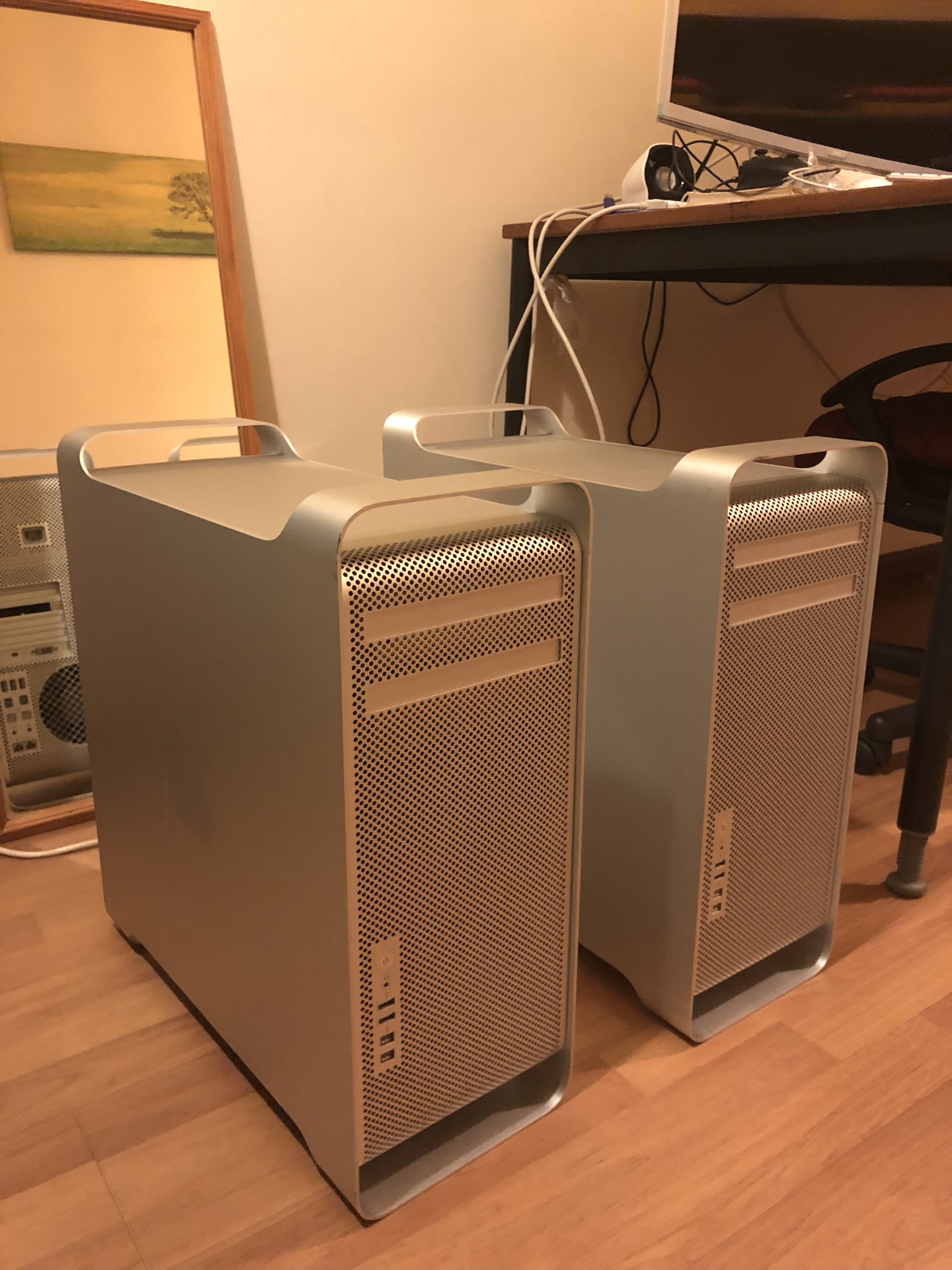
Contacted the seller and bought 2 units for 4,1 and 5,1 each.
user posted image

2 of these units came in mint condition. Not much visible cosmetic wear except some small scuff at certain part of the corner. Don’t think it’s a huge problem as my main concern is how it perform. Each set of these came with very hard to find Apple wire keyboard and mouse.


Mac Pro 4,1 Specs

https://everymac.com/systems/apple/mac_pro/...alem-specs.html

Quad Core Xeon W3520 (2.66 GHZ turbo to 2.93 GHZ), 8GB DDR3 Ram (1066mhz), 640 GB HDD 7200 RPM, Nvidia Geforce GT 120 512 MB VRAM.

Mac Pro 5,1 Specs

https://everymac.com/systems/apple/mac_pro/...alem-specs.html

Quad Core Xeon W3530 (2.80 GHZ turbo to 3.06 GHZ), 8GB DDR3 Ram (1066mhz), 1 TB HDD 7200 RPM, ATI Radeon HD 5770 1GB VRAM.

For the upgrades, I’ve decided to start with a Mac Pro 4,1 just because that the casing seems to be in better condition (less scratches) than the 5,1.

Update Mac Pro 4,1 to 5,1

I’ve upgraded my Mac Pro 4,1 to 5,1 by following the guide here

https://www.ifixit.com/Guide/How+to+Upgrade...ac+Pro+41/98985

The process isn’t hard. It not the most pleasant experience due to the reason that the machine I’ve bought came with El Capitan which has got an older Safari. For a while I was stuck there because the Safari can’t allow me to download the needed firmware files. Then I figured out that I just need to install the latest Firefox and then I can download the firmwares. As for the rest of the process it was a breeze.
user posted image

CPU Upgrade

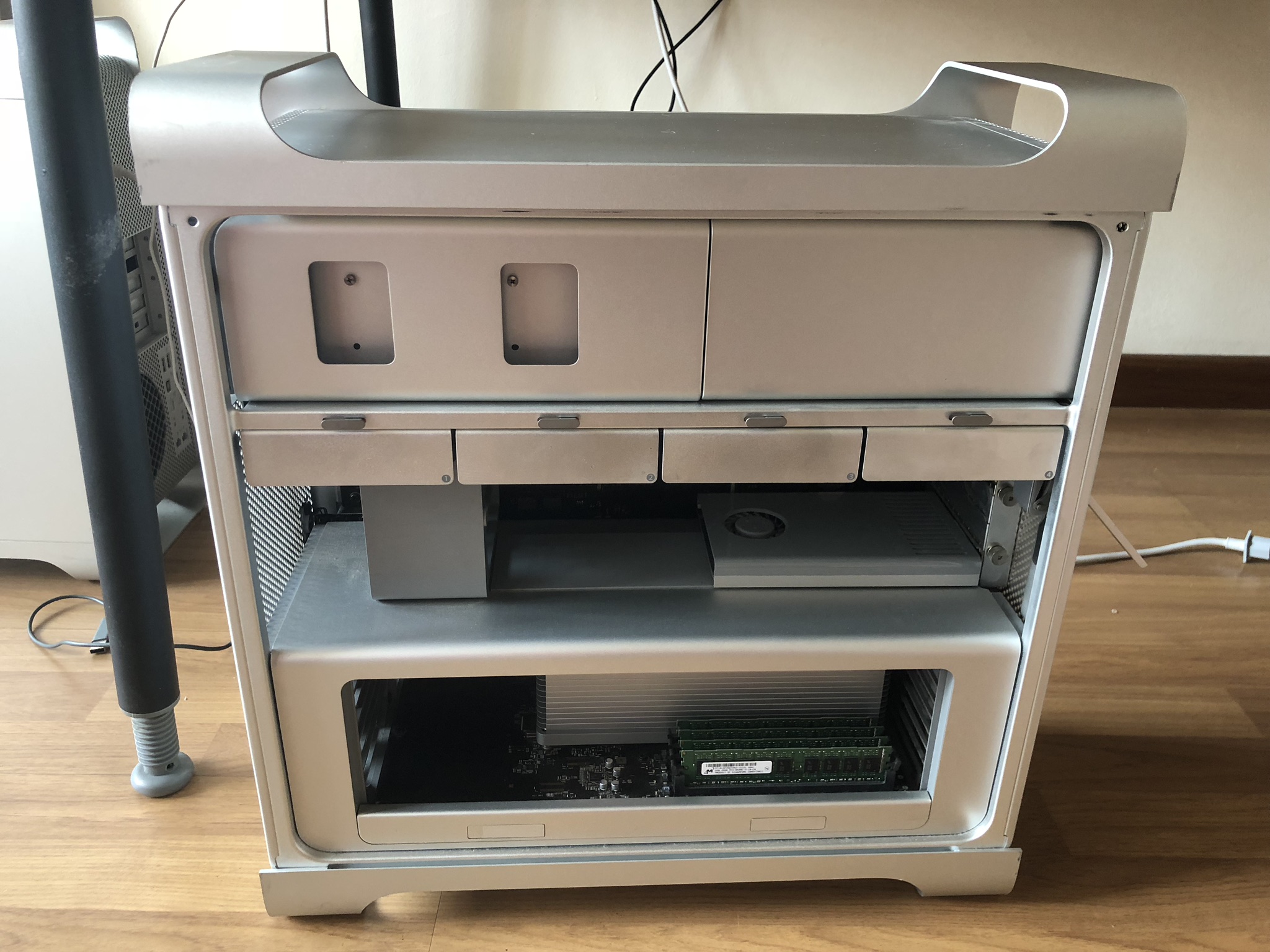
Open up the side panel by just flicking the latch at the back. No screws required, such a well thought and elegant design. The internal seems relatively clean with minor dust in it. I believe the former life of this machine was lightly used and has not need abused before.
user posted image

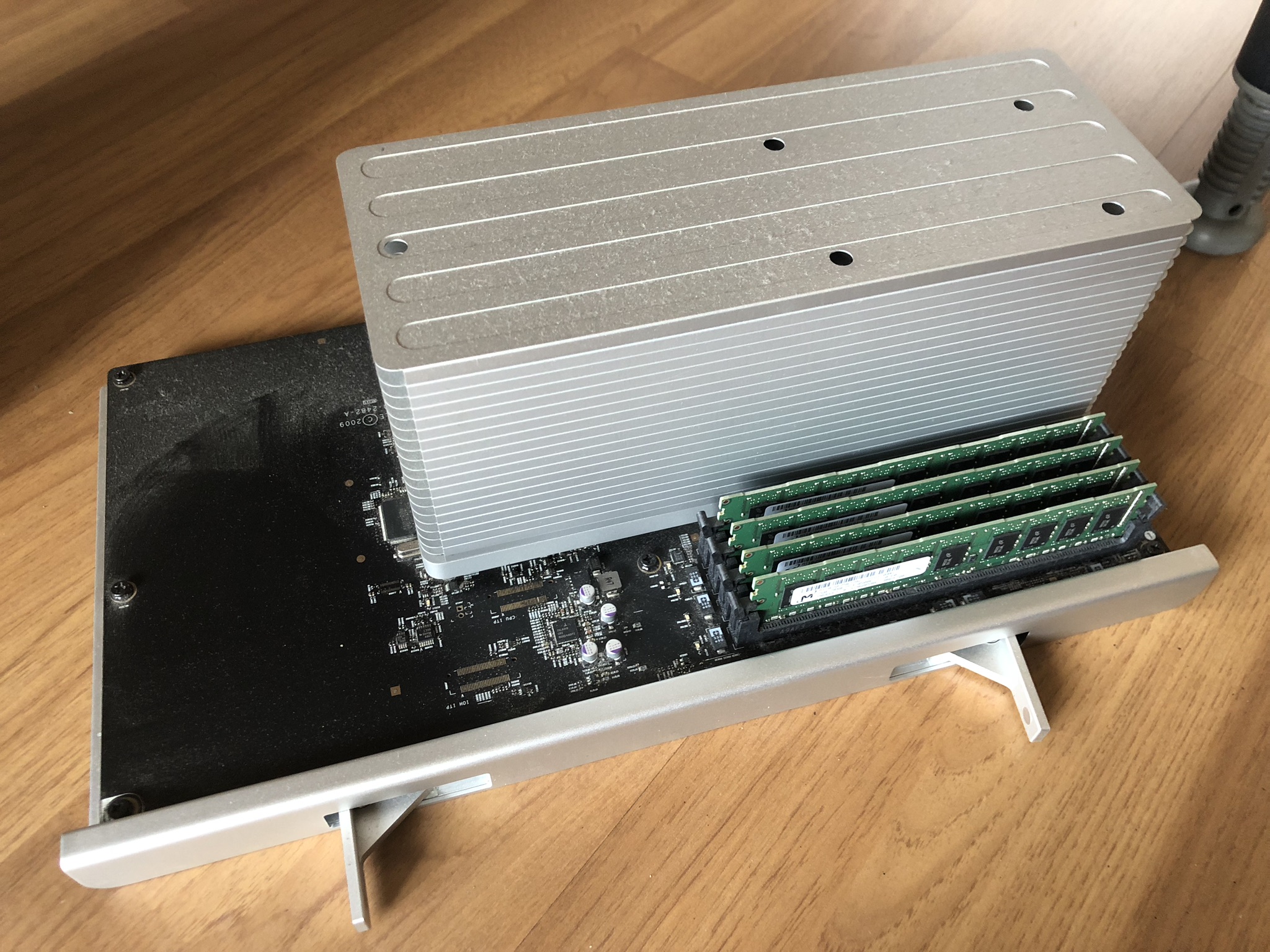
The CPU tray seems to comes with 4 pieces of 2GB ram. A little dusty on top but it’s not serious as seen on photo.
user posted image

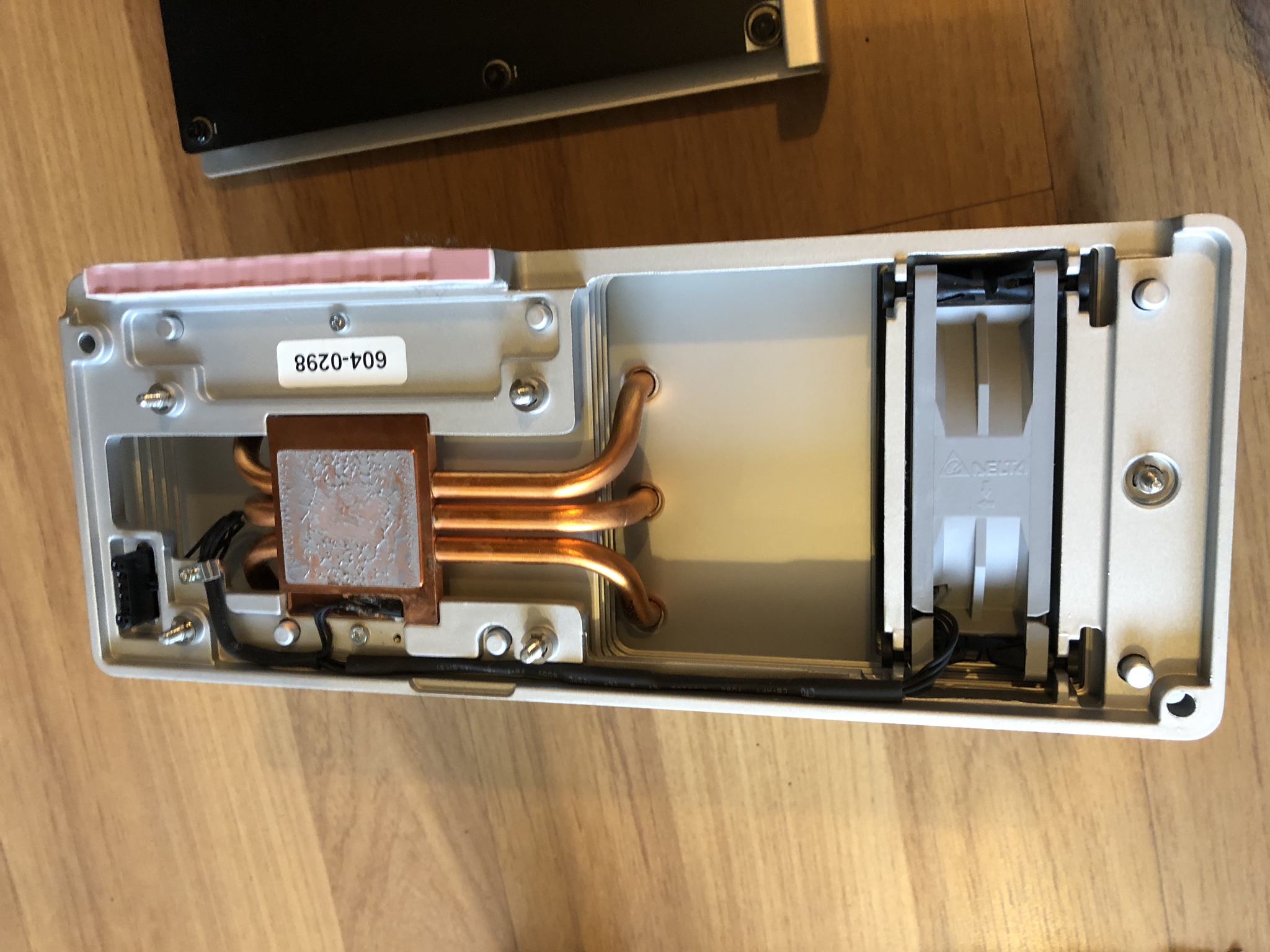
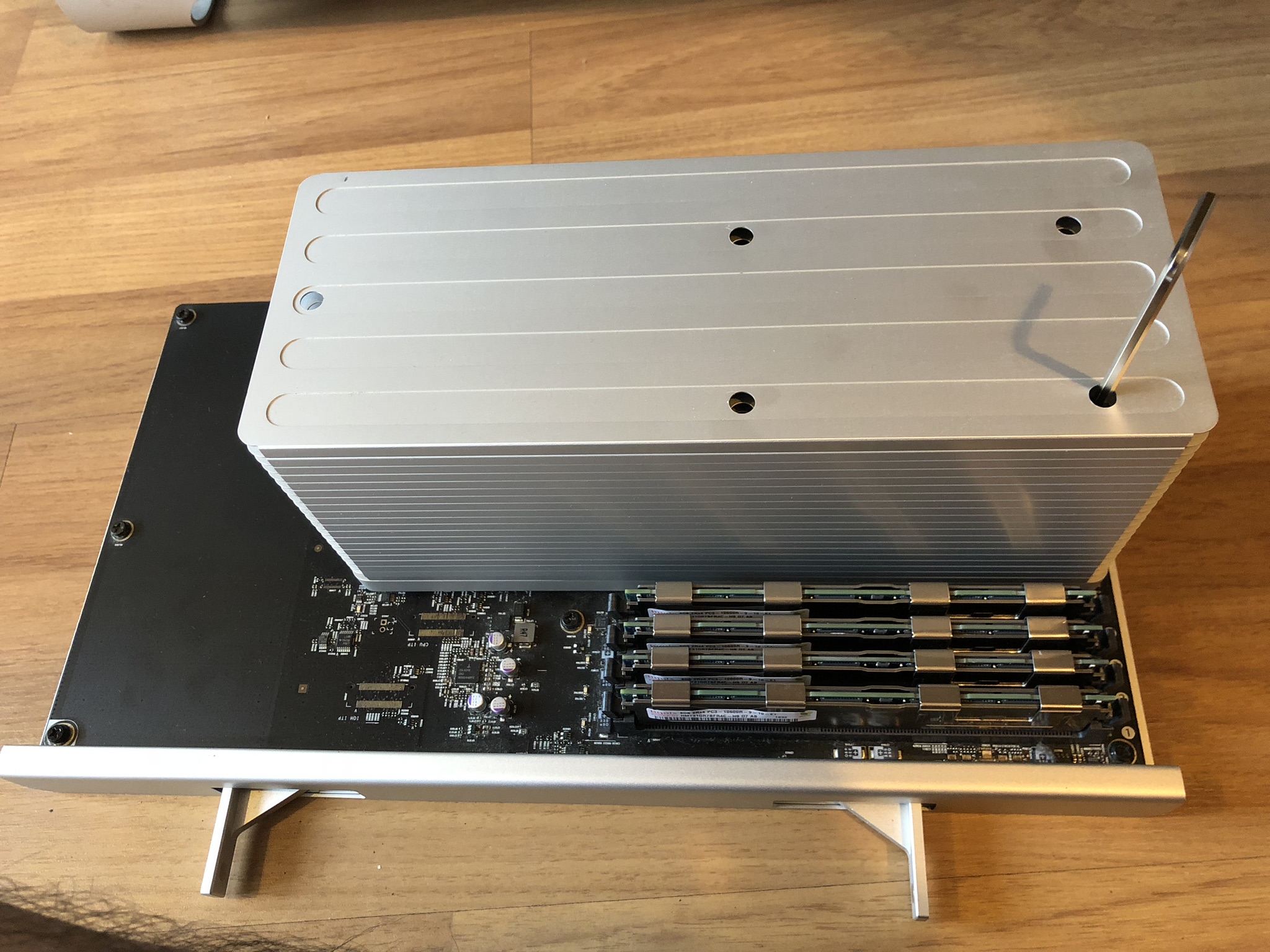
Unscrewing with the hex 3.0mm extra long key wrench. Bought it cheap from Lazada.
user posted image

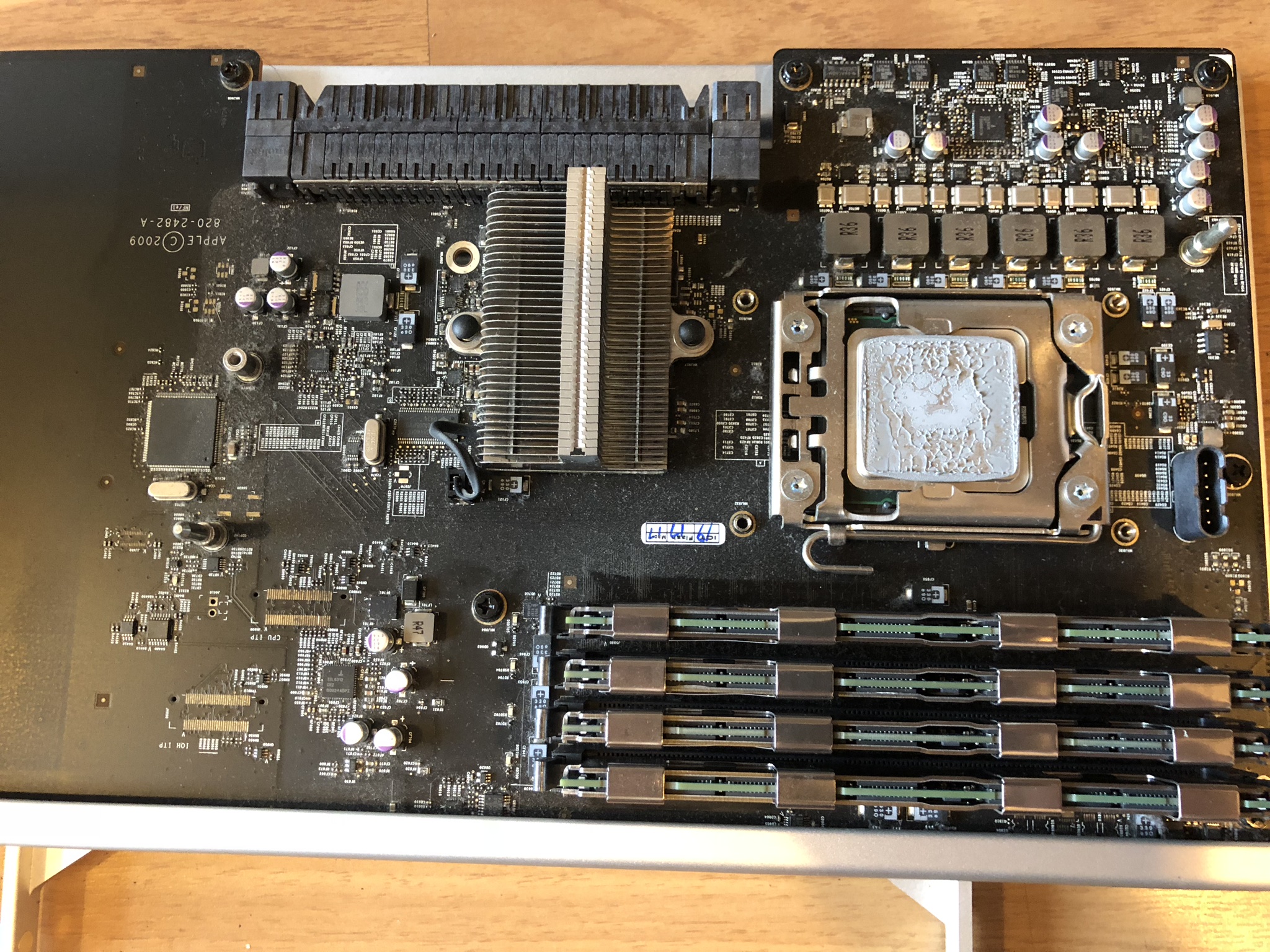
The thermal paste went dry and needed some cleaning with alcohol.
user posted image

Same goes with the heat sink.

user posted image

After some cleaning and it’s time to remove and exchange for a better CPU.
user posted image

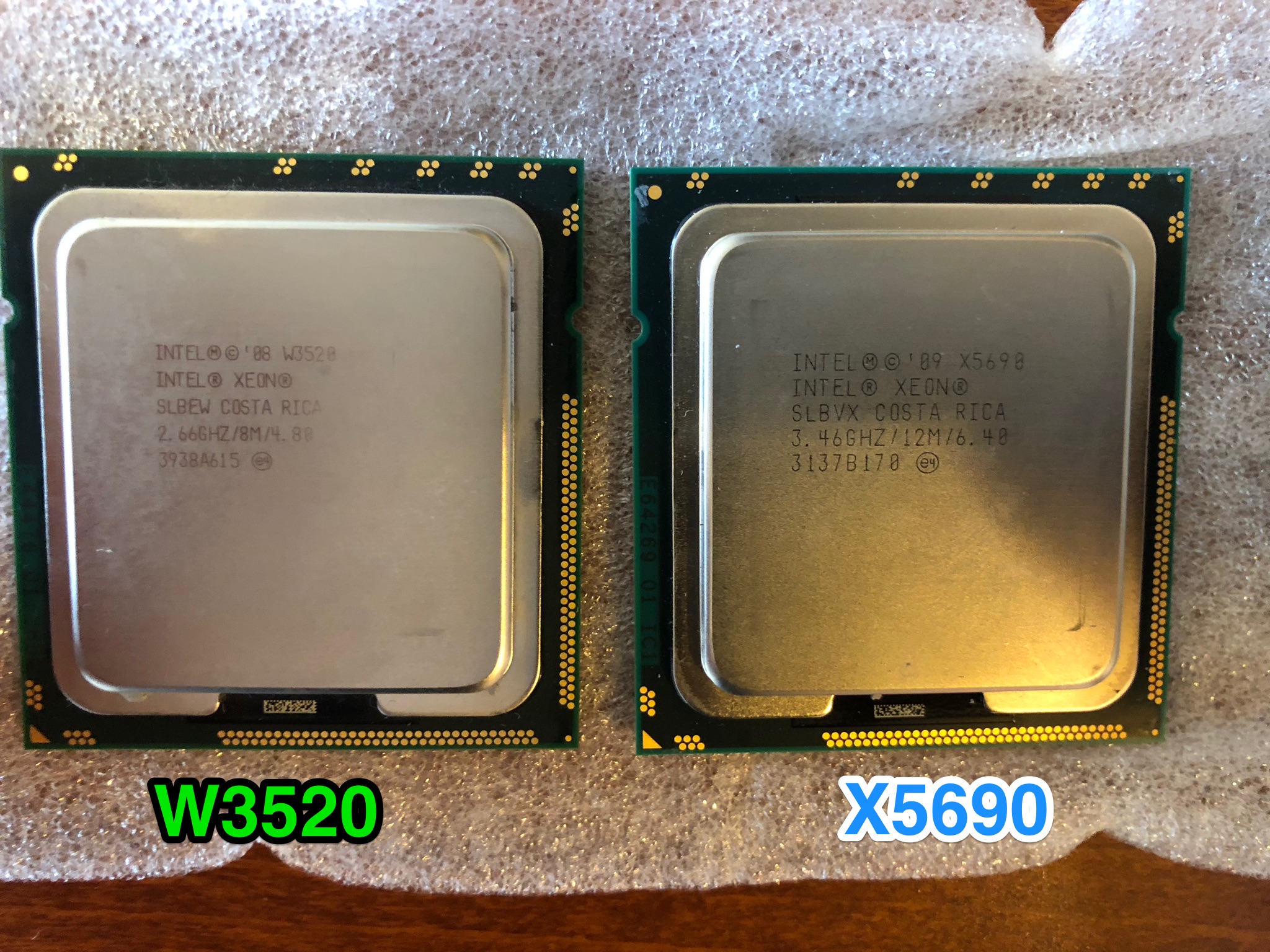
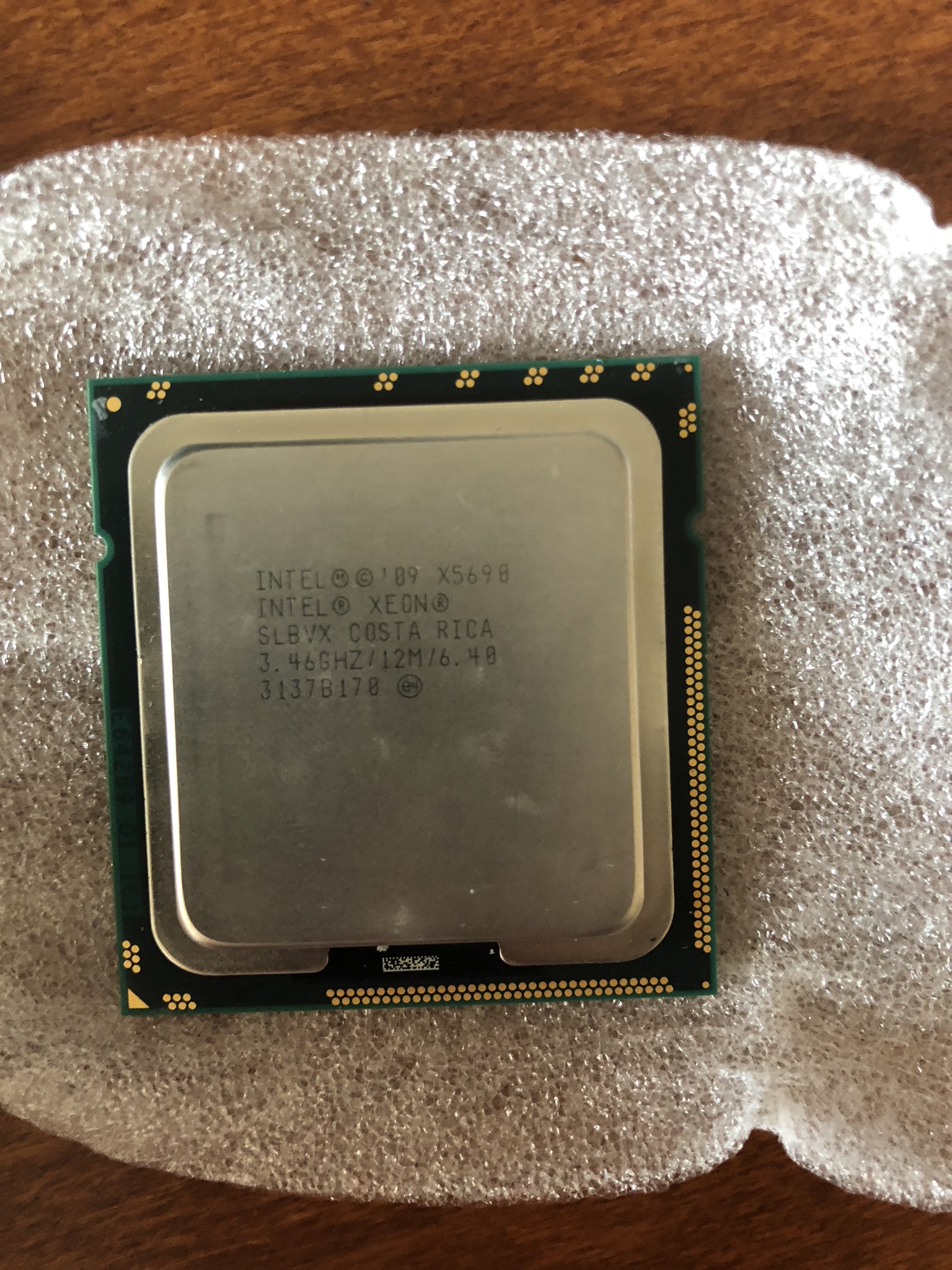
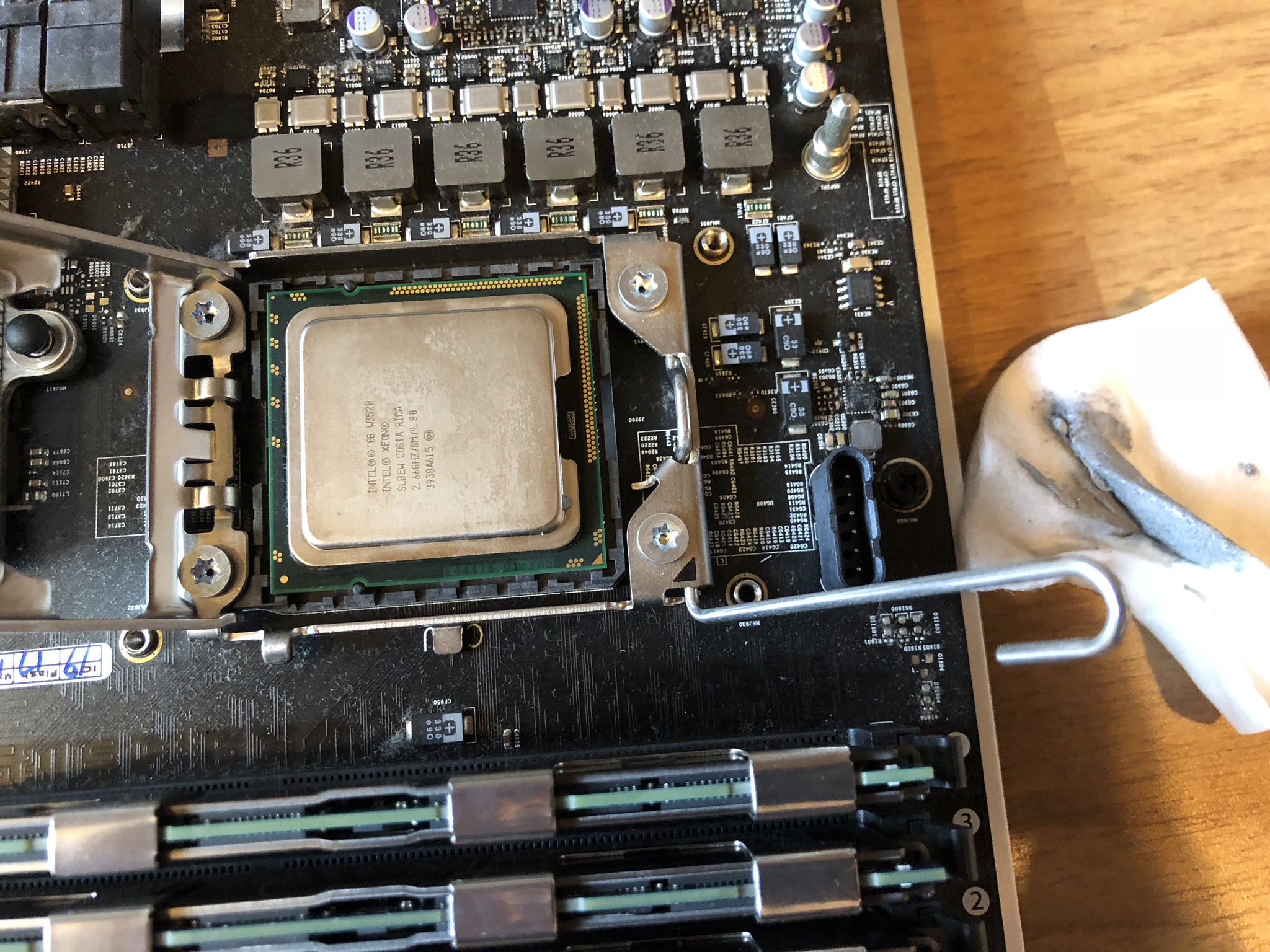
Here’s the comparison of the old included Xeon W3520 and Xeon X5690. Went with this because we can’t easily overclock a Mac Pro and the price for each X5690 went down to about RM320 each.

https://kongtech.wordpress.com/2018/08/04/m...enture-stage-1/

This post has been edited by kfc: Aug 4 2018, 04:14 PM
TSkfc
post Aug 4 2018, 04:11 PM

Getting Started
**
Junior Member
276 posts

Joined: Oct 2005
From: Old Klang Road


user posted image

user posted image

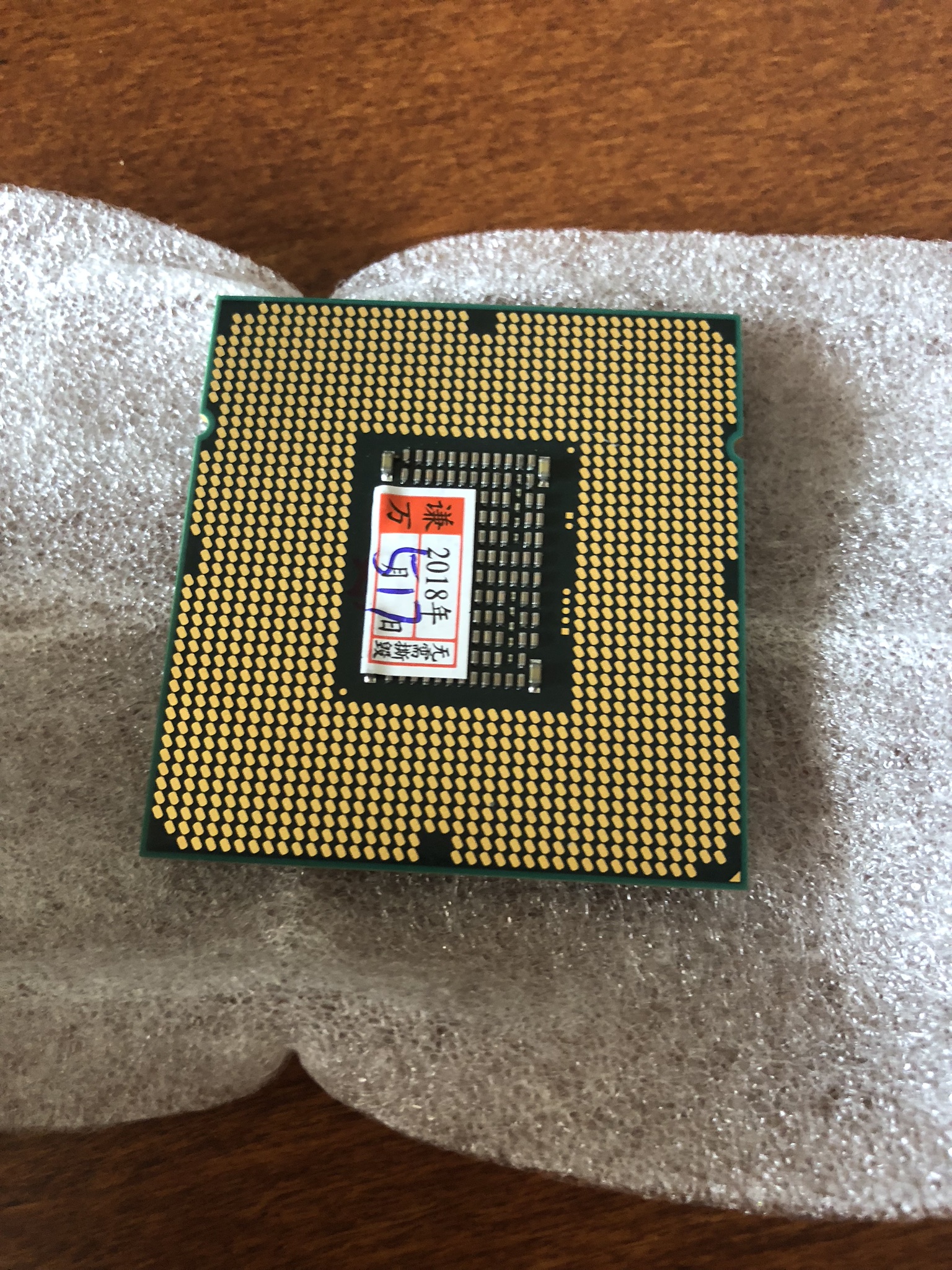
I was told not to remove the sticker below the chip as it won’t interfere with the performance. I left it there anyway. No harm to the performance so far.

user posted image

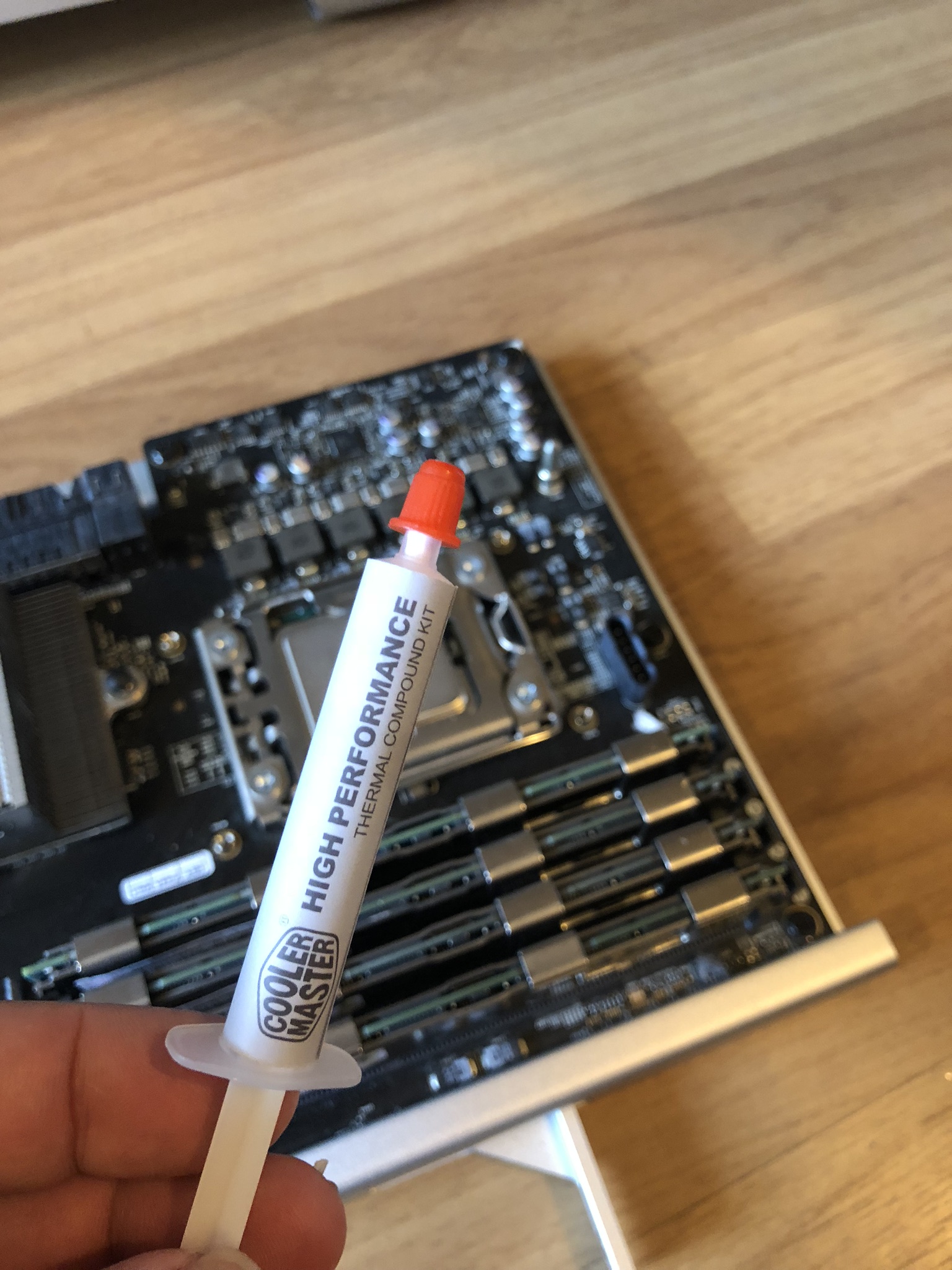
The first time I did this I was using a cheap thermal compound from cooler master that cost around RM12. And after a while I realised that the thermal seems a little higher than expected.

user posted image

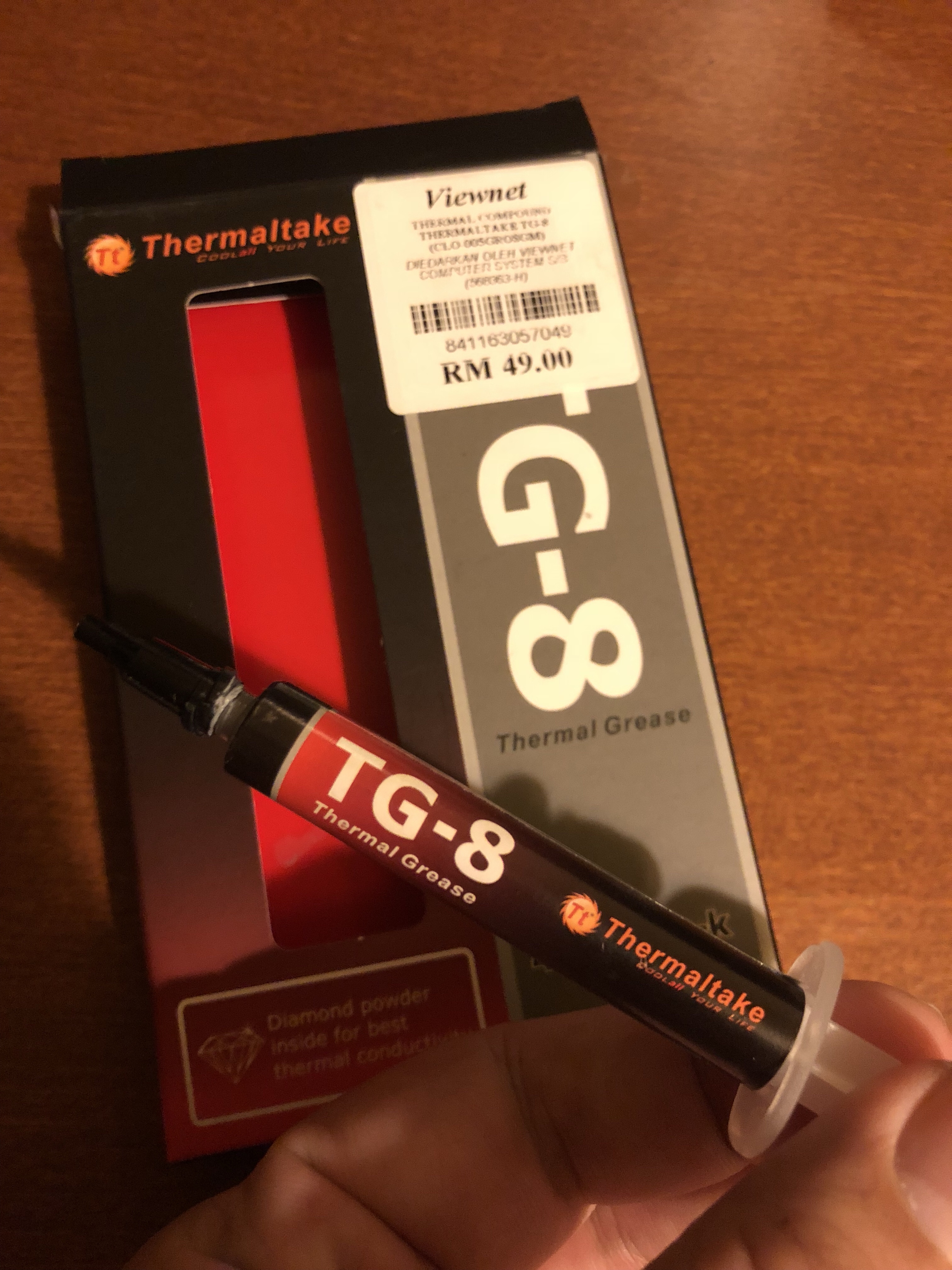
I can’t be able to find ArticSilver 5 in Lowyat. End up buying Thermaltake TG-8 which I can’t be able to find any review online. Any how it’s price RM49 and luckily it’s thermal result is quite satisfying so far.

user posted image

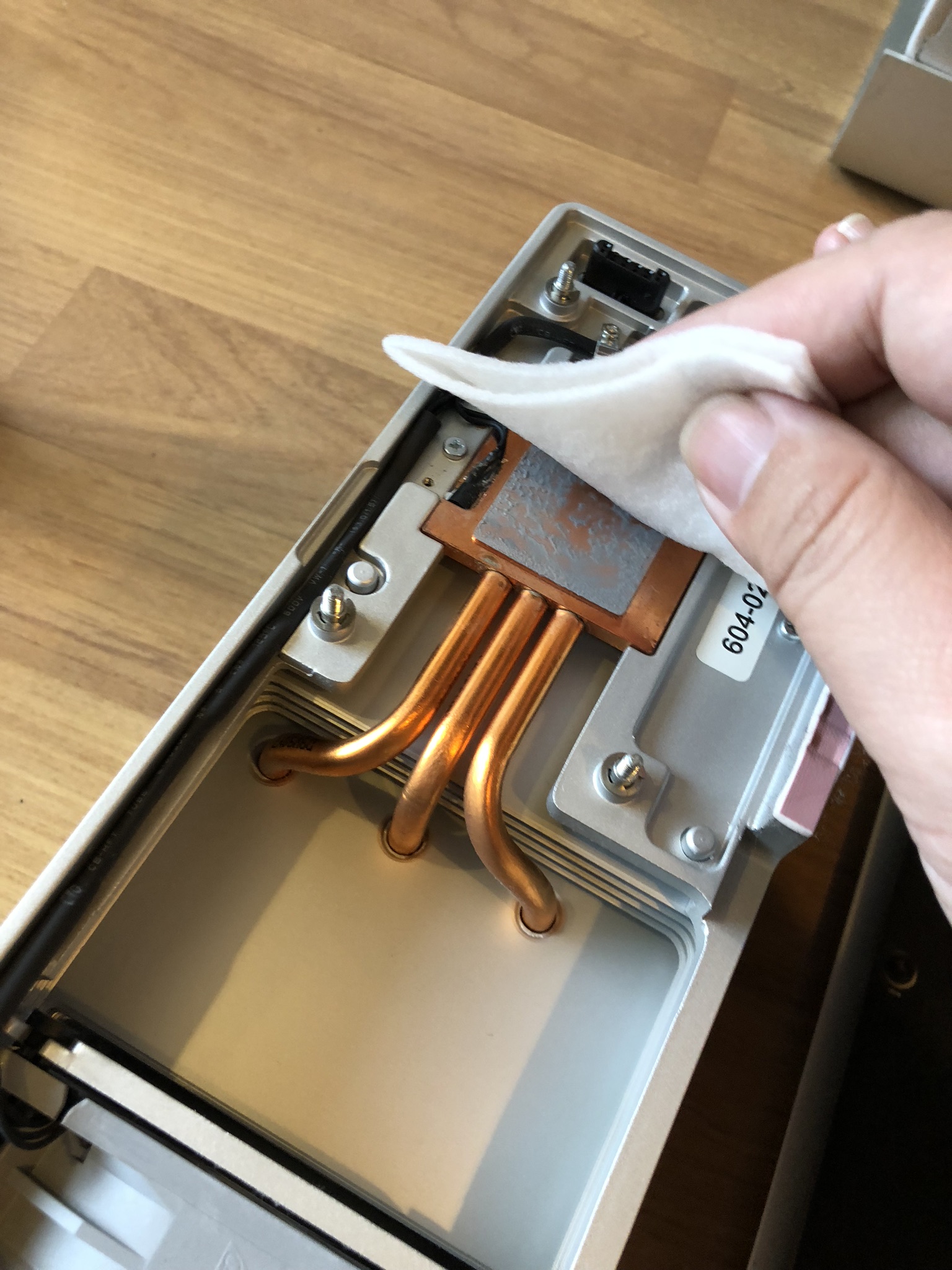
Before I apply the thermal paste I have to remove the old compound on the heat sink.

user posted image

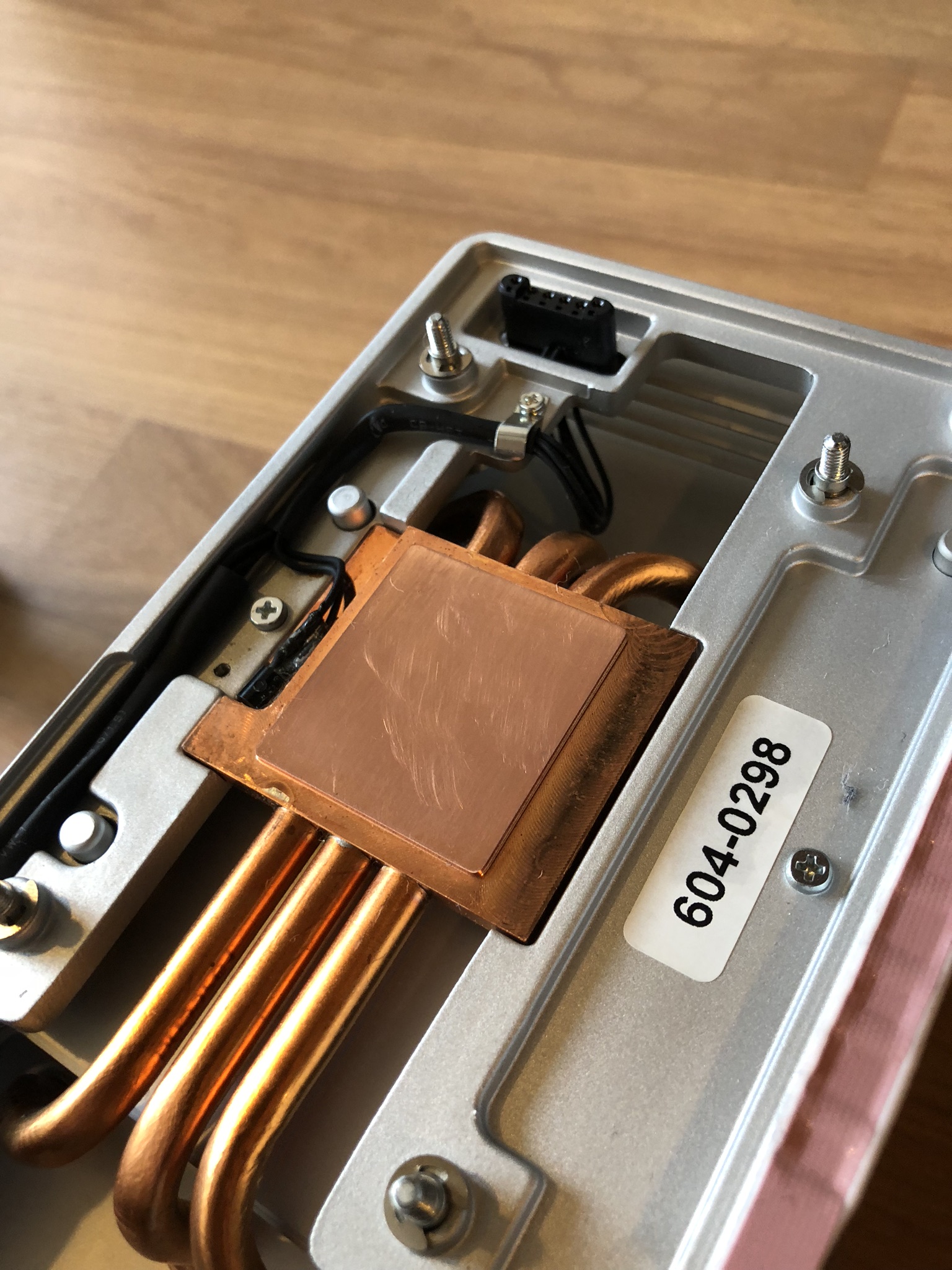
Look shiny and clean and it’s time to apply the paste.

user posted image

Then I just screw the heat sink back and call it done for the CPU. It’s a single processor Mac Pro 4,1. Still quite easy for the whole process. Dual processor 4,1 is another beast which I will cover in future. 5,1 single and 5,1 dual are relatively easy compared to 4,1 dual cpu.

Also can refer to the video below.


TSkfc
post Aug 4 2018, 04:11 PM

Getting Started
**
Junior Member
276 posts

Joined: Oct 2005
From: Old Klang Road


https://kongtech.wordpress.com/2018/08/04/m...enture-stage-1/
Ram Upgrade

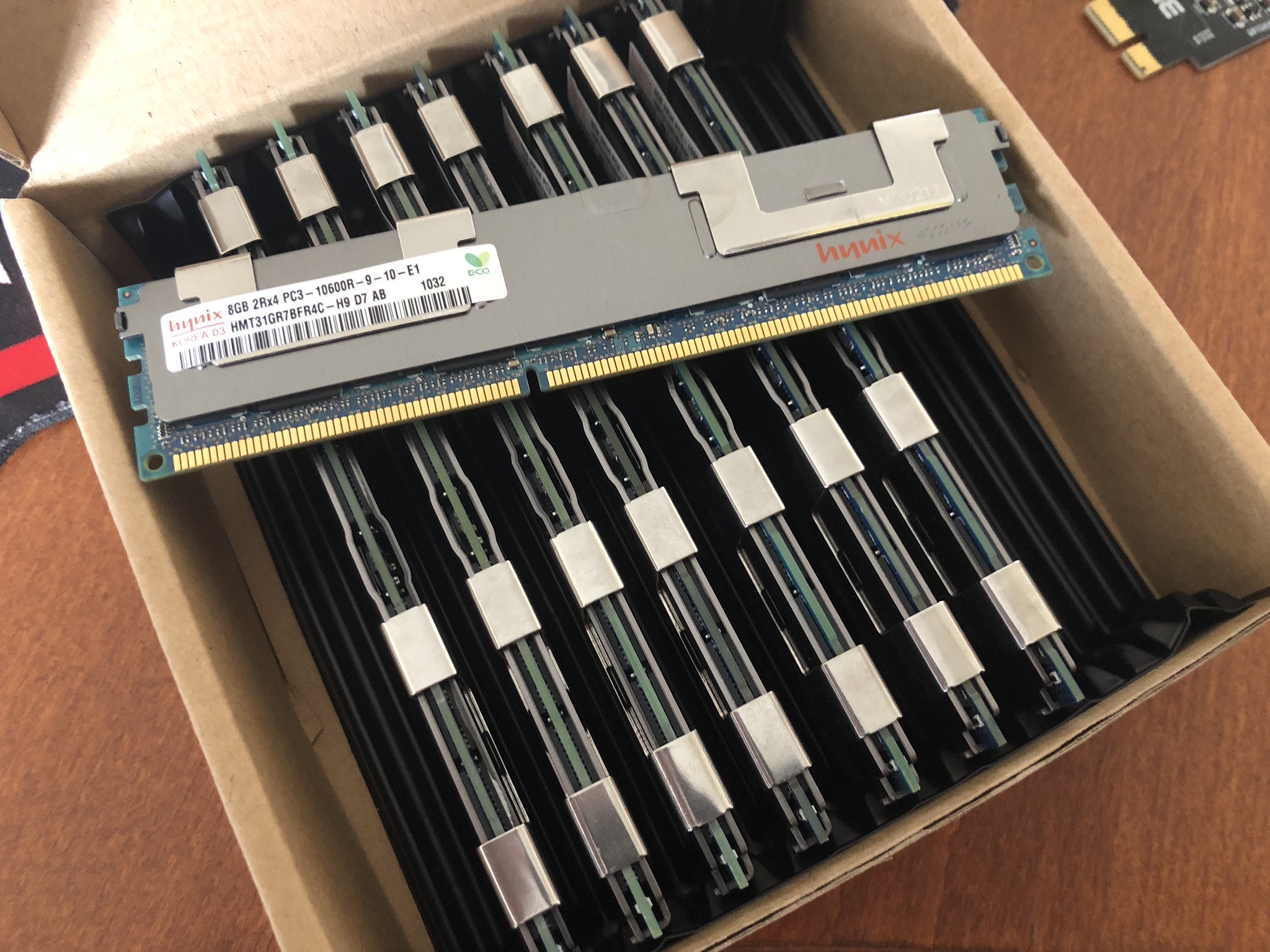
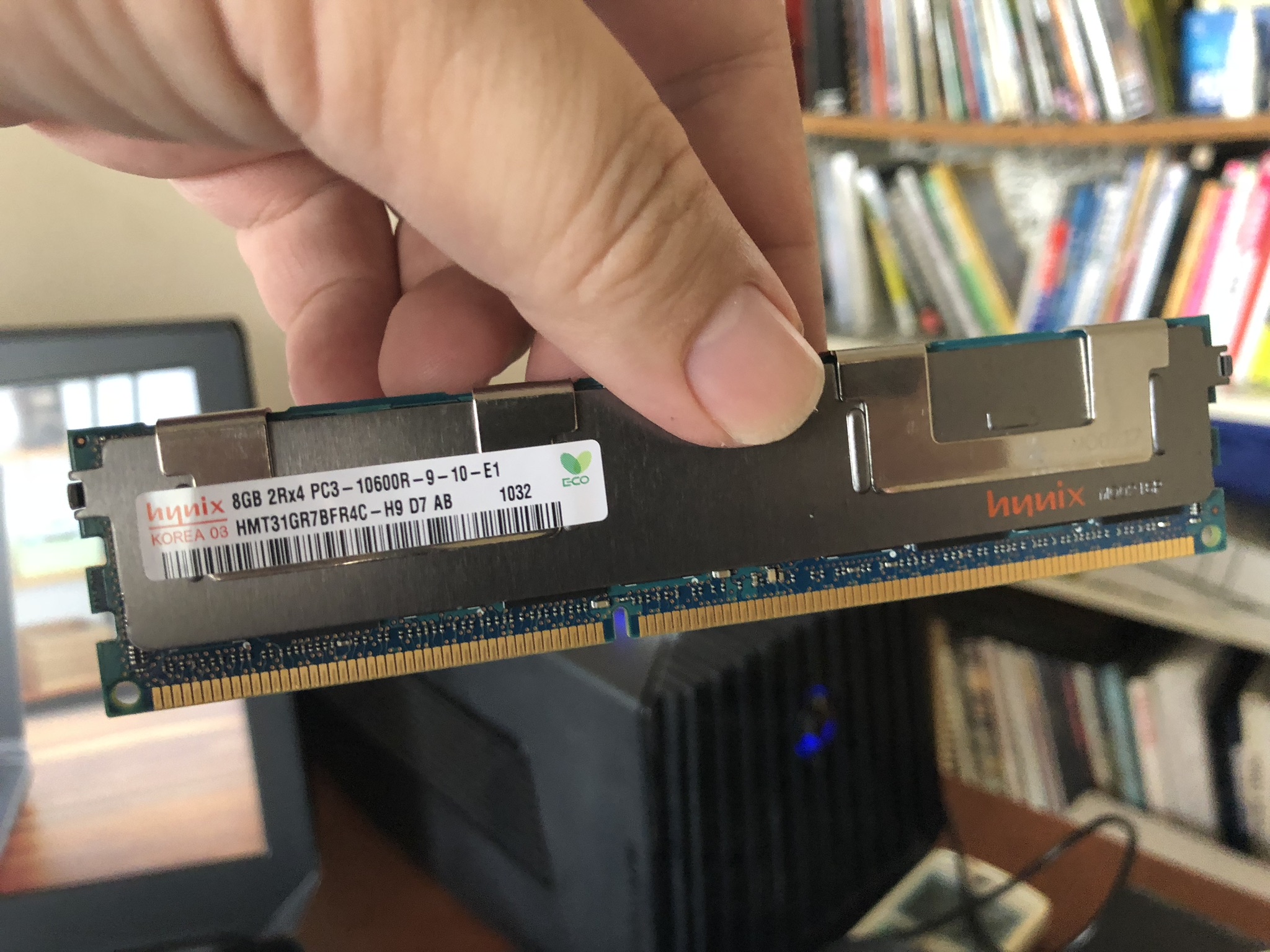
Now check out the Rams I’ve ordered PCL-10600R ECC registered. One thing I have to mention about these Xeon CPU and ECC rams is that they are decommissioned from their existing data Center and plenty of these are flooding to market. If you wanted to upgrade your Mac Pro or any of the X58 based PC. It’s the best time. It yield the best performance even compared to chip in 2018.

user posted image

Despite of the rams are e-waste from data Center it still looks very new.

user posted image

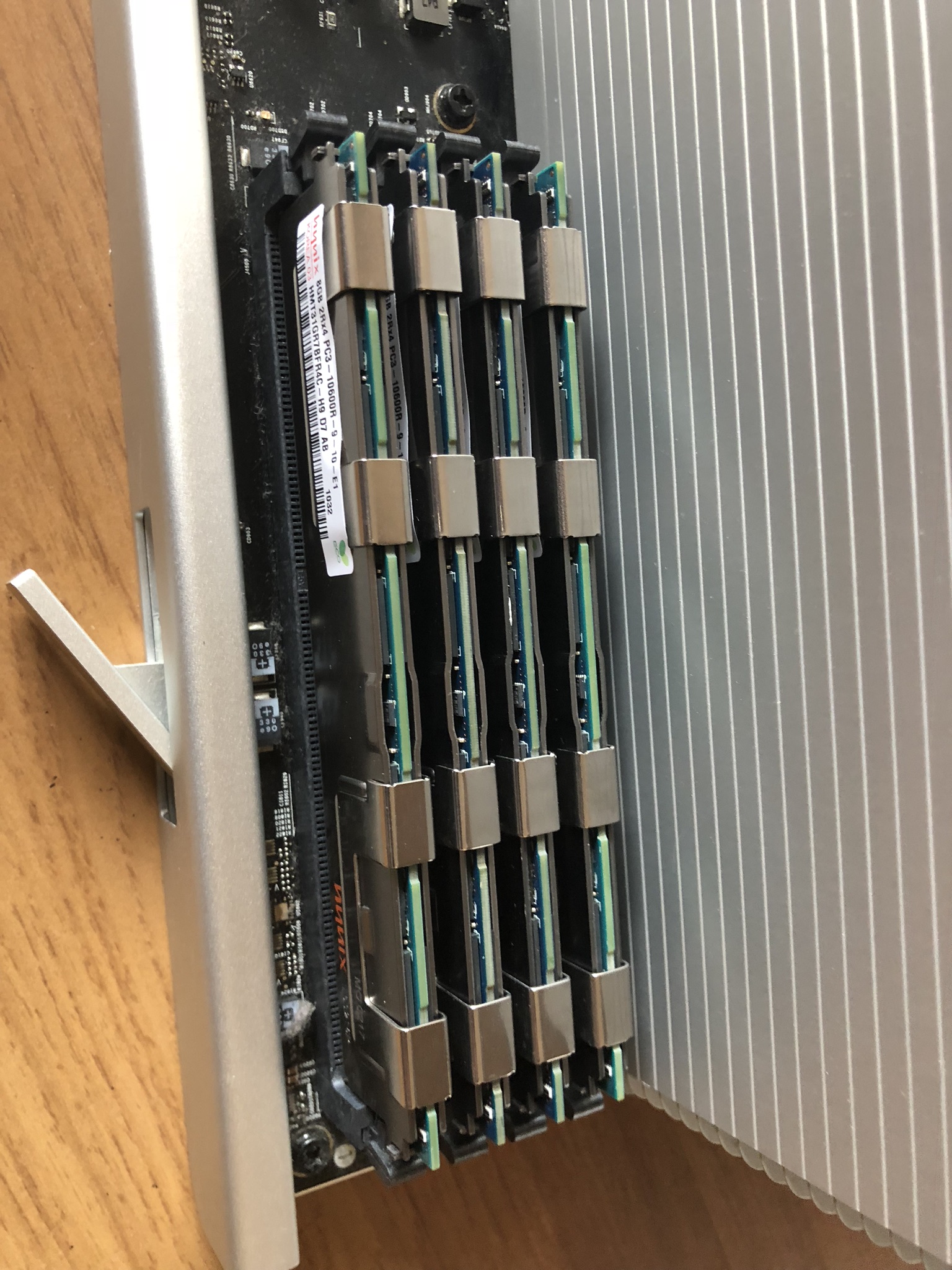
I put all 4 of these in to the ram slots of the CPU tray. Very easy.

user posted image

https://kongtech.wordpress.com/2018/08/04/m...enture-stage-1/

This post has been edited by kfc: Aug 4 2018, 04:15 PM
TSkfc
post Aug 4 2018, 04:12 PM

Getting Started
**
Junior Member
276 posts

Joined: Oct 2005
From: Old Klang Road


https://kongtech.wordpress.com/2018/08/04/m...enture-stage-1/

AirPort Extreme Chip

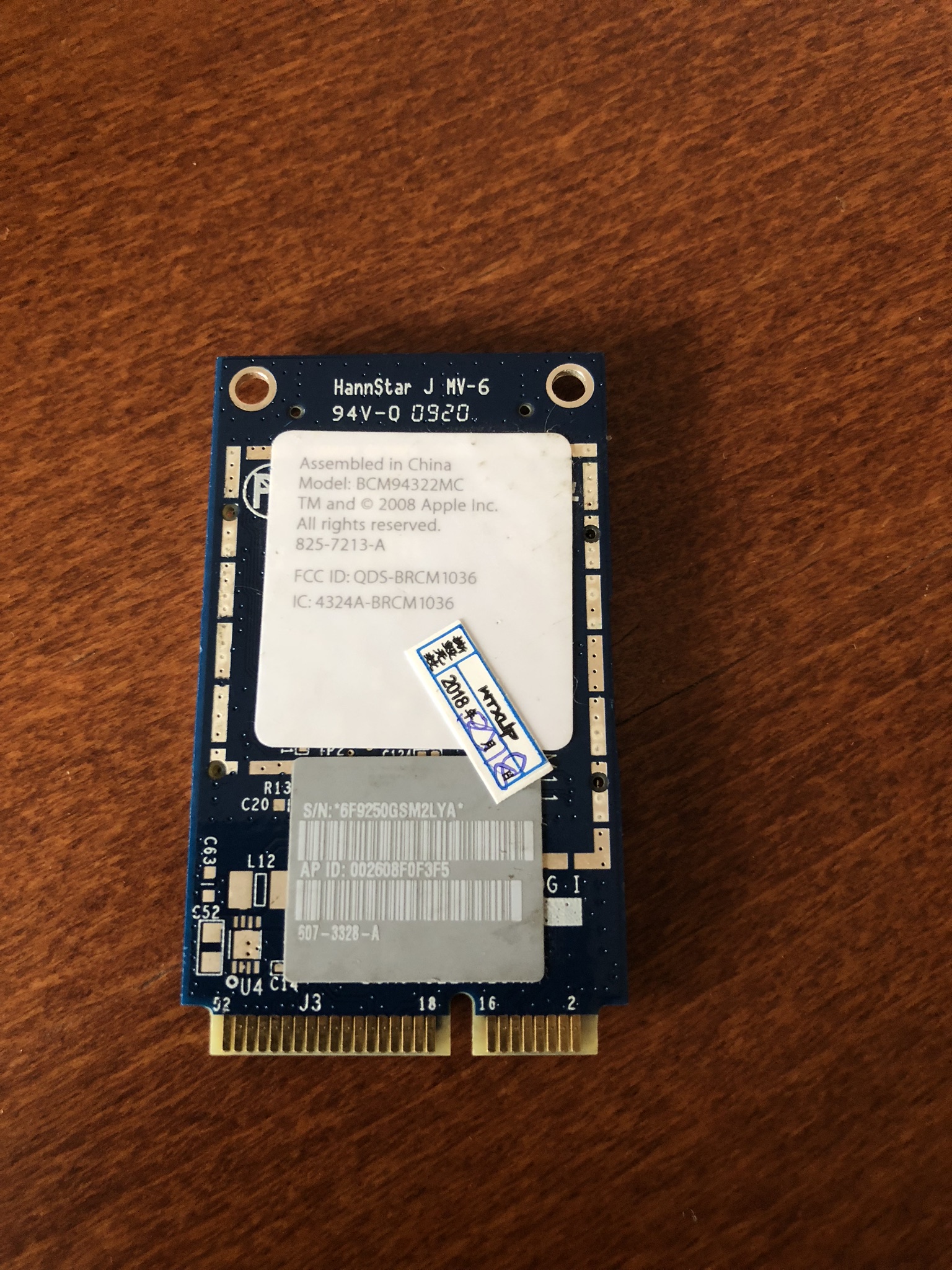
The 4,1 Mac Pro that I bought came without a Wi-Fi chip. Bought this from online from Taobao. It’s the original AirPort Extreme chip which can be installed and recognised directly my OSX.

user posted image

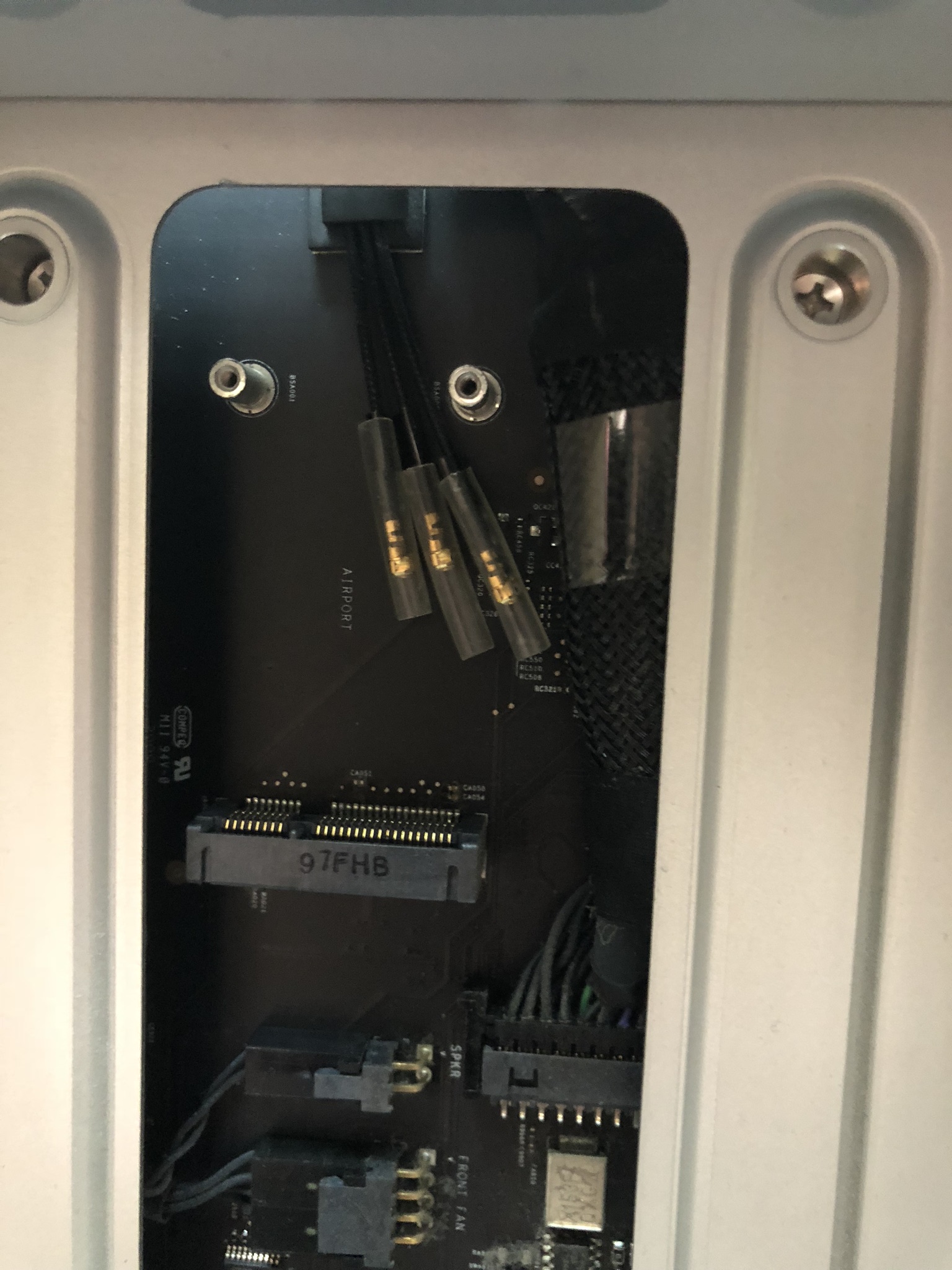
There are 3 cables inside dangling in the case. It can only be seen with the cpu tray removed.

user posted image

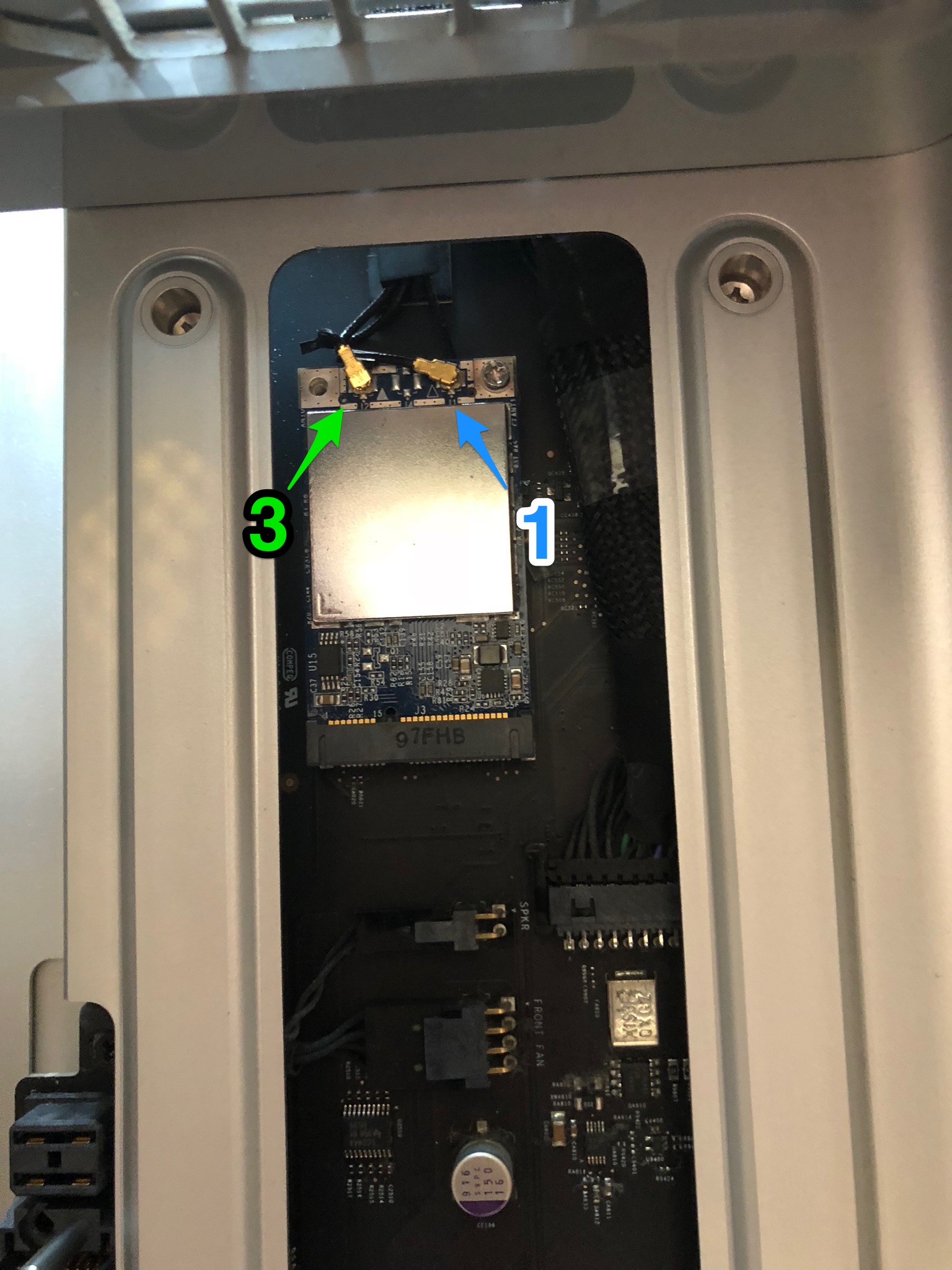
Just connect the cables (check it’s numbered label) according to the numbers I’ve shown in the photo.

user posted image

Once I’ve done this, I just slot the CPU tray back to Mac Pro

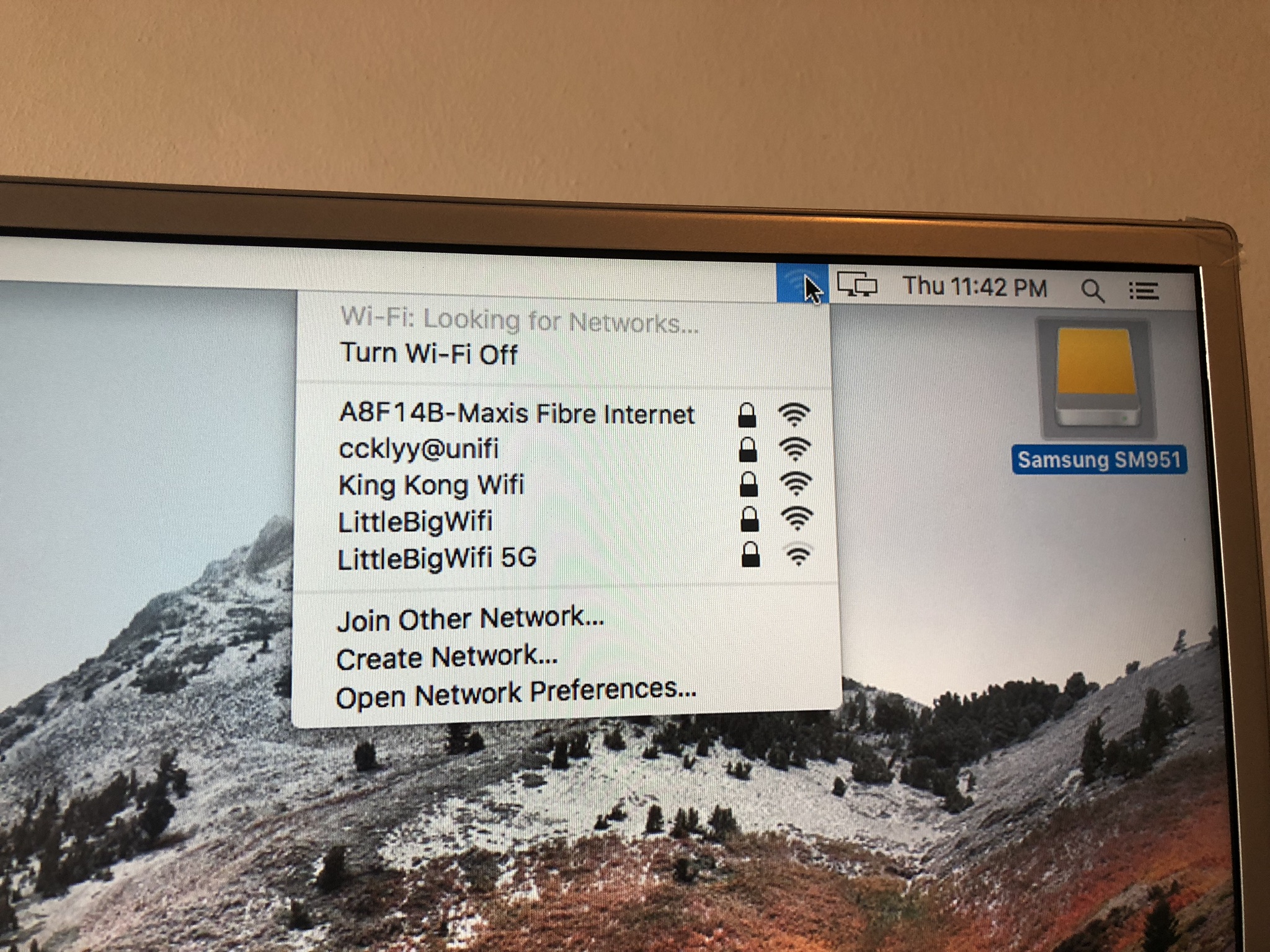
Boot up the system and you will see the Wi-Fi recognised immediately.

user posted image

https://kongtech.wordpress.com/2018/08/04/m...enture-stage-1/

This post has been edited by kfc: Aug 4 2018, 04:15 PM
TSkfc
post Aug 4 2018, 04:12 PM

Getting Started
**
Junior Member
276 posts

Joined: Oct 2005
From: Old Klang Road


https://kongtech.wordpress.com/2018/08/04/m...enture-stage-1/

SSD Upgrade

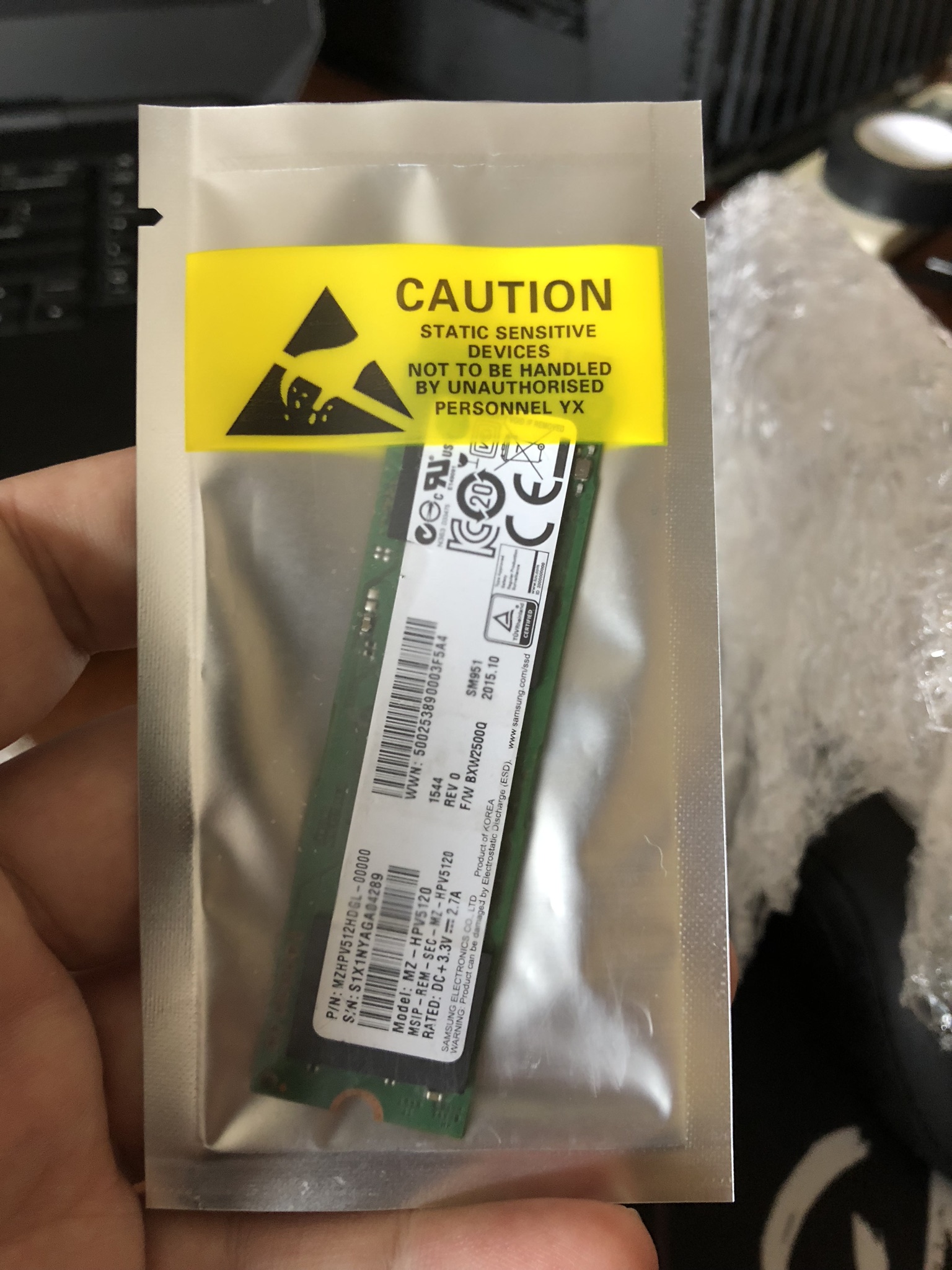
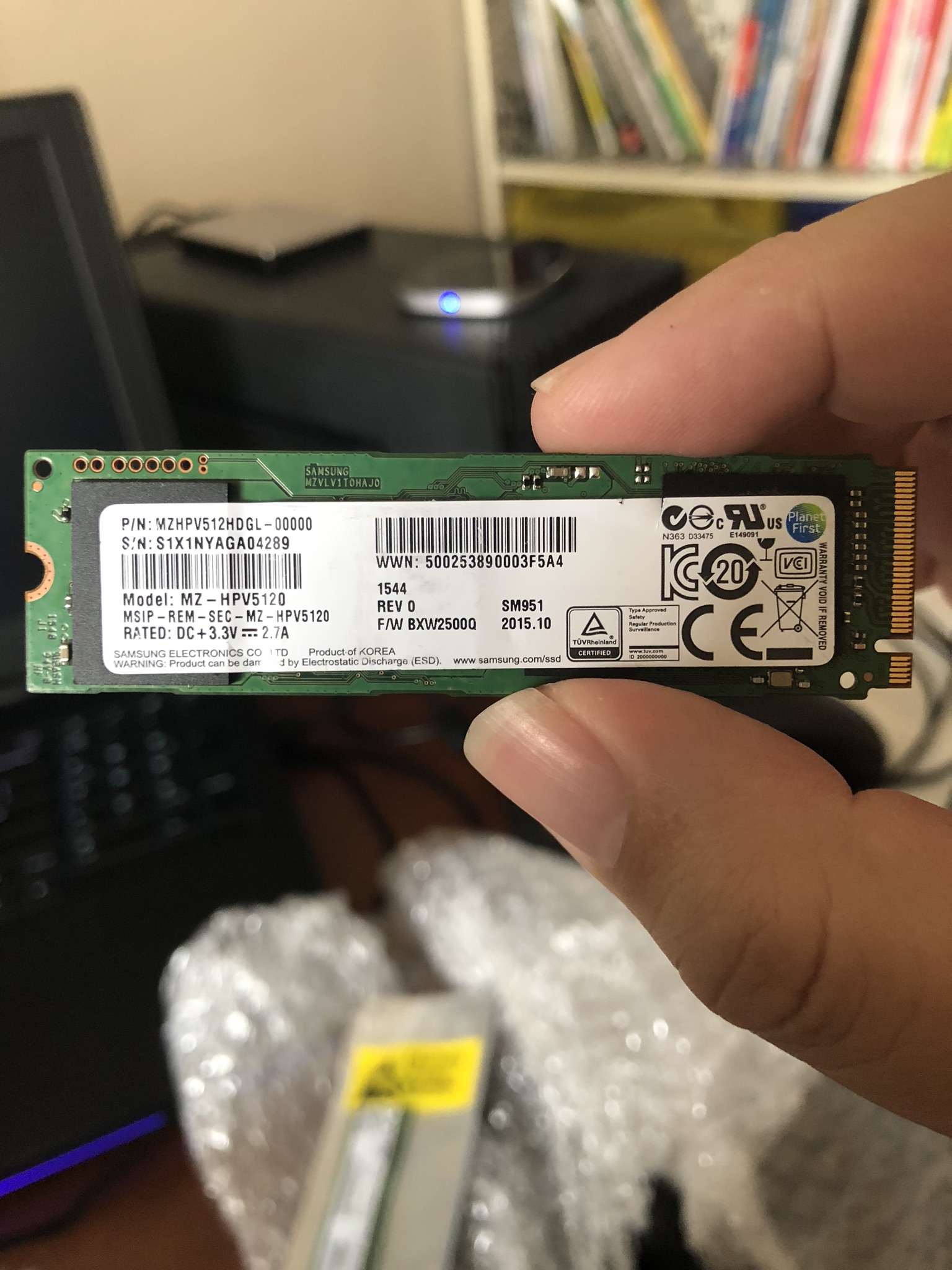
I bought the Samsung SM951 M.2 ACHI SSD from Taobao. Please make sure that it’s the ACHI version so that the Mac OSX can be bootable.

Make sure that you put it in slot 1 or 2 with Pcie 2.0 x16 to maximise its read and write speed.

user posted image

The one I got here is a 512GB version. Pretty hard to find.


user posted image

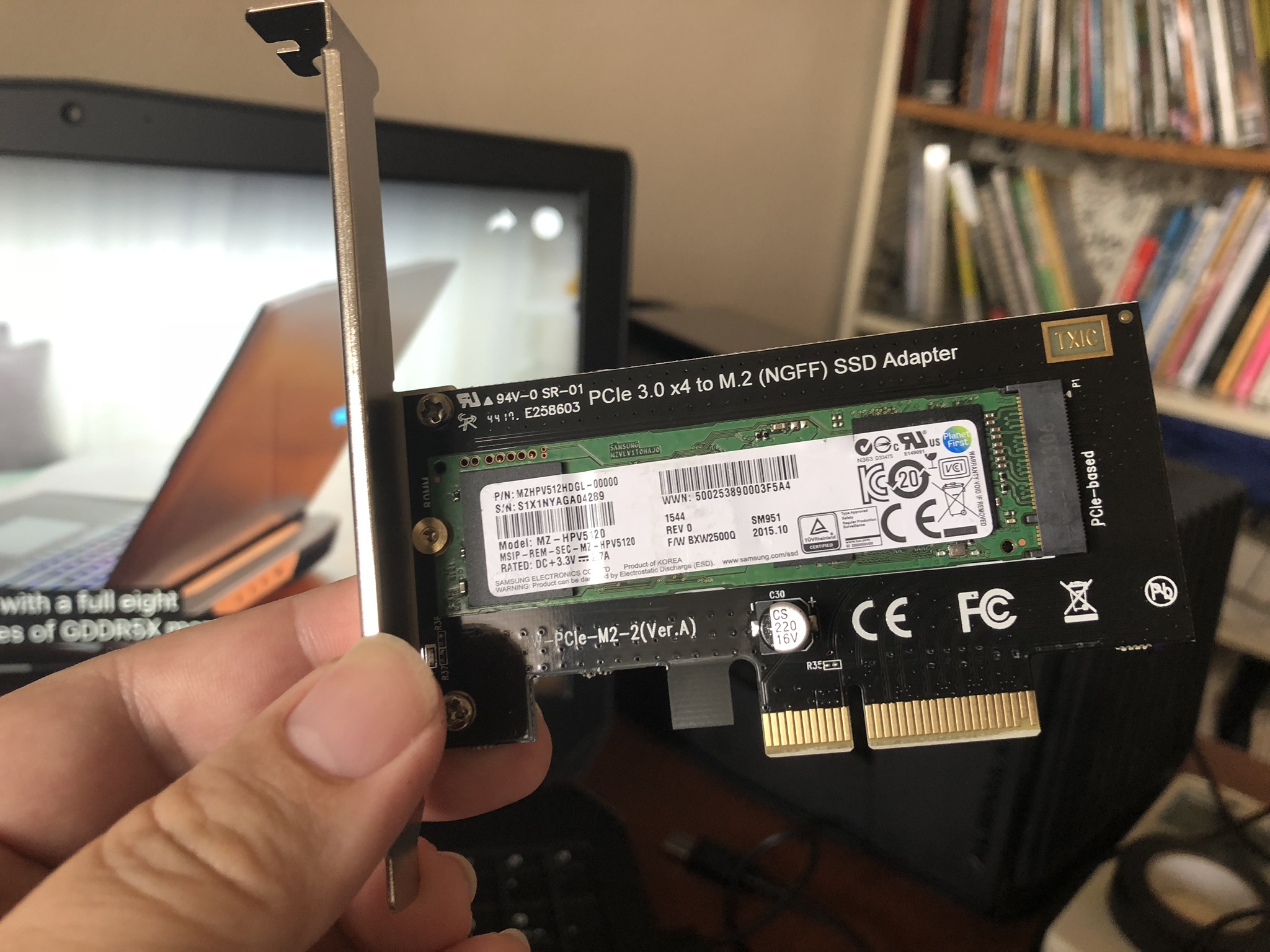
I also need to use a M.2 card for PCIE. It recognised by Mac Pro without any driver issue.

user posted image

Here's a tip to clone the Mac OSX from your HDD to SSD.


https://kongtech.wordpress.com/2018/08/04/m...enture-stage-1/

This post has been edited by kfc: Aug 4 2018, 04:16 PM
TSkfc
post Aug 4 2018, 04:12 PM

Getting Started
**
Junior Member
276 posts

Joined: Oct 2005
From: Old Klang Road


https://kongtech.wordpress.com/2018/08/04/m...enture-stage-1/

USB 3.0 Upgrade

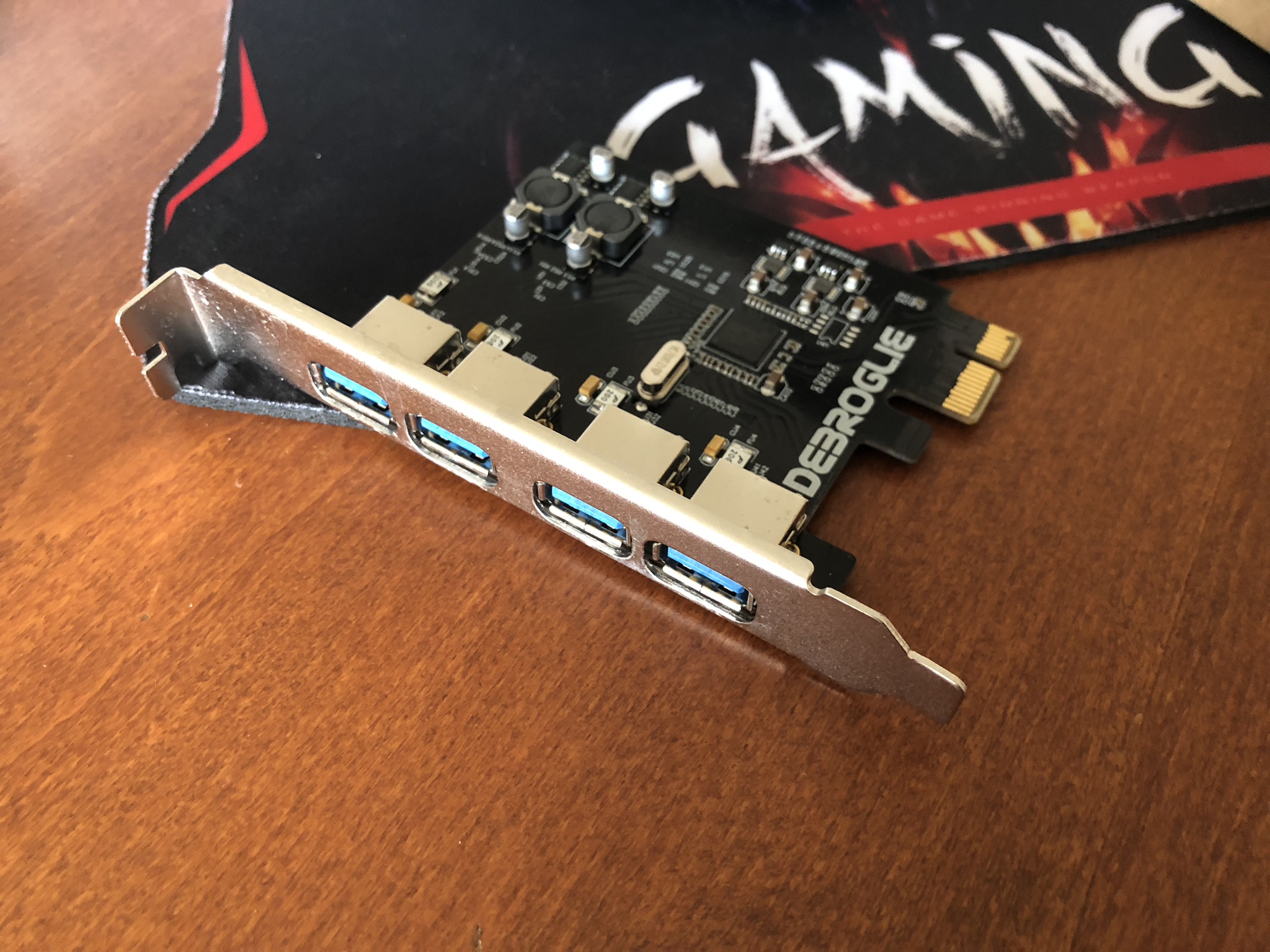
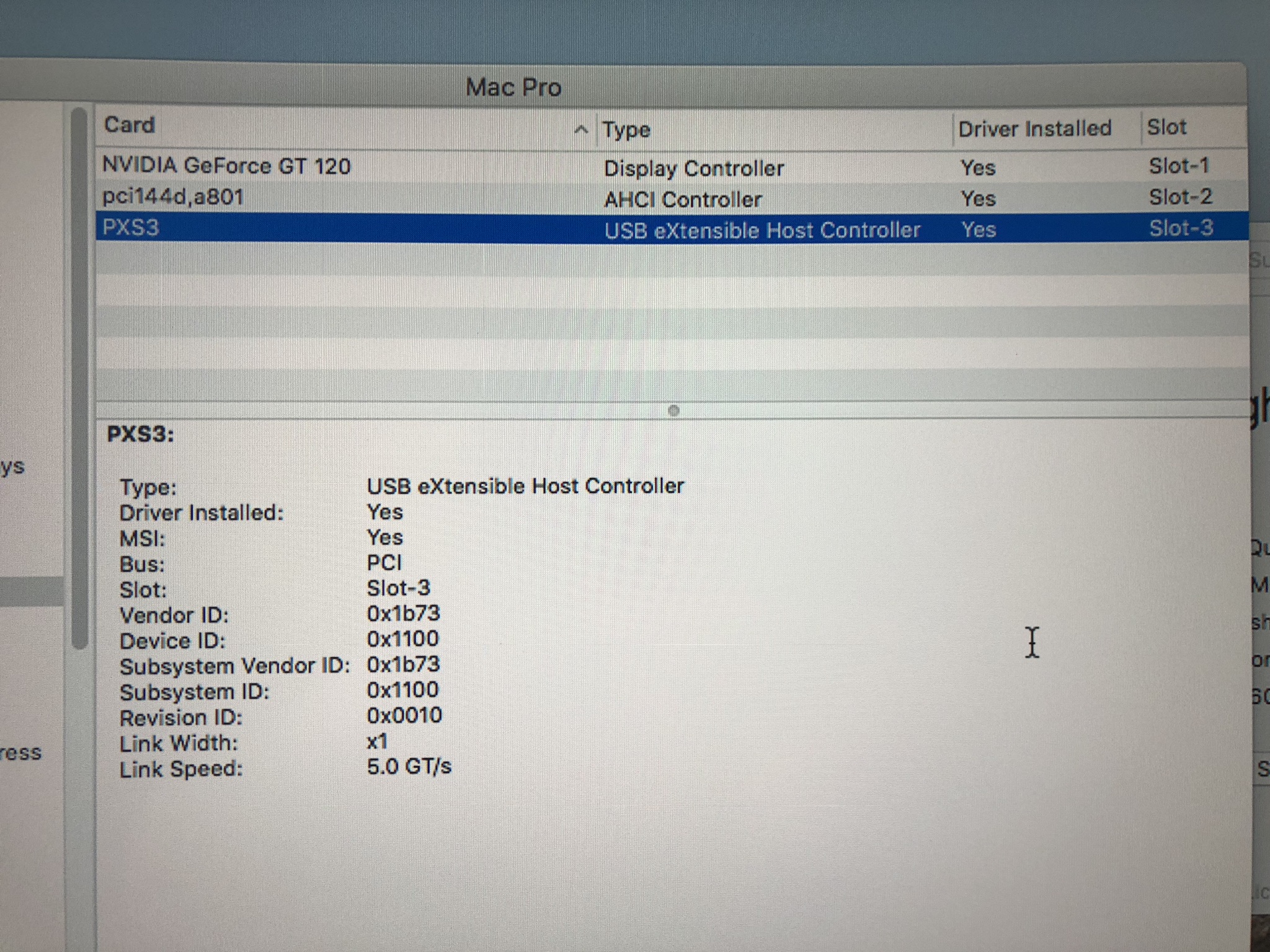
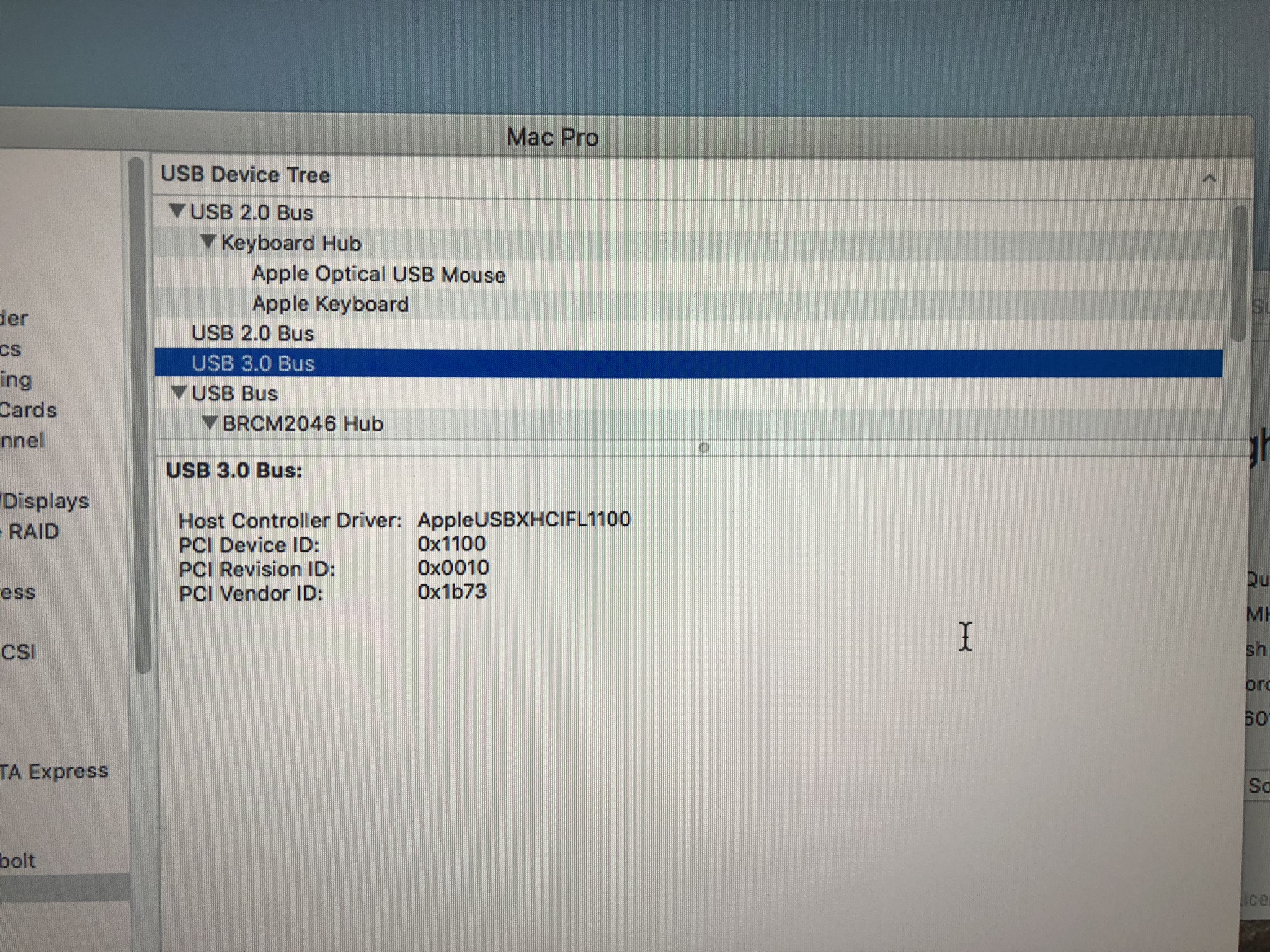
Did a bit of research and I was trying to look for a cheap one that works without additional driver installation. Settled with this brand called “Debroglie”. I put this in pcie slot 3 (Pcie 2.0 x4) and it works right out of the box.

user posted image

user posted image

user posted image

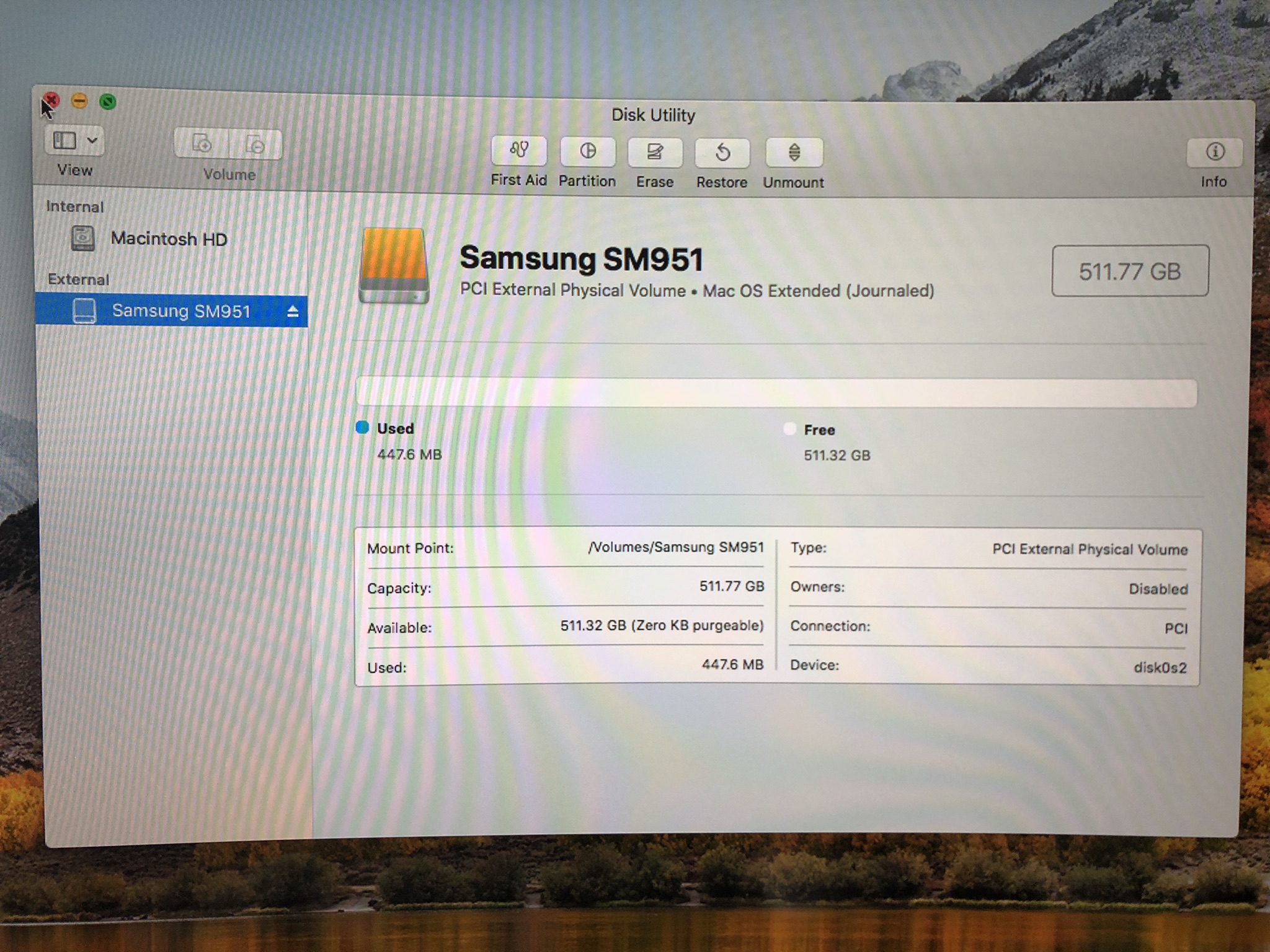
The SSD recognised right out of the box with no tinkering. I did the HDD transfer to the new SSD.

user posted image

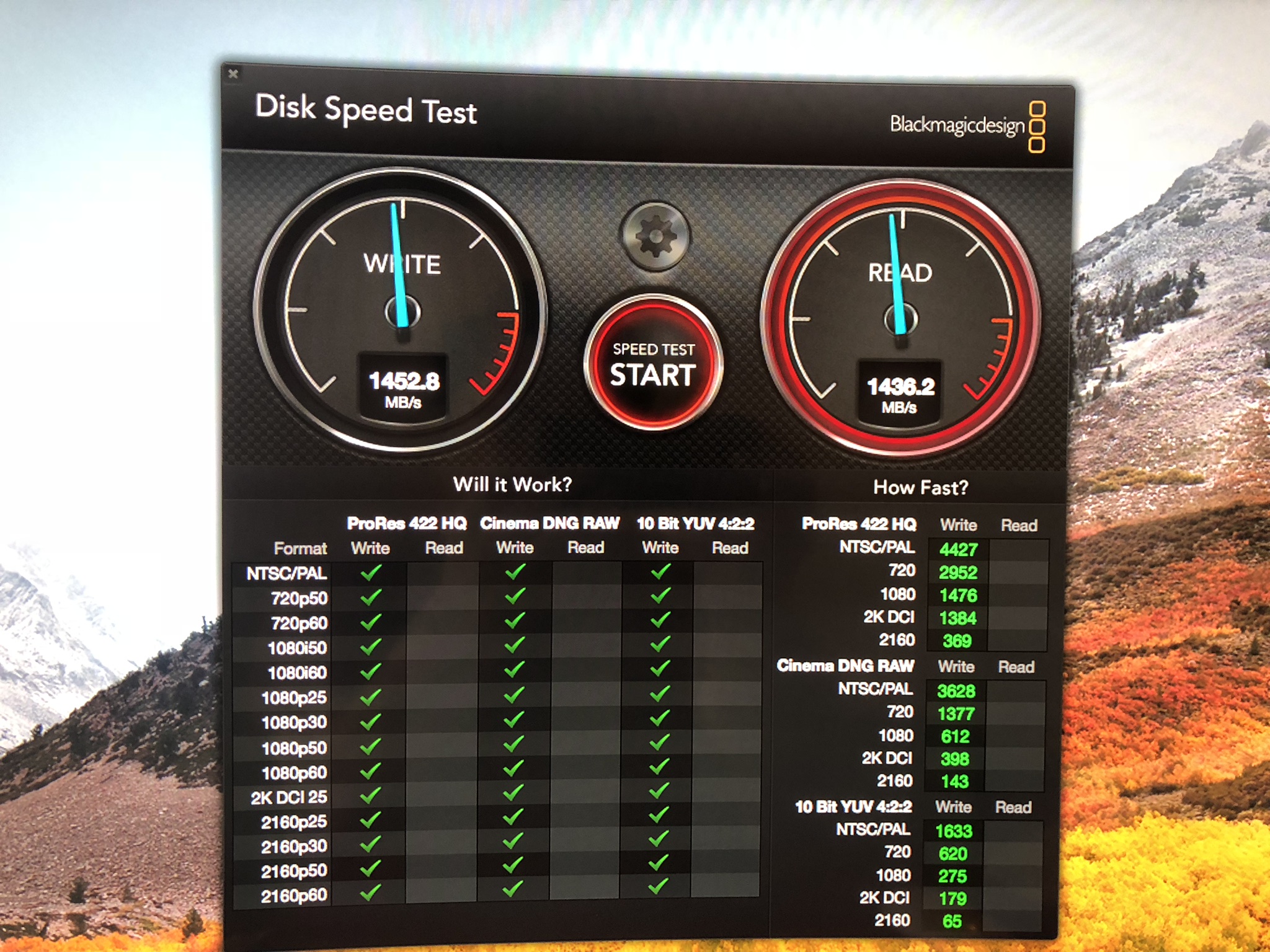
The speed seems to be satisfying. 1.4k read and write seems to be good enough for the work.

user posted image

https://kongtech.wordpress.com/2018/08/04/m...enture-stage-1/

This post has been edited by kfc: Aug 4 2018, 04:16 PM
TSkfc
post Aug 4 2018, 04:13 PM

Getting Started
**
Junior Member
276 posts

Joined: Oct 2005
From: Old Klang Road


https://kongtech.wordpress.com/2018/08/04/m...enture-stage-1/

GPU Upgrade

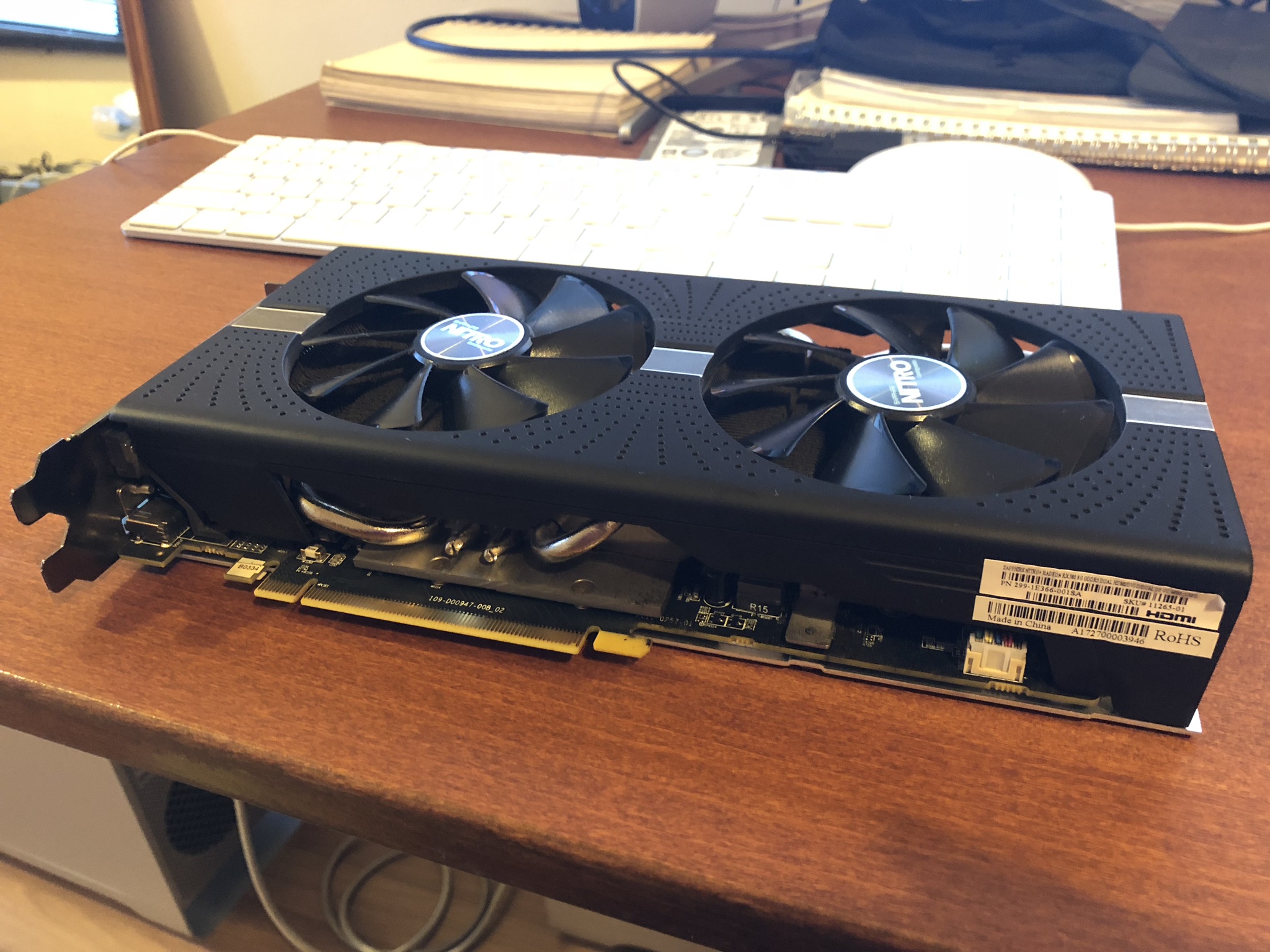
I have some AMD Rx580 8GB that I had for my other projects before. Can’t wait to swap out the crappy Nvidia GT120 card came with the system.

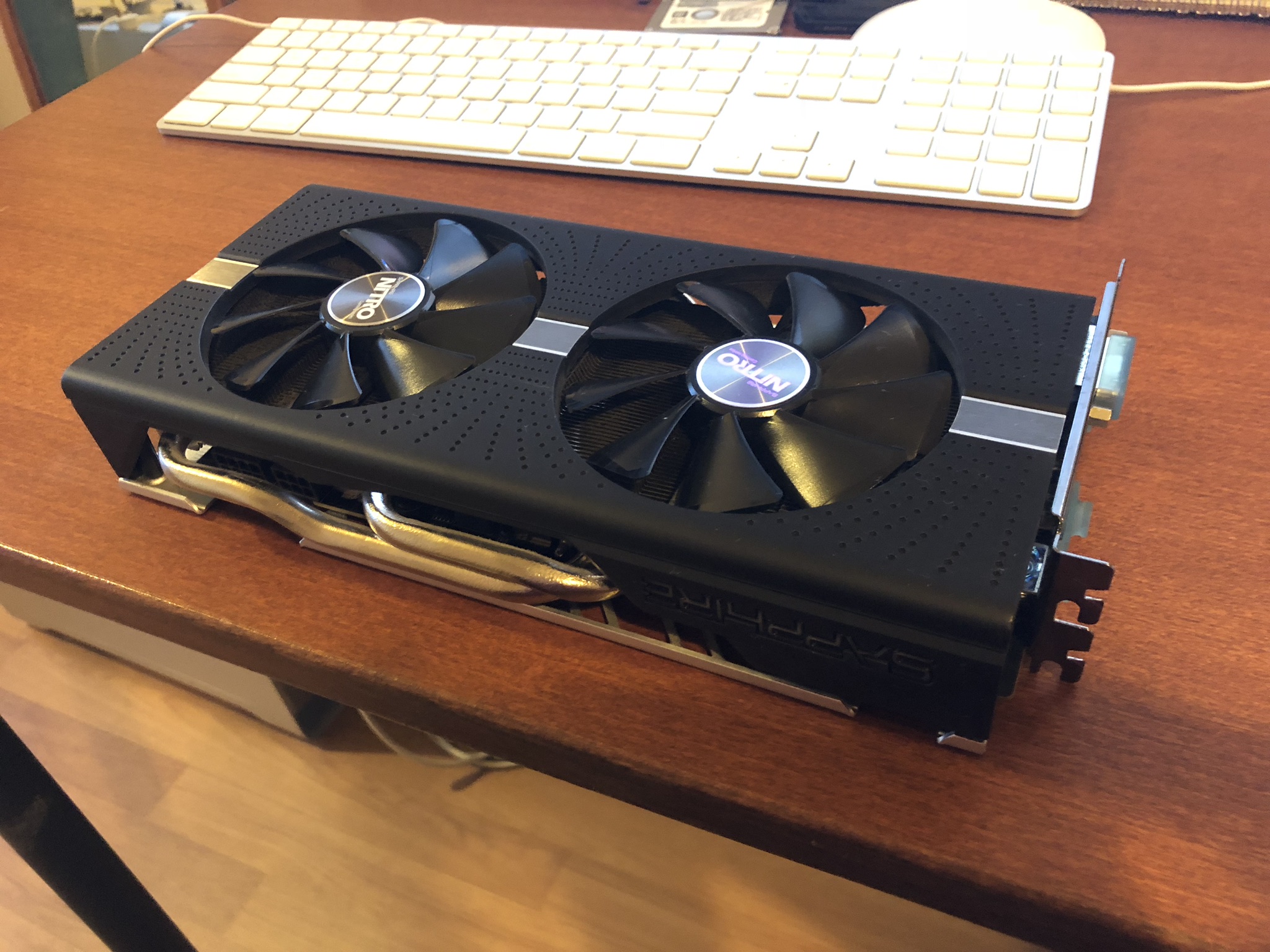
It’s a Sapphire Nitro+ RX580 8GB.

user posted image

Still very new and lightly used.

user posted image

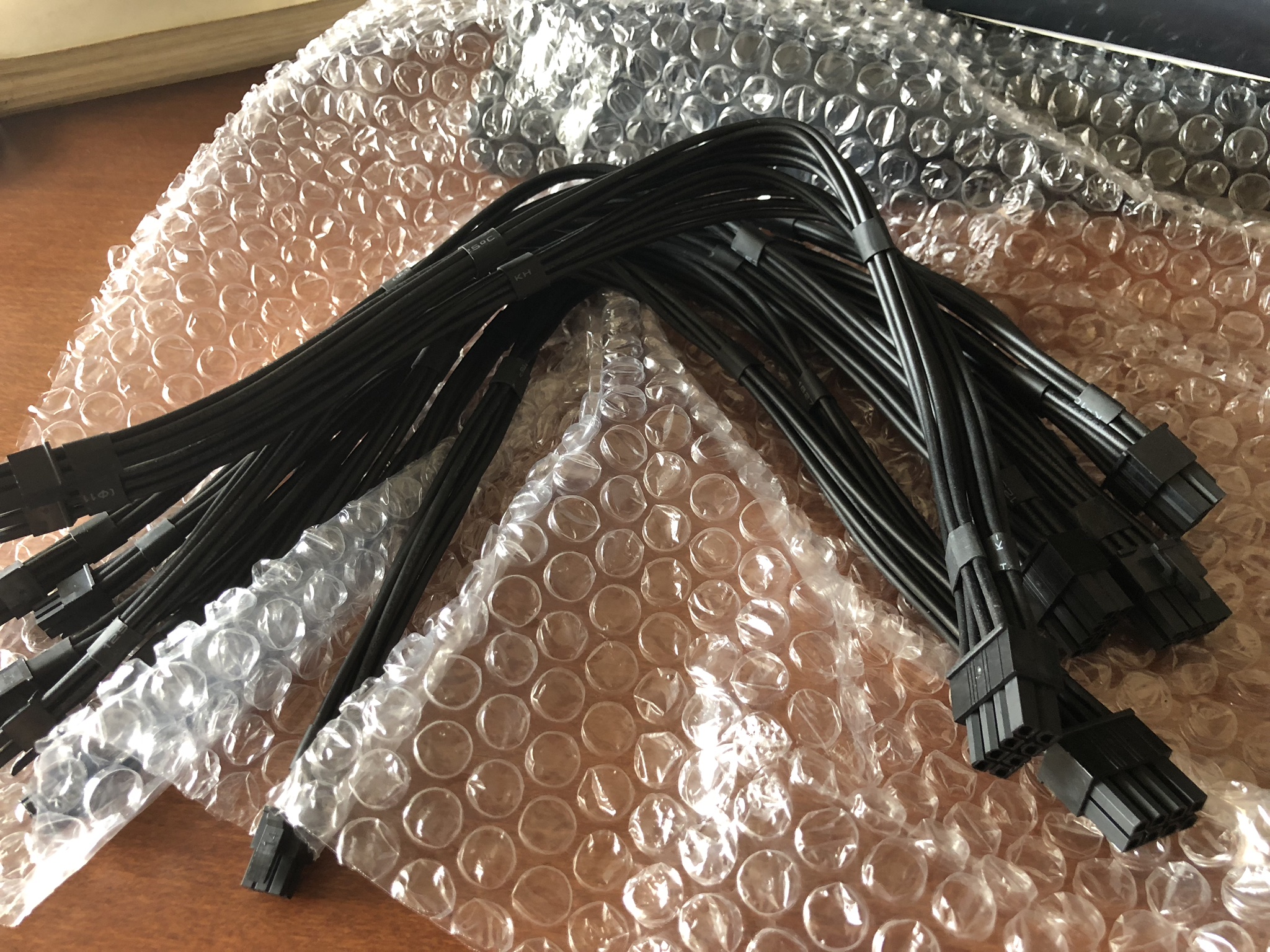
There are some mini 6 pin to 8 pins connector that I bought from Taobao. I notice that we can use 2 mini 6pin to 1 8pin connector or we can use 1 mini 6pin to 1 8pin and 1 mini 6 pin to 1 6pin connector. Either way works.

user posted image

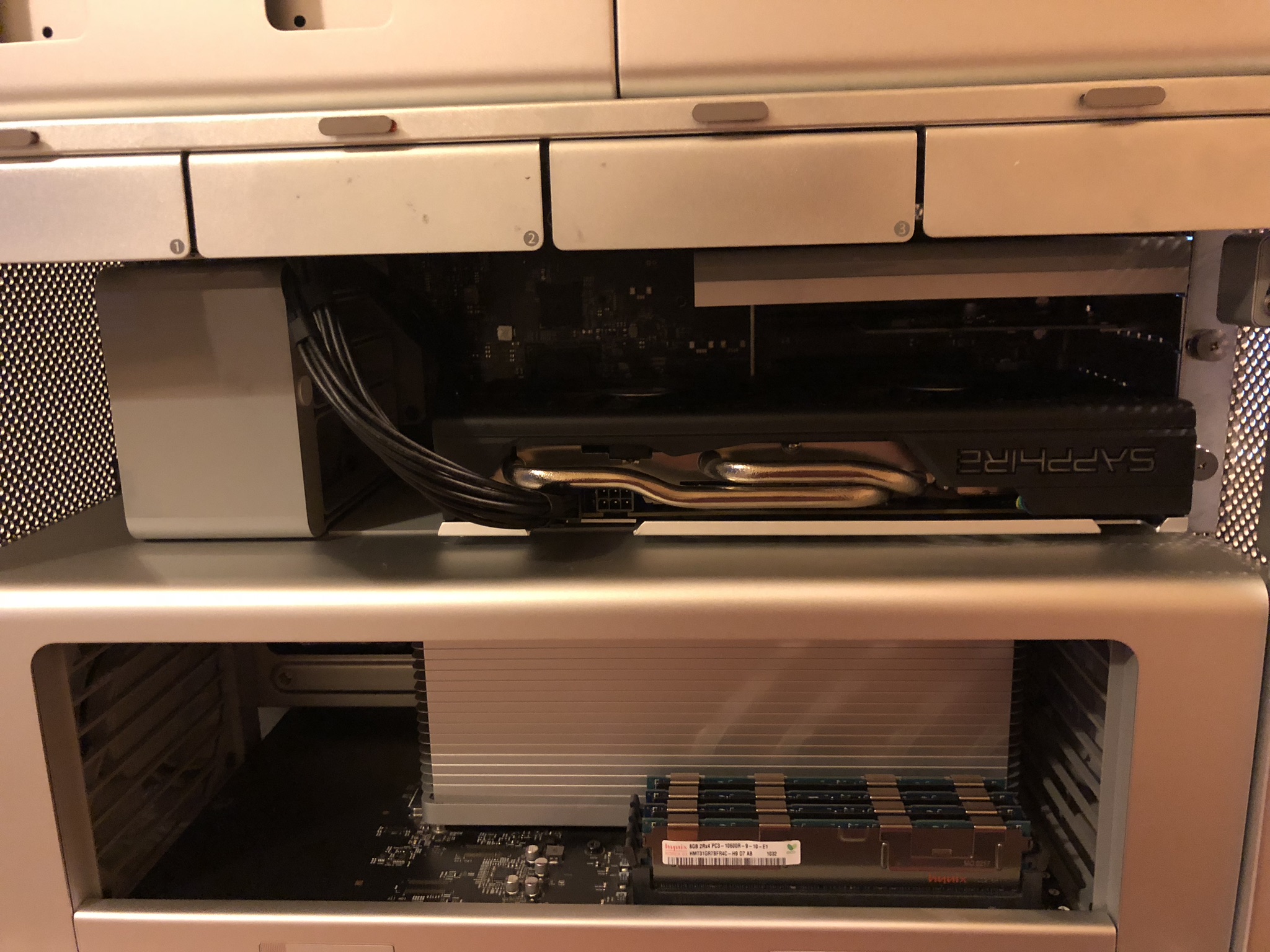
Putting it in was hard initially and then I notice that the easier way is to pull the grey fan back by pressing the small light grey button on the fan. This will open up a little on the holder to the GPU and allow us to easily slot in and out for the GPU.


user posted image

https://kongtech.wordpress.com/2018/08/04/m...enture-stage-1/

This post has been edited by kfc: Aug 4 2018, 04:16 PM
TSkfc
post Aug 4 2018, 04:14 PM

Getting Started
**
Junior Member
276 posts

Joined: Oct 2005
From: Old Klang Road


https://kongtech.wordpress.com/2018/08/04/m...enture-stage-1/

Final Result

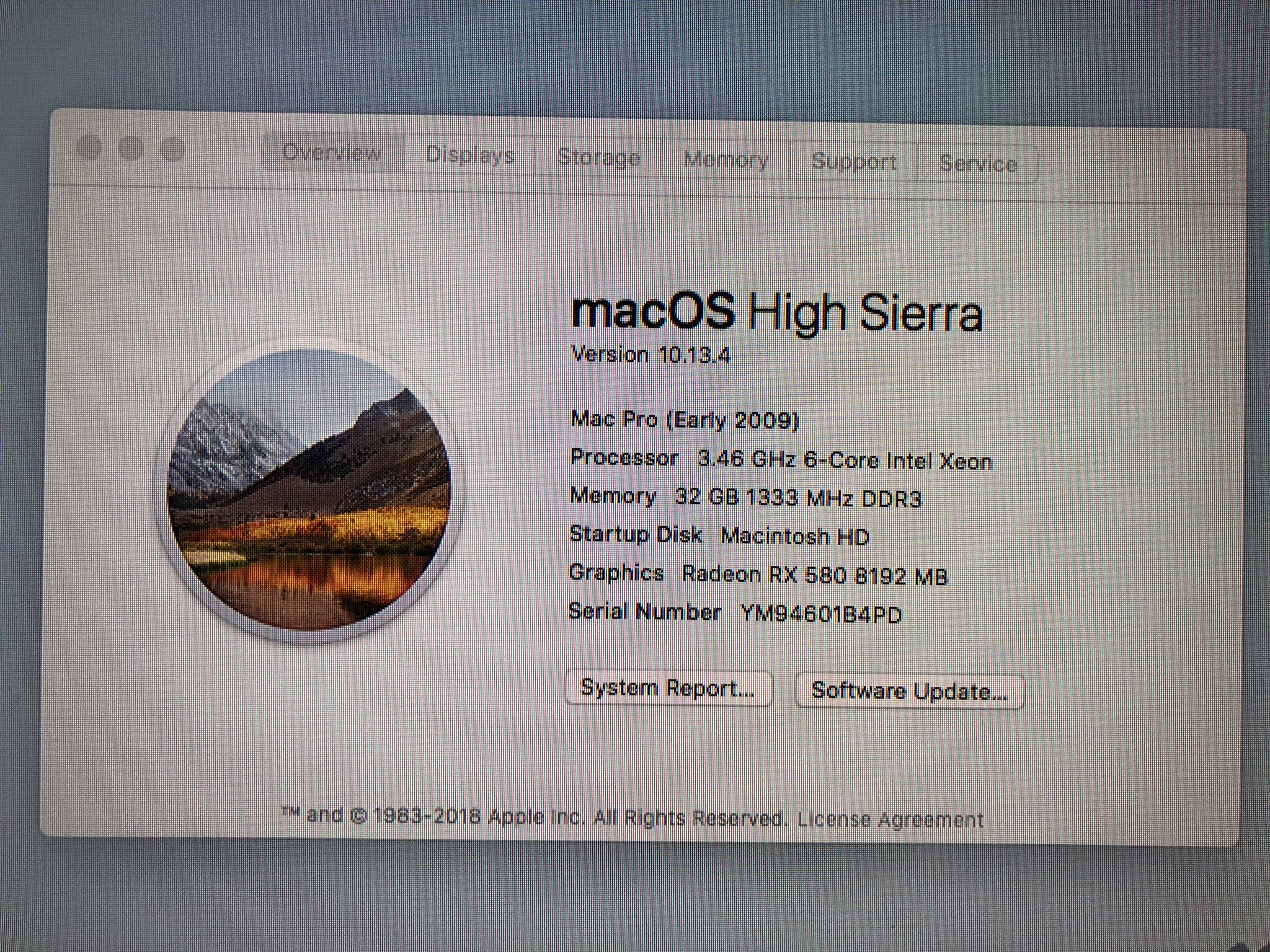
Finally after boot up we can see that the system has fully upgraded from 4 cores to 6 cores. The ram from 8GB 1066mhz to 32GB 1333mhz. However, I notice that the system actually runs better with 3 rams installed instead of 4 because its runs better on triple channel.

The RX580 recognised out of the box but it don’t comes with the EFI boot screen. I can’t be able to select start up disc by holding the alt button. This could be a problem if I wanted to switch OS or boot from USB or disc in future. Just make sure that you keep the original Nvidia GT120 card.

user posted image

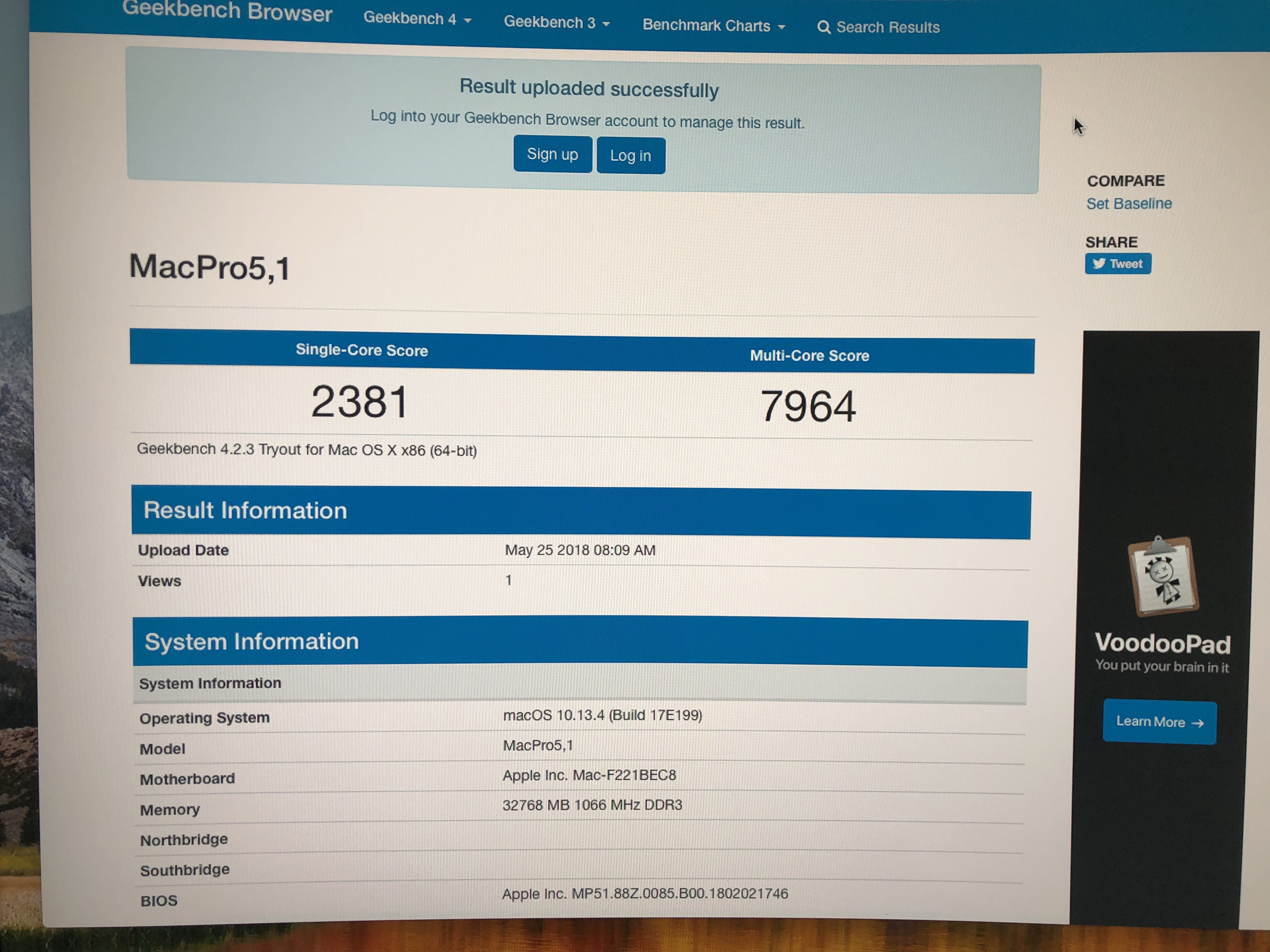
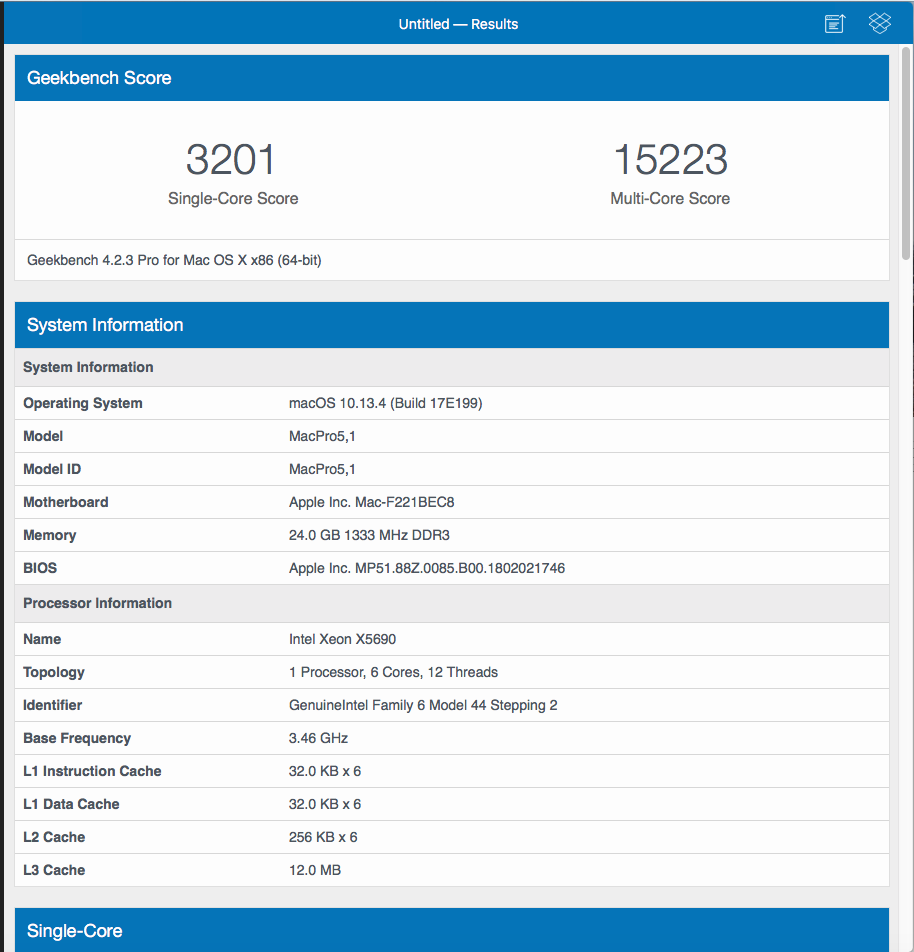
Here’s the Geekbench 4 64bit result. It’s quite similar in performance to the Alienware 17″ R3 I have. And it also very similar to the I5 8400 I have in office.

Before upgrade

user posted image

After upgrade

user posted image

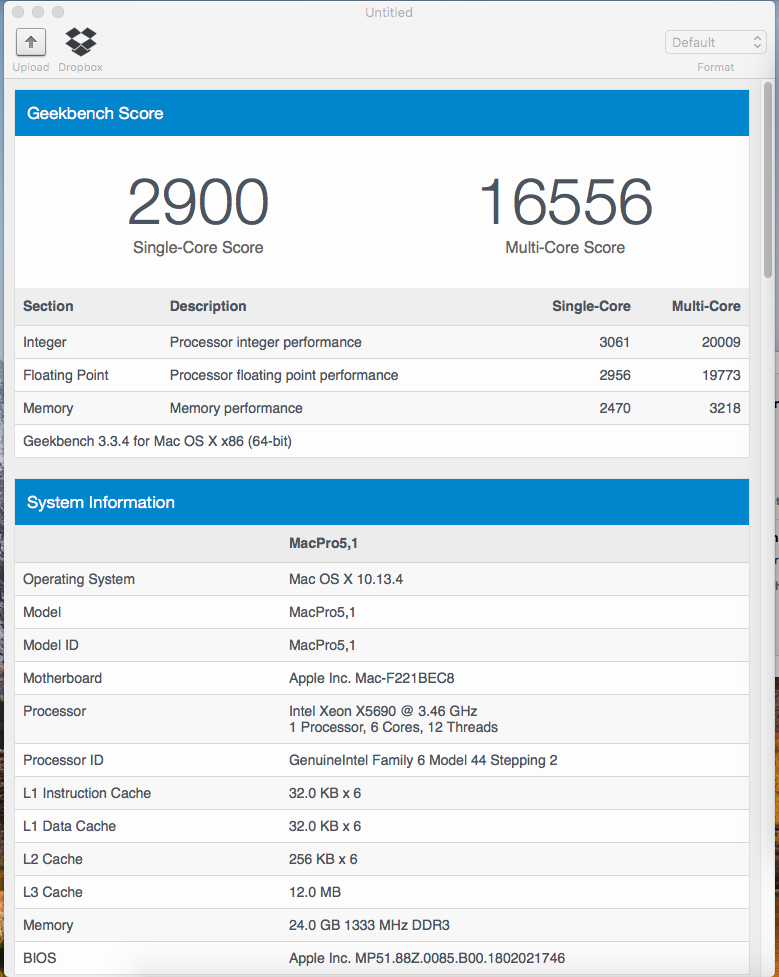
Here’s the Geekbench 3 64bit result. Quite impressive for its age.


user posted image

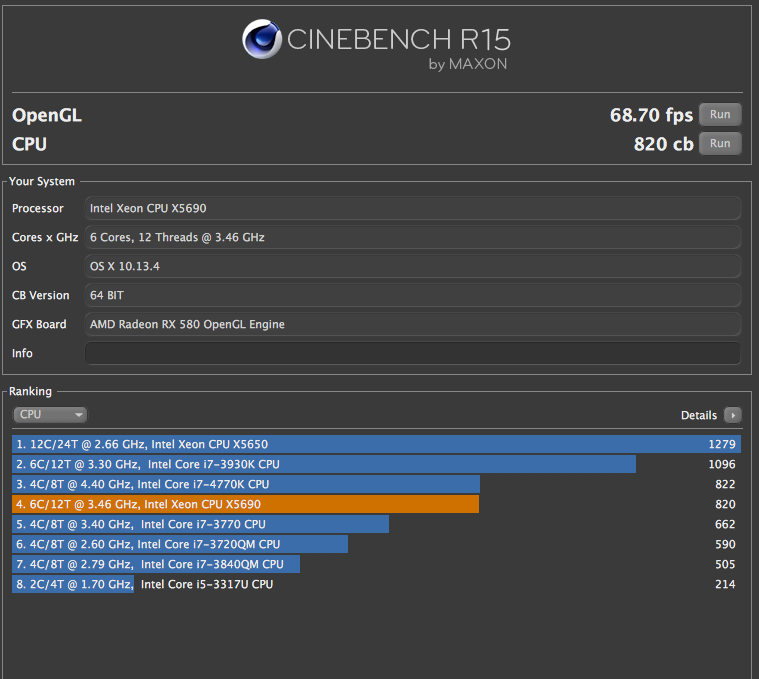
Cinebench also seems to be giving pretty good result.

user posted image

Conclusion

Mac pro 4.1                                        RM 1,300

Graphics Card RX 580 8G                RM 1,800

Xeon CPU x5690                                RM 360

16GB ECC Ram RM 110 x 4              RM 440

500 GB SSD                                        RM 725

Dual Sata 3 to PCIE expansion      RM 125

USB 3 expansion                                RM 110

6+6+2 pins cables                              RM 12

Airport Extreme                              RM 22


Estimated Total                                 RM 4,894 (Excluded Shipping)

Pricing wise, it's definitely worth it. It cost less than the latest Macbook and it performs like the latest iMac. I believe this system can last for a good few years until I really going to let them go.

The whole process is quite enjoyable. I can conclude that the amount of works is very much worth the effort. I had a lot of fun of doing it.

Right after the first project, I’ve immediately called up my supplier and bought another 3 Mac Pro. I won’t stop here and I’m going to up my game next.


user posted image

https://kongtech.wordpress.com/2018/08/04/m...enture-stage-1/
TSkfc
post Aug 30 2018, 09:09 PM

Getting Started
**
Junior Member
276 posts

Joined: Oct 2005
From: Old Klang Road


I have posted the stage 2 to upgrade the whole system to 12 Core with 96GB ram in my blog post.

Check it out.

Stage 2 - Upgraded to 12 Core with 96GB of rams

This post has been edited by kfc: Aug 30 2018, 09:10 PM
TSkfc
post Sep 3 2018, 07:03 PM

Getting Started
**
Junior Member
276 posts

Joined: Oct 2005
From: Old Klang Road


QUOTE(un_id @ Sep 2 2018, 11:08 PM)
great read!

i’m curious, since still meed to rely on the old motherboard.. how long a motherboard can last? since this model are pretty old.. at least more than 5 years old right? if the board will fail in couple years or so, will be such a pity to the awesome upgraded cpu
*
I believe Mac Pro are built to last. It's not like those cheap PC motherboards (that I also have in office and home, especially the X58 that I'll be modding soon too). If u get a chance to open up one of these baby, you'll immediately see how sturdy it is and how well the soldering was done. Due to the air cooling and ventilation of the whole case, I don't think it can be fried so easily as there are no overclocking options available.

Currently, my mac pro 12 core is performing nearly identical to a Ryzen 1800x / Threadripper 1900x. The performance is also somewhere between top of the range Mac Pro 2013 and entry level iMac Pro 2017. More importantly, it has no thermal throttling like the latest Macbook Pro 2018 with i9.

Under FCP X BruceX benchmark, the Mac Pro 4,1 12 core completed the benchmark in under 20 seconds. While the entry level iMac Pro completed in 16 seconds. If you compare for the price performance I guess the Mac I've built is much more worth it in terms of cost.

iMac Pro = 20% faster in FCP renderings but the Mac Pro 12 Core only cost 38% of the iMac Pro cost (RM19,000).


I've bought 3 Powermac G5 and 4 Powermac G4 and 1 Powermac G3 for my next projects. Haha.... All of these still can power up and I've even optimised it to be able to watch youtube smoothly. Way smoother than my early intel mac.

Just built a recording/ music production room with my newly acquired Powermac G5 with Logic Pro 9 (bought for RM250 in ebay). The performance is very satisfying.

End of the day, all I wanted to say old macs are awesome!!

This post has been edited by kfc: Sep 3 2018, 07:04 PM
TSkfc
post Sep 3 2018, 10:00 PM

Getting Started
**
Junior Member
276 posts

Joined: Oct 2005
From: Old Klang Road


QUOTE(naughtyz @ Aug 31 2018, 12:05 AM)
When you boot is it come out the apple logo?
*
No EFI screen.
That doesn't matter actually as long as the driver is working.

But do keep your old video card just in case u need to do firmware update.

As for bootcamp switching, no need to hold alt key during start up as it won't work. But still, u can switch OS in the bootcamp utility under windows and also the start up disk selector in OSX.
TSkfc
post Sep 3 2018, 10:01 PM

Getting Started
**
Junior Member
276 posts

Joined: Oct 2005
From: Old Klang Road


Oh, I've forgotten to mention that I've flashed my old Nvidia GTX 680 2GB to Mac Pro card with EFI support.

I got 3 of these and using it in our workstations.
TSkfc
post Sep 5 2018, 08:06 AM

Getting Started
**
Junior Member
276 posts

Joined: Oct 2005
From: Old Klang Road


QUOTE(giggs_509 @ Sep 4 2018, 08:32 PM)
Where u buy the x5690? Those mini 6 pins? Can share?
*
I’ve ordered from taobao. Got fast reliable shipper. I usually gets the item in under a week to 10 days.

Never try AliExpress but I believe the difference is minimal. AliExpress has got English version and usually they provide the shipping services directly. But taobao wise we have to know mandarin and to have our own shipper in china.

I buy most of the time in taobao because I can fund cheaper local deals and I get to spend my chinese yuan currency.

If u want some mini 6 pin to big 6 pin, mini 6 pin to 8pin and dual mini 6pin to 8pin. Just let me know, I’ve just sold one to Fah Rul and waiting for Akmal to collect another from me.

As for X5690, I’m ordering a new batch at the moment. You can tumpang if you want. It usually cost about RM300 before shipping.
TSkfc
post Sep 14 2018, 11:41 AM

Getting Started
**
Junior Member
276 posts

Joined: Oct 2005
From: Old Klang Road


QUOTE(naimhusin @ Sep 14 2018, 01:31 AM)
Any plan to order another batch of SM951?
*
What's the size you want?

Currently shortage on SM951 ACHI. Tried to look for supply for some of the bros here.
TSkfc
post Sep 14 2018, 10:11 PM

Getting Started
**
Junior Member
276 posts

Joined: Oct 2005
From: Old Klang Road


QUOTE(naimhusin @ Sep 14 2018, 08:29 PM)
Any size with affordable price hehe.
*
PM you.
TSkfc
post Sep 16 2018, 03:59 PM

Getting Started
**
Junior Member
276 posts

Joined: Oct 2005
From: Old Klang Road


QUOTE(pizzaboy @ Sep 16 2018, 06:45 AM)
Have you guys seen the prices for the new Mac Pro's? I think they've gone up since the launch of the new phone.
*
Where's the price that you are referring to?


TSkfc
post Sep 16 2018, 11:33 PM

Getting Started
**
Junior Member
276 posts

Joined: Oct 2005
From: Old Klang Road


QUOTE(Shaney @ Sep 16 2018, 07:52 PM)
May I know where you get your Mac Pro 4,1 and 5,1? As me wanna venture into the same pathway as well !
*
There are two ways to get it now.
The first link I've posted above, you can find a seller name Benny in the garage sale. His stock is all in single processor setup.

The other way is that I can ship for dual processor 5,1 from oversea. The cost in total is almost equal to buying from Benny and sniping for the cheapest dual cpu tray from ebay with a bit of luck. I'm trying to ship a unit for Pizzaboy now. Will let you guys know if it's successful.

Cheers.
TSkfc
post Sep 26 2018, 06:38 PM

Getting Started
**
Junior Member
276 posts

Joined: Oct 2005
From: Old Klang Road


QUOTE(giggs_509 @ Sep 26 2018, 12:05 PM)
U guys updated to mojave?
*
Not yet.
Unless we absolutely need it for Xcode requirement. So far all fine with High Sierra. Other members in FB group reported that it's ok as long as you have Metal Enabled GPU.
TSkfc
post Sep 27 2018, 06:40 PM

Getting Started
**
Junior Member
276 posts

Joined: Oct 2005
From: Old Klang Road


https://wp.me/pa5OD8-2A

Mac Pro 4,1 Upgrade Adventure Stage 3

I have used to handsoff function since my iMac 2011 Mid and also my Macbook Pro 2012 Mid. It is such a useful feature for me especially using it with my other i-devices (iPhone and iPads). I’m also a big fan of using Magic Mouse (Don’t judge me, I still use razer mouse for gaming). Unfortunately the default bluetooth 2.1 + EDR module aren’t up the the standard for lag free magic mouse glory.

Today my post is about on how to fix that.

https://www.osxwifi.com/product/mac-pro-200...-bluetooth-4-0/

user posted image

It’s too damn expensive after conversion. As of today it’s cost us RM 683.15. That’s nearly half of the cost of my Mac Pro 4,1 (Single CPU).

Thank god I have some connections in GuangZhou China in HuaQiangBei. That’s where we can find some brilliant chinese makers who can make some awesome upgrade kit for us. Made a few calls by Wechat, I’ve found a nice chap willing to put together a similar upgrade kit for me.

It took the package about 10 days to arrive to my home. Before the item arrived, a few members (Mac Enthusiast) that I met over the course of the last whole month has been anticipating for this upgrade. It seems like a significant upgrade to our system especially for those who depends on the hands-off function.

user posted image

The upgrade has to be made by removing my Airport Extreme Card and also the Bluetooth Modules.

user posted image

Here’s a close up of how it looks like in my Mac Pro. It was installed in my previous upgrade.

user posted image

This is the original Bluetooth Module with BT 2.1 and EDR (whatever it means).

user posted image

Removing the Airport Extreme is easy. Just uncrew and remove.

user posted image

Here we can see 3 antennas which labled with 1, 2 and 3. Has to be very careful with this as we has to plug in to the new Airport PCI card in the correct order.

user posted image

Here’s the comparison shot of the new Airport Extreme card and the old.

user posted image


TSkfc
post Sep 27 2018, 06:41 PM

Getting Started
**
Junior Member
276 posts

Joined: Oct 2005
From: Old Klang Road


The card came with the BT antenna plugged in to the wifi port of the card. Gave me a bit of trouble to find out. In fact, the supplier in China don’t even know that the card has to be follow a certain order for antenna to work properly. In my first few tries, the signal keeps dropping and I have to keep tinkering with it to get it work properly.

user posted image

Removing the Bluetooth Module.

user posted image

This is how it looks like without the Bluetooth Module. However, then I realised that I should have removed the power cable for the bluetooth module too so that I can fit in the new power cable for the airport extreme.

user posted image

Manage the cable by hiding behind the frame. I did a lousy job of hiding it actually. Perhaps I should ask those chinese suppliers to paint their cable black next time. haha…

user posted image

There is a piece of pad under the original bluetooth module. I’ve tried to reuse that in the installation.

user posted image

tighten the screw and I call it done for the Bluetooth Module.

user posted image


2 Pages  1 2 >Top
 

Change to:
| Lo-Fi Version
0.0201sec    0.90    7 queries    GZIP Disabled
Time is now: 18th December 2025 - 10:03 AM