Welcome Guest ( Log In | Register )

Outline · [ Standard ] · Linear+

 Astro Version 13A, All about Astro Malaysia offerings

views
     
chseah30 P
post Sep 24 2020, 10:46 PM

New Member
*
Probation
12 posts

Joined: Sep 2020


VERY UNFAIR TO THE SELLER IF YOU DON'T KNOW HOW IS THE DEVICE WORK JUST SIMPLY GIVING YOUR COMMENT, DO YOU HAVE THE DEVICE ?? HOW DO YOU KNOW TYPE OF RESOLUTION 2K OR 4K, DO YOU REALLY KNOW WHAT IS THE ACTUAL FUNCTION OF THIS 2 DEVICE..........??

QUOTE(Zot @ Jul 29 2020, 04:20 PM)
I never bought one to advise.

The splitter will split the HDMI signal into 2 identical signal, but it should be still 4k signal. So, in order to use 2k TV, you need to downscale the signal from 4k to 2k. So, looking at the video below you need a splitter scaler product
If you don't know how is the device working please don't give comments very unfair to the seller


I search Shoppe and found these:

https://shopee.com.my/HDR-HDMI-4K-Splitter-...9087.4924648329

https://shopee.com.my/HDMI-TO-HDMI-4K*2K-Sc...3748.1455637698

You can try search for cheaper one

This one

https://shopee.com.my/Mini-HDMI-2.0-Splitte...6693.5529770857

says scaler too but raed carefully. It say provided 110V power supply (this is US voltage). 4k works up to 30Hz only'

So, the best is to chat with seller. Ads can be confusing and not all seller is technical and this product is not cheap either  laugh.gif
*
[COLOR=red][B]
chseah30 P
post Oct 26 2020, 11:21 PM

New Member
*
Probation
12 posts

Joined: Sep 2020


QUOTE(neekun @ Sep 6 2020, 05:10 PM)
Got HDCP issue with LG TV and Astro Ultra Box, called Astro and was informed this is a common issue with LG TV users. They need to escalate to Ultra Box specialist team to handle this.

Any LG TV users here facing same issue? It happens randomly, when it happens most channels show the error but still got audio. Channels not affected are TV1, TV2, TV3, NTV7, 352, 353, 354. what I did is off both TV and Ultrabox and unplug HDMI cable and plug back then it is ok...but until it happens again randomly.

[attachmentid=10576114]
*
Have to settle with your HDCP (4k Ultrabox) ....? The following device can help you
https://www.youtube.com/watch?v=Wiv4UsI_c2M
chseah30 P
post Oct 26 2020, 11:23 PM

New Member
*
Probation
12 posts

Joined: Sep 2020


QUOTE(joshhd @ Oct 26 2020, 08:25 PM)
As of now, nope.
You'll just have to endure with it, cuz even if you complain this to the CS agents, they won't understand what are you talking.
*
try this
https://www.youtube.com/watch?v=-BC-k2wzBUs

chseah30 P
post Oct 26 2020, 11:23 PM

New Member
*
Probation
12 posts

Joined: Sep 2020


QUOTE(joshhd @ Oct 26 2020, 08:23 PM)
If your new place doesn't have satellite dish and you bring the Ultra Box there, then you can only stream shows on VOD library.... You can't watch live TV channels that way.

So, it's better to contact a technician to install the satellite dish at your new place.
*
change to IPTV ,no need dish. ultrabox can do it
chseah30 P
post Dec 1 2020, 11:50 AM

New Member
*
Probation
12 posts

Joined: Sep 2020


QUOTE(joshhd @ Nov 21 2020, 05:25 PM)
The information that Astro told you, has been over simplified.
The truth is, if you can watch SD and HD channels now on your Sharp TV, then you should be able to watch them even you upgrade to Ultra Box.

But your 4K UHD TV must be HDCP 2.2 compliant to watch Astro UHD channel 780 (or 498 or 499 if you rent Astro First/Best UHD movies).
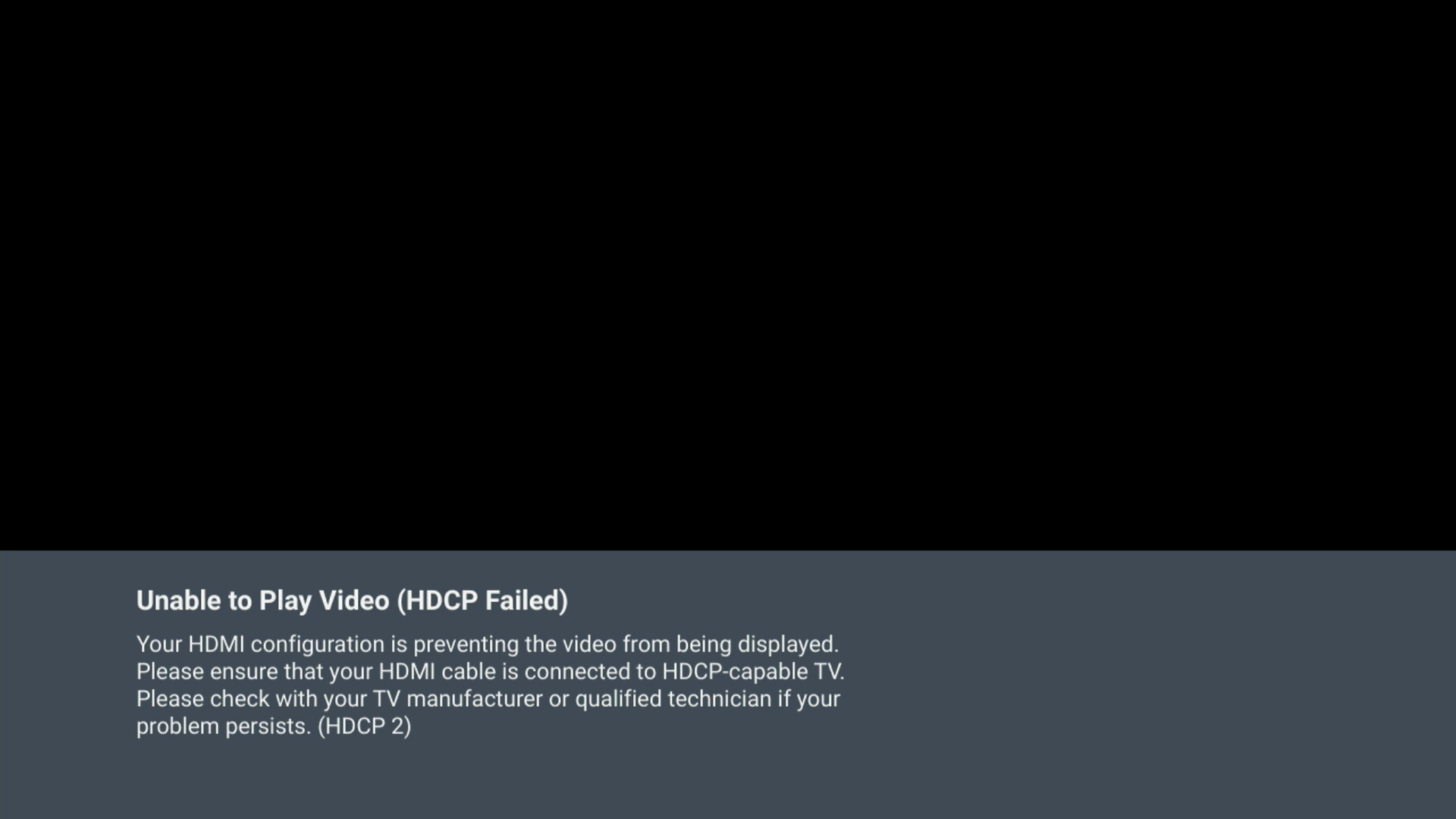
It is said that many Sharp UHD TV users experience HDCP 2.2 error message when tune to Astro UHD channels, which it looks like this:
user posted image
In that case, use a HDMI splitter that is HDCP 2.2 compliant, connect in from Ultra Box, and then out to your TV.
That's the only way to solve the problem.

Otherwise, buy new 4K UHD TV.

Also, before thinking of upgrading to Ultra Box, do consider whether you REALLY need it or not, considering also the other pros and cons:
https://forum.lowyat.net/index.php?showtopi...&#entry97347037
*
go to this link

https://www.youtube.com/watch?v=dn_4Eszd6NE
chseah30 P
post Jan 5 2021, 11:36 PM

New Member
*
Probation
12 posts

Joined: Sep 2020


QUOTE(shark7 @ Jan 2 2021, 06:10 PM)
Hi all
Just recently upgrade to astro ultra box 4k

Hve some ques

1) is it just me or this decoder is super slow from cold/1st boot up?? Took me almost 5 min just to open astro sometime it doesnt boot at all..just red light..need to unplug and plug in again

2) one of my tv is not 4k. Does using 4k hdmi splitter help? What does hdmi splitter do actually? N i heard at least need 2.2hdcp or something? Which is the best model ? Can give link?

3) one of my 4k tv only works with 1080i. 1080p shows blank screen. Changing to 2160p will make the screen have green tint

4) is there a way to use astro without the SAT cable for live 4k TV? Tried phone mirror doesnt work
*
https://studio.youtube.com/channel/UCaZKdOx...ESCENDING%22%7D
chseah30 P
post Jan 5 2021, 11:38 PM

New Member
*
Probation
12 posts

Joined: Sep 2020


QUOTE(AjkR06 @ Dec 31 2020, 03:46 AM)
Guys, I need some help to setup my new soundbar.

The soundbar successfully connected to my tv via hdmi crc (or arc or viera link, whatever it is)

Unfortunately, I noticed that the sound became too soft/slow when I tune in into SDTV channels like rtm, media prima etc and I need to ramp up the volume all the way up to 70% in order to hear the sound clearly from my soundbar.

But, when I tune in into HDTV channels, it sounds perfectly fine, even with 30% volume. Crystal clear and I can finally hear the different compared to my build in tv speaker. Now it become so hassle already because when I tune from SD to HD, it will be a sudden blast of sound and I need to act fastly to turn down the volume when watching hd channels and need to turn up the volume again when watching sd channels sweat.gif

Is this normal or perhaps there are some problems lies on my soundbar, tv or ultrabox settings? Because with build in tv speakers, I don’t encounter this kind of problem.

Btw, i’m using Panasonic 49” 4k tv and just a cheapo Sharp ht-sb115 soundbar bought from shopee.
*
https://studio.youtube.com/video/auDr8B-ZUq8/edit

chseah30 P
post Mar 11 2021, 11:27 PM

New Member
*
Probation
12 posts

Joined: Sep 2020


QUOTE(street @ Feb 11 2021, 12:29 AM)
Tried & tested. My astro ultra box settings still in 1080p mode though. But channel 780 is viewable on my hdtv 👍
*
https://studio.youtube.com/video/1IdXpxUnImc/edit
https://studio.youtube.com/video/dn_4Eszd6NE/edit
chseah30 P
post Mar 11 2021, 11:29 PM

New Member
*
Probation
12 posts

Joined: Sep 2020


QUOTE(joshhd @ Feb 11 2021, 01:39 AM)
Does the EDID function works well too?
On Ultra Box, set the resolution as 2160p, but in the hdmi splitter, set it into 1080p....
*
https://studio.youtube.com/video/dn_4Eszd6NE/edit
https://studio.youtube.com/video/1IdXpxUnImc/edit
chseah30 P
post Apr 4 2021, 10:33 PM

New Member
*
Probation
12 posts

Joined: Sep 2020


QUOTE(joshhd @ Apr 2 2021, 11:24 PM)
Normal la. It is the Astro's telemarketing or upsell team doing their job.
If you are referring to the normal Astro DTH order that uses satellite dish one, then yes.
Upon upgrade to Ultra Box, it'll still connect to the satellite dish to receive TV channels, and also to Internet connection via WiFi/LAN to access to Astro's cloud streaming services (e.g. VOD, cloud recording, Play from Start,...).
Yes and no. Read my follow post to know further, by comparing with Astro PVR box and Ulti/Ultra Box.
Does your high rise property allow residents to install own dish at the balcony, or must connect to the centralised dish?
If it is centralised dish, make sure your building's centralised antenna supports PVR & Ultra Box (Technically, it's called DCSS). If you're not sure, contact building management and ask whether the Astro centralise antenna system supports DCSS or not.
If it doesn't support DCSS, then when you tune to Astro UHD channels, you will see "Services Currently Not Available (SCNA)" message appear on your TV (no satellite signal). You can still watch all SD and HD channels.

Talking about 4K UHD TV, hmmm, Astro is having a contest where they will giveaway 51 units of 4K UHD TVs, at their UEFA Euro 2020 roadshow at Sunway Pyramid, from 1-4 April 2021.
https://promotions.astro.com.my/details/Euro2020Contest

Do note that your 4K UHD TV must be HDCP 2.2 complaint to view UHD content. If not, or if you are using non-4K UHD TV, this message will appear on your TV screen whenever you tune to Astro UHD channels:
user posted image

Then that is something that you have to secretly deal with the installer.
For installers, as long you willing to pay them slightly more money, most likely they'll do it for you one. brows.gif Most importantly is, you know what you're doing then can already.
*
https://studio.youtube.com/video/dn_4Eszd6N.../period-default
chseah30 P
post Apr 4 2021, 10:34 PM

New Member
*
Probation
12 posts

Joined: Sep 2020


QUOTE(chseah30 @ Apr 4 2021, 10:33 PM)
https://studio.youtube.com/video/dn_4Eszd6N.../period-default
chseah30 P
post Apr 4 2021, 10:36 PM

New Member
*
Probation
12 posts

Joined: Sep 2020


QUOTE(CTU @ Mar 28 2021, 11:08 PM)
Would this enable to watch the 780 UHD channel?
*
https://studio.youtube.com/video/dn_4Eszd6N.../period-default


Change to:
| Lo-Fi Version
0.0449sec    0.72    7 queries    GZIP Disabled
Time is now: 14th December 2025 - 07:24 AM