» Click to show Spoiler - click again to hide... «
QUOTE(ryanlaw.cs @ Nov 22 2019, 08:45 PM)
QUOTE(mengga @ Nov 22 2019, 09:10 PM)
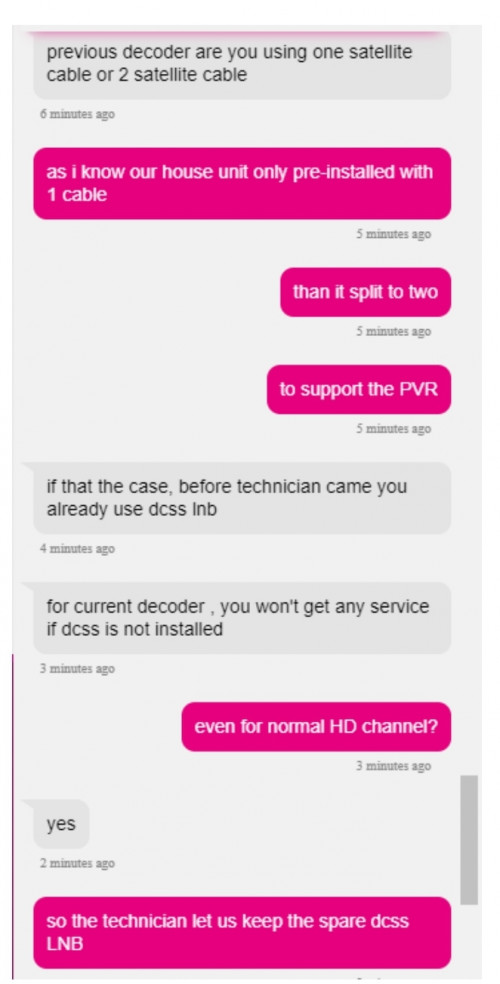
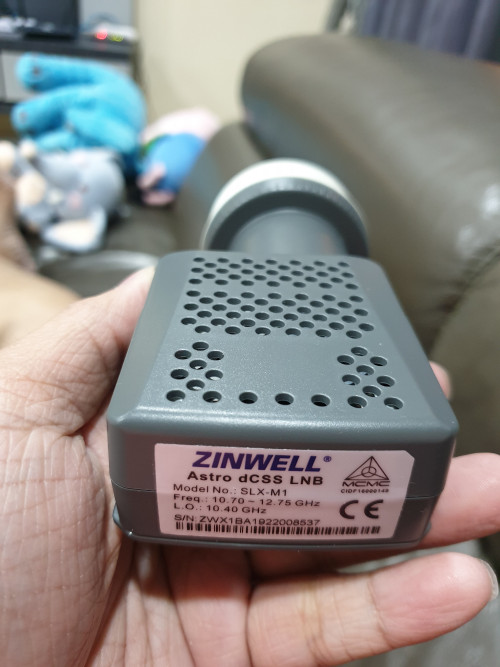
You must use the new dCSS LNB to watch channel 780. First I use my existing LNB also get the message above. Then the installer changed to dCSS, then can see 780. Other channel can use old LNB, 780 cannot in my case.
QUOTE(mengga @ Nov 22 2019, 09:25 PM)
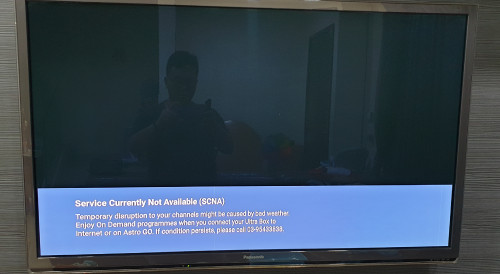
Very old LNB for PVR Box. I did not take pictures. The message on my TV is : Service currently not available. If its currently raining .... . Only on channel 780. Then the installer changed to the new one, the message disappeared and the picture is available. MAybe each case is unique, or the installer is not experience enough. He then split my cable with this for 60 ringgit.
QUOTE(ryanlaw.cs @ Nov 22 2019, 08:45 PM)
I just upgraded my box to Ultra Box.
I am not using 4K TV, and I tried to tune to ch 780, but I am getting service currently not available instead of that HDCP error.
One thing to point out is they didn't install the
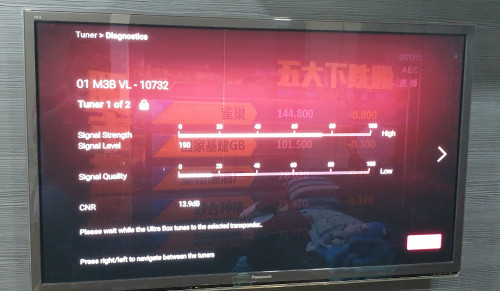
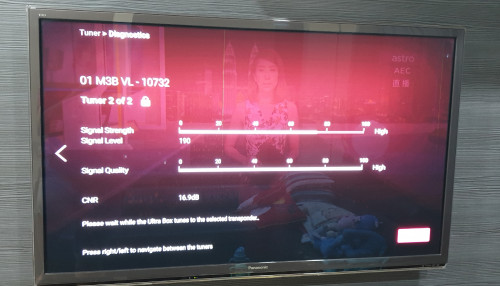
dCSS LNB that come with the box, in the Ultra Box satellite diagnostic, I am still seeing two tuner. Is this the reason why I got Service not available error?
QUOTE(joshhd @ Nov 22 2019, 09:53 PM)
Because currently all Astro UHD channels transmits from Measat 3a's high range Ku band frequencies.
Don't use the cable splitter. Connect the one and only cable you connected from your satellite dish directly to your Ultra Box, and see if you're able to receive CH780.
QUOTE(ryanlaw.cs @ Nov 23 2019, 08:19 AM)
Here is mine, too far to reach, so I snap balcony
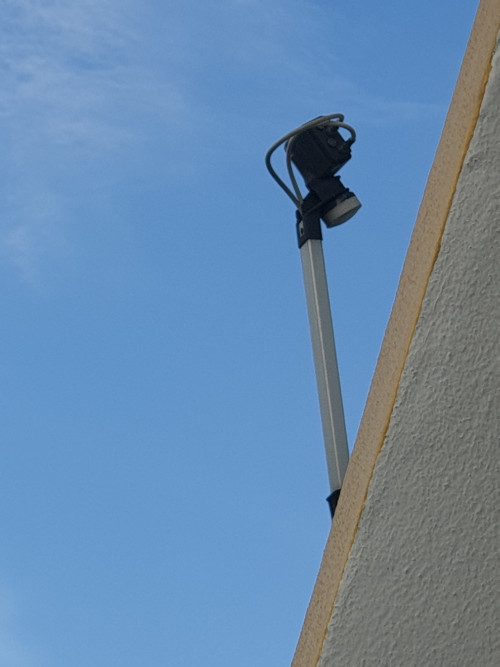
Okay. I have a correction would like to make here, as there's some mistakes/inaccurate info on some of my previous posts (as qouted). Sorry if there's confusion caused.
From the picture you attached, you are using the Universal LNB with quad (4) outputs. That translates to:
Before dCSS LNB and SatCR era, you can connect this for up to 2 PVR boxes or 4 HD boxes from the same LNB. Pretty much the "old school" way.
First and foremost, I wanna thanks to those who shares this info to this topic. I just tried it out on my Ultra Box, and here are my findings:
Because the Satellite Settings>Input Type options on Ultra Box only has both "dCSS" and "SAT CR" options, and no longer having the "Universal" option just like what HD and PVR boxes has all this while, you have no choice but to select dCSS as input type if you wish to use existing Universal LNB (regardless of single/dual/quad output type) to watch Astro channels.
Situation:When you actually uses Universal LNB and you chose dCSS as Input Type in Satellite Settings, you'll be able to receive low Ku band frequencies (all SD and HD channels) without issues, so it's pretty much backward compatible.
But..... you won't be able to receive high Ku band frequencies, where all UHD channels from Astro is currently transmitting from the 2 Measat 3a frequencies, 12316 MHz and 12436 MHz.
From what I see, When dCSS input type is selected, the satellite STB receiver (Astro Ultra Box) will use a 'special method designed for dCSS LNB' to allow users to watch/record 2 channels from both low & high Ku band frequencies simultaneously without causing signal conflict by using only 1 cable. That's when Astro allow users to record to external HDD in the future. Cloud recording like what we all have now, doesn't count since the recording is carried out using Astro's servers.
» Click to show Spoiler - click again to hide... «
This also solves the signal conflict issues like what some Astro users experienced few years ago as you split the one cable coming from a single output Universal LNB into 2 cable outputs to connect to PVR box (incl. building's old centralise dish system + only 1 port the "Astro wall point" instead of 2 ports), especially during the era where all/some HD channels from Astro transmits on high Ku band frequencies from Measat 3a.
But because of the nature of Universal LNB, the way it receives high frequency Ku band (involving technical stuff like the 22KHz setting, LO Freq 10.6GHz, etc) are different compared to dCSS LNB does, hence signals can't be received when you tune to channels that transmits from high Ku band frequencies (which are currently those UHD channels on Astro).
Conclusion / TL;DRIt seems that there's no other ways but to use dCSS LNB or SatCR LNB (if you have one) to receive channels on high Ku band frequencies (Astro's UHD channels) on Ultra Box.
Buildings that uses centralise dish system must use or be upgraded to dCSS to receive UHD channels.
If you're using Universal LNB and whether you use cable splitter or not, it doesn't matter anymore as the end result is the same; unable to receive high Ku band frequencies regardless as long the Ultra Box's input type is "dCSS" or "Sat CR". If Astro would provide the "Universal" option on Ultra Box, that could allow it to receive high Ku band frequencies, but the same issue story starts from the beginning like what I explained from the beginning of this post. I think this is why Astro decided to use dCSS entirely, to solve tons of technical problems.


 Nov 19 2019, 04:09 PM


 Quote
Quote







 0.8848sec
 0.77
0.77
 7 queries
 GZIP Disabled