Welcome Guest ( Log In | Register )

Outline · [ Standard ] · Linear+

 Acer Predator XB252Q, gsync dilemma

views
     
Convael
post Mar 31 2018, 06:47 PM

Regular
******
Senior Member
1,109 posts

Joined: Sep 2007
From: Kuala Lumpur
May I know where you get the " Displayport Gsync Range is 60Hz-240Hz " ?


I have checked this monitor's official document several times and I don't see that statement .

You do however need a Display Port cable in order for Gsync to work up to 240hz refresh rate , but they did not state the minimum in this case.
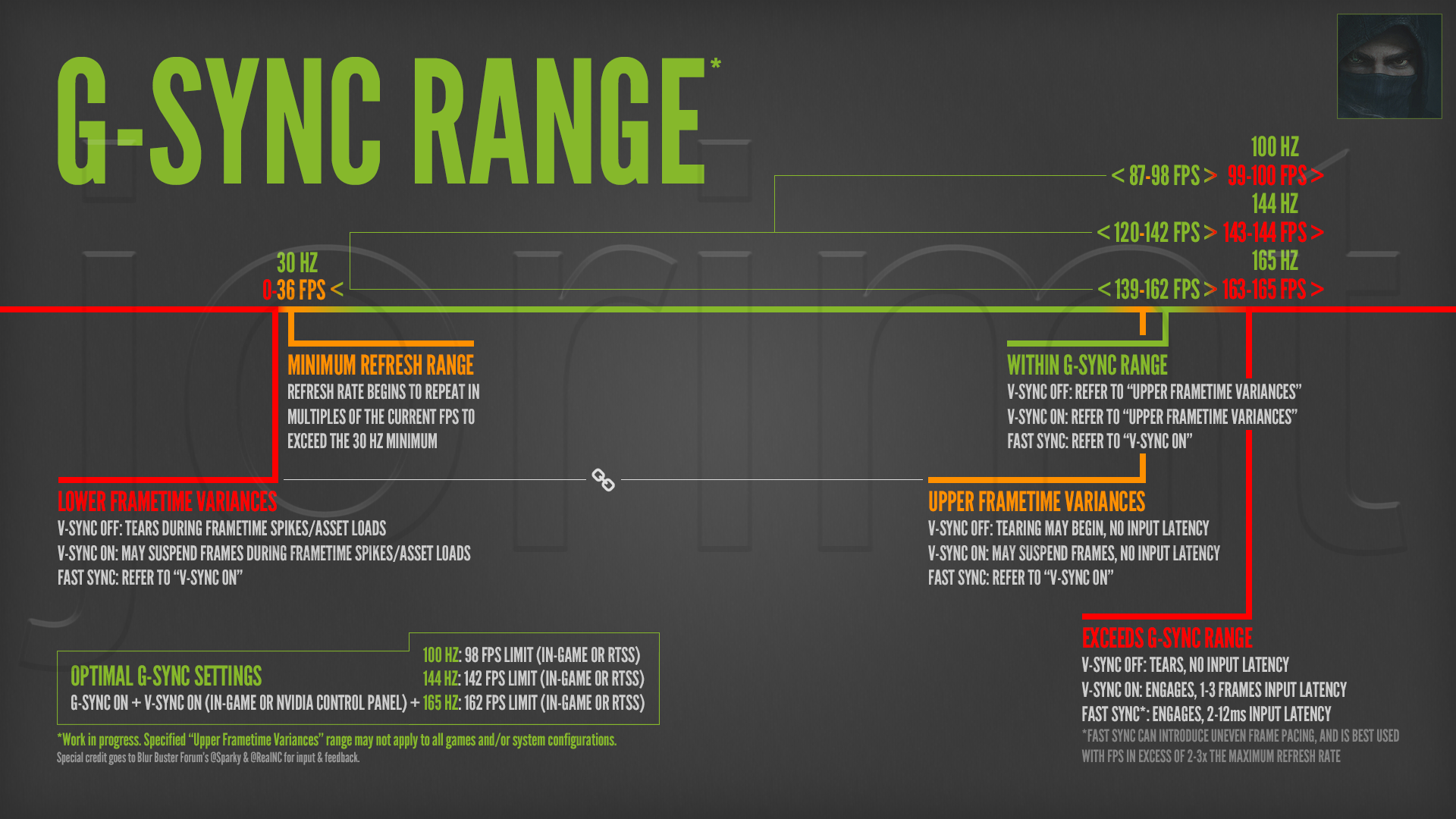
G-sync usually works from 30 hz - 240hz , theres no reason it wouldn't work below 60 fps

This post has been edited by Convael: Mar 31 2018, 06:52 PM
Convael
post Mar 31 2018, 08:29 PM

Regular
******
Senior Member
1,109 posts

Joined: Sep 2007
From: Kuala Lumpur
QUOTE(meyoe @ Mar 31 2018, 07:19 PM)
Hello, u can check it here

https://www.google.com/amp/amp.hothardware....-monitor-review
You tube review here
User manual
*
The document did not state anything of sort , the only thing it clarifies are the cable refresher rate which has absolutely nothing to do with Gsync

And that review is wrong in a lot of aspects , look at the dowvotes .

When we said " working " , G sync is still functional at below 36hz , but going below 30 fps your monitor will switch to V sync instead .
» Click to show Spoiler - click again to hide... «


And back to frame duplication , mutiples of 0 fps is still 0 , so technically your G sync features will not work @ 0hz ( at that point your pictures will not be refreshed then )
It has to exceed 30 hz in order to for G-sync to have an effect .

And because of this frame duplication techniques , Gsync in the range of 30-60 refresh rate often look more like a motion blur than others

This post has been edited by Convael: Mar 31 2018, 08:44 PM


Change to:
| Lo-Fi Version
0.0179sec    0.33    7 queries    GZIP Disabled
Time is now: 24th December 2025 - 05:55 AM