Outline ·
[ Standard ] ·
Linear+
Official TP-Link C1200 V1(EU) Firmware is out, Hidden WDS functionality works!, Page 29
|
stasio
|
 Sep 10 2018, 07:18 PM Sep 10 2018, 07:18 PM
|

|
QUOTE(kun5455 @ Sep 10 2018, 05:20 PM) Hi all i got this archer c1200 extra from my unifi. would like to replace it for my timr which using WR841HP. I tried to setup but failed to connect to internet. Can anyone help me? Firmware 1.0.0 Build 20170905(EU) ori from TM never flash to any. Flash with TIME firmware.... V.1 https://static.tp-link.com/2018/201805/2018...20rel.45702.rar192.168.0.1 username : admin Password ; TIMEXXXX XXXX , refer to the last 4 digit of your MAC address in which you can get the bottom of your router This post has been edited by stasio: Sep 10 2018, 07:20 PM |
|
|
|
|
|
stasio
|
Sep 11 2018, 03:40 AM
|
|
|
QUOTE(kun5455 @ Sep 11 2018, 03:08 AM) bro the link is not working. Another question why the SSID come with @unfi... unable to change. Link is OK. Because you have Unifi firmware installed. 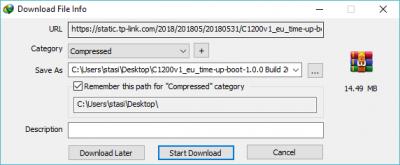
Edit: Anyway,you can download here: Archer C1200(EU) V1 TIME Wireless Router (Latest 02-05-2018) https://www.tp-link.com/my/download/Archer-...1.html#FirmwareThis post has been edited by stasio: Sep 11 2018, 08:33 AM |
|
|
|
|
|
stasio
|
Sep 14 2018, 01:49 AM
|
|
|
QUOTE(coconutzz @ Sep 14 2018, 12:43 AM) Hi I have a TIME TPlink c1200. I want to try flashing to eu firmware . However I do not have “firmware option” under tools. I m not sure why. Can anyone help?
Log in first, then: http://192.168.0.1/userRpm/firmwareUpgrade.htmThis post has been edited by stasio: Sep 14 2018, 03:17 AM |
|
|
|
|
|
stasio
|
Sep 25 2018, 02:42 PM
|
|
|
QUOTE(imalmighty @ Sep 25 2018, 02:01 PM) Can I consider this thread as official tplink c1200 discussion thread, instead of just firmware. Can someone open up official thread on dlink dir842 too and other default routers supplied by TM? Why you can't open new thread...? |
|
|
|
|
|
stasio
|
Sep 25 2018, 07:05 PM
|
|
|
QUOTE(imalmighty @ Sep 25 2018, 02:46 PM) Haha, I do not own dlink 842, im still at dlink wbr2300 vip 10, while u guys at premium private club enjoying turbo  Haha, i admit being parasite and leeching others for info Ah,I see.... I terminated Unifi (still having DIR 615 from VIP20) and sigh with TIME to get C1200.... for my enjoying turbo.  |
|
|
|
|
|
stasio
|
Sep 25 2018, 07:59 PM
|
|
|
QUOTE(imalmighty @ Sep 25 2018, 07:46 PM) I stay landed, doubt Time will ever reach me, time public perception seems quite good. No need return router when terminate? No need router, just modem (BTU) must be return. |
|
|
|
|
|
stasio
|
Sep 30 2018, 02:23 AM
|
|
|
QUOTE(Franino @ Sep 29 2018, 02:49 PM) Not sure if this issues is known/ or reported before. My internet is getting occasionally disconnected (The internet LED indicator becomes red )3-4 times every day, and the only way to reconnect back is switch off power and turn on. Any idea how to fix this? update firmware? Hardward ver: Archer C1200 v1.0 Firmware ver: 1.0.0 Build 20180403 rel.22124 (EU) Read first page,first post.....instruction at the bottom. |
|
|
|
|



 Quote
Quote
 0.0531sec
 0.61
0.61
 7 queries
 GZIP Disabled