Outline ·
[ Standard ] ·
Linear+
Official TP-Link C1200 V1(EU) Firmware is out, Hidden WDS functionality works!, Page 29
|
firdausbhari
|
 May 27 2018, 06:29 PM May 27 2018, 06:29 PM
|

|
QUOTE(ikengkai @ May 27 2018, 05:18 PM) To save money, will remain stick to it.....  Anyway, updated to the latest firmware, work okay for my C1200 and wifi SSID shown @unifi. No reconfiguration needed as all config remain after upgraded firmware. Archer C1200 v1.0 1.0.0 Build 20180403 rel.22124 (EU) I downgrade to dec 2017 firmware, @unifi ssid can be change |
|
|
|
|
|
firdausbhari
|
Jun 24 2018, 05:02 PM
|
|
|
So i accidentally flashed TIME fw to TM's C1200. Even the login page password were different. Luckily i found some info in here and TIME thread.
Managed to flashed to this latest EU fw. Now act as an AP. So far so good.
|
|
|
|
|
|
firdausbhari
|
Jun 25 2018, 01:01 AM
|
|
|
QUOTE(JohnLai @ Jun 25 2018, 12:44 AM) Oh? You didn't regret missing the other 5ghz channels and 2.4ghz channel 12+13?  This is rare....most people decide not to upgrade to EU version because of the limitation.  I choose features (AP mode + 5ghz beamforming + security) over those limitations. (I have my 5ghz and 2.4ghz channels back anyway  ) Remember to activate 5ghz beamforming at Advanced, System Tools, System Parameter, TX Beamforming.  I agree, beamforming and AP mode more important but sadly its c1200 v1 there's no beamforming  well, this router gonna be an AP forever then since we cant flash Unifi fw This post has been edited by firdausbhari: Jun 25 2018, 03:36 AM |
|
|
|
|
|
firdausbhari
|
Jun 25 2018, 11:09 AM
|
|
|
QUOTE(JohnLai @ Jun 25 2018, 10:59 AM) C1200 V1 has 5ghz beamforming once you flashed the EU firmware. Go find it at Advanced --> System Tools --> System Parameter --> 5ghz wireless --> TX Beamforming --> Tick Enable TXBF --> Save Get access to router SSH, then get root access, backup_config.bin, decrypt backup_config.bin, modify config.xml + set the xml region to MY, reencrypt + repack again, use "uci set wireless.eth2.country=MY" "uci set wireless.eth3.country=MY", then you can upload the modified backup_config.bin successfully. Reboot and done. You will get channel 36 - 48 and 149 - 165 back at webui. You can't set the middle channel 120 etc at webui, however you can use "uci wireless.eth2.channel=120" to force it and adjust the modified backup_config.bin accordingly. There's no System Parameters option in System Tools This post has been edited by firdausbhari: Jun 25 2018, 11:10 AM |
|
|
|
|
|
firdausbhari
|
Jun 25 2018, 02:06 PM
|
|
|
QUOTE(JohnLai @ Jun 25 2018, 11:13 AM) dont have the option. maybe i will try reflash fw later when i reached home... |
|
|
|
|
|
firdausbhari
|
Jun 25 2018, 07:58 PM
|
|
|
QUOTE(JohnLai @ Jun 25 2018, 03:12 PM) Don't forget to report back. :thumbsup: Maybe your display screen resolution is too small? Have you scroll down after clicking system tools?  System Parameters option not available.... Attached thumbnail(s)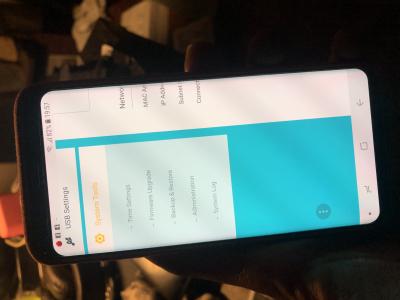
|
|
|
|
|
|
firdausbhari
|
Jun 25 2018, 09:24 PM
|
|
|
QUOTE(JohnLai @ Jun 25 2018, 08:52 PM)  Is the option still missing if you use desktop browser? Then it is time for extreme measure. Follow the instruction in the video. https://ufile.io/uyb3iHEVC video capture, which is why the 30 seconds video file size is small. Yeap the option still missing in desktop browser but thanks to you! I did manage to get to system parameters. I just follow your instruction. I just enabled it  Attached thumbnail(s) Attached thumbnail(s)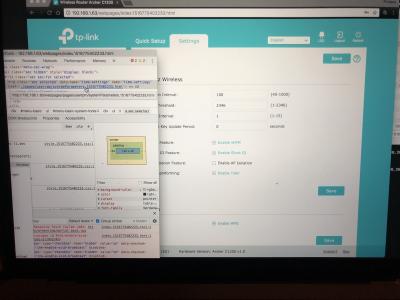
|
|
|
|
|
|
firdausbhari
|
Jul 27 2018, 03:42 PM
|
|
|
QUOTE(SilentVampire @ Jul 27 2018, 03:39 PM) Just get your own router lol, and leave the C1200 for testing purposes. c1200 can act as an AP and its quite good. im using it currently haha |
|
|
|
|
|
firdausbhari
|
Jul 27 2018, 05:34 PM
|
|
|
QUOTE(SilentVampire @ Jul 27 2018, 04:31 PM) Haha, yes, that’s what I mean. Get your own main router, and use the C1200 as an AP or whatever. yes. i only say its good mainly because its free router hahaha |
|
|
|
|
|
firdausbhari
|
Jul 18 2019, 04:50 PM
|
|
|
QUOTE(Hoodlums @ Jul 18 2019, 04:47 PM) Currently use stock TM Firmware, Archer C1200(EU) V1 TM Unifi Wireless Router. Any problem if upgrade to Archer C1200(US)_V3_180122 Firmware? 🤔 different hardware cannot install. install EU V1 version. the only problem is u cannot revert back to MY firmware. This post has been edited by firdausbhari: Jul 18 2019, 04:51 PM |
|
|
|
|



 Quote
Quote
 0.0589sec
 0.34
0.34
 7 queries
 GZIP Disabled