Outline ·
[ Standard ] ·
Linear+
Tech Support ZTE H267A Modem + Router Unifi
|
Max
|
 Jul 9 2018, 06:48 PM Jul 9 2018, 06:48 PM
|

|
QUOTE(KKS21199 @ Jul 5 2018, 03:22 PM) 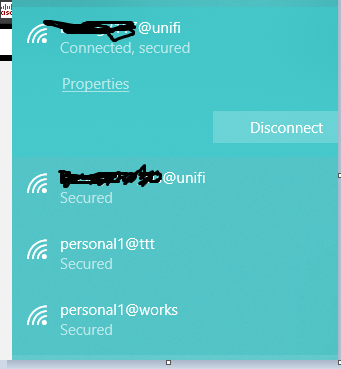 I was able to take out the @unifi part by using postman to intercept the request (as you needed the cookies as well) and for some reason now the @unifi part is not even there on the web UI for my ssid2 (the one that I intercepted. And I can modify it anyway I want without a @ as well.) 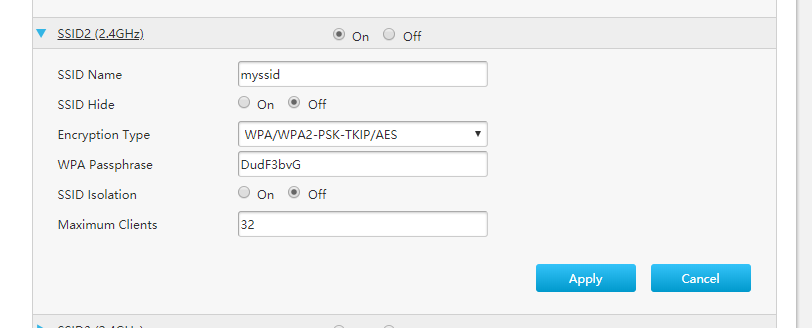 So I guess I only need to intercept the request once to remove the @unifi for each ssid. hi bro.. how do u remove the @unifi suffix? any guide to follow.  |
|
|
|
|
|
Max
|
Jul 11 2018, 11:25 PM
|
|
|
QUOTE(KKS21199 @ Jul 11 2018, 09:36 PM) hey, You have to get Postman app for chrome (with interceptor) or the standalone app for windows and modify the POST request that the page makes and replay it again to the router. 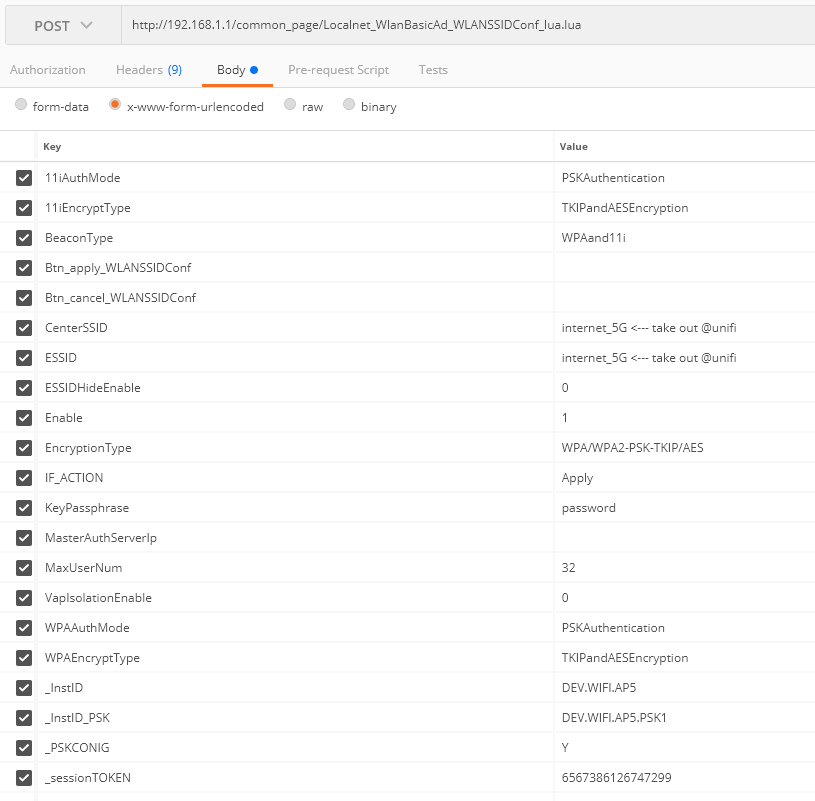 Once you have it installed, just login to the router like you normally would. Go to the WAN page and open the SSID you want to edit and click on Apply (make sure your interceptor is own on both the app and chrome if you are using the chrome extension). Postman will catch the POST request and display it on the History list (left side). Click on it and you will see something similar to the picture above. Just modify the CenterSSID and ESSID and click Send. Before sending make sure you are connected back to the same WiFi that you were when you clicked Apply in the WAN Page (For certain SSID updates, the router disconnects and reconnects back within a few seconds.) https://chrome.google.com/webstore/detail/p...ncdddomop?hl=enhttps://chrome.google.com/webstore/detail/p...fpcfhicfo?hl=enMake sure the Interceptor is enabled in the Postman header toolbar. (for postman chrome extension)  Thanx bro for the guide.. i will try tomorrow.. doesn't have chance today to do.. Btw, another thing about DNS. I changed in the LAN and under the DNS page/tab.. but it doesn't work.. cant access block site.. |
|
|
|
|
|
Max
|
Jul 12 2018, 11:07 PM
|
|
|
QUOTE(KKS21199 @ Jul 12 2018, 11:00 PM) I had the same problem, but I just added IPv6 DNS to my computer and laptop under my network properties. CODE The Google Public DNS IPv6 addresses are as follows:
2001:4860:4860::8888
2001:4860:4860::8844 I also added it here but I am really not sure if it does anything  Like this have to set dns in all devices manually.. Why la this aio router modem cant do this dns globally.. haih.. |
|
|
|
|
|
Max
|
May 4 2020, 07:59 PM
|
|
|
QUOTE(undine @ May 4 2020, 04:08 PM) so uh... I wanted to replace my netis DL4480V1, which is a vdsl modem + router. Bought Asus RT-AC68U on Shopee from All IT. Placed the order and everything, only to notice that what I really need is the DSL-AC68U  Why would ASUS named their products so similarly.... arghhhh U should be able to configure the netis as modem only. All the routing / wifi asus handle. |
|
|
|
|



 Quote
Quote
 0.0194sec
 0.50
0.50
 7 queries
 GZIP Disabled