Welcome Guest ( Log In | Register )

Bump Topic Topic Closed RSS Feed
4 Pages  1 2 3 > » Bottom

Outline · [ Standard ] · Linear+

 Digi Infinite Fan Club [V3], Infinite 150, 100, 80

views
     
pmg
post Jul 21 2017, 04:35 PM

Getting Started
**
Junior Member
124 posts

Joined: Jan 2007


QUOTE(easta90 @ Jul 21 2017, 01:31 PM)
huawei b618s-22d cat 11 600mb... review soon ;P
*
I did consider buying this earlier but it was so hard to find on any online stores. Furthermore, the ones that have it are in Polish language (I think).

Perhaps this is one of those Huawei products meant to be sold by Telcos instead of IT shops
pmg
post Jul 23 2017, 10:58 PM

Getting Started
**
Junior Member
124 posts

Joined: Jan 2007


QUOTE(psjjl @ Jul 23 2017, 09:43 AM)
Why the speed become so slow every Sunday?
*
Congestion, especially if you live in a high density area.

I'm using I150 mostly at Awan Besar LRT, Bukit Jalil. Lots of flats & highly populated. Every Sunday is "480p day" i.e. when YouTube and Twitch can only be viewed at 480p as anything higher, it buffers rolleyes.gif

pmg
post Jul 25 2017, 05:27 PM

Getting Started
**
Junior Member
124 posts

Joined: Jan 2007


QUOTE(ahchun @ Jul 25 2017, 01:06 PM)
So many Jane here today

Anyway for me as long I get to view YouTube and stream movie in fhd, then speed test result is not relevant anymore.

Coz recently I see speed test result seems like not accurate

So just use it base on your needs.
*
Same here. Moreover, for me, if playing online Steam games with players around SEA doesn't lag too much, then I don't care about those speedtest/opensignal/whatever results
pmg
post Jul 25 2017, 06:05 PM

Getting Started
**
Junior Member
124 posts

Joined: Jan 2007


QUOTE(jrywong @ Jul 25 2017, 05:54 PM)
Digi Infinite 150 user, check in from Penang, recorded around 25Mbps all the time using SpeedTest.

Using mobile phone as hotspot and using Bluetooth cordless phone to connect with the mobile phone to fully utilize its free call. First. thought using router E5186 but difficult to move around to other house.

So the setup becomes my landline phone and cut the TM and Streamyx without turning back. Happy with the setup as it can be portable as well as home phone line.
*
What phone are you using ? Is it stable after prolong use ?

I'm asking as I used to have this setup i.e. phone as hotspot. The problem in my case was that the phone (Asus Zenfone 2, CAT4 150 Mbps max) got hot after a while, which slows down the download & upload speed plus renders the touch screen less sensitive to inputs.

Ended up buying a Huawei B310 to act as the LTE router
pmg
post Jul 29 2017, 01:28 PM

Getting Started
**
Junior Member
124 posts

Joined: Jan 2007


QUOTE(ajoi57 @ Jul 29 2017, 11:04 AM)
try change place for both, the antenna and your router.

u need to play around with it. how about other side of window
*
Some people reported here that their antennae could be in the middle of the house and it'll still work even better than when located near a window biggrin.gif
pmg
post Jul 31 2017, 07:26 PM

Getting Started
**
Junior Member
124 posts

Joined: Jan 2007


QUOTE(fruitie @ Jul 31 2017, 06:15 PM)
Great. Extended lagi. doh.gif
Haih ... I guess I have to get used to the 7PM - 1 AM congestion then.

I hope they'll do something about that esp in the urban areas
pmg
post Jul 31 2017, 08:13 PM

Getting Started
**
Junior Member
124 posts

Joined: Jan 2007


Current speedtest.net result at my area, Bandar Bukit Jalil, near Awan Besar MRT. Congested AF sad.gif

user posted image
free ebay image hosting
pmg
post Aug 3 2017, 12:36 PM

Getting Started
**
Junior Member
124 posts

Joined: Jan 2007


QUOTE(alexchew_2020 @ Aug 3 2017, 09:53 AM)
this is 4th month using... seem like they going to block us 1 by 1...pass 3 month was just ok...
*
I'm in my second month. The first month's speed was consistent even if unstable connection during 7pm - 1 am. Now it just got worse. Back to 480p YouTube and sub 100kB/s downloads.

Network maintenance ? Sure ... whatever
pmg
post Aug 4 2017, 11:19 AM

Getting Started
**
Junior Member
124 posts

Joined: Jan 2007


QUOTE(peoplemoney @ Aug 4 2017, 09:08 AM)
What area? i'm having the same problem. 2 weeks before i can get 30Mbps at peak time, now only 5 - 6 Mbps. i made a complaint but so far they said everything is "normal". i'll just terminate if the speed continue to be like this.

The issue started after they released the so called 900MHz indoor LTE service. To me it sucks big time.

I'm in bayan lepas area.
*
I'm at Bukit Jalil, near Awan Besar MRT. High population density with lots of tall buildings. LTE dies between 7pm - 1 AM over here. Lately, it's slow almost all the time.

I'm fine with torrent traffic shaping but when you cant even check WhatsApp, YouTube stuck at 480p (sometimes 144p even) and doing online banking times out way too often, then RM150 a month seems exorbitant.


pmg
post Aug 8 2017, 10:13 PM

Getting Started
**
Junior Member
124 posts

Joined: Jan 2007


QUOTE(grim.fandango @ Aug 8 2017, 04:37 PM)
Anyone having shitty connection around Bukit Jalil?

My 100GB wbb connection never go above 100kBps this past weeks.
*
I do.

user posted image
cdn image server

The above was taken from a PC connected via wired LAN to a Huawei B310s-22a (CAT 4, max 150 Mbps)

I discovered that the connection "improved" somewhat after 4 AM . Come 8 or 9 AM, its snail pace again. I often download games via Steam which tracks download speeds over time.

Needless to say, with this kind of performance, online gaming between 9 PM - 1 AM is out of the question.

There are cell towers near Taman Bukit Jalil & Sri Petaling whereby fast.com reported a speed of around 30 Mbps off my CAT4 Asus ZenFone 2 phone. Of course I can't test the speed at these locations with that Huawei B310s-22a due to logistic issues (i.e. where to find power supply ?).
pmg
post Aug 9 2017, 12:45 AM

Getting Started
**
Junior Member
124 posts

Joined: Jan 2007


QUOTE(kaiserreich @ Aug 8 2017, 11:39 PM)
What band are you on?
Install network cell info app on your phone and look for cell towers nearby. Aim your antenna towards those cell towers, check from huawei toolbox, the Cell-ID. Note the congested cell towers. Restart CPE regularly whenever you detect that the congested cell towers are connected.

I can detect about 4 cell towers at a 120degree angle from my balcony. There are cell towers around 1-2km from my balcony. The best one is the furthest. It is located around a lesser populated area and also near a highway.

2 of them are shit, Band3/7, 1 of them works great at Band3, 1 of them at band7. Whenever I find that the bad cell tower is connected, I restart the CPE and most of the time, the good cell tower is connected.


Upgrading to Lte-A is costly and does not reliably yield good results
Best method, most of us here find, is still tweaking between band 3 / band 7, and adding the MIMO antenna.
*
Currently with the B310s-22a, the band is set to automatic.

I'll look into the network cell info app you suggested plus the restart modem thingy to ensure connection to a less congested tower.

Thanks for the help.

pmg
post Aug 12 2017, 08:46 PM

Getting Started
**
Junior Member
124 posts

Joined: Jan 2007


QUOTE(BlueHeng @ Aug 12 2017, 02:37 PM)
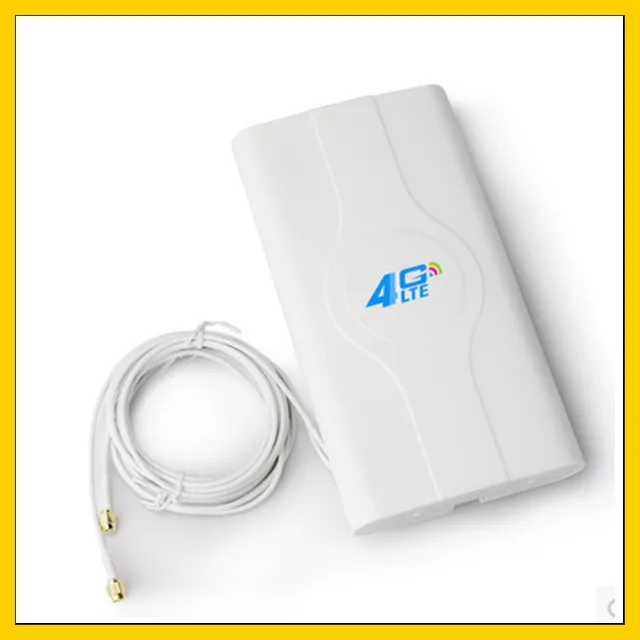
Guys, I've recently bought a B310 with a LF-ANT4G01 Manual
user posted image

The antenna works well to boost my download speed (sometimes) but it seems like it severely affects my upload speed dropping down to 0.5mbps. Anyone has an idea on how to solve this? Much appreciated.

With External Antenna
user posted image

With Internal Antenna
user posted image
*
hmm.gif hmm.gif hmm.gif Odd ... a reverse antenna ?

Yeah, you likely won't be needing that antenna then
pmg
post Aug 14 2017, 06:46 PM

Getting Started
**
Junior Member
124 posts

Joined: Jan 2007


QUOTE(chuahcs79 @ Aug 14 2017, 03:19 PM)
Yes using it it this way at home and outside too.

[attachmentid=9043758]
Where did u bought this ? Care to share the link if you still remember it ?
pmg
post Aug 17 2017, 12:53 PM

Getting Started
**
Junior Member
124 posts

Joined: Jan 2007


QUOTE(wc_how @ Aug 17 2017, 12:42 PM)
Actually i got a problem like this:
My phone using 5ghz wifi, speedtest 20m.
My tab using 2.4ghz wifi, speedtest 5m.
My laptop using LAN cable, speedtest 10m.
I don't know is it under traffic shaping or just hardware problem.
(All test during super peak hour 8-10pm).
*
Your area must be close to a not-too-congested cell tower to get that speed during peak hour. Here at Bandar Bukit Jalil, it's below 1Mbps sad.gif

There is a DiGi cell tower at Jalil Link which I tend to be connected to being where I am. Tried going there physically during peak hours to test. Got at best 15 Mbps only. Once I tried at the ungodly time of 2 AM at that Jalil Link cell tower and got 25-35 Mbps.

Above tests conducted on a CAT4 (150 Mbps max) Asus ZenFone 2 mobile phone using fast.com on the Chromium app
pmg
post Aug 17 2017, 06:41 PM

Getting Started
**
Junior Member
124 posts

Joined: Jan 2007


QUOTE(unicode @ Aug 17 2017, 04:36 PM)
Considering okay but I have been most of the places in KL or Melaka with 4G + . I am getting a very constant of 100mbps +
*
What device(s) did you used to get such speeds ? Asking as I'm considering getting something better than a CAT4 device
pmg
post Aug 17 2017, 10:11 PM

Getting Started
**
Junior Member
124 posts

Joined: Jan 2007


QUOTE(d3v073d_50uL @ Aug 17 2017, 09:23 PM)
Another quick call to Digi CS... they said they're having ANOTHER maintenance around my area...
Now stuck until at least end of Sept 2017...

I'm getting 1-2mbps (not B) 80% of the time... while the speed peeks to 1.5mBps around 1-7AM...
I upgraded/paid RM150 for these kind of service.... *sigh*
*
Which area is this ? (Please don't say Bandar Bukit Jalil ... fingers cross)

BTW, I'm getting roughly the same experience as you, except in my case the speed picks up between 2-6 AM at least as reported by my Steam download history. Right now, 10 PM, can light surf only, one site at a time. Cannot open multiple tabs or downloads as everything will come to a halt
pmg
post Aug 19 2017, 09:07 PM

Getting Started
**
Junior Member
124 posts

Joined: Jan 2007


QUOTE(finalmakers @ Aug 19 2017, 08:51 PM)

anyone using huawei b593 u12 with digi infinite?

*
Hopefully some kind soul will answer that for you soon.

Theoretically, anything that supports B3, B7 & B8 will work with DiGi 4G & 4G+, that includes the huawei b593 u12
pmg
post Aug 20 2017, 12:23 AM

Getting Started
**
Junior Member
124 posts

Joined: Jan 2007


QUOTE(alexchew_2020 @ Aug 19 2017, 11:15 PM)
Happy internet on weekend
[attachmentid=9059442]
[attachmentid=9059443]
*
Sorry to see that. My speed right now has signs of network congestion too (i.e. below 1Mbps), but still allows to surf light sites like this one. High bandwidth sites like Twitch.tv, soundcloud.com, YouTube.com etc are a no-no.

During weekends, I normally drive physically close to a cell tower and make sure it has at least 20 Mbps on fast.com before I surf there. Felt kinda stupid every time I do that really biggrin.gif
pmg
post Aug 20 2017, 12:33 AM

Getting Started
**
Junior Member
124 posts

Joined: Jan 2007


QUOTE(EremesGuile @ Aug 20 2017, 12:25 AM)
U really rajin bro. I dont want to ask why u drive close to a cell tower.  whistling.gif
*
My place has lots of DiGi subscribers and is quite hidden from cell towers - a combination that kills LTE quality, especially during peak hours.

So locating cell towers using the 'Network Cell Info' app on Android and getting close to them physically is a workaround to get strong signals, for now, at least until something better comes along i.e. Unifi support at my place maybe ?
pmg
post Aug 20 2017, 12:44 AM

Getting Started
**
Junior Member
124 posts

Joined: Jan 2007


QUOTE(kernel123 @ Aug 20 2017, 12:38 AM)
wow.the app can show accurate location of the cell tower? or approximation only?
*
Approximate. It shows ones location too, but in my case, it does not get that right all the time smile.gif

This post has been edited by pmg: Aug 20 2017, 12:45 AM

4 Pages  1 2 3 > » Top
Topic ClosedOptions
 

Change to:
| Lo-Fi Version
0.2498sec    0.49    7 queries    GZIP Disabled
Time is now: 6th December 2025 - 04:24 PM