

recently I try to buy E 5186 from taobao
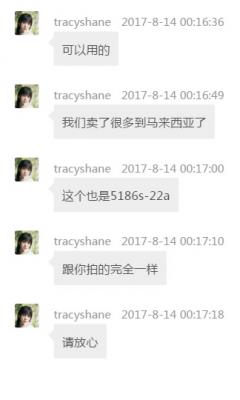
the seller ask whether ok or not if they send me with other logo instead of Huawei logo.
please see attachment.
do you think this type of logo will work with digi infinite?
Attached thumbnail(s)

Digi Infinite Fan Club [V3], Infinite 150, 100, 80
|
|
 Aug 14 2017, 12:56 AM Aug 14 2017, 12:56 AM
Return to original view | Post
#1
|
 
Junior Member
68 posts Joined: Aug 2017 
|
hi all sifu,
recently I try to buy E 5186 from taobao the seller ask whether ok or not if they send me with other logo instead of Huawei logo. please see attachment. do you think this type of logo will work with digi infinite? Attached thumbnail(s)
|
|
|
|
|
|
Aug 21 2017, 03:05 PM
Return to original view | Post
#2
|
|
Junior Member
68 posts Joined: Aug 2017
|
Nightmare!!
Just receive the new E5186 router. Unbox and immediately do the firmware update using advance method as per the guide given by bro blacktubi. During flashing, I can see the MODE colour change to GREEN, meaning the update is successfully complete. After t. urn off everything and restart, I’m no longer ever able to login to my router again. Can you guy tell me what is missing ? on my PC, I can’t ever run the E5186 Toolbox 0.9. click the exe file and seem nothing popping up. Help… |
|
|
Aug 21 2017, 03:40 PM
Return to original view | Post
#3
|
|
Junior Member
68 posts Joined: Aug 2017
|
QUOTE(EremesGuile @ Aug 21 2017, 03:09 PM) U referring to this? http://www.blacktubi.com/guide/huawei-e5186-firmware-update/ Have u change back the static IP? yes. IP change back to Auto |
|
|
Aug 21 2017, 03:44 PM
Return to original view | Post
#4
|
|
Junior Member
68 posts Joined: Aug 2017
|
QUOTE(fruitie @ Aug 21 2017, 03:10 PM) So you never login once to create new password? I login once, but didn't create new passwordAnyway, username and password is the same - admin if you haven't done any configuration in http://192.168.8.1 http://192.168.8.1 doesn't work on me. below is the page I got. Attached thumbnail(s) 
|
|
|
Aug 21 2017, 03:49 PM
Return to original view | Post
#5
|
|
Junior Member
68 posts Joined: Aug 2017
|
QUOTE(ajoi57 @ Aug 21 2017, 03:14 PM) connect your wifi first after the firmware update , the E5186 router no longer shown on my wifi. from the router itself , I can see the LED on the wifi is light on. what is missing? |
|
|
Aug 21 2017, 04:17 PM
Return to original view | Post
#6
|
|
Junior Member
68 posts Joined: Aug 2017
|
QUOTE(EremesGuile @ Aug 21 2017, 03:50 PM) Try LAN and see your gateway address. after plugin the LAN , I don't find anything I can login to the router. |
|
|
|
|
|
Aug 21 2017, 04:53 PM
Return to original view | Post
#7
|
|
Junior Member
68 posts Joined: Aug 2017
|
QUOTE(EremesGuile @ Aug 21 2017, 04:33 PM) Connect to LAN on your laptop. Open CMD and execute IPCONFIG. See the details on your LAN and look for Default Gateway. Bro,as per instruction. For Lan , Gateway show nothing as per below. I Think I have to return this unit. its nightmare for me  Attached thumbnail(s) 
|
|
|
Aug 21 2017, 04:56 PM
Return to original view | Post
#8
|
|
Junior Member
68 posts Joined: Aug 2017
|
QUOTE(EremesGuile @ Aug 21 2017, 04:33 PM) Connect to LAN on your laptop. Open CMD and execute IPCONFIG. See the details on your LAN and look for Default Gateway. could it be , they are sending me the LOCK version? |
|
|
Aug 21 2017, 05:08 PM
Return to original view | Post
#9
|
|
Junior Member
68 posts Joined: Aug 2017
|
QUOTE(fruitie @ Aug 21 2017, 04:58 PM) Did your seller say you can flash the router? My seller already openly said he will not warranty any unit if I flashed it myself. we didn't talk about flashing the unit. the seller said the unit they me should work in Malaysia as they sold many unit here.I still took the risk and my other customers also took.  I did tell them what the Taobao seller say la, they can proceed on their own. I did tell them what the Taobao seller say la, they can proceed on their own.anyway, I have no choice other than return. |
|
|
Aug 21 2017, 05:15 PM
Return to original view | Post
#10
|
|
Junior Member
68 posts Joined: Aug 2017
|
QUOTE(ajoi57 @ Aug 21 2017, 05:09 PM) when the item arrive, u dont even try to connect and use it first? yes. I thought it should be a successful update , as so many of the bro here manage to get them right.and straight update the firmware using advance method? is there a different to upgrade it then use? |
|
|
Aug 21 2017, 06:22 PM
Return to original view | Post
#11
|
|
Junior Member
68 posts Joined: Aug 2017
|
QUOTE(ajoi57 @ Aug 21 2017, 06:00 PM) well, everyone else already use it before upgrade thus we all know there is no problem with the unit at first place. I have done many time re-reflashing. everything seem the same.and i even try basic method first before proceed to advance method. how about u try reflashing it again and see how I contacted the seller , they ask me to perform factory reset, then I realise that factory reset also no longer work. I inset the sim card, there is no signal also on the router. seller agree I return , they will exchange another unit. I don't really know whether its the unit defect by itself, or I have perform the firmware update, the router become like this. actually before I do anything on the flashing, I did login into the router once and able to read device information. and the software version before flashing is 21.297.01.01.186 |
|
|
Aug 21 2017, 10:55 PM
Return to original view | IPv6 | Post
#12
|
|
Junior Member
68 posts Joined: Aug 2017
|
QUOTE(OzzyOzz @ Aug 21 2017, 09:17 PM) where did you bought that modem?and how much?was it local or abroad? the seller is so kind..exchange to new unit although probably the reflashing software thing make it defect got it from taobao about RM 600+no choice. I have to return. by the way, does the Huawei toolbox v9 only work when there is E5186 detected on the wifi? I try to use toolbox, but seems that the software just doesn't want to function at all. is it normal? |
|
|
Aug 21 2017, 11:37 PM
Return to original view | IPv6 | Post
#13
|
|
Junior Member
68 posts Joined: Aug 2017
|
QUOTE(fruitie @ Aug 21 2017, 11:31 PM) You will need to input your username and password then click "Connect". I'm using windows 8.1.I tried to click the E5186 Toolbox.exe file to start the software. no matter how I click the file, nothing happen. why? |
|
|
|
|
|
Aug 22 2017, 12:06 AM
Return to original view | IPv6 | Post
#14
|
|
Junior Member
68 posts Joined: Aug 2017
|
QUOTE(fruitie @ Aug 21 2017, 11:44 PM) Right click, "Run as Administrator"? I'm using Windows 10 though. same. I tried before. as administrator. could it be PC firewall or anti virus program installed in my PC? |
|
|
Aug 22 2017, 12:19 AM
Return to original view | IPv6 | Post
#15
|
|
Junior Member
68 posts Joined: Aug 2017
|
QUOTE(OzzyOzz @ Aug 22 2017, 12:09 AM) try right click,properties, unblock. erefering to windows 7, dont know bout windows 8 couldn't find the unblock inside the properties.disable all firewall & anti virus program also won't work. anyone able to run this toolbox in windows 8.1? Attached thumbnail(s) 
|
|
|
Aug 22 2017, 12:25 AM
Return to original view | IPv6 | Post
#16
|
|
Junior Member
68 posts Joined: Aug 2017
|
QUOTE(OzzyOzz @ Aug 22 2017, 12:20 AM) this not inside Attached thumbnail(s) 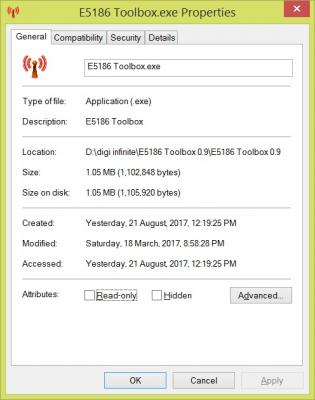
|
|
|
Aug 24 2017, 03:08 PM
Return to original view | Post
#17
|
|
Junior Member
68 posts Joined: Aug 2017
|
Hello,
All sifu. Need yours opinion. After subscribed to infinite 150. Today I walk in Telecom to terminate my streamyx . the official told me I need to pay penalty RM 300 for terminate the phone line as the line still bond to one year contract. I told the officer I have used this line for more than 4 years and the contract is long overdue. The officer than told me on last year December , I upgraded the line from 1Mbps speed to 2 Mbps. There is new contact for this speed upgrading. Do you guys think that this is acceptable? I told the officer the upgrading was done through phone . we don’t even see the face of the officer who asked us to upgrade. There is no mentioned on upgrading need to have a year contract. TM Net is way too much. Termination of TM net is a correct choice to me now. |
|
|
Aug 24 2017, 03:12 PM
Return to original view | Post
#18
|
|
Junior Member
68 posts Joined: Aug 2017
|
QUOTE(pia7295 @ Aug 24 2017, 03:08 PM) Hello, upgrading the speed is because , the time we apply for the line, you only have 1Mbps in this area. how can this speed upgrading bond to one year contract?All sifu. Need yours opinion. After subscribed to infinite 150. Today I walk in Telecom to terminate my streamyx . the official told me I need to pay penalty RM 300 for terminate the phone line as the line still bond to one year contract. I told the officer I have used this line for more than 4 years and the contract is long overdue. The officer than told me on last year December , I upgraded the line from 1Mbps speed to 2 Mbps. There is new contact for this speed upgrading. Do you guys think that this is acceptable? I told the officer the upgrading was done through phone . we don’t even see the face of the officer who asked us to upgrade. There is no mentioned on upgrading need to have a year contract. TM Net is way too much. Termination of TM net is a correct choice to me now. |
|
|
Aug 25 2017, 12:29 PM
Return to original view | Post
#19
|
|
Junior Member
68 posts Joined: Aug 2017
|
QUOTE(fruitie @ Aug 25 2017, 11:24 AM) Then, I have no way to know then. buy 790. less than RM300  |
|
|
Aug 28 2017, 06:32 PM
Return to original view | IPv6 | Post
#20
|
|
Junior Member
68 posts Joined: Aug 2017
|
QUOTE(syncomp @ Aug 28 2017, 06:27 PM) Ahhh.. Thats what in my mind. But i didnt notice can use without batteries. Confirm this? No! without the battery the device won't work. I have already confirmed with the seller. you need to charge the battery and battery power the device. |
|
Topic ClosedOptions
|
| Change to: |  0.2150sec 0.2150sec
 0.49 0.49
 7 queries 7 queries
 GZIP Disabled GZIP Disabled
Time is now: 12th December 2025 - 04:44 PM |
 Quote
Quote