Welcome Guest ( Log In | Register )

Outline · [ Standard ] · Linear+

Review ITEAD Wi-Fi S20 Smart Socket, Ease your life & save electric bill

views
     
TSJayceOoi
post Jul 10 2017, 01:56 PM, updated 9y ago

Pro Blogger
*******
Senior Member
2,741 posts

Joined: Jan 2007
Author's Note: The original review can be found at my blog - S20 Smart Socket Review @ JayceOoi.com.

Introduction
There are more and more Internet of things (IoT) supported nowadays. Yup, check out ITEAD Wi-Fi S20 Smart Socket that I have. It can make your 'dumb' electric appliances to be smart and get connected to the Internet. It comes with EU, US, UK and CN plug standard. Turn on/off any connected device with eWeLink app or by pressing the manual control knob of the WiFi outlet. Or set timers to auto-turn on / off it. Sound great? Let's find out...

Special Thanks
This review is possible thanks to below companies. Be sure to check them out too...
  • ITEAD for this ITEAD Wi-Fi S20 Smart Socket
Features
  • Easy installation, easy handling
  • Support checking status on APP
  • Support single/repeat/countdown timing tasks
  • Support unlimited WiFi smart sockets one smartphone
  • Works with Alexa
  • Works with Nest
user posted image

Package Content & Design
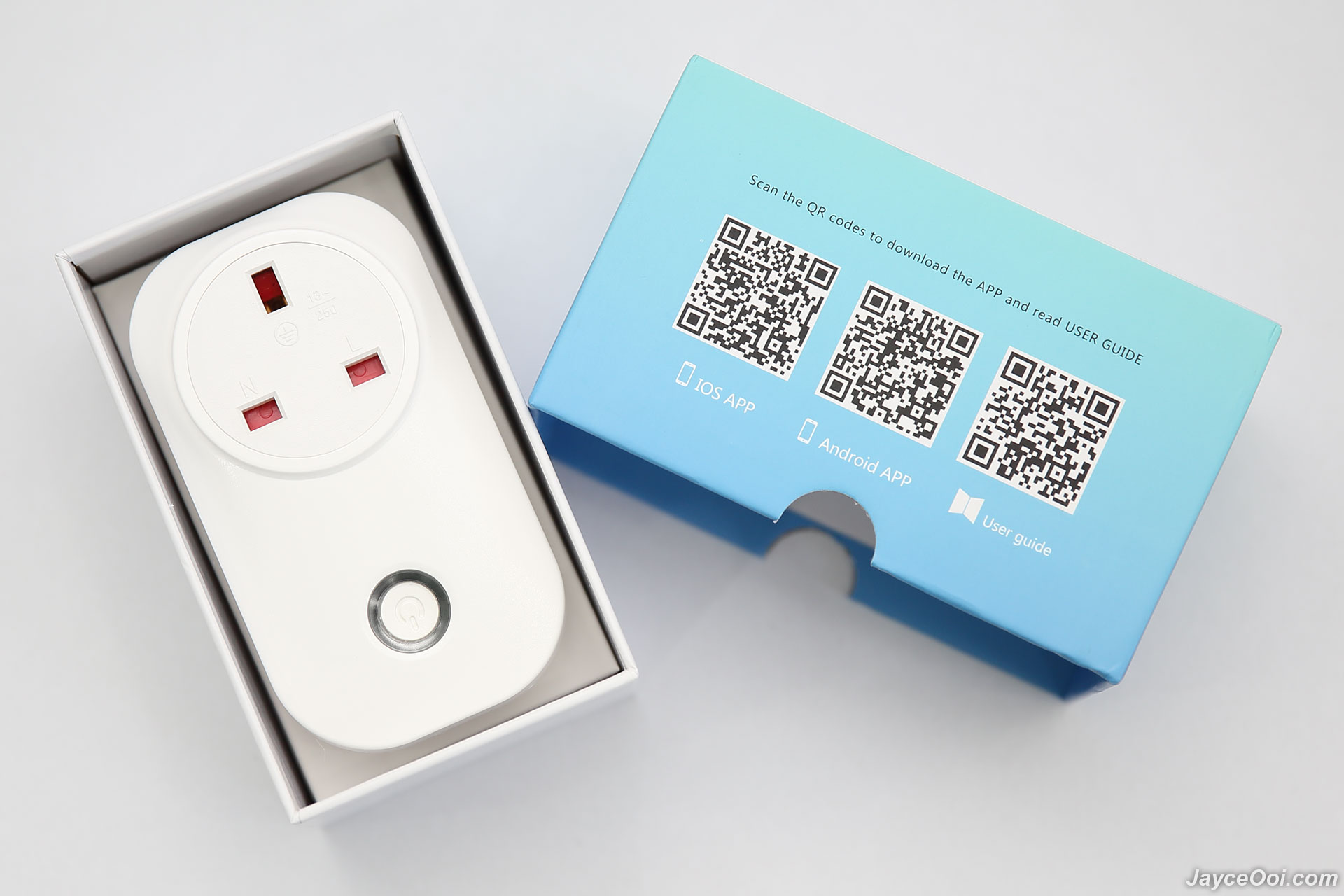
There is ITEAD Wi-Fi S20 Smart Socket only in the package. All the stuffs like user guide and application are able to be downloaded from Internet.
user posted image

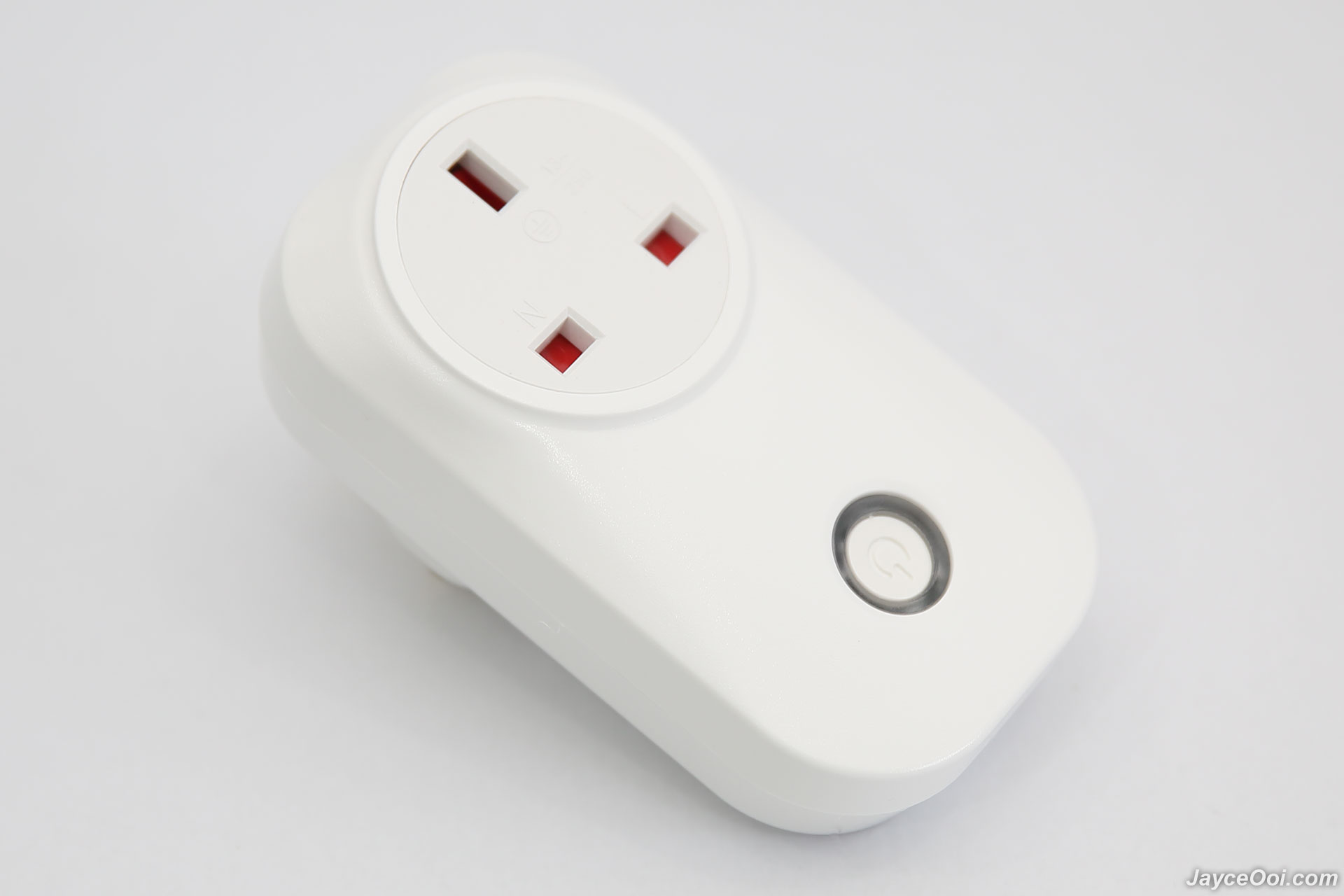
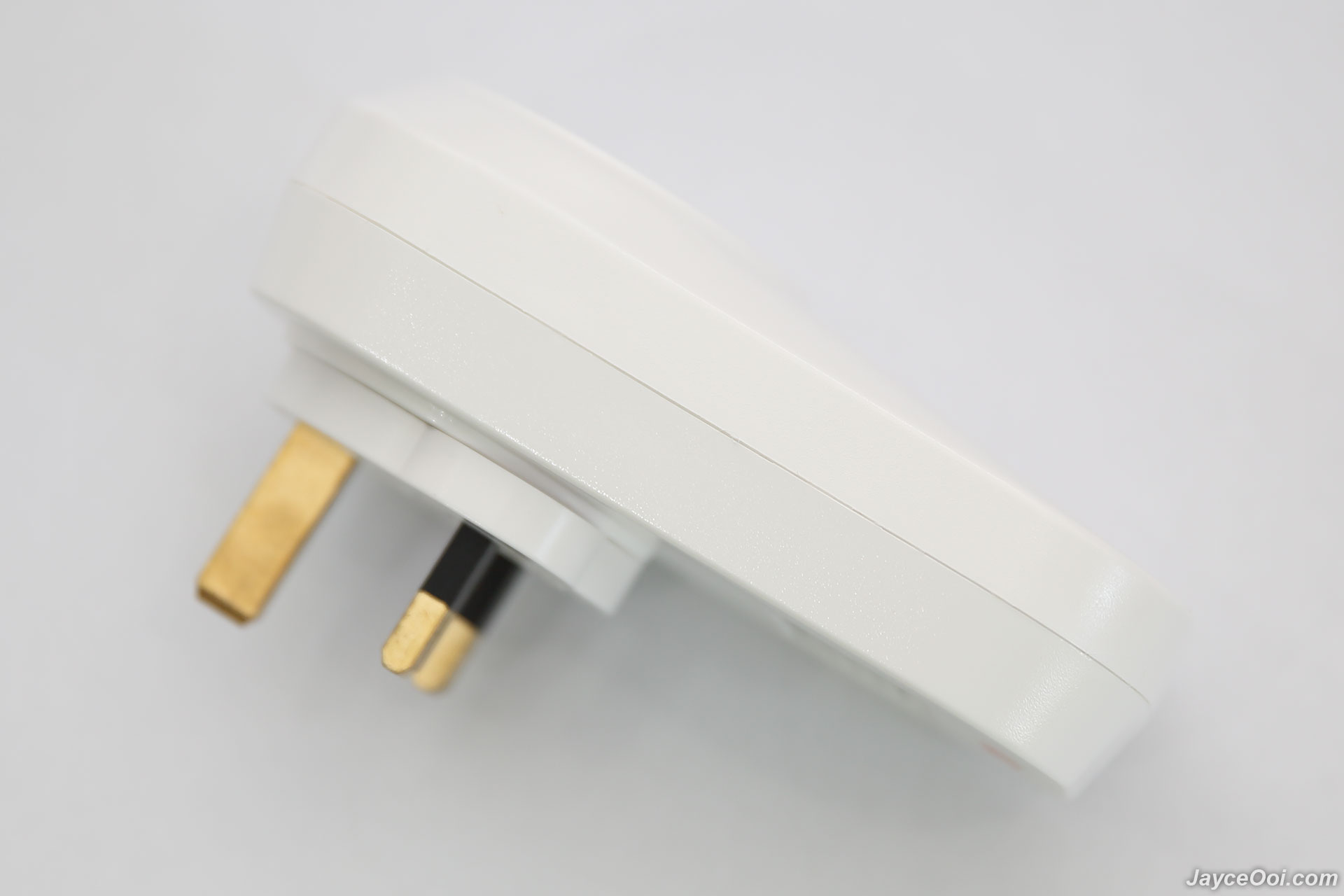
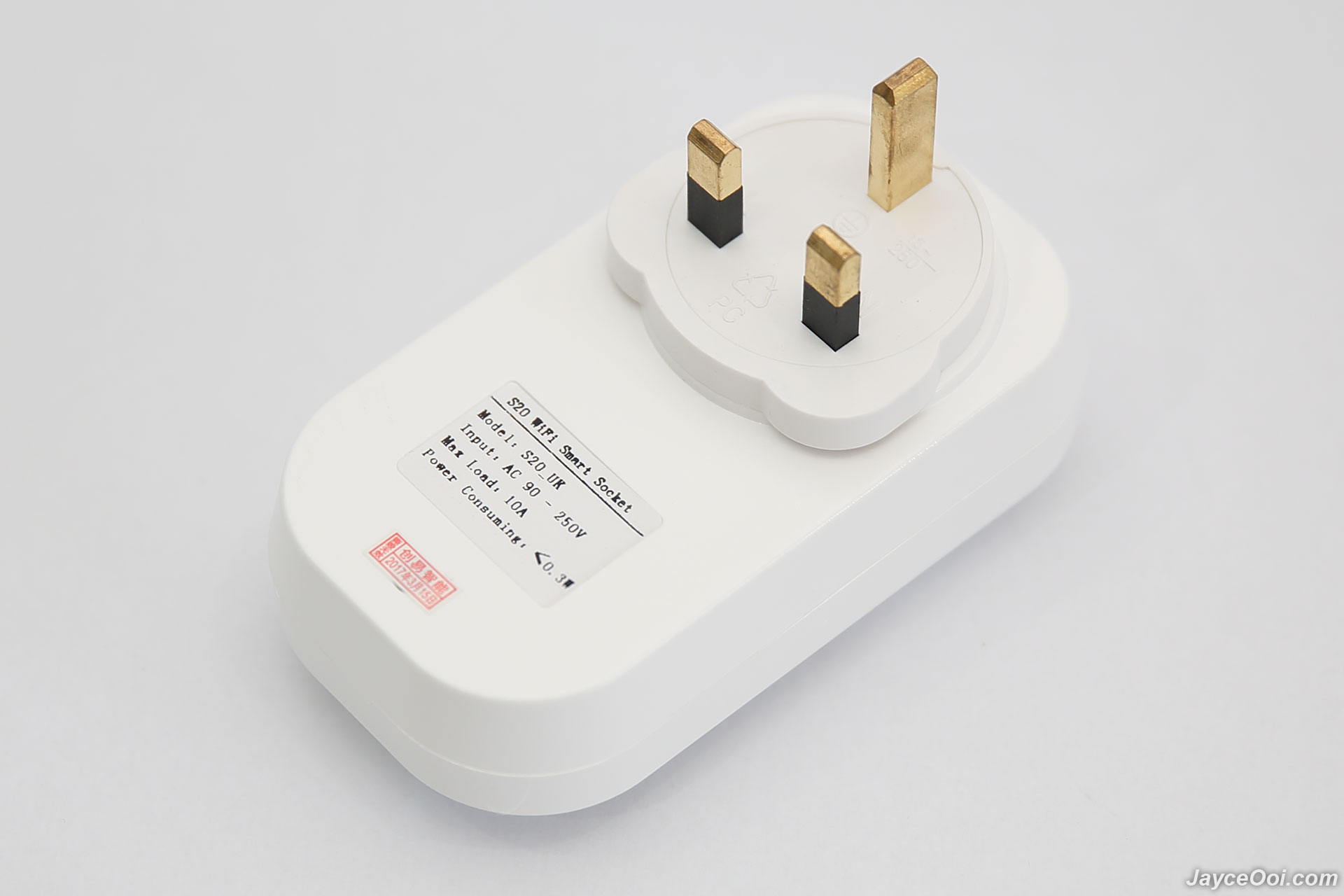
The one that I have is UK plug version. Build quality is great with sturdy plastic. The power button is located at bottom front. There is LED light indicator around the button as well. Green for connected to Internet while blue for power on.
user posted image

user posted image

Specifications
  • US/ UK/ CN/ EU plug (type F)
  • Power input: 10A, 90-250V
  • Max power: 2000W (resistive load)
  • Shell material: Retardant PC
  • Wireless standard:802.11.b/g/n
  • Encryption: WEP/TKIP/AES
  • Security mechanism: WEP/WPA-PSK/WPA2-PSK/WPA/WPA2/WAPI/WPS2
  • Operating temperature: 0ºC-40ºC (32°F-104°F)
  • Operating Humidity: 5%-90%RH, Non-condensing
Installation
Installation is pretty much simple and fast. Basically, you need to create account in eWeLink application. Connect S20 Smart Socket to your wireless router. That's it. No worry, just follow the steps by steps instructions in the app will do.

user posted image

Software
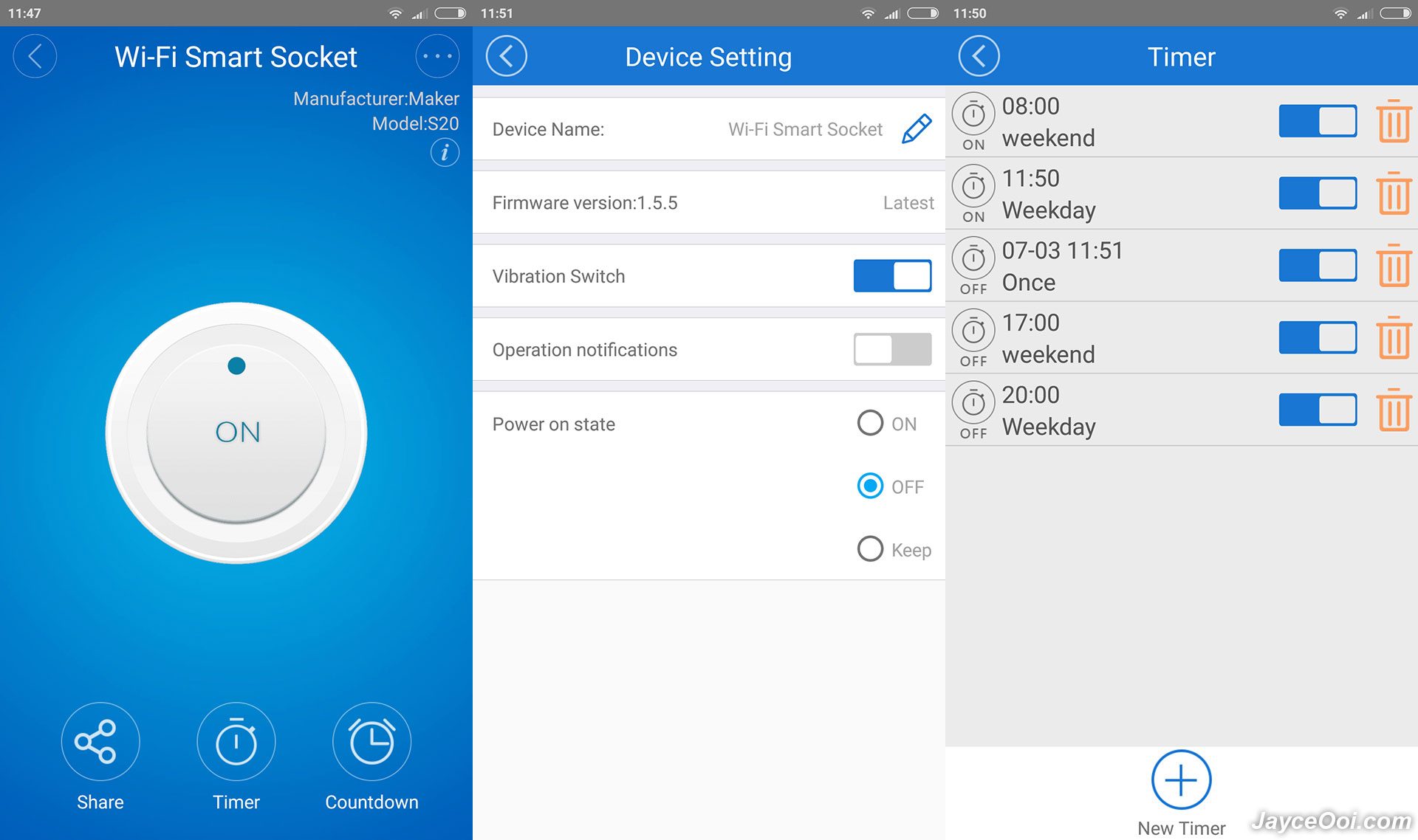
E-Welink is a free universal smart home remote control software. It can remotely control hardware products of different types and brands including ITEAD. You can download it from Google Play Store and Apple App Store. It supports dozens of smart devices, including smart socket, LED lamp, fan, heater, air purifier, etc.
user posted image

Performance Result
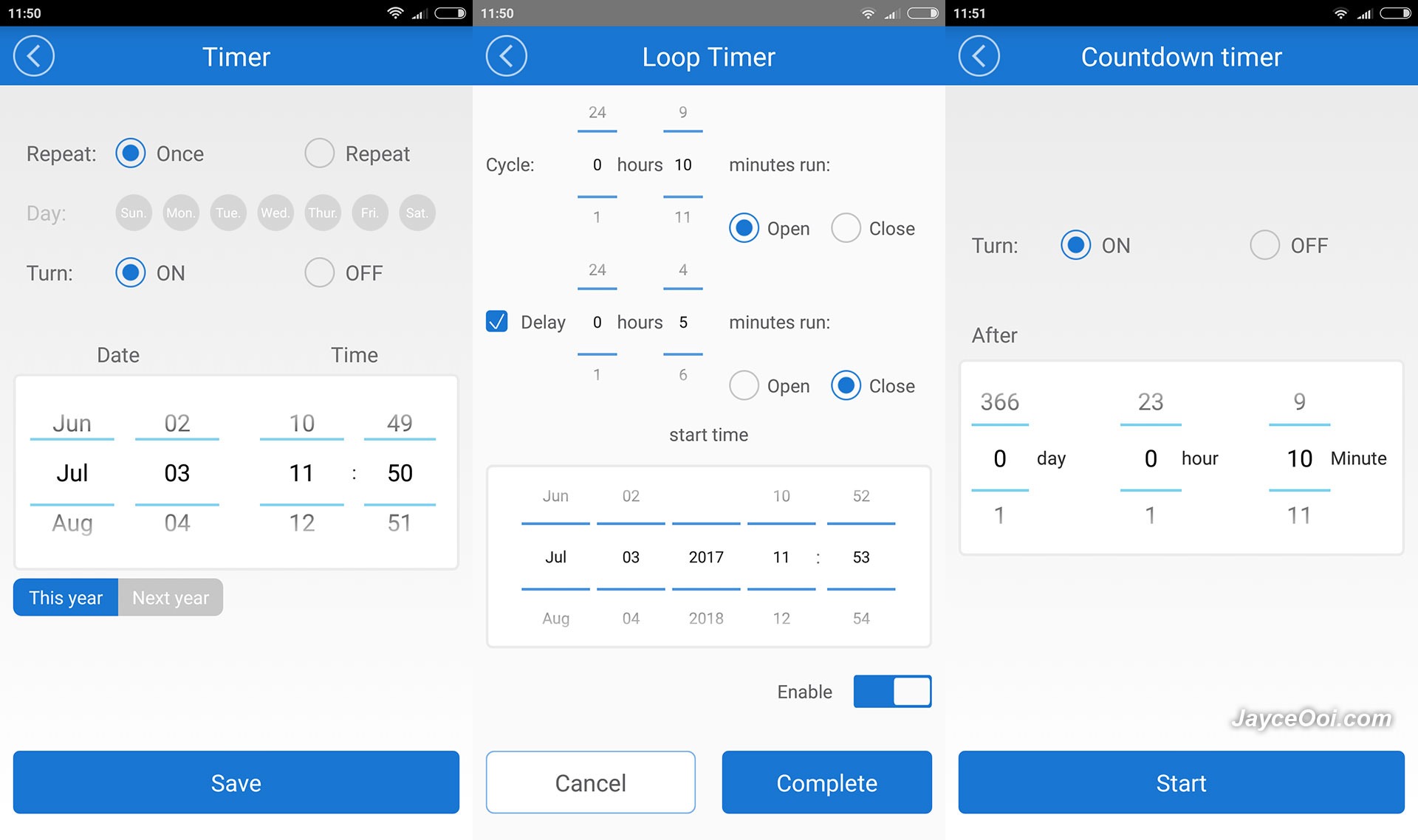
ITEAD S20 Smart Socket wireless range is excellent. I have no problem to get it connected from the farthest place - kitchen away from the wireless router. Yes, it can be connected on any wall socket in my double storage house. As for usage, it is straight forward. You can turn on / off the connected device manually through eWeLink app. Or set timer that suit your needs. That's it.
user posted image

By the way, Amazon Alexa is supported as well. Too bad that I don't have Amazon Alexa to test it. So you need to try it yourself in this case. For your information, eWeLink is connected to their cloud server for all the process. If the server cannot be accessed, you still can control S20 Smart Socket but limited to local network only.

Advantages
  • Ease your life & save electric bill
  • Excellent wireless range
  • Decent build quality
  • Easy to use
Limitations
  • Lot of app permissions needed
Conclusion
Remote control your existing electric appliances is not a dream anymore with ITEAD Wi-Fi S20 Smart Socket. Yup, it surely make my life easier and save some electric bill with timer and remote control ability. Interested? More information can be found at ITEAD Website. And get yours there.
alucard89
post Jul 12 2017, 10:23 PM

Look at all my stars!!
*******
Senior Member
4,454 posts

Joined: Apr 2006
What if wifi network's down?
Can it still turn on/off according to timer schedule?
TSJayceOoi
post Jul 14 2017, 09:26 AM

Pro Blogger
*******
Senior Member
2,741 posts

Joined: Jan 2007
QUOTE(alucard89 @ Jul 12 2017, 10:23 PM)
What if wifi network's down?
Can it still turn on/off according to timer schedule?
*
Just like other IoT devices, no Internet == not working. tongue.gif
alucard89
post Jul 14 2017, 09:34 AM

Look at all my stars!!
*******
Senior Member
4,454 posts

Joined: Apr 2006
QUOTE(JayceOoi @ Jul 14 2017, 09:26 AM)
Just like other IoT devices, no Internet == not working.  tongue.gif
*
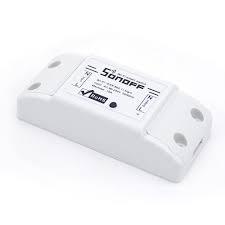
Sonoff basic still can turn on/off according to timer even when wifi is down.
Which is why I'm curious if it's the same thing with s20
idoblu
post Nov 29 2017, 08:27 PM

stars for sale
********
All Stars
11,308 posts

Joined: Feb 2008
QUOTE(JayceOoi @ Jul 14 2017, 09:26 AM)
Just like other IoT devices, no Internet == not working.  tongue.gif
*
It can still keep to all its schedules even with wifi down
davidgoh
post Oct 4 2018, 12:14 PM

Getting Started
**
Junior Member
86 posts

Joined: Aug 2006
Hai I have a problem with my Sonoff S20,
I test connect to my office Access Point = OK, connect to my house TP-AC1200 = failed

Do I need to set anything special on my house router ? * Note house DHCP enable + firewall disable

Thank you......


QUOTE(JayceOoi @ Jul 10 2017, 01:56 PM)
Author's Note: The original review can be found at my blog - S20 Smart Socket Review @ JayceOoi.com.

Introduction
There are more and more Internet of things (IoT) supported nowadays. Yup, check out ITEAD Wi-Fi S20 Smart Socket that I have. It can make your 'dumb' electric appliances to be smart and get connected to the Internet. It comes with EU, US, UK and CN plug standard. Turn on/off any connected device with eWeLink app or by pressing the manual control knob of the WiFi outlet. Or set timers to auto-turn on / off it. Sound great? Let's find out...

Special Thanks
This review is possible thanks to below companies. Be sure to check them out too...

  • ITEAD for this ITEAD Wi-Fi S20 Smart Socket
Features

  • Easy installation, easy handling
     
  • Support checking status on APP
     
  • Support single/repeat/countdown timing tasks
     
  • Support unlimited WiFi smart sockets one smartphone
     
  • Works with Alexa
     
  • Works with Nest
user posted image

Package Content & Design
There is ITEAD Wi-Fi S20 Smart Socket only in the package. All the stuffs like user guide and application are able to be downloaded from Internet.

user posted image

The one that I have is UK plug version. Build quality is great with sturdy plastic. The power button is located at bottom front. There is LED light indicator around the button as well. Green for connected to Internet while blue for power on.

user posted image

user posted image

Specifications

  • US/ UK/ CN/ EU plug (type F)
     
  • Power input: 10A, 90-250V
     
  • Max power: 2000W (resistive load)
     
  • Shell material: Retardant PC
     
  • Wireless standard:802.11.b/g/n
     
  • Encryption: WEP/TKIP/AES
     
  • Security mechanism: WEP/WPA-PSK/WPA2-PSK/WPA/WPA2/WAPI/WPS2
     
  • Operating temperature: 0ºC-40ºC (32°F-104°F)
     
  • Operating Humidity: 5%-90%RH, Non-condensing
Installation
Installation is pretty much simple and fast. Basically, you need to create account in eWeLink application. Connect S20 Smart Socket to your wireless router. That's it. No worry, just follow the steps by steps instructions in the app will do.

user posted image

Software
E-Welink is a free universal smart home remote control software. It can remotely control hardware products of different types and brands including ITEAD. You can download it from Google Play Store and Apple App Store. It supports dozens of smart devices, including smart socket, LED lamp, fan, heater, air purifier, etc.

user posted image

Performance Result
ITEAD S20 Smart Socket wireless range is excellent. I have no problem to get it connected from the farthest place - kitchen away from the wireless router. Yes, it can be connected on any wall socket in my double storage house. As for usage, it is straight forward. You can turn on / off the connected device manually through eWeLink app. Or set timer that suit your needs. That's it.

user posted image

By the way, Amazon Alexa is supported as well. Too bad that I don't have Amazon Alexa to test it. So you need to try it yourself in this case. For your information, eWeLink is connected to their cloud server for all the process. If the server cannot be accessed, you still can control S20 Smart Socket but limited to local network only.

Advantages

  • Ease your life & save electric bill
     
  • Excellent wireless range
     
  • Decent build quality
     
  • Easy to use
Limitations

  • Lot of app permissions needed
Conclusion
Remote control your existing electric appliances is not a dream anymore with ITEAD Wi-Fi S20 Smart Socket. Yup, it surely make my life easier and save some electric bill with timer and remote control ability. Interested? More information can be found at ITEAD Website. And get yours there.
*
idoblu
post Oct 6 2018, 05:50 PM

stars for sale
********
All Stars
11,308 posts

Joined: Feb 2008
QUOTE(davidgoh @ Oct 4 2018, 12:14 PM)
Hai I have a problem with my Sonoff S20,
I test connect to my office Access Point = OK, connect to my house TP-AC1200 = failed

Do I need to set anything special on my house router ? * Note house DHCP enable + firewall disable

Thank you......
*
I got the same router. No problem connecting the s20 to it
Make sure to connect to the 2.4GHz band
Hackezkk
post Oct 6 2018, 06:23 PM

~::CiPan'S LovEr::~
******
Senior Member
1,959 posts

Joined: Jan 2003
From: ~1337~


i have this one.really convenience..pair it with two water pump to watering my superhot chilli garden..works perfectly


Attached image(s)
Attached Image
davidgoh
post Oct 8 2018, 11:10 AM

Getting Started
**
Junior Member
86 posts

Joined: Aug 2006
QUOTE(idoblu @ Oct 6 2018, 05:50 PM)
I got the same router. No problem connecting the s20 to it
Make sure to connect to the 2.4GHz band
*
YA at first I accidently connect with 5GHz ... than retry again with 2.4GHz but cannot d
idoblu
post Oct 8 2018, 11:14 AM

stars for sale
********
All Stars
11,308 posts

Joined: Feb 2008
QUOTE(davidgoh @ Oct 8 2018, 11:10 AM)
YA at first I accidently connect with 5GHz ... than retry again with 2.4GHz but cannot d
*
maybe reset the S20 and connect again like brand new
davidgoh
post Oct 10 2018, 01:46 PM

Getting Started
**
Junior Member
86 posts

Joined: Aug 2006
QUOTE(idoblu @ Oct 8 2018, 11:14 AM)
maybe reset the S20 and connect again like brand new
*
how to reset ? is it because i try ok in office ... change place cannot use ?
idoblu
post Oct 10 2018, 01:54 PM

stars for sale
********
All Stars
11,308 posts

Joined: Feb 2008
QUOTE(davidgoh @ Oct 10 2018, 01:46 PM)
how to reset ? is it because i try ok in office ... change place cannot use ?
*
Yup you cannot connect it at one location then take it to another. The first time it connects to one wifi id then it looks for that id

I’m sure your office ssid and password is different from your home wifi
Just delete the device from your ewelink app and add it again using your home wifi
davidgoh
post Oct 11 2018, 11:26 AM

Getting Started
**
Junior Member
86 posts

Joined: Aug 2006
QUOTE(idoblu @ Oct 10 2018, 01:54 PM)
Yup you cannot connect it at one location then take it to another. The first time it connects to one wifi id then it looks for that id

I’m sure your office ssid and password is different from your home wifi
Just delete the device from your ewelink app and add it again using your home wifi
*
Thanks for reply

Already delete the device from list , but at home still cant found, even i try on new phone + new app + new acc + new search still cannot .... bring to office try can detect woh....

headache ...
idoblu
post Oct 11 2018, 11:41 AM

stars for sale
********
All Stars
11,308 posts

Joined: Feb 2008
QUOTE(davidgoh @ Oct 11 2018, 11:26 AM)
Thanks for reply

Already delete the device from list , but at home still cant found, even i try on new phone + new app + new acc + new search still cannot .... bring to office try can detect woh....

headache ...
*
you need to connect it again at home wifi
zimou1313
post Nov 7 2018, 05:02 PM

New Member
*
Newbie
4 posts

Joined: Oct 2018


for me we pay for kWh we use... not that at night its cheap and at day its expensive, its always the same price here besides that, he didnt place a frozen ice bottle in the fridge, it was the same water look at how liquidy it is when it goes back down rofl o.O Tutuapp 9apps Showbox

This post has been edited by zimou1313: Nov 8 2018, 02:54 AM
lucidlts
post Nov 11 2018, 05:44 AM

brain powder
*******
Senior Member
2,906 posts

Joined: Oct 2010
From: hurrr durrrrr?


from the UI i can see there's not many stuff you can do... right?

crixster84 P
post Aug 24 2021, 12:24 AM

New Member
*
Probation
14 posts

Joined: Jul 2019
QUOTE(davidgoh @ Oct 8 2018, 11:10 AM)
YA at first I accidently connect with 5GHz ... than retry again with 2.4GHz but cannot d
*
With most of the sonoff devices i have i had to use compatibility mode to connect. Try that


Change to:
| Lo-Fi Version
0.0241sec    0.54    6 queries    GZIP Disabled
Time is now: 4th December 2025 - 08:44 PM