Outline ·
[ Standard ] ·
Linear+
TP-LINK Malaysia Official Thread, Technical Enquiries and Support
|
yoonlim
|
 Oct 2 2023, 04:41 PM Oct 2 2023, 04:41 PM
|
Getting Started


|
I am on unifi 500/mbps download and 100mbps upload. I can get full download/upload speed when using speedtest app to test. But when I used Deco app to do speedtest, the best upload speed I can get is around 25mbps. Anyone facing inaccurate/slow upload speed issue when using deco app? By the way I am using BE85. 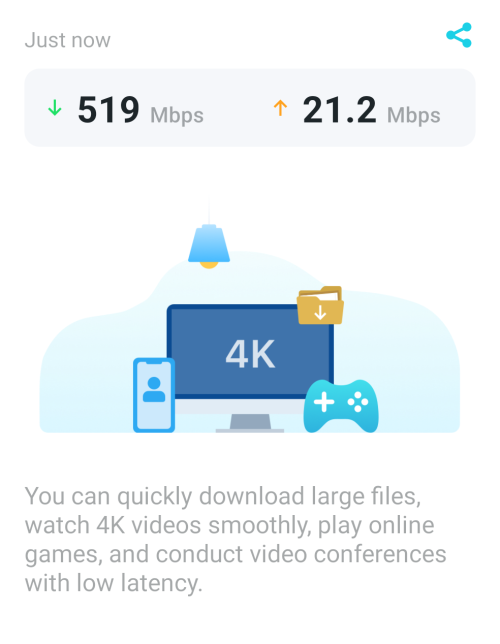 This post has been edited by yoonlim: Oct 2 2023, 04:42 PM This post has been edited by yoonlim: Oct 2 2023, 04:42 PM |
|
|
|
|
|
yoonlim
|
Oct 2 2023, 06:34 PM
|
Getting Started
|
QUOTE(Alpha_Tay @ Oct 2 2023, 06:31 PM) due to TP-Link SpeedTest Server Location Distance. The server location is near to my place. Download speed ok, only upload speed is very slow using Deco App to test internet speed. Using official speedtest app no issue on download and upload. |
|
|
|
|
|
yoonlim
|
Oct 2 2023, 07:58 PM
|
Getting Started
|
QUOTE(Alpha_Tay @ Oct 2 2023, 07:21 PM) or the TP-Link SpeedTest Server Saturated? or the route between TP-Link SpeedTest Server and you is Saturated? Funny thing is speedtest app no issue. Only deco app having slow upload issue. 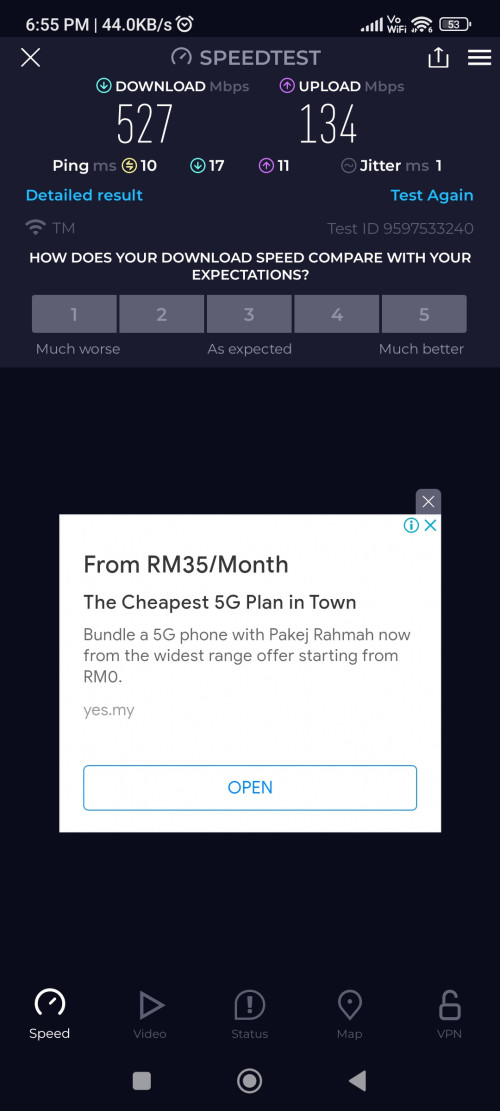 |
|
|
|
|
|
yoonlim
|
Oct 2 2023, 09:32 PM
|
Getting Started
|
QUOTE(Oltromen Ripot @ Oct 2 2023, 09:08 PM) What "TP-Link test servers..."? it's listing exactly the same Ookla's speedtest servers lah. 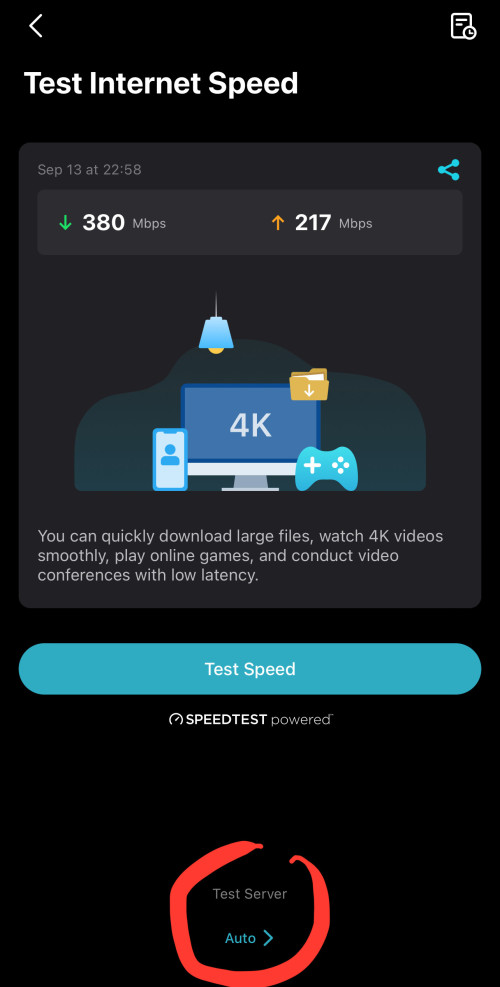 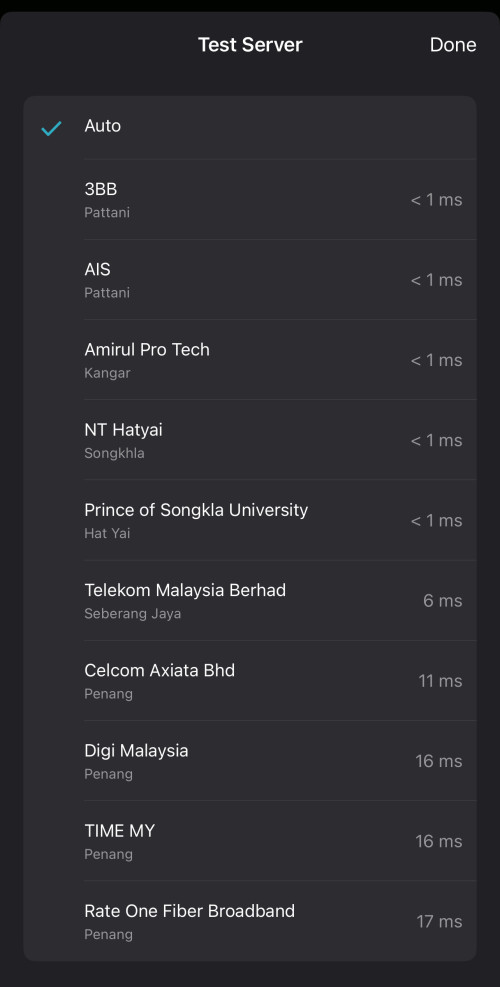 Yes, the servers are within Klang valley |
|
|
|
|
|
yoonlim
|
Oct 2 2023, 10:09 PM
|
Getting Started
|
QUOTE(Oltromen Ripot @ Oct 2 2023, 09:36 PM) did you use same server for both Speedtest and Deco's built-in? assuming all else are equal, should be a good judge whether we can trust Deco's built-in. I tried manually select few identical servers to test. Seems only deco app with slow upload speed |
|
|
|
|



 Quote
Quote

 0.1088sec
 0.79
0.79
 7 queries
 GZIP Disabled