Outline ·
[ Standard ] ·
Linear+
TP-LINK Malaysia Official Thread, Technical Enquiries and Support
|
rocktank
|
 Sep 14 2018, 06:28 PM Sep 14 2018, 06:28 PM
|
Getting Started


|
QUOTE(TP-LINK MY @ Sep 13 2018, 12:30 PM) 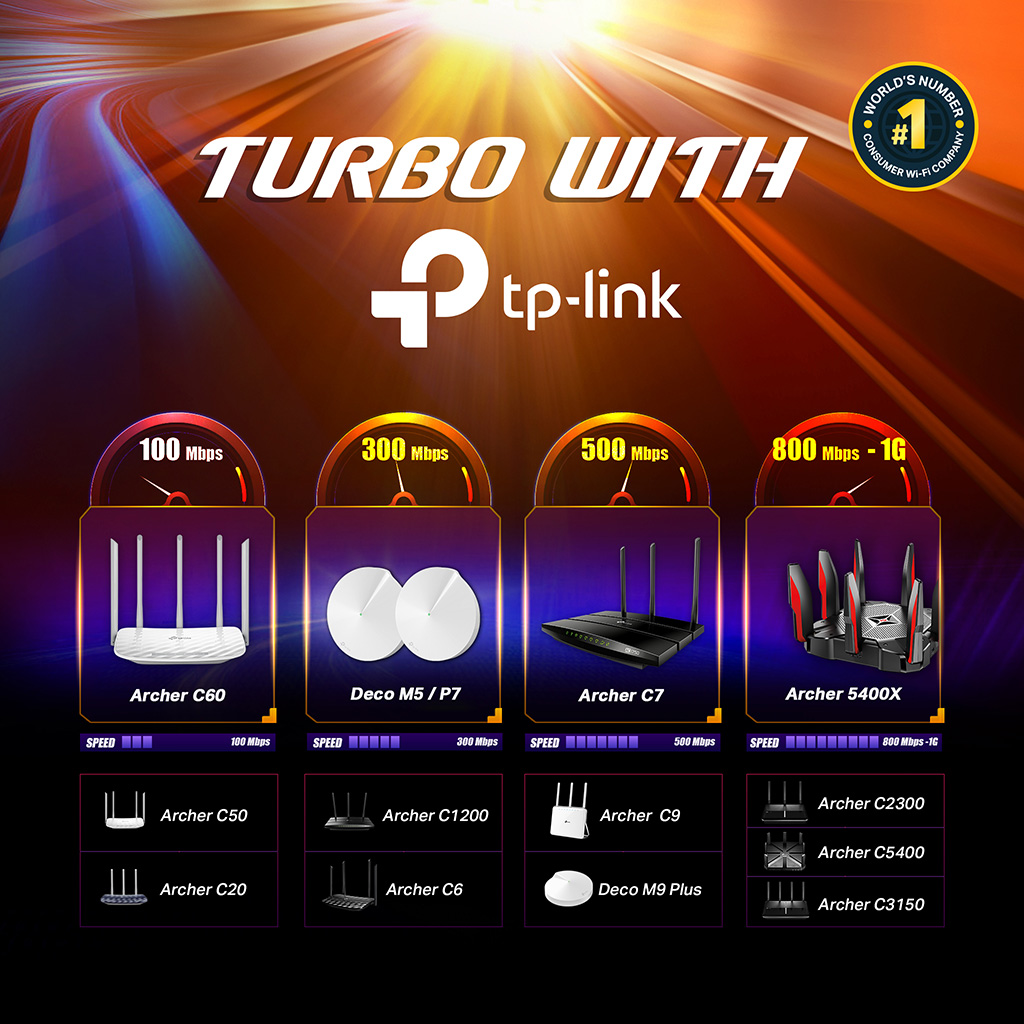 Are you ready for the TURBO Internet speed upgrade? TP-Link Wireless Routers surely is! Check if your router is supported and don't hesitate to ask us for more information! Hi, is this means archer c20 (AC 900) only can support up to 100mbps via WiFi? I just been told that I got the unifi turbo upgraded to 300mbps, but the speed test result is just 8x.xx mbps |
|
|
|
|
|
rocktank
|
Sep 14 2018, 11:47 PM
|
Getting Started
|
QUOTE(SilentVampire @ Sep 14 2018, 06:41 PM) Of course, and the C20 only has FE ports, which means that it only supports up to 100Mbps on the router LAN ports. Click on my signature and read everything theee, and change your router. thanks, just went thru your shared info, i gotta change my router then. thanks ya  |
|
|
|
|
|
rocktank
|
Aug 20 2021, 05:23 PM
|
Getting Started
|
Hi, I'm planning to use my old archer c20 as a WiFi range extender. After couple hours of setup, still cannot make it. I enabled the wds option, disable DHCP, and change the IP address. Am I missing any step here?
Thanks in advance
|
|
|
|
|



 Quote
Quote
 0.1125sec
 1.00
1.00
 7 queries
 GZIP Disabled