

QUOTE(SilentVampire @ Mar 17 2018, 10:17 PM)
Bro, there’s no speed limit setting for TP-Link routers, even for Asus routers.

SilentVampire Bro, it is available in ASUS router, please find in the video link: ASUS Bandwidth Limited on Guest NetworkTP-LINK Malaysia Official Thread, Technical Enquiries and Support
|
|
 Mar 20 2018, 02:43 PM Mar 20 2018, 02:43 PM
Return to original view | Post
#1
|
 
Junior Member
245 posts Joined: Feb 2010 
|
QUOTE(SilentVampire @ Mar 17 2018, 10:17 PM) Bro, there’s no speed limit setting for TP-Link routers, even for Asus routers. SilentVampire Bro, it is available in ASUS router, please find in the video link: ASUS Bandwidth Limited on Guest Network |
|
|
|
|
|
Mar 21 2018, 09:31 AM
Return to original view | Post
#2
|
|
Junior Member
245 posts Joined: Feb 2010
|
QUOTE(Alex9182 @ Mar 20 2018, 04:11 PM) any form of speed control need to enable QoS on Router right? Alex9182 After check my router, YES! you are right, you can see the picture attached.that mean any time NAT Boost is Enable for IPTV, we will not be able to use QoS Functionality, that includes Asus Router, is it correct? However, if is your bandwidth throughput is low, basically you can't see the different. If is HyppTV, actually TM have a dedicated bandwidth. Possible to tell us more what you trying to achieve? So everyone from here can learn together. Attached thumbnail(s) 
|
|
|
Mar 29 2018, 01:44 PM
Return to original view | Post
#3
|
|
Junior Member
245 posts Joined: Feb 2010
|
QUOTE(Smurfs @ Mar 28 2018, 09:16 PM) Thanks for the recommendation. Hi, another 2 from ASUSthe first link is modem plus router right? if i replace i think i maintain the tm btu and just replace the rg4332 with dlink  https://www.asus.com/my/Networking/DSL-AC52U/ https://www.asus.com/my/Networking/DSLAC68U/ |
|
|
Nov 7 2018, 05:38 PM
Return to original view | Post
#4
|
|
Junior Member
245 posts Joined: Feb 2010
|
QUOTE(SilentVampire @ Oct 31 2018, 05:40 PM) Nope. You need a router that can support VPN setup, and it will cost some money. The minimum router you need form Tp-Link is the C2300. All ASUS Router come with VPN client and VPN server, maybe you can consider study on ASUS router. |
|
|
Jan 8 2019, 03:54 PM
Return to original view | Post
#5
|
|
Junior Member
245 posts Joined: Feb 2010
|
QUOTE(FusionXY @ Dec 14 2018, 04:49 PM) HW is V2.1 Are you sure ASUS Firmware upgrade is for only high end routers??Firmware will be V2.0 The firmware download page mentioned V1, V2, V3 and so on. Depends on which model. Latest hardware got more improvements than since it was first launched. The RAM between both are different. C5400 is 512MB C5400X is 1GB C5400X do support Alexa & IFTTT. Thanks. Hi, depends on which brand. ASUS have firmware updates on old models as they are consider as high end routers. Like TP-Link old Version as V1 don't get any updates. What I mentioned old is that when don't have firmware updates until now. No money to buy ASUS. We use TP-Link products only. I use Archer C9, led dimmed out already. Thanks. Attached thumbnail(s) 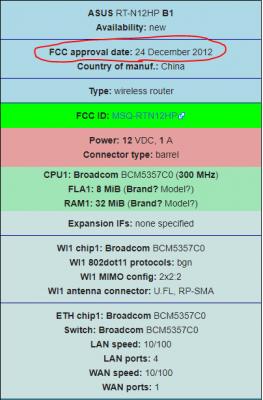

|
|
|
Sep 23 2019, 07:27 PM
Return to original view | Post
#6
|
|
Junior Member
245 posts Joined: Feb 2010
|
QUOTE(Kiding @ Sep 13 2019, 09:02 PM) Actually RM899 can get a decent mesh WiFi which can cover entire 2000sqf edge to edge and ensure max throughput everywhere if it is Ethernet backhaul. Why I need 2 if 1 can cover? I’m staying is double story house 20x70. 1 unit covered whole house.....mesh router in the market have limitation on features, LAN ports and lower performance, can’t compare bro.... |
|
|
|
|
|
 Sep 24 2019, 09:41 AM Sep 24 2019, 09:41 AM
Return to original view | Post
#7
|
|
Junior Member
245 posts Joined: Feb 2010
|
QUOTE(Kiding @ Sep 24 2019, 01:28 AM) You have underestimated Mesh WiFi, for example, to get 5Ghz to cover two floors with a single WiFi router, it is kinda difficult, that is why Mesh WiFi is better in this, it has virtually no blind spot if you have enough mesh wifi points. RM899 Mesh WiFi can cover every corner in your 20x70 double story house with 5Ghz signal, and if you have ethernet back-haul to connect all these mesh wifi points, you can get full performance almost everywhere in your house. I have ASUS RT-AC88U with me next to staircase at ground floor, 5Ghz is full bar in my master bedroom |
|
|
Sep 25 2019, 11:18 AM
Return to original view | Post
#8
|
|
Junior Member
245 posts Joined: Feb 2010
|
QUOTE(Kiding @ Sep 24 2019, 12:55 PM) That is good placement for your wifi router, the staircase allows the WIFI signal going up to reach first floor. That's why same solution can't apply to all users. I still prefer single powerful router over mesh router. Mesh router too many limitation in term of features and performance.However, not everyone can place router anywhere he/she likes because it requires to lay cable, Mesh WiFi eliminates this restriction so that each WiFi router can place at the optimal locations. Mesh WiFi also provide single SSID roaming for 2.4hz and 5Ghz, phone can seamlessly roam whichever signal is stronger. I'm happy that I do a right choice, bought RT-AC88U year ago. I can add any ASUS AiMesh compatible router when I really need to expend my coverage.  |
|
|
Sep 30 2019, 08:58 AM
Return to original view | Post
#9
|
|
Junior Member
245 posts Joined: Feb 2010
|
QUOTE(OhNooy @ Sep 29 2019, 03:44 PM) These are way beyond budget. No other smaller budget option? Ya, It is painful when want to take out the money to buy something. Consider the product support, performance and reliability, down the road you are saving more |
| Change to: |  0.0756sec 0.0756sec
 0.36 0.36
 7 queries 7 queries
 GZIP Disabled GZIP Disabled
Time is now: 2nd December 2025 - 07:02 AM |
 Quote
Quote