Welcome Guest ( Log In | Register )

Outline · [ Standard ] · Linear+

 Tutorial on Ubiquiti Edgerouter for unifi/maxis, Edgerouter settings ftw

views
     
kyleham
post Oct 1 2017, 03:47 PM

New Member
*
Newbie
11 posts

Joined: Mar 2009
Sorry guys, could I check with you,
anyone have port forwarding issue with TM unifi and edge router x?

I follow the step,
its easy to configure, but none of the port forwarding is working.

kyleham
post Oct 13 2017, 02:21 PM

New Member
*
Newbie
11 posts

Joined: Mar 2009
QUOTE(pandera999 @ Oct 4 2017, 05:17 PM)
did u enable something like this?

user posted image
*
sorry,
its my mistake,
LAN interface has to add switch.0 as well, else port forwarding wont work.


btw,

could I ask 1 more question?
anyone here has ever try to use 5fixed ip unifi with edge router?

I manage to add in all 5 public ip into single wan..

but.. of cos , all in / out traffic is using first public IP,
any idea how to set 1 LAN ip (example 192.168.1.10) to use my 2nd public IP ?

I already have 1 server(192.168.1.2) using port 80,
but I have another webserver (192.168.1.10) need to use port 80 as well...

stucking here..

haiz..

kyleham
post Oct 16 2017, 02:02 PM

New Member
*
Newbie
11 posts

Joined: Mar 2009
QUOTE(pandera999 @ Oct 14 2017, 02:29 AM)
5 fixed ip unifi? load balancing? u cant have 2 webserver using same port in 1 router.. you can create and use another port.
*
not load balancing.

unifi 100mbps business package is dynamic IP,
in order to get fixed IP u need to top up RM300/mth then they will assign 5 public ip for you.

so my company permanently get public IP 175.xx.xxx.81 to 175.xx.xxx.85 from TM for this 100mbps account.

so now I want to assign public IP
175.xx.xxx.81:80 to 192.168.1.2:80
175.xx.xx.82:80 to 192.168.1.3:80


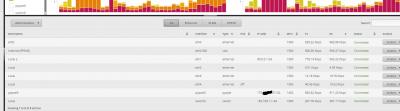
any idea how to do add in all 5 public ip into the router ?


Attached thumbnail(s)
Attached Image
kyleham
post Oct 16 2017, 04:16 PM

New Member
*
Newbie
11 posts

Joined: Mar 2009
QUOTE(pandera999 @ Oct 16 2017, 02:58 PM)
ok... basically, you have 1 WAN with fixed dynamic IP after top up. you just want to add 5 public ip into router. this is for vpn?

if you restart your router.. will the Ip currently inside the picture change?
*
nope, that ip 175.xx.xx.81 is permanently assign to me until I terminate my unifi, so even restart the ip would not change.

not for VPN purpose,
it just I have 2 webservers (192.168.1.2, and 192.168.1.3) both using port 80
so I want to do port forward which ip 175.xx.xx.81:80 forward to 192.168.1.2:80 and 175.xx.xx.82:80 forward to 192.168.1.3:80


Change to:
| Lo-Fi Version
0.0226sec    0.16    7 queries    GZIP Disabled
Time is now: 3rd December 2025 - 09:08 AM