Outline ·
[ Standard ] ·
Linear+
ILLEGEAR Custom Gaming Laptops v.3, RTX ON! ILLEGEAR RTX Gaming Notebook.
|
Omega5777
|
 Mar 5 2019, 10:43 AM Mar 5 2019, 10:43 AM
|
New Member


|
QUOTE(mcloudteo @ Feb 27 2019, 01:13 PM) 1. I'm just a occasionally gamer, spend most of my time with work and family, so far I did try league and legend and Dota 2 max out all the settings i can get 120++ fps for Dota 2 for LoL i post the screen shot below btw I never experience any throttling at least for this two game. 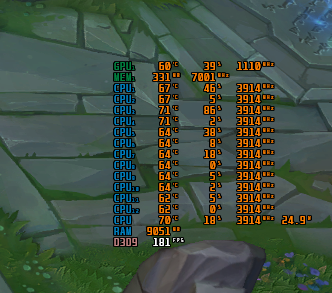 2. You can just research online plenty of information and compare them with the price listed in Illegear website. btw If you no need mobility it's better off with Desktop than Laptop to be honest it's always more powerful/cheaper and upgradeable and you have more option to deal with heat issue. bro hows the CPU temp when playing dota 2. I'm getting 90-95C. |
|
|
|
|
|
Omega5777
|
Mar 7 2019, 10:45 AM
|
New Member
|
QUOTE(AZIM@ILLEGEAR @ Mar 6 2019, 05:32 PM) Hi Omega5777, may I know when was the last time that you have applied the thermal paste for your laptop? Furthermore, may I know if your power option is set to 'Balanced' or 'High Performance'? Hi pluginbaby, the performance of the stock thermal compound for RAVEN is quite close to Thermal Grizzly Kryonaut actually, that's why we didn't offer for the upgrade option. But you can re-apply the thermal paste with the Thermal Grizzly Kryonaut option, perhaps after ±1 year, after the stock thermal paste has dried up. However in regards to the temperature levels achieved, I will let the RAVEN users to chime in  Hi Azim, I set the power option to High Performance. Just pick up the laptop last week so thermal paste should still be ok. Not sure if its game related or not as CPU stays around 75% when playing Apex & Battlefield. |
|
|
|
|
|
Omega5777
|
Mar 7 2019, 02:22 PM
|
New Member
|
QUOTE(AZIM@ILLEGEAR @ Mar 7 2019, 12:27 PM) Hi Omega5777, thank you very much for the details provided Since the laptop newly received, I believe the issue is rooted to the CPU speed instead. I would recommend to set the power plan to 'Balanced' regardless if the laptop is powered by charger/battery: https://www.howtogeek.com/240840/should-you...lan-on-windows/This is because the High Performance mode will activate the TurboBoost at all times and this could be causing excess temperature compounded while the laptop is running on idle, hope this clarifies. got it. Will try it out and monitor. Thanks bro. |
|
|
|
|
|
Omega5777
|
Mar 7 2019, 11:22 PM
|
New Member
|
QUOTE(AZIM@ILLEGEAR @ Mar 7 2019, 12:27 PM) Hi Omega5777, thank you very much for the details provided Since the laptop newly received, I believe the issue is rooted to the CPU speed instead. I would recommend to set the power plan to 'Balanced' regardless if the laptop is powered by charger/battery: https://www.howtogeek.com/240840/should-you...lan-on-windows/This is because the High Performance mode will activate the TurboBoost at all times and this could be causing excess temperature compounded while the laptop is running on idle, hope this clarifies. 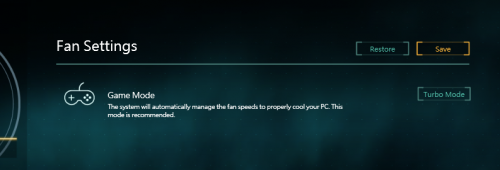 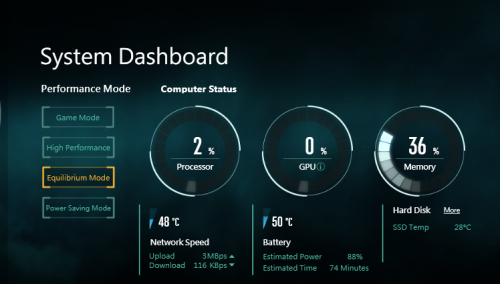 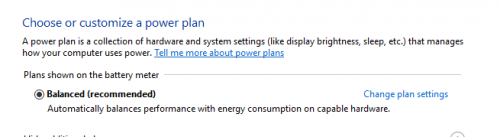 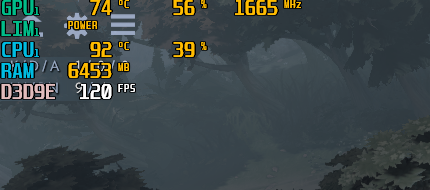 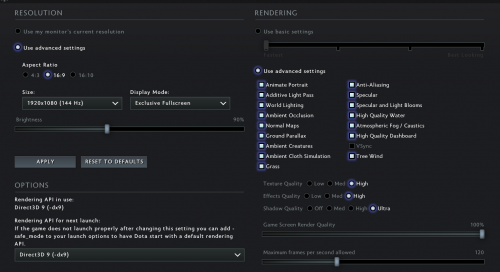 This only applies to dota 2, the rest of the games the graphic does not exceed 80'C (apex legends n others) |
|
|
|
|
|
Omega5777
|
Mar 9 2019, 06:18 PM
|
New Member
|
QUOTE(mcloudteo @ Mar 9 2019, 12:28 AM) Here you go the screen cap 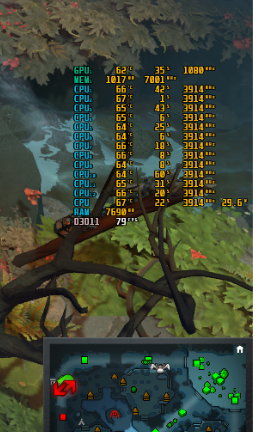 Thanks bro. The temp seems to reduce after changing the API rendering in video settings from dx9 to dx11. So all good for now. |
|
|
|
|



 Quote
Quote
 0.0565sec
 0.25
0.25
 7 queries
 GZIP Disabled