
Welcome Guest ( Log In | Register )

Outline · [ Standard ] · Linear+

Review Viofo A119 dashcam

views
     
P0lyStati0n
post Mar 25 2017, 03:45 PM

New Member
*
Junior Member
30 posts

Joined: Aug 2016


Bought the A119 through Lazada at RM355, including GPS logger. The only problem is doesn't have any warranty.
The dealer name is Extreme Deals.

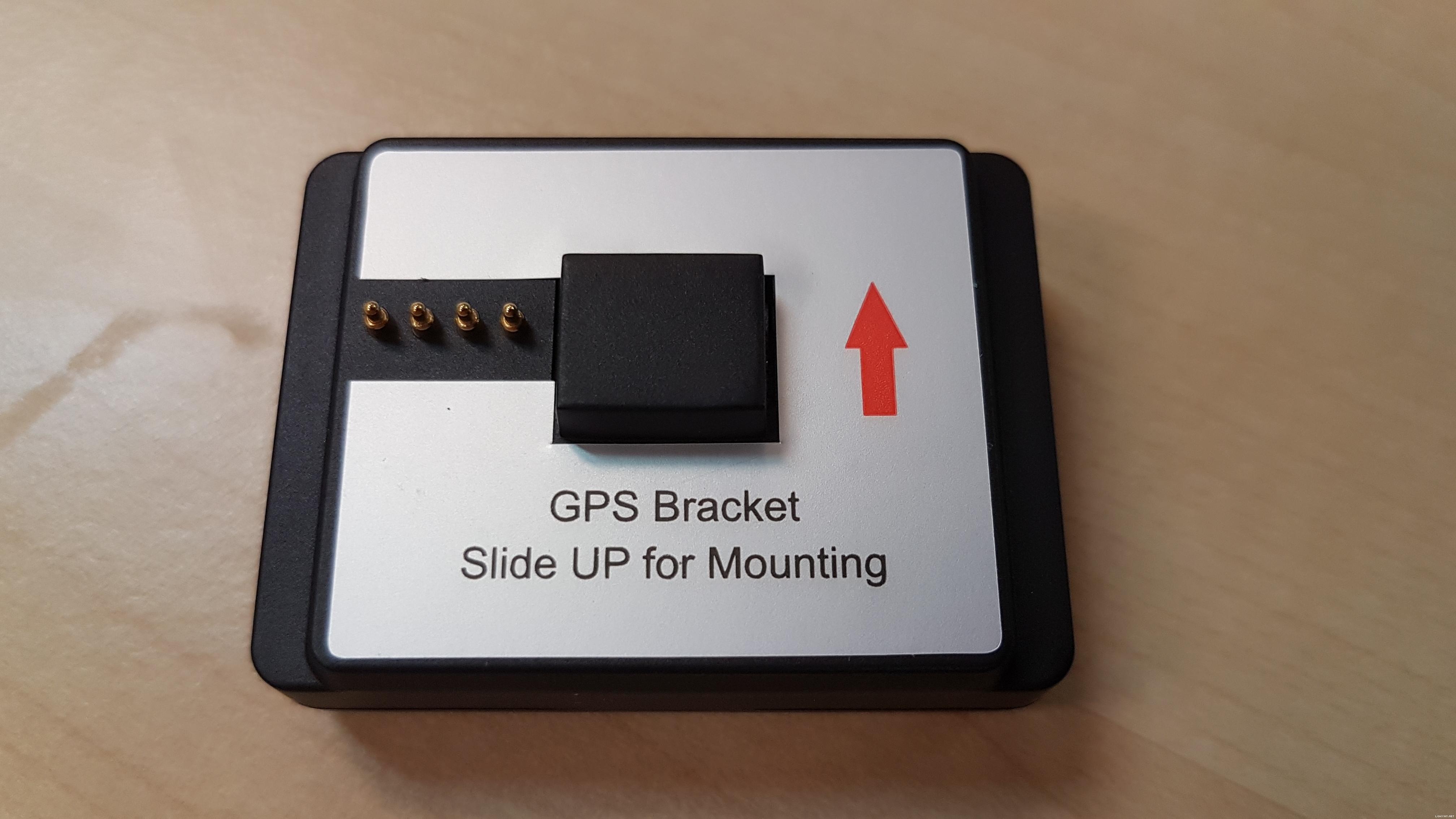
From the picture below, does the white label can removed, because mine does have it.
user posted image

From my first use, I really like it. The color is not that great but it doesn't matter. This is not a sport action camera.
Can observed slight vibration, but it doesn't disturb the quality.

What I don't understand is what does the WDR do? And the AV out is for what type of connection (output/input)?

Another thing is I set up the frequency to 50Hz, but I'm still seeing traffic light flickers & those who use HID is having flickering light as well.

Overall, I can't wait to use it for my daily drive. Too bad I can't use parking mode because once I stop the car, power is also cut-off.
P0lyStati0n
post Mar 26 2017, 07:43 PM

New Member
*
Junior Member
30 posts

Joined: Aug 2016


QUOTE(blurjoey @ Mar 25 2017, 05:37 PM)
Even buy from local seller only have 3 months warranty.

Newer GPS mounts all don't have the white sticker on it anymore if not mistaken. But the sticker should not hinder the function at all.
Here's a video that show what WDR does...


AV out is to plug to a TV or a monitor to show the live video. Should be using 3.5mm 4 pole plug to RCA (red, yellow, white) plug.

I think mine is set at 60Hz... Some dashcam can set auto...

In order for the parking mode to work, you'll need to get the hardwire kit and hardwire the A119 to your car fusebox under the steering wheel so that it draws power from the car battery directly.
*
Thanks, unker blurjoey. Really helpful since it doesn't state anything about AV in the manual.

For WDR, do you think it's necessary to turn on? I've checked carcamcentral "dash cam for beginners".'
In the end of the video, he say's that the HDR/WDR might not improve the performance.

Also, by 2nd day of use, and I found 2 incident. Already posted in YT.
I've used handbrake to crop certain section, and also removed audio if necessary.


P0lyStati0n
post Mar 28 2017, 01:38 PM

New Member
*
Junior Member
30 posts

Joined: Aug 2016


Okay, I've just encountered another problem which is the flickering LCD issue. Just like this:-

This keeps happening last night, where the device keep turning off/on repeateadly every seconds. Making it unable to record the video sad.gif

It seems that the problem is coming out from the GPS mount. If I powered it directly, there is no problem
*Sigh* Anybody else encountered this issue?

This post has been edited by P0lyStati0n: Mar 28 2017, 01:41 PM
P0lyStati0n
post Mar 28 2017, 03:18 PM

New Member
*
Junior Member
30 posts

Joined: Aug 2016


QUOTE(blurjoey @ Mar 28 2017, 02:19 PM)
I read a few ppl have issues with the GPS mount connectors.

Another way is to power using the A119 usb port. The GPS will still have power from there also.
*
Yeah, it fixed the flickering issue. And GPS information captured into the device even though I didn't powered it through the GPS mount.
Now the cable kinda look a lil bit messy, but at least it solves the problem.

On another note, changing 50/60Hz frequency doesn't make a difference in the traffic light/HID light flickering.
So I just set 50Hz simply because it's Msia standard.


Change to:
| Lo-Fi Version
0.0194sec    0.50    7 queries    GZIP Disabled
Time is now: 8th December 2025 - 07:44 PM