Outline ·
[ Standard ] ·
Linear+
Huawei Mate 8 forum discussion V2, The truly premium flagship?
|
samsungXP
|
 Oct 24 2016, 03:30 PM Oct 24 2016, 03:30 PM
|

|
QUOTE(benny888 @ Oct 24 2016, 03:20 PM) Download firmware. Extract zip to get dload folder Copy this folder to either internal memory or ext sdcard Switch off phone. Press simultaneously both VOL n power buttons. Once you see bootup release power n release both VOL buttons once you see EMUI splash screen Firmware will be flashed. Your phone will reboot twice Whole process will take about 2 mins No need root to do this as you are flashing official firmware through phone stock recovery i cant create dload folder at root coz it mention system files read only. This post has been edited by samsungXP: Oct 24 2016, 03:49 PM |
|
|
|
|
|
samsungXP
|
Oct 24 2016, 03:34 PM
|
|
|
QUOTE(plain_white @ Oct 24 2016, 02:40 PM) I'm using B321 now. It's EMUI 4.1. No need for root. Just download the firmware and use the dload method del This post has been edited by samsungXP: Oct 24 2016, 03:37 PM |
|
|
|
|
|
samsungXP
|
Oct 24 2016, 06:28 PM
|
|
|
QUOTE(benny888 @ Oct 24 2016, 04:30 PM) Yes n why not?? Just copy to any location in internal memory will do. I would suggest copy to ext sdcard s better option Why waste the space as after extract takes about 2.5gb Is good to keep copy in ext sdcard in case of need to flash back in case of any emergency currently no ext sd.so i can copy to storage also since root system files read only.how the battery on b321.after dl the firmwares and unzipped wat files we get ? juz copy all the files ? ok i ord watch the video how to flash..tq This post has been edited by samsungXP: Oct 24 2016, 06:38 PM |
|
|
|
|
|
samsungXP
|
Oct 24 2016, 06:29 PM
|
|
|
QUOTE(piglover @ Oct 24 2016, 05:42 PM) Estimate Rm5k plus.. can challenge iphone liow china phone wont more than rm3k |
|
|
|
|
|
samsungXP
|
Oct 24 2016, 09:02 PM
|
|
|
QUOTE(benny888 @ Oct 24 2016, 06:39 PM) After unzip you will get to see a folder named dload. Inside it is the update.app firmware file Just copy over the whole dload folder I had no issues with battery since b163. I don't see any significant differences upgrading all the versions from b170 till b320 n b321. My SOT has been consistently at 10+ hours so b321 dun have any special features ? |
|
|
|
|
|
samsungXP
|
Oct 25 2016, 06:43 AM
|
|
|
i press volume up + power button but it not going to recovery mode but show emui installer
|
|
|
|
|
|
samsungXP
|
Oct 25 2016, 11:36 AM
|
|
|
QUOTE(benny888 @ Oct 25 2016, 06:57 AM) Did you see the 3 options - reboot, factory reset, wipe cache? That is emui stock recovery. You CANNOT install any firmware directly through it. Use the dload method and the emui installer will auto detect n update firmware i ord install the firmwares.but now i wan go to recovery mode.volume up + power cant get into recovery mode.only go to installer mode This post has been edited by samsungXP: Oct 25 2016, 11:37 AM |
|
|
|
|
|
samsungXP
|
Oct 25 2016, 01:06 PM
|
|
|
QUOTE(benny888 @ Oct 25 2016, 11:52 AM) As said that is stock recovery already. Root and install twrp if you wish to have a proper recovery mode. However you must flash back stock recovery before you can install any official firmware no wat i mean is power + volume up i cant go to stock recovery.it will come out emui installer package screen.i wan to wipe cache.i mean hard reset.it is the same button to press if we want to install firmwares? below is wat i mean This post has been edited by samsungXP: Oct 25 2016, 01:46 PM Attached thumbnail(s)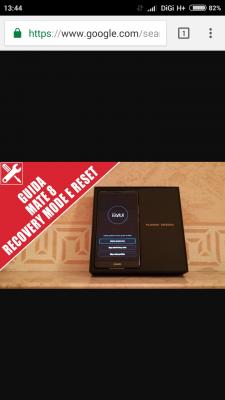
|
|
|
|
|
|
samsungXP
|
Oct 25 2016, 02:25 PM
|
|
|
QUOTE(benny888 @ Oct 25 2016, 02:16 PM) Yes, the photograph shows that is stock recovery . As said you CANNOT install any firmware from stock recovery. You need to use the dload method u cant get me.nvm i ord settle.wat i wan is go to stock recovery to wipe cache and not install firmware.firmware ord install.the procedure is same but muz release power + volume up button fast once the huawei logo appear.juz now i hold for long time thats why it go to installer package screen This post has been edited by samsungXP: Oct 25 2016, 02:26 PM |
|
|
|
|
|
samsungXP
|
Oct 26 2016, 01:04 AM
|
|
|
hope new firmwares will show 4g+ icon
|
|
|
|
|
|
samsungXP
|
Oct 26 2016, 11:14 PM
|
|
|
anyone got using doze apps ?
|
|
|
|
|
|
samsungXP
|
Oct 27 2016, 12:49 PM
|
|
|
anyone using ringke fusion case ? how the thickness compare with ultra hybrid
|
|
|
|
|
|
samsungXP
|
Oct 28 2016, 07:03 PM
|
|
|
how to put all install apps from playstore to external sd card? any setting ? switch the storage location ?
This post has been edited by samsungXP: Oct 28 2016, 07:05 PM
|
|
|
|
|
|
samsungXP
|
Oct 28 2016, 10:42 PM
|
|
|
juz bought a sandisk 16gb class 10...rm30
|
|
|
|
|
|
samsungXP
|
Oct 28 2016, 10:42 PM
|
|
|
QUOTE(piglover @ Oct 28 2016, 09:34 PM) Mate 8 food pic » Click to show Spoiler - click again to hide... « [attachmentid=7897465] auto mode ? |
|
|
|
|
|
samsungXP
|
Oct 29 2016, 01:16 AM
|
|
|
the case come with mate 8 is original motif back case ?
|
|
|
|
|
|
samsungXP
|
Oct 29 2016, 10:24 PM
|
|
|
wat case u all using
|
|
|
|
|
|
samsungXP
|
Oct 30 2016, 11:59 AM
|
|
|
QUOTE(attw @ Oct 30 2016, 11:34 AM) how the thickness |
|
|
|
|
|
samsungXP
|
Oct 30 2016, 12:01 PM
|
|
|
why battery show my wifi usage always on but i got off sometimes Attached thumbnail(s)
|
|
|
|
|
|
samsungXP
|
Oct 30 2016, 05:00 PM
|
|
|
QUOTE(samsungXP @ Oct 30 2016, 12:01 PM) why battery show my wifi usage always on but i got off sometimes why wifi show active all the time ? |
|
|
|
|



 Quote
Quote
 0.0613sec
 0.60
0.60
 7 queries
 GZIP Disabled