QUOTE(jjj2 @ Apr 29 2018, 09:56 AM)
Hi,
If you are referring to TIME stock router, cylinder type is D-Link DIR850L.
The router TIME is selling is TP-Link Archer C1200. So now you are using this TP-Link router right ?
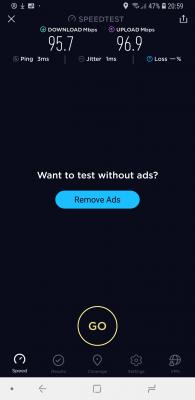
Looking at your screenshots, are you far away from the Router ?
1) Please do a test using a Cat5e/Cat6 network cable directly plug to the TP-Link Router. You will need a laptop/pc with Gigabit network port.
2) To rule out the Router problem, after the Test No. 1 above, if it's still giving you such low speed, please do a direct connection to your ONU (text me will guide you step by step).
Thanks.
Long time ago when Time just launch, they gave me a router which is white in colour. That was a few years back.
Then they gave me a free speed upgrade, but that old router could not support the upgraded speed. So they asked me to buy dir850 dlink router.
I bought from PC shop. They guided me over phone on how to install.
The first few weeks the speed was fine. Was getting more than 50mbps averagely.
However after that, the speed drop down to below 10mbps on every speedtest i did. Even i sit next to router also the same.
All this speedtest was done over wifi. I am not asking for 100mbps speed over wifi. Even 50mbps is good enough.
Problem is i am only getting 7-8mbps on speedtest nowadays


 Apr 28 2018, 09:40 PM


 Quote
Quote



 0.0438sec
 0.80
0.80
 7 queries
 GZIP Disabled