Welcome Guest ( Log In | Register )

Outline · [ Standard ] · Linear+

 Final Fantasy XV, Windows Edition in March 7, 2018

views
     
Convael
post Mar 7 2018, 09:26 PM

Regular
******
Senior Member
1,109 posts

Joined: Sep 2007
From: Kuala Lumpur
They can have all the best voice actors in the game , yet what they truly need is someone who can write a story .

I can't believe they let an Amateur Writer , who had completely no experience in writing to go on and become the Lead writer . The reviews on amazon are going to explode soon , if they haven't already


Even after playing thru the game twice , I still don't remember / know who Luna is .
I still don't understand why does her brother exist in the game , along with many other characters who appear to be well designed , yet vanished from the game forever , after showing up for 5 seconds .

This post has been edited by Convael: Mar 7 2018, 09:48 PM
Convael
post Mar 7 2018, 10:01 PM

Regular
******
Senior Member
1,109 posts

Joined: Sep 2007
From: Kuala Lumpur
QUOTE(xHj09 @ Mar 7 2018, 09:56 PM)
Have you watched Kingsglaive / Brotherhood? Kingsglaive showed a bit about her brother, you'll understand more after watching.

The story was actually quite nice, just that there are too many holes which leaves us to imagine all the possibilities. They're slowly coming as DLC though. Episode Ardyn is coming soon. I'm guessing it's about his lineage.
*
I assure I did catch up on everything , including the movie and the pre-release anime episodes.
It isn't because I don't understand the story , they are just so much of a cliche , so bland and lacks personality .


And how can you tell me you understand so much about it ? When a character show up and died 5 minutes later ?

» Click to show Spoiler - click again to hide... «


This post has been edited by Convael: Mar 7 2018, 10:08 PM
Convael
post Mar 8 2018, 07:53 AM

Regular
******
Senior Member
1,109 posts

Joined: Sep 2007
From: Kuala Lumpur
QUOTE(Hevlaska @ Mar 7 2018, 10:47 PM)
Voiceover is one thing, usage of words and lingual limits and its representation is another thing all together. I never said the voice acting is bad, it is indeed very well done. But there is no way to convey 100% from one language to another. This is where it falls short, not the translation nor the voice actors/actresses.
I can't comment much on the performance as i am playing on a 1080ti, but the graphics is really amazing. A new benchmark on all AAA line and FF series itself.
*
That is usually true , the " localization " between Japanese and English games can be unusually tough.
Some jokes that appear to be funny to the Asian , is hardly laughable to the Westerners , vice versa.

Again a lot of cultural differences can't be helped , for eg Japanese are on average are a lot more "polite" than the average Westerner when it comes to everyday talking.
So the translators aren't just needed to translate it , they need to reinvent the phrases so the native speakers of that language can understand well .


In general , it is also a lot easier / cheaper to find high quality voice actors in Japan since Seiyuu industry in Japan is a lot more advanced .
In the case of FFXV , the English voice actors are from where they are hiring AAA V.A from games like Diablo 3 , WOW( aka A lot more professional and expensive ) .
Which is why the typical jRPG that had a budget too low to hire Oscar awards level of V.A into the game suffered the most , for eg ; the recent Xenoblade 2


I played thru the game on English dub this time , they are on the " passable " level .
Not particularly good or bad , some of the English dialogues are still very cheesy due to the writings

I do find the Japanese Voice actor of Noctis a little too "dramatic " and lose his calm way too easily , for such an introvert Prince.
So he is the only character in the game where I find Noctis 's English actors have did slightly better in this regard , imho

This post has been edited by Convael: Mar 8 2018, 02:58 PM

Convael
post Mar 8 2018, 02:50 PM

Regular
******
Senior Member
1,109 posts

Joined: Sep 2007
From: Kuala Lumpur
The Nvidia hairwork and Turf technology are not really optimized for daily use in game


They put even the best GPU onto their kneels .Just like 7900x with GTX Titan XP can't run the game on 4k with 60 consistent frame rate as well.
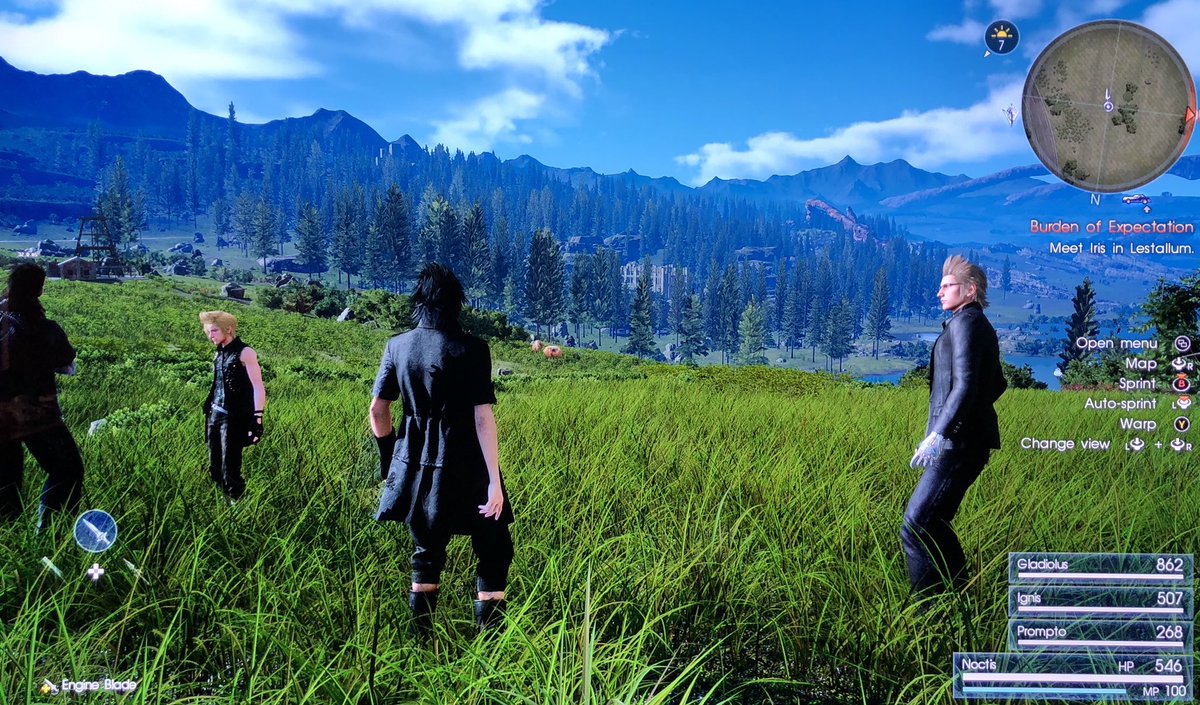
The open area in Duscae is particularly much more demanding than any other area in the game due to the massive increase in foliage density

user posted image

By default , both gtx 1070 and 1080 should run the game nicely on 1440p (Turf / hairwork off ) . And Gtx 1060's sweet spot is on 1080p


P/S : Make sure you install the game on SSD for the optimal performance since its a 150gb game

This post has been edited by Convael: Mar 8 2018, 02:55 PM
Convael
post Mar 11 2018, 06:44 AM

Regular
******
Senior Member
1,109 posts

Joined: Sep 2007
From: Kuala Lumpur
QUOTE(Hevlaska @ Mar 11 2018, 12:20 AM)
Ah this guy, he's nice enough to be contributing in gaming community, he has lots of other works elsewhere too. But serious attitude problem, lately purposedly break a game(prefer not to mention, not FFXV/Nier) coz some guy pissed him off.
I have had dealing with this guy before . Let's just say it was quite a nightmare.

I can hardly call him contributing to the community anymore after all the fiasco he has caused .
Right now I don't use his mods , I mostly wait until the Russian takes his mods and " unlock " it. It isn't ethical but not like he give you any chance to explain yourself.


This guy mostly lurks around the jRPG and Japanese game ports , which he will eventually release some fixes and game mods earlier than the game DEV .
While some of them are definitely helpful , but a lot of them are hit and miss .


The other day , one of his group subscribers was asking (politely , might I add ) if he has time to release and update for a project he started on , the poor guy was kicked from of the group because he was in bad mood.

Also the fact that some of his mods force its way into your rig and refuse to get uninstalled , downright unprofessional.

P/S : Many of his mods a, for eg ; the stuttering fixes in ToB and subtitles desync fixes on FFX - 2 were NOT working well . But if you try to tell him that , good luck not getting blacklisted. Arrogance and ignorance in one package doh.gif

This post has been edited by Convael: Mar 11 2018, 12:01 PM
Convael
post Mar 11 2018, 08:05 AM

Regular
******
Senior Member
1,109 posts

Joined: Sep 2007
From: Kuala Lumpur
QUOTE(Hevlaska @ Mar 11 2018, 07:46 AM)
Yeah, hope SE will fix it asap, as the summon issue is rather tiring, especially if a summon is needed on a boss and its a long way to go before the next savepoint. You'll have to bear 20fps till you're able to save.
*
I dig a little deeper into the summon issues . It looks like the summon models ( like Ramuh ) their animation is capped at 30 fps .
Post summon , the game somehwat made an adjustment to re-sync the game back into 30 fps , yet somehow it doesn't work well for the PC version because we pretty much have unlocked Frame rate ( 120 is the cap to be exact , won't go any higher )


The stalkers on steam have noticed SquareEnix have been testing several "test builds " on the test server in the last few days . An update shouldn't be too much further

This post has been edited by Convael: Mar 11 2018, 08:05 AM
Convael
post Mar 11 2018, 11:33 AM

Regular
******
Senior Member
1,109 posts

Joined: Sep 2007
From: Kuala Lumpur
QUOTE(Hevlaska @ Mar 11 2018, 08:13 AM)
But right after summon, its always 17-20 fps, not even 30. And it isnt Ramuh only, all other summons presents the same issue, however, the animation was fine at 60fps during animation. Oh well, at least its good to hear a fix is on its way.

Another issue i encountered is flickering grasses, only happen when upscaled (125% reso above). 100% on my 4k or 1440p is fine.
*
Its a resync issue , it doesn't exactly deduct 30 frame from your normal frame rate .
The Summoned Deity on the console version has a frame limit of 30 but their actual animation FPS is in the the range of 17-20.

Which is why post summon the game will limit your frame rate at the similar range


Refer to this post for more details

http://steamcommunity.com/app/637650/discu...67355218437590/

This post has been edited by Convael: Mar 11 2018, 11:34 AM
Convael
post Mar 11 2018, 11:43 AM

Regular
******
Senior Member
1,109 posts

Joined: Sep 2007
From: Kuala Lumpur
I have noticed the flickering issues as well and have heard different speculation on the matter .

According to the reports , running the game on 120 fps cap will trigger the issue more often than 60 fps , while capping the fps at 30 will eliminate most of them .

Basically the lower frame rate you get , the less flicker issues you will encounter .
G - sync monitors can increase frequency of flickering objects because it will boost your fps as well


Probably have something to do with the original console version being developed with a locked 30 fps in mind

This post has been edited by Convael: Mar 11 2018, 11:46 AM
Convael
post Mar 11 2018, 11:48 AM

Regular
******
Senior Member
1,109 posts

Joined: Sep 2007
From: Kuala Lumpur
QUOTE(ReverseDark @ Mar 10 2018, 08:44 PM)
https://steamcommunity.com/app/637650/discu...67168518535998/

Here, mods that help improve performance and fix jittering, same dude that fix nier automata
*
Just a side note, this mod does not fix your game performance issues .

The only thing it fixes is the mini stutter you get when you switch your control mode from kb to gamepad , vice versa

So if you have only been using KB or Gamepad , this will do nothing

This post has been edited by Convael: Mar 11 2018, 11:49 AM
Convael
post Mar 11 2018, 11:57 AM

Regular
******
Senior Member
1,109 posts

Joined: Sep 2007
From: Kuala Lumpur
QUOTE(Hevlaska @ Mar 11 2018, 11:49 AM)
i see, try look into possibility of scaling rate too, in my case, as long as scaling is set to 100% the issue disappear all together. Doesnt matter which monitor or reso i game on, same solution. But at 100% scaling, if it isnt at least 1440p/4k, it won't look that good.
*
Yea not to sound like tool , I can't stand my games running on anything before QHD / UHD thesedays . I have grown too sensitive to all the jaggies

According to Digital Foundry , the game 's TAA ( Temporal Anti Aliasing ) shine the brightiest on QHD / UHD
On 1080p ( FHD ) or anything before it looks a little too blurry for my taste


Love that geomapping option as well

This post has been edited by Convael: Mar 11 2018, 11:58 AM
Convael
post Mar 11 2018, 03:37 PM

Regular
******
Senior Member
1,109 posts

Joined: Sep 2007
From: Kuala Lumpur
QUOTE(xHj09 @ Mar 11 2018, 01:50 PM)
where is the half life pack, anyone knows?
*
At FF XV 's steam's workshop
Convael
post Mar 11 2018, 03:38 PM

Regular
******
Senior Member
1,109 posts

Joined: Sep 2007
From: Kuala Lumpur
QUOTE(fujkenasai @ Mar 11 2018, 01:33 PM)
Does anyone have this problem? [attachmentid=9648373]
*
I have no idea how you got this screen .

Back up and restore is a feature from Steam that let you back up and restore games to previous version , it isn't turned on by default .
So make sure you have enough drive space to install FFXV


If you are really struggling to download the high res texture pack , you can skip that . The difference isn't really obvious unless you plan to play the game on 1440p +

This post has been edited by Convael: Mar 11 2018, 03:39 PM
Convael
post Mar 11 2018, 06:41 PM

Regular
******
Senior Member
1,109 posts

Joined: Sep 2007
From: Kuala Lumpur
There is no reason to use cheats in game . This version of FFXV is easy enough as it is .


The Ragnarok weapon , which came with the Window edition as FREE content is OP beyond words
9999 warpstrikes everywhere , rendering every other weapons useless and it is available from the start.


Talk about poor balance and p2w , they were originally selling the sword as DLC on the console version
Don't equip the sword if you want to save some challenges for yourself

This post has been edited by Convael: Mar 11 2018, 07:52 PM
Convael
post Mar 14 2018, 06:40 AM

Regular
******
Senior Member
1,109 posts

Joined: Sep 2007
From: Kuala Lumpur
QUOTE(Hevlaska @ Mar 12 2018, 09:35 PM)
FFXV Windows Edition just set a new benchmark and a standard to game graphics, its stunning to say the least and looks wayyyy better than ps4.
*
FFXV on PC is indeed a marvelous looking game with a lot of customizing options

But if we are talking about setting new benchmarks , FFXV on PC, while being technically impressive the game looks a little dated in comparison with more recent game like AC : O . This is especially obvious if you have HDR enabled display

At its core the comparison isn't very fair , because FFXV is an older game than AC : O ( 2016 vs 2017 ) .

Fact that Assassin Creed : Origin on PC has won multiple awards of Art direction and named best game Graphic of 2017 . If you like to look at pretty games , you should check the game out especially the Tourist mode, bringing you for a tour around ancient Egypt


In comparison of a 4k video I made from a HDR monitor awhile ago , AC : O is more advanced when it comes to shadow rendering , water , environmental lighting , global illumination and texture filtering , while FFXV has more advanced geometry for foliage , character models and their hairs , hairworks etc .

This post has been edited by Convael: Mar 14 2018, 07:36 AM
Convael
post Mar 14 2018, 07:25 AM

Regular
******
Senior Member
1,109 posts

Joined: Sep 2007
From: Kuala Lumpur
QUOTE(Hevlaska @ Mar 14 2018, 12:15 AM)

Your screen resolution is 1920 x 1080.  At 100%, your game renders everything @ 1920 x 1080, which fits everything on your screen snugly. At 200%, your game renders double of that resolution (3840 x 2160) then SCALE it to fit your resolution aka, squeeze all the massive 2k details onto your 1080p. Means, you get much more detail as much as your sceen allows and chances is, you dont even need AA minus our usual AA annoying blurring as jagged edge at 200% scaling is practically non existence. But at a serious cost to your GPU/CPU/RAM. Its basically the same as playing on a 2k monitor, with quality between 1080 and 2k... or maybe lesser.

*
Actually 3840 x 2160 is around 400% of the standard 1080p not 200%

A simple total of pixel counts from the resolution (non wide screen) would be :


1920 x 1080 ( FHD ) = 2073600 (standard 1080p)

2560 x 1440 ( QHD ) = 3686400 ( roughly a 177% increase from 1080p )

3840 x 2160 ( 4K / ULTRA HD ) = 8294400 ( around 395% increase from FHD/1080p , 225% increment from QHD 1440P , A staggering 800%+ comparing with 720p )


Which is why 4k is so demanding because for every rendered frame it draws 4 times more power from your CPU / GPU compare to the standard 1080p.


This post has been edited by Convael: Mar 14 2018, 07:32 AM
Convael
post Mar 14 2018, 03:19 PM

Regular
******
Senior Member
1,109 posts

Joined: Sep 2007
From: Kuala Lumpur
QUOTE(fujkenasai @ Mar 14 2018, 11:29 AM)
Just managed to install the whole game on nvme yesterday had to delete 3 games for it...
will test the R/W speeds again tonight.
how come game size of AC:O only turns out to be 1/3 of FFXV?
*
Different games use different compression techniques

In this case , FFXV has a lot of video files and some of it are 4K remastered , which translate into massive file sizes
At the same time FFXV is equipped with multiple Languages options, audio and voice files can be unusually large

This post has been edited by Convael: Mar 14 2018, 03:41 PM
Convael
post Mar 14 2018, 03:52 PM

Regular
******
Senior Member
1,109 posts

Joined: Sep 2007
From: Kuala Lumpur
QUOTE(fujkenasai @ Mar 14 2018, 03:28 PM)
The extra 68 gig dl is for 4k video?
*
Some of it , not all of it . As the title suggests the high res texture pack consists of some new assets and new texture to replace the default texture in game


But from what I have seen , it is more of a different artstyle than radical improvement on texture work.


On a screen of 1080p , you basically wouldn't notice much difference beside the addition of foliage , mainly the grasses and plants
Something to be noted here , the high res texture is not always an improvement .

So unless you will be leaving Nvidia Turf effects on , I would consider the high res texture pack a downgrade over the original assets


user posted image

The screen on top has Turf & High res pack on , while the bottom is the default game with turf work on .
Nvidia turf work can be quite demanding , so if you can't afford to leave turf on , just use the default asset

The extra foliage doesn't look anywhere as good without Turfwork

This post has been edited by Convael: Mar 14 2018, 04:03 PM
Convael
post Mar 14 2018, 06:20 PM

Regular
******
Senior Member
1,109 posts

Joined: Sep 2007
From: Kuala Lumpur
QUOTE(Hevlaska @ Mar 14 2018, 05:52 PM)
I was explaining how upscaling works. Certainly not the exact numbers of pixels.
*
From your quote

QUOTE
Your screen resolution is 1920 x 1080. At 100%, your game renders everything @ 1920 x 1080, which fits everything on your screen snugly. At 200%, your game renders double of that resolution (3840 x 2160) then SCALE it to fit your resolution aka, squeeze all the massive 2k details onto your 1080p. Means, you get much more detail as much as your sceen allows and chances is, you dont even need AA minus our usual AA annoying blurring as jagged edge at 200% scaling is practically non existence. But at a serious cost to your GPU/CPU/RAM. Its basically the same as playing on a 2k monitor, with quality between 1080 and 2k... or maybe lesser.


I know you were , but to make it clear

Upscaling at 200 % = 2X the vertical and 2x horizontal pixel from 1080p
a Display of 1080p going up to 2160p = 400% the pixels


In your quote you first mention upscaling at 200% to 4k (which is correct ) yet in the latter part of your explanation you mention squeezing all the " 2k details " , you even mention the quality comparison between 1080 and 2k in the last sentence , so I thought you are talking about 1440p ( 2k ) . Not a big deal really

This post has been edited by Convael: Mar 14 2018, 06:22 PM
Convael
post Mar 14 2018, 06:37 PM

Regular
******
Senior Member
1,109 posts

Joined: Sep 2007
From: Kuala Lumpur
QUOTE(Hevlaska @ Mar 14 2018, 05:49 PM)
I have AC : O, and honestly, i am completely not impressed at all and to be honest, rather disappointed since i heard so much praise and award. To be fair, FFXV PC is just few days back and its whole lot difference with the PS4 version. While AC : O HDR is done beautifully, its too intense to my liking. World design is certainly as you said, AS : O. But AS : O is still far behind from FFXV in terms of eyes for minor detail. If pay attention to fine prints on texture, you can see the amount of work that is placed into them. AC : O is certainly better in general effects as you mentioned above(shadow rendering , water , environmental lighting , global illumination and texture filtering), but i am certainly bought by FFXV attention to details and world design, and overall quality of graphics. And yes i have 2 HDR capable panels.

Comparison is only fair if you compare PS4's ver of both game and PC ver of both game.

Again, issue with GFX options in FFXV that most aren't aware. Since the option isnt there natively (on some of my PC), to manually enable them, you have to do the following.

1. under win 10 display settings turn on HDR
2. under your display driver set pixel format to ycbcr 4:2:2 and color depth to 10 or 12
3. make sure your at ingame full screen
4. ingame under display the light setting should show up it starts at 600 so crank that up to 1000, if you can't find this in game, do it at the config file.
When i saw some videos on Youtube, most are playing English dub ver and they all have the pre-rendered CGI lip synced to English. And my Japanese dub is properly lip synced too. Thus leading to my conclusion, the Videos itself must have taken up a reasonably big proportion of the 63GB as well.
*
In terms of preference we can agree to disagree , I suppose


AC : O already has a level of general brightness on top of the HDR, if your luminance range is too low the sun tend to look really bad at times


Change to:
| Lo-Fi Version
0.0385sec    1.19    7 queries    GZIP Disabled
Time is now: 16th December 2025 - 07:15 PM