Welcome Guest ( Log In | Register )

Outline · [ Standard ] · Linear+

 Battle of the +/- rm7k TVs, + Discussion on Sharp UE630X

views
     
susu_capbadak
post Feb 1 2016, 10:12 PM

Getting Started
**
Junior Member
69 posts

Joined: Jan 2013
QUOTE(AVFAN @ Feb 1 2016, 08:22 PM)
hdmi1 - full.
this is for my android box 4k capable and a new 4k hdmi cable.
works ok, no problem.

all other hdmi's - set to limited.

i confirm that with tv optical audio output bitstream setting, can get dd 5.1 on netflix, beside uhd 4k video.
as we now start to discuss more on SHARP UE630X series, i again suggest u amend thread secondary title so that users and potential buyers know this thread has some good info for this brand series. i don't notice another thread for SHARP UHD 4K TV!
*
Agree cause me now are leaning towards SHARP after several people here owns it... laugh.gif
susu_capbadak
post Feb 25 2016, 12:14 PM

Getting Started
**
Junior Member
69 posts

Joined: Jan 2013
https://forum.lowyat.net/topic/3877181
Sharp being bought over
lol i just got the Sharp 58 inch...
susu_capbadak
post Feb 28 2016, 11:48 AM

Getting Started
**
Junior Member
69 posts

Joined: Jan 2013
QUOTE(Longshot @ Feb 28 2016, 10:01 AM)
Hi,
The shop is One Living. Same row with KFC and HLK, Onking etc
Happy hunting...

So far, I'm very happy with my UE630X.
rclxm9.gif  rclxm9.gif  rclxm9.gif
*
Eh, i also bought from One Living but Puchong branch with around the same price biggrin.gif
susu_capbadak
post Mar 4 2016, 11:37 AM

Getting Started
**
Junior Member
69 posts

Joined: Jan 2013
Any of you guys have problem with the usb connection in Sharp LC58UE630X? everytime i plug my pendrive to watch in TV and plug back to PC, windows says it detected problem and need to scan. In manual it says don't insert and remove pendrive repeatedly but then it also says do not use USB cable. But we have to plug and remove everyday to watch new things from PC right? Cannot use the cable below?


user posted image
uploading pictures

user posted image
susu_capbadak
post Mar 4 2016, 12:11 PM

Getting Started
**
Junior Member
69 posts

Joined: Jan 2013
QUOTE(jdgobio @ Mar 4 2016, 12:01 PM)
Why don't you connect your TV to your home network (LAN) so that you can access your PC files from the TV? No need to transfer files to a hard drive and plug-in to the TV.
*
Hmm didn't know can do that. Have to dig in manual and see how, looks complicated sweat.gif
susu_capbadak
post Mar 4 2016, 02:46 PM

Getting Started
**
Junior Member
69 posts

Joined: Jan 2013
QUOTE(jdgobio @ Mar 4 2016, 12:32 PM)
Not complicated. Just try to figure out how to turn-on DLNA server on your PC and then you should be able to access your PC files.

You can also use Plex app if you want. Install Plex media server on your PC and then on your TV install the Plex app.
*
QUOTE(AVFAN @ Mar 4 2016, 02:19 PM)
i have been thru this, mentioned that in an earlier post - the usb playback function is not very good. while the codecs are fine in that it can play many formats incl m2ts and able to arc dts/dd, the usb player is not well developed for connectivity and navigation. not surprising as sharp is a tv maker and not a media player maker.

the usb cannot handle usb plug ins and outs repeatedly; it will show empty folder. u need to do it slowly, give it time. often, u need to switch off the tv or even cut off power completely to reset it. once u get it, it will work fine. no diff with tumbdrives or powered hdd.
the tv can stream, but again, it does it clumsily unlike an android box.

the simplest way is to install es file explorer in the tv, set up the LAN function to access yr PC. at yr PC end, you must first allow "share with". this is basically SAMBA.
*
Thanks for the tips guys, will attempt to do that when i have the time...
susu_capbadak
post Mar 4 2016, 11:38 PM

Getting Started
**
Junior Member
69 posts

Joined: Jan 2013
QUOTE(jdgobio @ Mar 4 2016, 04:13 PM)
My old 2010 Samsung pre-smart hub aTV also handles USB drives competently and can do DLNA without issues.
I realized that the Sharp had issues with USB media playback when I couldn't get my HDD to work on it in 2 different shops. All the Samsung's on the other hand, read it just fine and gave a pop up.

Well at least there are other ways to make it work via the Android TV.
*
If like that I choose wrong tv liao haha, should have get samsung. When I started to research I was looking for lcd to do 3 main things, watch astro, watch youtube and play files from pendrive on that order
susu_capbadak
post Mar 4 2016, 11:38 PM

Getting Started
**
Junior Member
69 posts

Joined: Jan 2013
Double post

This post has been edited by susu_capbadak: Mar 4 2016, 11:40 PM
susu_capbadak
post Mar 7 2016, 02:10 PM

Getting Started
**
Junior Member
69 posts

Joined: Jan 2013
QUOTE(AVFAN @ Mar 7 2016, 01:42 AM)
i got good news for you - i found a way to playback usb on the tv reliably! biggrin.gif

i spent a couple of hours reading anything i could find on the subject then tried a few things.

the answer is two fold:

.. DO NOT use usb1 (at the side, left) - i think this drive is usb3.0, blue in color, may be too sensitive to plug ins and outs, diff hdd's, etc. use one of the other 2 at the back which looks like usb2.0 to me.

.. DO NOT use native player. use... KODI! thumbup.gif just install direct from playstore, version jarvis 16.0.

you can then play with video->files->sdcard; the hdd folders will show. and if u r familiar with kodi, it's easy to navigate, get subs, etc.

i tried all 3 usb drives, tried Kodi, VLC, MX, ES file explorer. Kodi is by far, the best.

i never liked using kodi for usb playback on my boxes since the native players are easier to use and superior for hd audio pass thru. so, here, i finally get to use it that way! laugh.gif

one more thing - don't worry about usb extension cables. i tried it, no problem. and chances are it will be required since the usb2 and 3 ports are somewhat hidden at the back.
one thing clear to me now is this sharp ue630x... while the android inside is pretty good, the usb drive/player is poor. strange they try to stinge on that. anyway, glad there is an acceptable solution. wink.gif
*
Wah, that good news indeed. Yaloh you might be right about Usb 2 and 3, never thought to try out the other two. Thanks!!! But let me see if I can replicate your success b4 I celebrate haha
susu_capbadak
post Mar 12 2016, 12:43 PM

Getting Started
**
Junior Member
69 posts

Joined: Jan 2013
QUOTE(AVFAN @ Mar 7 2016, 03:14 PM)
yes, try it.

it is still possible an hdd cannot be read, i have one like that.

likely the formatting, sensitive usb drive. biggrin.gif

but overall, can use.
i am now testing the tv kodi samba functions - see if it can stream wifi 4K material from my pc.
*
Tested all the pendrive and external HDD i have with both the usb 2 and usb 3 input. Two Kingston pendrive is readable with both usb but another one which is older (i guess 3 years plus) is not. Only two of the 3 HDD which is newer (Western Digital, 500GB and 1TB) can read. Whether i try with USB 2 or 3 input, when i plugged back to PC, Windows reported problem with drive and need to scan (pic below) BUT ONLY with Kingstone pendrive. However every scan took like 5 sec and then "Windows sucessfully scanned the drive. No errors were found". So i am really not sure whether there is actually a problem with it. i think pc only reported prob when the tv writes to it (created the two android folder). The weird thing is it only creates in pendrive and not HDD hmm.gif

I installed Kodi as you suggested although i think this a hardware problem and it's not the native player that cause the external devices to behave this way. Haven't explore it but first reaction is like the interface, glad there's resume play function compared to tv native player although it's takes like 30 sec or more to resume. It also can play a MPG file that the native player can't.

So my conclusion is ( i could be wrong) the tv should be able to read all HDD produced recently. But i only tested with Kingston and WD, other brand might produce different result laugh.gif haha

BTW the above 2 HDD only worked after the software update...

user posted image
upload imagem
susu_capbadak
post Mar 30 2016, 12:17 PM

Getting Started
**
Junior Member
69 posts

Joined: Jan 2013
PM me also! laugh.gif
susu_capbadak
post Apr 17 2016, 10:09 PM

Getting Started
**
Junior Member
69 posts

Joined: Jan 2013
http://www.lazada.com.my/fsh-rii-mini-x1-2...tv-6722885.html

Is this wireless keyboard or something similiar compatible with the Sharp 58ue630x? Or is it better to get separate wireless keyboard and mouse?

This post has been edited by susu_capbadak: Apr 17 2016, 10:16 PM
susu_capbadak
post May 8 2016, 12:15 PM

Getting Started
**
Junior Member
69 posts

Joined: Jan 2013
I just downloaded "Point Break" 42GB. But when i used Kodi to play the 00001.m2ts file, the video is grainier than most 1-2 GB video i watched. Is there any setting i should adjust? hmm.gif


edit posting in Kodi thread icon_rolleyes.gif

This post has been edited by susu_capbadak: May 8 2016, 12:16 PM
susu_capbadak
post May 8 2016, 06:02 PM

Getting Started
**
Junior Member
69 posts

Joined: Jan 2013
QUOTE(AVFAN @ May 8 2016, 03:01 PM)
that movie was filmed in uhd4k (or higher), available in bluray 4k.

the file u hv is a 1080p, maybe not ripped well.

yes, it does come out a "grainy", like some others that come out darker than usual.

i think it's because the tv upscales the 1080p. if u use a 1080p tv, it will not be the case.
i assume u are using kodi in the tv.

i am not sure if u can change the video output in kodi to lower, say 1080i or 720p.

if u r using a box like i do, can set the box output that way, the tv will upscale "less".

that way, it will be less grainy - i tried it, but observed that details are be lost.

i like it "grainy"! biggrin.gif i set my box to 2160p 24 or 30hz, the tv does whatever it can, picture is as good as it gets.

by the way, the movie is a visual dazzler - you want to see the color and details of the mountains, snow, water, forest.. besides the freckles and moustaches! laugh.gif
*
Yes, i played in tv using kodi. When i tried a 4GB file The Happening, i was amazed at the incredible details of the freckles biggrin.gif as you said. So i decided to download one of the largest movie file i could find but the result is not what i expected. will try to see if i can tweak the output to lower later...

add - it's also grainy when i played in PC.

This post has been edited by susu_capbadak: May 8 2016, 06:06 PM
susu_capbadak
post Aug 1 2016, 01:10 PM

Getting Started
**
Junior Member
69 posts

Joined: Jan 2013
QUOTE(AVFAN @ Jul 29 2016, 01:38 AM)
i noticed a message about update available.

but when i read further saying it will take "317 min", i did not proceed.
some bug in the update?

maybe wait a few days, google to see if any news.

meanwhile, do report here if u find anything new.
*
I too cancelled it after seeing it took so long. Now the message to update doesn't appear anywhere, where do i go to update? hmm.gif
susu_capbadak
post Aug 1 2016, 05:16 PM

Getting Started
**
Junior Member
69 posts

Joined: Jan 2013
QUOTE(AVFAN @ Aug 1 2016, 02:03 PM)
The estimated time is very conservative. Wont take more than 1 hr.

Go to settings, about, system update, manual update, network update.

If new available, it will begin.

If none, it will say its up to date.
*
Thanks, at first it said something like packet not found. Then i go setting, apps and got the system update from there. icon_rolleyes.gif
took like 45 min for me to download and installed
susu_capbadak
post Feb 2 2017, 05:48 PM

Getting Started
**
Junior Member
69 posts

Joined: Jan 2013
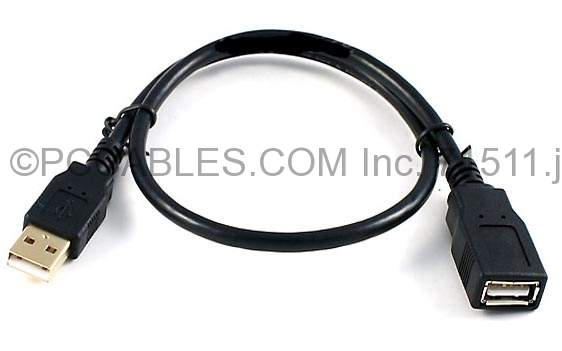
My standard USB Male to female extension konk liao. Can i get this cable to watch 4K video from HDD? Is 5 Gbps fast enough for 4K video?

http://www.lazada.com.my/ugreen-usb-30-mal...l-10482484.html
susu_capbadak
post Feb 2 2017, 07:08 PM

Getting Started
**
Junior Member
69 posts

Joined: Jan 2013
QUOTE(AVFAN @ Feb 2 2017, 07:03 PM)
The native player in the tv CANNOT handle 4k videos.

It can take 4k videos if it is processed by another player, say a 4k capable android box, input to tv with hdmi.

As for the extension, it will be fine.
*
I will be using Kodi to play directly from portable hard disk. The cable fast enough for 4K data transfer rate?
susu_capbadak
post Feb 2 2017, 07:51 PM

Getting Started
**
Junior Member
69 posts

Joined: Jan 2013
QUOTE(AVFAN @ Feb 2 2017, 07:36 PM)
Which kodi?

Kodi in the tv or in another box?

Which kodi version?
*
Kodi in the TV. Version 16.1 Jarvis
susu_capbadak
post Feb 2 2017, 08:57 PM

Getting Started
**
Junior Member
69 posts

Joined: Jan 2013
QUOTE(AVFAN @ Feb 2 2017, 08:34 PM)
if u were able to play 4k with usb via kodi 16.1 in the tv, any new extension cable should be fine.

i m about to test same with kodi 17.0 - 4k, 10 bit, hevc265... biggrin.gif
*
OK, thanks. thumbsup.gif Good luck

2 Pages  1 2 >Top
 

Change to:
| Lo-Fi Version
0.0621sec    1.27    7 queries    GZIP Disabled
Time is now: 10th December 2025 - 11:17 AM