Welcome Guest ( Log In | Register )

Bump Topic Topic Closed RSS Feed

Outline · [ Standard ] · Linear+

 Investors Club V9, Previously known as Traders Kopitiam

views
     
hiung258
post Aug 30 2016, 11:33 AM

New Member
*
Junior Member
18 posts

Joined: Aug 2016


hello , may i ask anyone using RHB tradesmart desktop apps ? i install on my old pc it work fine , but when i install on my new pc..the apps window wont open...updating(%) wont run and reach "loading application " it will disapper and nothing happen X_x any solution provide ?...ps: sorry ...my english quite horrible.
hiung258
post Aug 30 2016, 12:09 PM

New Member
*
Junior Member
18 posts

Joined: Aug 2016


QUOTE(Boon3 @ Aug 30 2016, 12:07 PM)
Best you call the help desk.
*
Oh ! Ok will do smile.gif thank you very much !
hiung258
post Aug 30 2016, 02:26 PM

New Member
*
Junior Member
18 posts

Joined: Aug 2016


QUOTE(kevraul @ Aug 30 2016, 02:15 PM)
just a guess.....
maybe you can try right click and run as administrator?
*
I tried. ..but dun have that option to click ...does anti virus vpn will block the apps ? I'm using avast ( Internet security pack )
hiung258
post Aug 30 2016, 02:47 PM

New Member
*
Junior Member
18 posts

Joined: Aug 2016


QUOTE(Pink Spider @ Aug 30 2016, 02:29 PM)
Don't open from Start menu.

Open from Deskstop.
Right click on the icon, then select open as Admin.
*
The apps have created a shortcut icon on my desktop. ..but i can't see the opeion to run admin >_< I will ...I open the shortcut properties and I can't click the run administration option...weird

hiung258
post Aug 30 2016, 03:06 PM

New Member
*
Junior Member
18 posts

Joined: Aug 2016


QUOTE(Pink Spider @ Aug 30 2016, 02:59 PM)
Quarterly results doesn't surprise on the upside lor sad.gif
Maybe bcos you're not Admin? tongue.gif
*
LOl~ hahaha gonna go ask rhb about this xD and uninstall my anti virus see if work. ..thanks guys biggrin.gif
hiung258
post Aug 30 2016, 03:10 PM

New Member
*
Junior Member
18 posts

Joined: Aug 2016


QUOTE(Pink Spider @ Aug 30 2016, 03:08 PM)
Technical stuff is best answered by u calling IT of your broker la bro
*
Hahaha will do xD thanks for advice hehe ..newbie here xD
hiung258
post Sep 10 2016, 05:14 PM

New Member
*
Junior Member
18 posts

Joined: Aug 2016


QUOTE(Boon3 @ Sep 9 2016, 03:48 PM)
Common myths about drawing support and resistance levels:

Myth 1: You should draw every level you can find on your charts – Many traders fall into this trap, they end up taking an hour to draw on every little level they can find. What they end up with is a really messy chart that basically does more harm than good. You need to learn to draw only the significant levels on your charts, then you’ll have a useful framework to work from.

Myth 2: Your S/R (support and resistance) levels should always be drawn across the exact highs or lows of price bars – This is perhaps the biggest myth that traders have about drawing levels on their charts. Often times, support and resistance are more “zones” than exact “levels”, sometimes you will have a key level that is indeed an exact level, but more often than not we are going to be drawing our support and resistance lines midway through bar tails or even through the body of a bar sometimes. Point being, you don’t always have to draw the level exactly through the high or low of the bar. Note: if you are totally new and confused by some of the lingo here, please take some time to go over this candlestick tutorial before moving on.

Myth 3
: You should go back really far in time with your levels – Unless you are a long-term buy-and-hold investor right now, you don’t need to go back more than about 8 months when drawing your levels.

Stolen from: http://www.learntotradethemarket.com/forex...sistance-levels

stolen pictures from that link. sweat.gif  sweat.gif

user posted image
user posted image
user posted image
.... some will just EFFFFFF me up left, right and center and say my post is a waste of internet space...

all one needs to do is open the interactive stock chart from the trading platform and the S&R are all readily drawn nice nice for one to see.

for example...

user posted image

and then....

some don't even use S&Rs......
cos they are a bloody waste of time...
since with the market being fluid, S&Rs fluctuates and changes daily ...
yea... the support and resistance lines are there to be broken....

*
Woow~ this is gold statement ! Thanks! biggrin.gif
hiung258
post Nov 8 2016, 08:10 PM

New Member
*
Junior Member
18 posts

Joined: Aug 2016


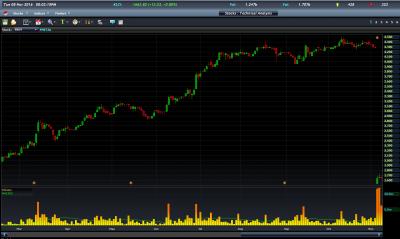
hi guys , newbie here =) just wanna ask why this 2 chart showing diffrently ?
1 from RHb trade smart
1 from pb sharelink


This post has been edited by hiung258: Nov 8 2016, 08:11 PM


Attached thumbnail(s)
Attached Image Attached Image
hiung258
post Nov 8 2016, 08:37 PM

New Member
*
Junior Member
18 posts

Joined: Aug 2016


QUOTE(Boon3 @ Nov 8 2016, 08:21 PM)
One is adjusted for the bonus issue/split and one isn't adjusted.
*
ah i see , thank you for your explain =)
hiung258
post Nov 17 2016, 06:36 PM

New Member
*
Junior Member
18 posts

Joined: Aug 2016


ABCD pattern ?


Attached thumbnail(s)
Attached Image
hiung258
post Nov 17 2016, 07:35 PM

New Member
*
Junior Member
18 posts

Joined: Aug 2016


QUOTE(Boon3 @ Nov 17 2016, 07:24 PM)
Use the chart and don't ever let the chart use you.  smile.gif

Besides the chart, what is the driving force behind the stock?
What's out there to seduce other traders to trade love the stock madly?
*
hmmm...good point , will do more research about this company =)
and find those reason .
hiung258
post Nov 17 2016, 11:17 PM

New Member
*
Junior Member
18 posts

Joined: Aug 2016


QUOTE(Boon3 @ Nov 17 2016, 07:47 PM)
Game Plan dude....  cool2.gif
To win a war you need to win many battles....

Each battle, you need a clear cut war plan... a clear cut strategy.
War = your 'battles' in the stock market.

The battles = trading/investing of individual stock(s).
I am very sure you can figure it out....
so get a proper game plan.

Know yourself...

Know your enemy.....

cool2.gif
*
Thanks for ur experience/knowledge xD still much more to learn biggrin.gif


Topic ClosedOptions
 

Change to:
| Lo-Fi Version
0.1311sec    0.74    7 queries    GZIP Disabled
Time is now: 1st December 2025 - 05:24 PM