Welcome Guest ( Log In | Register )

Bump Topic Topic Closed RSS Feed

Outline · [ Standard ] · Linear+

 ILLEGEAR Z5 & Z7 Discussion Thread V2, ILLEGEAR Z7 is here!

views
     
EXkurogane
post Sep 24 2015, 06:28 PM

Regular
******
Senior Member
1,715 posts

Joined: Sep 2010


QUOTE(Arvinaaaaa @ Sep 24 2015, 06:26 PM)
For me..alienware still has a much better solid build compared to the z5
*
Until the motherboard burns from gaming within 3 months after purchase... That's what happened to my friend.
Investing so much in a laptop which should deliver in gaming but still managed to overheat until it fried the mobo.
That was an older model of course, the newer one is probably better.

This post has been edited by EXkurogane: Sep 24 2015, 06:28 PM
EXkurogane
post Sep 24 2015, 11:20 PM

Regular
******
Senior Member
1,715 posts

Joined: Sep 2010


For my case i have a mobile lifestyle, travelling here and there every week. No desktops for me anytime soon.
EXkurogane
post Sep 26 2015, 02:53 PM

Regular
******
Senior Member
1,715 posts

Joined: Sep 2010


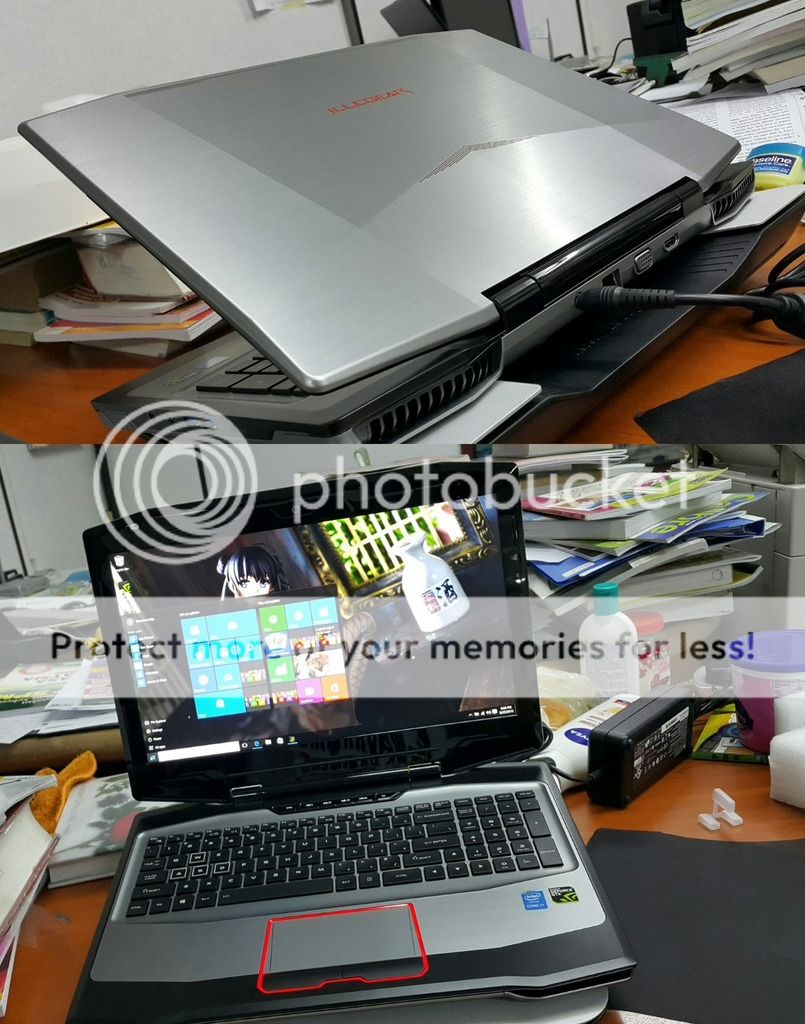
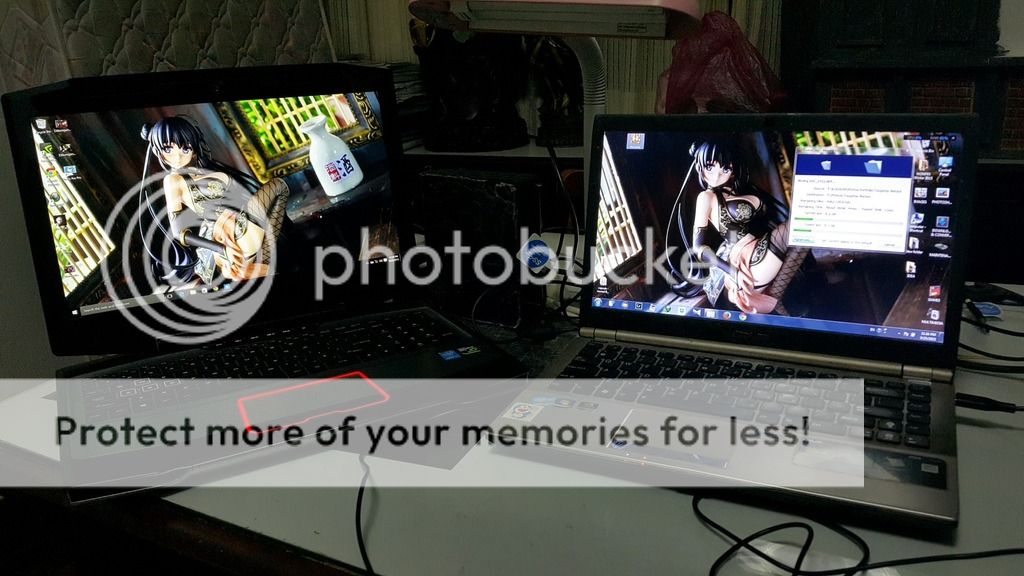
Just checked on mine after i reached home yesterday.
rclxms.gif rclxms.gif rclxms.gif
Finally, no more crappy screen, my old laptop was a washout torture.

user posted image

user posted image
EXkurogane
post Sep 27 2015, 12:23 AM

Regular
******
Senior Member
1,715 posts

Joined: Sep 2010


One thing odd about the Z5, which i noticed almost immediately after using it for half a day, is the USB ports. I remembered someone said it didn't recognize external hard disks sometimes.

The trick was not to push in the usb cable's head fully into the port. At one point as u slowly push the cable into the port the computer will detect it, and then u stop there. It's almost like the USB ports are 2 or 3 millimeters "too deep" than necessary.

If u push the cable's head fully fast into the port the computer might not be able to detect an external peripheral is being plugged in. Oddly it only applies to my WD external MyBook. HDD. It doesn't happen to mouse and keyboard. Not an issue really, i just have to plug my stuff like 2 or 3mm short instead of fully into the port.
EXkurogane
post Sep 27 2015, 12:29 PM

Regular
******
Senior Member
1,715 posts

Joined: Sep 2010


QUOTE(cstkl1 @ Sep 27 2015, 02:12 AM)
there is a button under the screen next to the shortcuts.. the first on the left at the very top of the keyboard
No issue here with Seagate Wireless External HDD (Moded with a 1tb OCZ 840 EVO ssd in it)
*
I believe it's more to a small difference in USB port/cable head design in terms of the length/depth. Different OEMs may differ slightly. When u have a case where the cable head is a bit longer than usual and the sensor chip within it is exactly in the middle and u plug the whole cable head into the port at a fast speed u might miss the contacts between the sensors between the port and the cable. It happened only to my WD cables occasionally but not on my mouse, keyboard, pendrive, etc. Just my theory based on what i experienced.

But once the HDD has been detected even if i pushed the cable in further there is usually no disconnection. So as long i gently push the cable (which is recommended in general, don't be rough lol) the external peripheral is detected in all occasions. Anyway it's not something I'd call a defect.
EXkurogane
post Sep 28 2015, 01:01 PM

Regular
******
Senior Member
1,715 posts

Joined: Sep 2010


QUOTE(yusukezz @ Sep 28 2015, 10:41 AM)
My issues was my hub that connecting keyboard and mouse and cooling pad kept disconnect and reconnect .

However, when i remove cooling pad, everything works fine blink.gif  blink.gif
*
Fortunately my cooling pad can take 5v DC power (optional), but troublesome lah have to plug in socket. Or else the 3 USB hubs in the cooling pad may not supply enough power for multiple stuff being plugged in. The laptop's one single USB port don't have enough power for the fan and another 3 ports in the built-in Hub.
EXkurogane
post Sep 28 2015, 01:04 PM

Regular
******
Senior Member
1,715 posts

Joined: Sep 2010


QUOTE(EXkurogane @ Sep 28 2015, 01:01 PM)
Fortunately my cooling pad can take 5v DC power (optional), but troublesome lah have to plug in socket. Or else the 3 USB hubs in the cooling pad may not supply enough power for multiple stuff being plugged in. The laptop's one single USB port don't have enough power for the fan and another 3 ports in the built-in Hub.
*
QUOTE(cstkl1 @ Sep 28 2015, 12:03 PM)
Which makes think that those having issues either
1. Its a faulty port
2. Driver issue in windows
3. Bios issue

My bios is not on default. Its exclusively runs in efi with every option to speed up booting.

How many of u guys having this issue
1. Install windows n drivers ureself
2. Windows was preinstalled by iLLegear
*
My windows 10 was preinstalled by illegear, works just fine
I believe that for those using external hubs (if 4 USB ports are still not enough for them) there may be a lack of voltage. My external HDDs and even cooling pad takes a DC power source so I don't have this issue regarding insufficient voltage.
EXkurogane
post Sep 30 2015, 04:45 PM

Regular
******
Senior Member
1,715 posts

Joined: Sep 2010


4 days into using this laptop, very happy so far.

I only installed Chrome in addition to Edge, didnt install Firefox, but there's this plugincontainer.exe thingy (which is usually associated with firefox) magically managed to max out my cpu usage, a core i7 cpu, to 100% and made the whole machine sluggish. I got mad and instead of disabling it I totally deleted the exe file from my drive C's program data folder.

And I noticed the Chrome browser had a tendency to spam ads on all 4 sides and also at the corners (right left top bottom) of any webpage I opened - it never happened on my old laptop. Erasing plugincontainer.exe somehow reduced its occurrence but it still happens to some sites and I don't know why, even when I have adblock installed.

I like windows 10 and the Edge browser a lot so far in terms of performance, but almost every browser felt unpolished yet when used on windows 10. Chrome had only a 32 bit version.
EXkurogane
post Oct 1 2015, 01:22 PM

Regular
******
Senior Member
1,715 posts

Joined: Sep 2010


QUOTE(jason_tee @ Oct 1 2015, 12:29 PM)
I never had such issue with chrome before, your case seem weird, are you sure not caused by malware/adware? Anyway, I don't use chrome on Z5, only use Edge and IE11 for different needs, so far works fine for me though.
*
Could have been a browser adware i think, which was installed together with other software i installed on my own (and nope, i wasnt even asked the permission to install this or that toolbox where i need to tick/untick some checkboxes. I always read every installation steps in detail). That adware doesnt really do anything other than spamming ads all over the place and using up more resources in the process; the ads contain legit stuff like Lazada and Aliexpress stuff.
EXkurogane
post Jan 4 2016, 01:15 PM

Regular
******
Senior Member
1,715 posts

Joined: Sep 2010


QUOTE(xarive @ Jan 3 2016, 10:54 PM)
I am getting this external HD disconnect issues and this solution works fine for me. Btw, is there a permanent solution for d/c issue? left 3.0 port.
*
Not too sure about a permanent solution

It seems to differ between different devices. I plug smartphone "too deep" also will disconnect one, like my hard disks. But It does not happen to pendrives, mouse and keyboards. All three USB3.0 ports for my case. But then again plugging in only 3/4th of the length of the cable head solves this. Maybe if I use a different USB-micro USB3.0 cable it wont happen because of slight differences in the cable head. Both of my external disks are the same WD MyBook models, so their cables are the same.

Otherwise a few months into using this laptop Im pretty satisfied with it so far.

It's kind of annoying that USB ports often have issues no matter what laptop I bought, that Im also getting used to expecting issues with USB ports no matter what laptops I buy. My older Asus and Dell's USB ports especially the 3.0 ones also started giving me issues with refusal to recognise or disconnecting halfway not long after I bought those laptops (within a year I think). In less than 2 years at least one of the 3.0 ports would have failed.

In Comparison, I think I'd rather have a port where i dont have to plug in fully but works all the time. Hopefully.

This post has been edited by EXkurogane: Jan 4 2016, 01:21 PM

EXkurogane
post Apr 10 2016, 02:54 PM

Regular
******
Senior Member
1,715 posts

Joined: Sep 2010


My Z5, which is just bought last September, it seems like one of the cooling fans have stopped working. Air is only coming out of one of the vents behind.
Sending it in for checking is going to be a pain because I live in Penang.

*Edit: it started running again after I restarted. Hopefully it's due to power fluctuations or something sweat.gif

This post has been edited by EXkurogane: Apr 10 2016, 02:58 PM
EXkurogane
post Apr 11 2016, 02:03 PM

Regular
******
Senior Member
1,715 posts

Joined: Sep 2010


QUOTE(Prince J @ Apr 11 2016, 10:44 AM)
Hi EXkurogane,

Did it suddenly stop working? Can you pm me your serial number and model?
*
It started working again after a simple restart. I havent shut down my laptop for weeks already, I only put it to sleep when not in use. Probably when i disconnect my AC power source and using it on battery once in a while, to save power one fan was turned off but it never went back on despite the AC power being plugged back in (which i didnt notice it initially).

And then yesterday when i played some games i noticed one side of the laptop is hotter than the other side, only to find out the fan wasnt running on one side. A simple restart made it run again though; it's still running as usual even now so i dont think there's any main issues. I'll keep watch on it.

This post has been edited by EXkurogane: Apr 11 2016, 02:03 PM

Topic ClosedOptions
 

Change to:
| Lo-Fi Version
0.0469sec    0.36    7 queries    GZIP Disabled
Time is now: 2nd December 2025 - 04:07 AM