Outline ·
[ Standard ] ·
Linear+
 Transferring to a bigger SSD, On windows 10
|
kumanosuke
|
 Aug 15 2015, 09:59 PM Aug 15 2015, 09:59 PM
|

|
QUOTE(azarimy @ Aug 15 2015, 07:51 PM) So how leh? After I've upgraded to win10 baru dapat duit terlajak dulu2 punya payment terlupa claim. Sekarang nak upgrade SSD of my laptop from 120GB to at least 240GB. But im not sure the best way to transfer all those files and software/apps from one disk to another. Let alone win10. Any suggestions? mau jual that 120GB SSD ? |
|
|
|
|
|
TSazarimy
|
Aug 15 2015, 11:22 PM
|
mister architect: the arrogant pr*ck

|
QUOTE(Kinitos @ Aug 15 2015, 08:28 PM) There few methods to migrate old harddisk to new hardisk Method 1 : Plug New SSD using external SATA cable to Laptop USB, Boot Laptop using Clone Bootable CD, Run the Data Transfer(Clone software will guide user thru all the steps), When done, remove old H/D from laptop install new ssd into sata slot. Boot laptop with SSD. Method 2 : Boot Laptop using Clone Bootable CD, Run the Data Transfer(Clone software will guide user thru all the steps) SAVED image into external HD, When done, remove old H/D from laptop install new ssd into sata slot. Boot Laptop using Clone Bootable CD, Run the Data Transfer(Clone software will guide user thru all the steps) TRANSFER image from external HD into SSD ok thanks. will note this. QUOTE(K.I.T.T @ Aug 15 2015, 08:57 PM) Use this 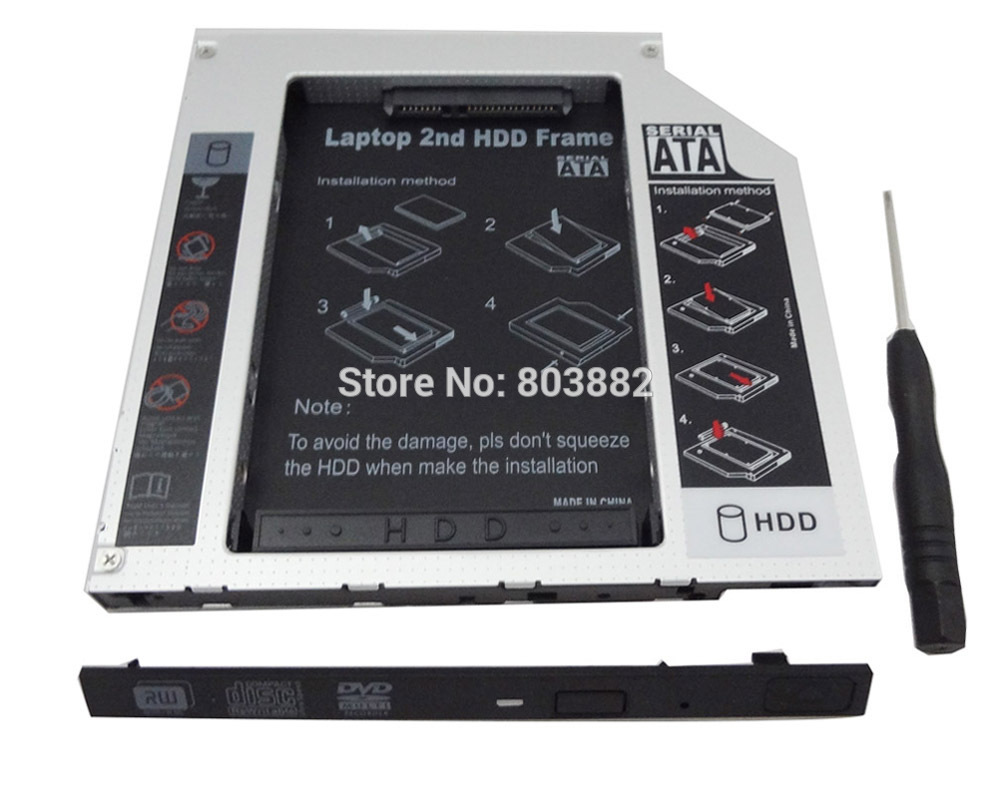 cant fit my laptop. although the body fits DVD drive slot, the tray cannot due to the thin and tapered design of the laptop exteriors. |
|
|
|
|
|
TSazarimy
|
Aug 15 2015, 11:24 PM
|
mister architect: the arrogant pr*ck
|
QUOTE(kumanosuke @ Aug 15 2015, 09:59 PM) mau jual that 120GB SSD ? not yet. im replacing all my computers/laptop primary harddisks with SSD first  . which brings to my next question: when i clone a smaller drive to the bigger drive, will it "force" the partition at the new destination as the same size of the old disk? do i have to have two (or more) partitions in the destination drive? basically we cant clone a bigger drive to a smaller one, right? |
|
|
|
|
|
K.I.T.T
|
Aug 15 2015, 11:47 PM
|
|
|
QUOTE(azarimy @ Aug 15 2015, 11:22 PM) ok thanks. will note this. cant fit my laptop. although the body fits DVD drive slot, the tray cannot due to the thin and tapered design of the laptop exteriors. Laptop brand hapa ni bro? |
|
|
|
|
|
TSazarimy
|
Aug 15 2015, 11:56 PM
|
mister architect: the arrogant pr*ck
|
QUOTE(K.I.T.T @ Aug 15 2015, 11:47 PM) Laptop brand hapa ni bro? Asus K-series. |
|
|
|
|
|
Lucifer96
|
Aug 16 2015, 12:00 AM
|
Getting Started

|
QUOTE(azarimy @ Aug 15 2015, 11:24 PM) not yet. im replacing all my computers/laptop primary harddisks with SSD first . which brings to my next question: when i clone a smaller drive to the bigger drive, will it "force" the partition at the new destination as the same size of the old disk? do i have to have two (or more) partitions in the destination drive? basically we cant clone a bigger drive to a smaller one, right? No. Yes and no, there are methods to do this, primary is to partition it smaller. |
|
|
|
|
|
babyscouts
|
Aug 16 2015, 12:14 AM
|
Getting Started
|
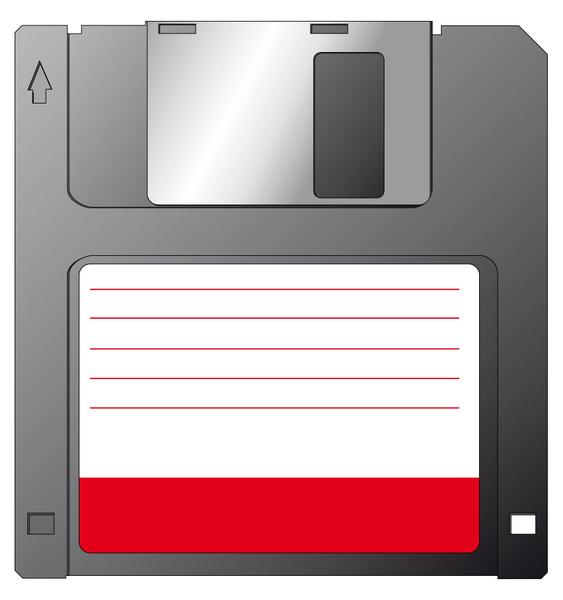 btw i miss acronis and ghost alot last time try to fit them into the disk above  |
|
|
|
|
|
K.I.T.T
|
Aug 16 2015, 12:30 AM
|
|
|
QUOTE(azarimy @ Aug 15 2015, 11:56 PM) if not mistaken window 8/8.1/10 got setting to remember apps has been installed before? |
|
|
|
|
|
fantasy1989
|
Aug 16 2015, 12:35 AM
|
|
|
QUOTE(azarimy @ Aug 15 2015, 07:51 PM) So how leh? After I've upgraded to win10 baru dapat duit terlajak dulu2 punya payment terlupa claim. Sekarang nak upgrade SSD of my laptop from 120GB to at least 240GB. But im not sure the best way to transfer all those files and software/apps from one disk to another. Let alone win10. Any suggestions? use macrium reflect |
|
|
|
|



 Quote
Quote




 0.0176sec
 0.49
0.49
 5 queries
 GZIP Disabled