Welcome Guest ( Log In | Register )

Outline · [ Standard ] · Linear+

 Ultrawide monitor fan's club, Ultrawide master race

views
     
ReaperX
post Jun 25 2020, 05:58 PM

U can be the moon but still be jealous of the stars.
*****
Senior Member
892 posts

Joined: Jan 2003
From: 1' from the Screen
QUOTE(craxors @ Jun 25 2020, 03:04 PM)
if not mistaken the only 144hz on that list is the LG... others only 120...

pls do correct if i'm wrong.  hmm.gif
*
LG and Acer XV340CKP from that list are 144hz

This post has been edited by ReaperX: Jun 25 2020, 05:59 PM
ReaperX
post Jun 30 2020, 08:53 AM

U can be the moon but still be jealous of the stars.
*****
Senior Member
892 posts

Joined: Jan 2003
From: 1' from the Screen
QUOTE(ktard101 @ Jun 30 2020, 08:40 AM)
Any programmers here? Still thinking between lg and acer, would you choose 1090p + cutves or 1440p but flat? The games I played are auto chess, league and some emulations.
*
It'll be entirely subjective but from what i've gathered around:
Curved -
Pros
more immersive for entertainment + gaming

Cons
Not so much for creative work. Straight lines may look distorted especially if u are ocd. Had to sit in a fixed position/angle to enjoy the immersion fully. But not a big issue for most.

After trying out around, I'm using the Acer flat xv340ckp as one of my displays for some coding work and luckily didn't go the curved route. 144hz is not compulsory but a bonus for me. Occasional movie + gaming is still nice and smooth. But my LG 27gl850 (not ultrawide) excels a little bit on overall panel quality in terms of colour, response and usability.

Edit: u would appreciate 1440p more for the extra vertical length. Unless u use a normal wide 1080p as 2nd display and rotate it vertically purely for coding. Having said that, u definitely won't go wrong with a 1440p.

Best if u go and test them out yourself and see which one u prefer better.

This post has been edited by ReaperX: Jun 30 2020, 11:14 AM

ReaperX
post Jul 5 2020, 02:01 PM

U can be the moon but still be jealous of the stars.
*****
Senior Member
892 posts

Joined: Jan 2003
From: 1' from the Screen
QUOTE(khelben @ Jul 5 2020, 11:26 AM)
Damn, can't decide between ACER XV340CK and the Xiaomi 34" laugh.gif

Acer:
-1440p
-144hz
-IPS
-Flat
-Cheaper

Xiaomi:
-1440p
-144hz
-VA
-Curved
-More expensive
*
You should consider local warranty support as well and how long it covers. Good luck!
ReaperX
post Jul 10 2020, 05:25 PM

U can be the moon but still be jealous of the stars.
*****
Senior Member
892 posts

Joined: Jan 2003
From: 1' from the Screen
Specs only 1 part of the story. The actual usability and quality of the panel is another side of it which is more important. Wait for proper reviews.
ReaperX
post Sep 4 2020, 07:26 PM

U can be the moon but still be jealous of the stars.
*****
Senior Member
892 posts

Joined: Jan 2003
From: 1' from the Screen
QUOTE(gigigigi99 @ Sep 4 2020, 02:36 PM)
i cant find any AOC 34 inch curve,  hmm.gif

my thought

- Xiaomi -  cheaper price RM 1999, can swivel.
- Gigabyte- More expensive - RM 2099, got speaker
*
If u don't mind flat panel, Acer xv340ckp is not a bad choice too. IPS, 1440p, 144hz. I have one using mainly for work, occasional movies & FPS, RPG games. And cheapest of the bunch u mentioned <1.9k.
ReaperX
post Nov 11 2020, 09:57 PM

U can be the moon but still be jealous of the stars.
*****
Senior Member
892 posts

Joined: Jan 2003
From: 1' from the Screen
QUOTE(h11g @ Nov 11 2020, 03:31 PM)
guys what vesa mount you guys are using for ultrawide 34"?
*
I'm using triple monitor mount - Brateck LDT07-C036 with ACER XV340CKP and LG 27GL850, ignoring the middle mount.
Quite solid for the price but only cons for me is no individual mount height adjustment.
ReaperX
post Dec 4 2020, 12:01 PM

U can be the moon but still be jealous of the stars.
*****
Senior Member
892 posts

Joined: Jan 2003
From: 1' from the Screen
QUOTE(Andrewtst @ Dec 4 2020, 11:33 AM)
That new Ultrawide monitor I just buy the leg is freaking wide, I need pull out my table a bit else cannot fit.

No issue for my previous Ultrawide monitor.

Maybe you can consider VESA mount to save table space.
*
A monitor arm for both monitors will definitely help solve your space issue.

This post has been edited by ReaperX: Dec 4 2020, 12:01 PM
ReaperX
post Dec 4 2020, 09:57 PM

U can be the moon but still be jealous of the stars.
*****
Senior Member
892 posts

Joined: Jan 2003
From: 1' from the Screen
QUOTE(Someonesim @ Dec 4 2020, 08:23 PM)
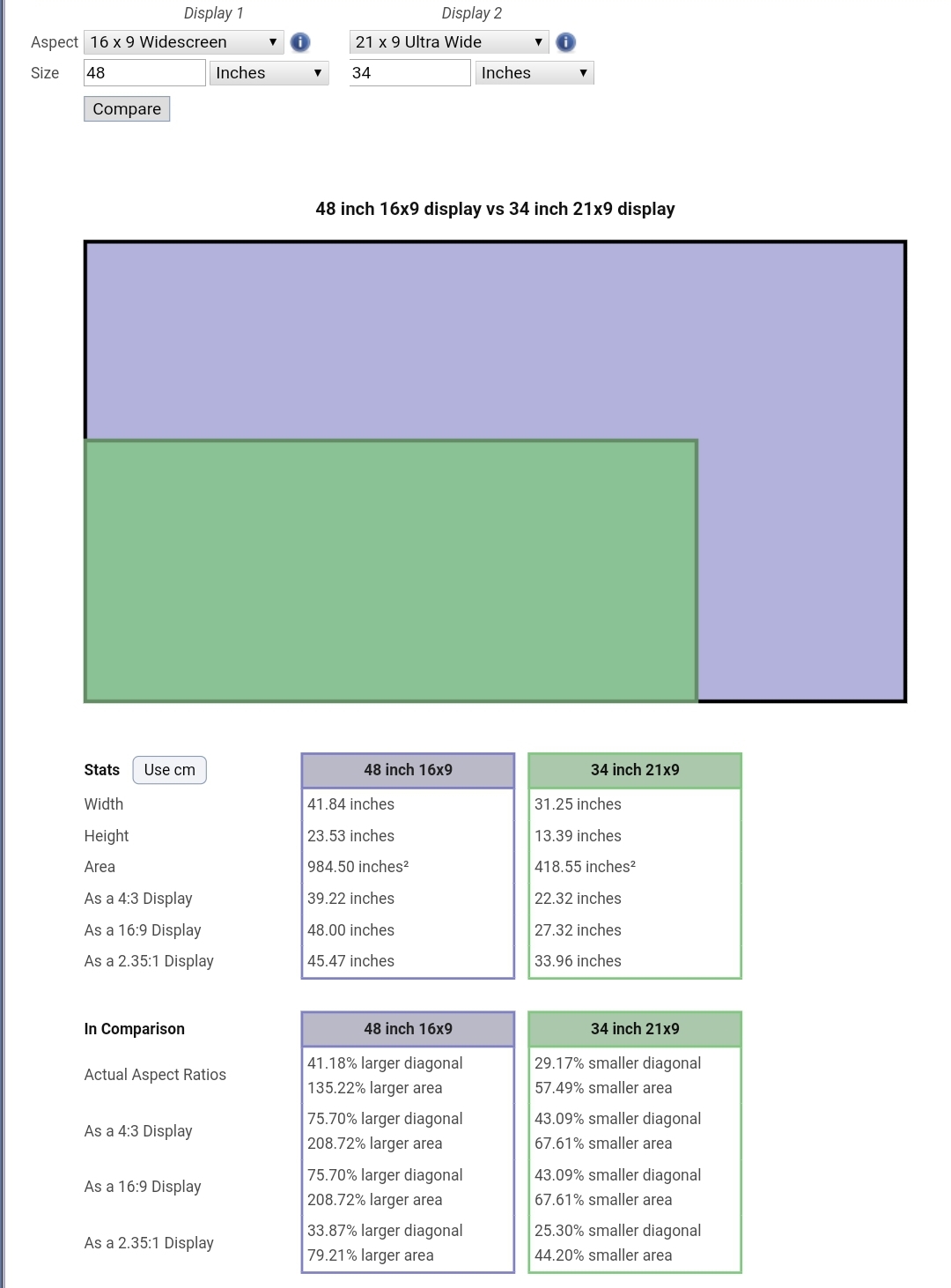
Now that I look at it, I think a 65" diagonal ( 60" horizontal 25" vertical ) 21:9 will be awesome. I think at that distance, 2160P will be good.

Shot with ultrawide, monitor shown is 34" ( damn it looks tiny here )
user posted image
*
Another option is to get 48" 16:9 i.e. LG CX but overhyped TV.

user posted image
ReaperX
post Dec 5 2020, 07:16 PM

U can be the moon but still be jealous of the stars.
*****
Senior Member
892 posts

Joined: Jan 2003
From: 1' from the Screen
QUOTE(ooiwaysean @ Dec 5 2020, 07:04 PM)
Managed to have a side by side comparison with LG 27GN850 and Acer XV272. I noticed that LG is brighter but somehow the colour also more pinkish. the Acer panel are more accurate in colour wise. I think i will get the Acer panel
*
I have both LG27GL850 and ultrawide Acer XV340CKP, found that LG is a tad warmer compared to bluish Acer's no matter how much i set on both. Probably XV272 has better panel. Having said that, i prefer LG's joystick navigation as it is easy to adjust brightness, menu settings on the fly. Acer is abit more tedious as u need to dive into the layers of menu using separate buttons hidden at the back of monitor. U may use Acer's own app to override this but not intuitive enough for me at least. Ultimately still depends on your preference and usage.
ReaperX
post Dec 5 2020, 10:06 PM

U can be the moon but still be jealous of the stars.
*****
Senior Member
892 posts

Joined: Jan 2003
From: 1' from the Screen
QUOTE(Andrewtst @ Dec 5 2020, 09:48 PM)
Actually LG is much accuracy in colour, much warmer is the correct colour output, after a while you will notice and like it much more.

Blueish colour is very wrong and it do impact especially watching movie. Blueish after long use also make eye tired.

You can check rtings, LG is well known for closed to accuracy in colour from their TV to monitor recently.
*
It was partly due to rtings review that made up my mind on purchasing the LG earlier 😉
ReaperX
post Jan 7 2021, 12:09 AM

U can be the moon but still be jealous of the stars.
*****
Senior Member
892 posts

Joined: Jan 2003
From: 1' from the Screen
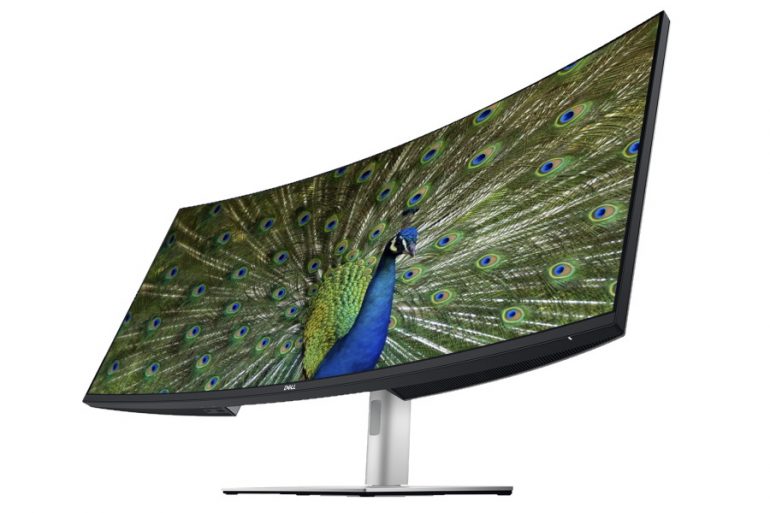
Dell's latest 40" Ultrawide. Keeps getting bigger. What's next, 60" ? laugh.gif

https://www.lowyat.net/2021/229459/dell-ult...malaysia-price/

user posted image


ReaperX
post Jan 14 2021, 11:55 AM

U can be the moon but still be jealous of the stars.
*****
Senior Member
892 posts

Joined: Jan 2003
From: 1' from the Screen
QUOTE(Andrewtst @ Jan 14 2021, 11:40 AM)
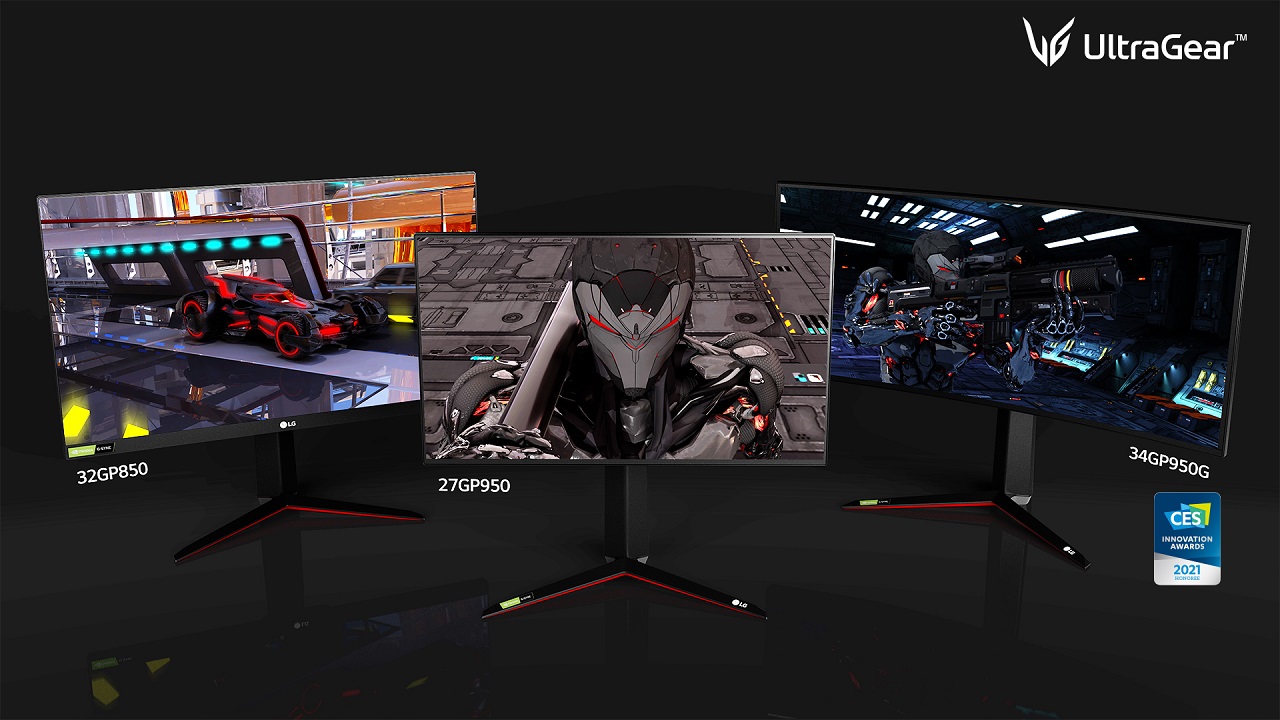
LG is announcing 3 new monitor and all came with HDR600 biggrin.gif but no 38.

The left one 32 is 1st OLED monitor but 4K. Haizz...

user posted image
*
HDR600...man...it's gonna be a premium price tag.
ReaperX
post May 8 2021, 04:58 PM

U can be the moon but still be jealous of the stars.
*****
Senior Member
892 posts

Joined: Jan 2003
From: 1' from the Screen
QUOTE(Skylinestar @ May 6 2021, 03:42 PM)
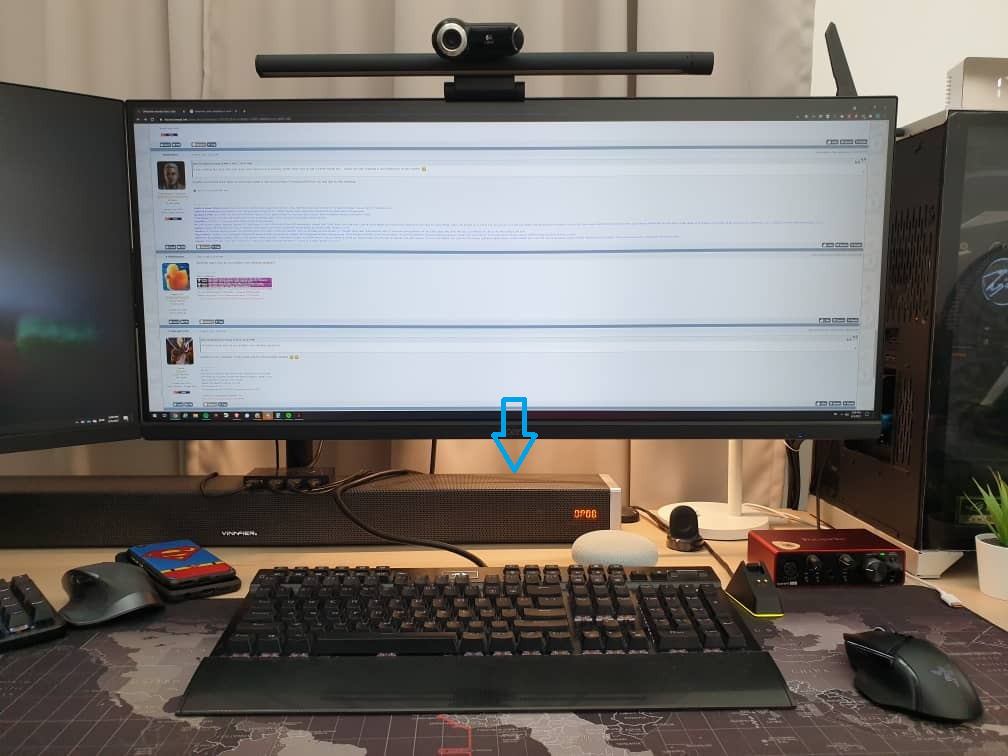
ultrawide users, how do you position your desktop speakers?
*
user posted image

This post has been edited by ReaperX: May 8 2021, 05:24 PM
ReaperX
post May 28 2021, 11:04 PM

U can be the moon but still be jealous of the stars.
*****
Senior Member
892 posts

Joined: Jan 2003
From: 1' from the Screen
QUOTE(Kelvw @ May 28 2021, 08:23 PM)

Control buttons on the right takes some getting used to and is a bit stiff to click. I wished they've used some softer buttons instead.

*
Nice monitor thumbsup.gif

I find LG's has one of the best control in the form of only 1 joystick (4 directional). Very easy to use. Only gripe is it takes a few steps to switch between inputs regularly but not a big deal.
ReaperX
post Oct 12 2021, 05:00 PM

U can be the moon but still be jealous of the stars.
*****
Senior Member
892 posts

Joined: Jan 2003
From: 1' from the Screen
QUOTE(Slash21 @ Oct 12 2021, 11:14 AM)
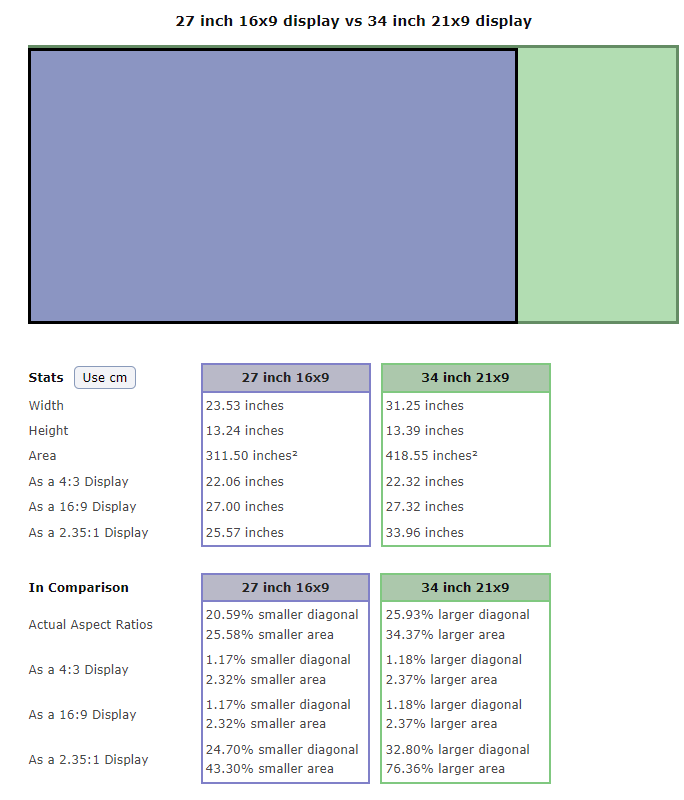
Make sure you measure the screen height too cos UW size is quite different from non-UWs.
I used to have a 27 inch non-UW and in order to get the same or more screen height I had to go for a 38 UW.

Hope this helps.
*
A 27" non-Ultrawide (16x9) is more or less the same height with a 34" Ultrawide (21x9). In fact 34" Ultrawide is slightly higher.

user posted image
ReaperX
post Dec 8 2022, 06:28 PM

U can be the moon but still be jealous of the stars.
*****
Senior Member
892 posts

Joined: Jan 2003
From: 1' from the Screen
QUOTE(dawnreaver @ Dec 8 2022, 04:46 PM)
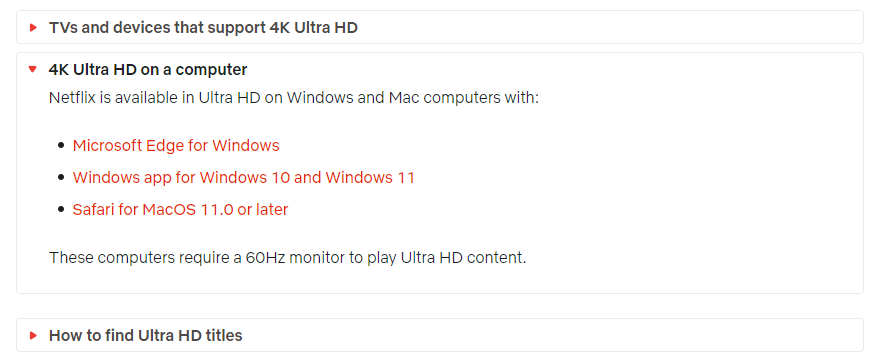
Any ultrawide monitor user managed to get Netflix 4K running on their monitors?
*
Using Microsoft Edge browser working fine for my 34".


user posted image
https://help.netflix.com/en/node/13444

ReaperX
post Dec 21 2022, 08:56 PM

U can be the moon but still be jealous of the stars.
*****
Senior Member
892 posts

Joined: Jan 2003
From: 1' from the Screen
QUOTE(irangan @ Dec 21 2022, 07:26 PM)
Guys, I just bought 34" Samsung Odyssey OLED G8. First time get an ultrawide and OLED monitor. Any tips to test the monitor for any defect? What software to run and so on.

Thank you.
*
Can try this

https://www.eizo.be/monitor-test/


Change to:
| Lo-Fi Version
0.1484sec    0.25    7 queries    GZIP Disabled
Time is now: 5th December 2025 - 09:28 PM