Welcome Guest ( Log In | Register )

Outline · [ Standard ] · Linear+

 VMODDING without ruining your warranty...., A how-to guide - 56K beware....

views
     
TSkcnyc
post Oct 23 2006, 02:24 PM, updated 20y ago

OC Addict!
*******
Senior Member
3,557 posts

Joined: Jan 2003
From: Brooklyn, New York


Hey guys, I just want to share what I have done to my board for the past week. It has been a hectic 2 weeks putting in my watercooling setup and my phase change retention system. But what I think most of you want to know is to mod a motherboard without ruining your warranty.

When people say volt modding, people think it is un-safe and they will think of warranty if anything goes wrong. Well there are pencil mods, where you add resistance but drawing lines - which is not very reliable. And then there is a tool called grabbers.

In this guide of mine, you will need these things:
- Digital Multimeter
user posted image

- Pomona MiniPincer and Micrograbber
user posted image

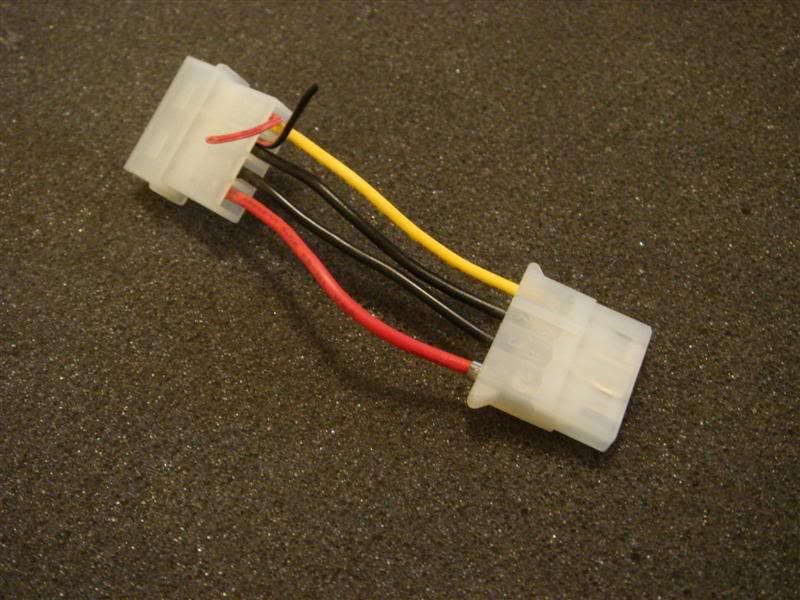
- A molex connector (preferable female sweat.gif )
user posted image

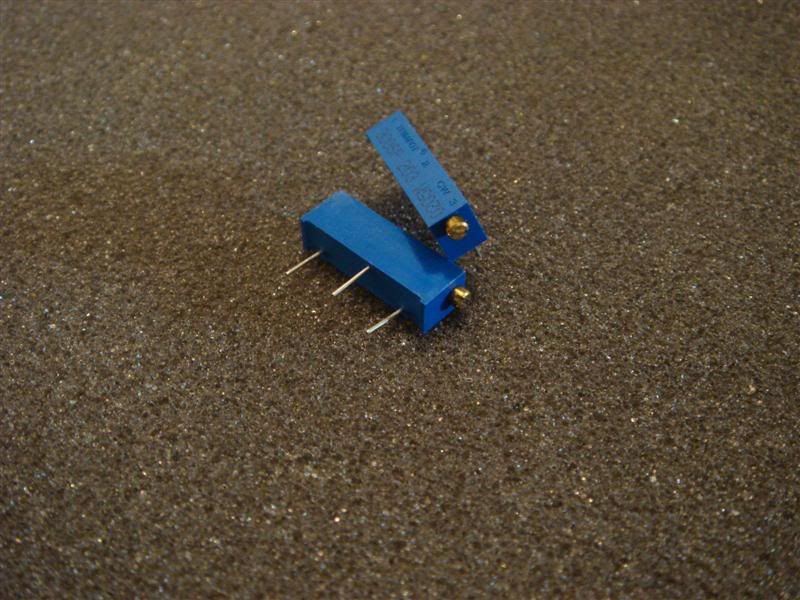
- 2 x 20K pots/variable resistors
user posted image

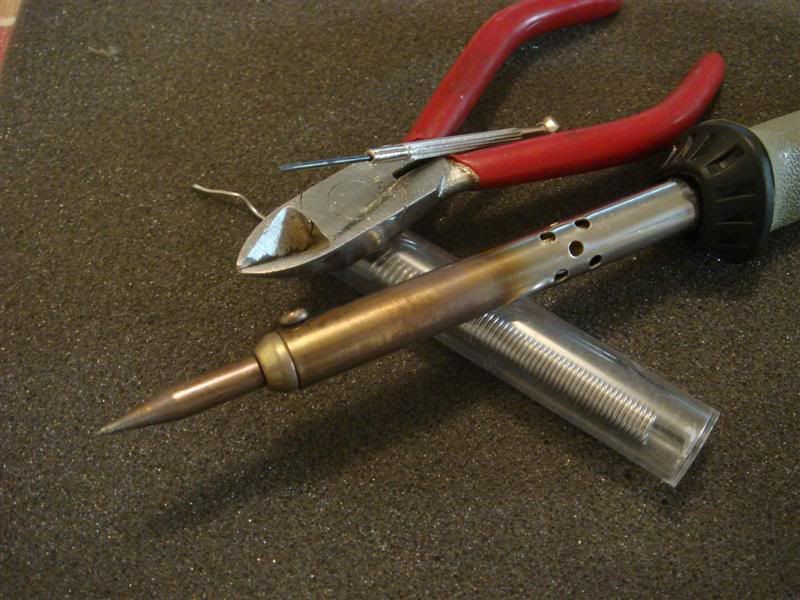
- Soldering Iron 15W or 30W, wire cutter and a wet sponge
user posted image

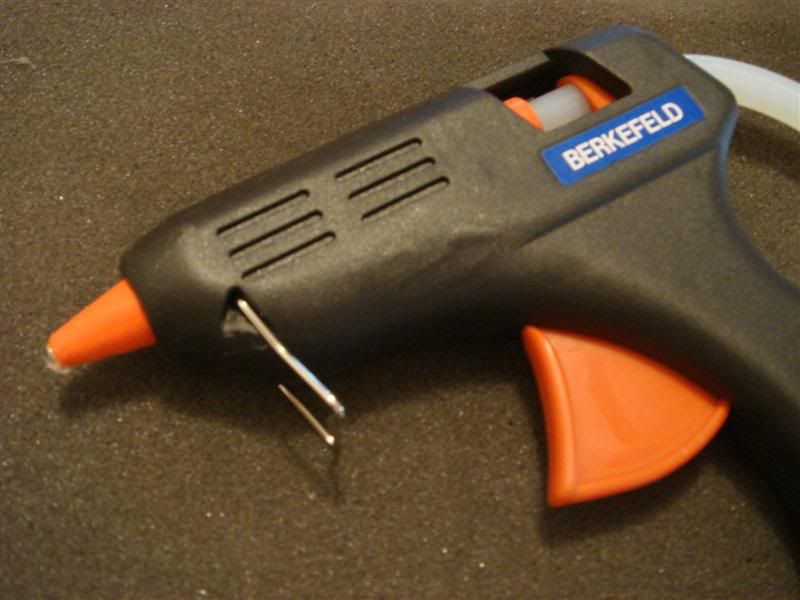
- Hot Glue gun
user posted image

- some wires(preferable colored - black and some other bright colors)
- a steady hand
- and of course a board as your victim

Keep in mind not all VMODS can be done with grabbers. Some of them don't leave u any choice but to solder them to the board, voiding warranty. So make sure you know what is required for your mod.

Now on to the next post.........

This post has been edited by kcnyc: Oct 23 2006, 02:50 PM
TSkcnyc
post Oct 23 2006, 02:49 PM

OC Addict!
*******
Senior Member
3,557 posts

Joined: Jan 2003
From: Brooklyn, New York


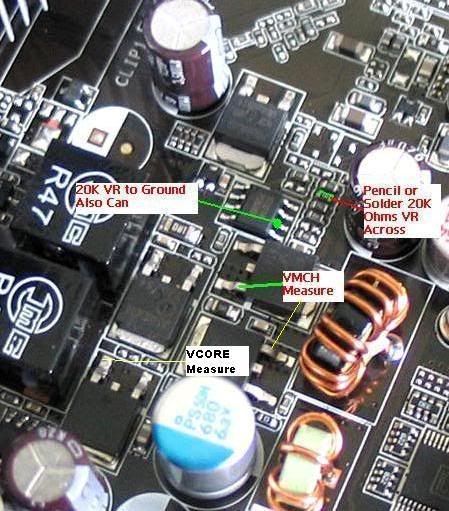
Now first of all, here are the guide that was posted by Shamino ay the VR-Zone forums:
user posted image
user posted image

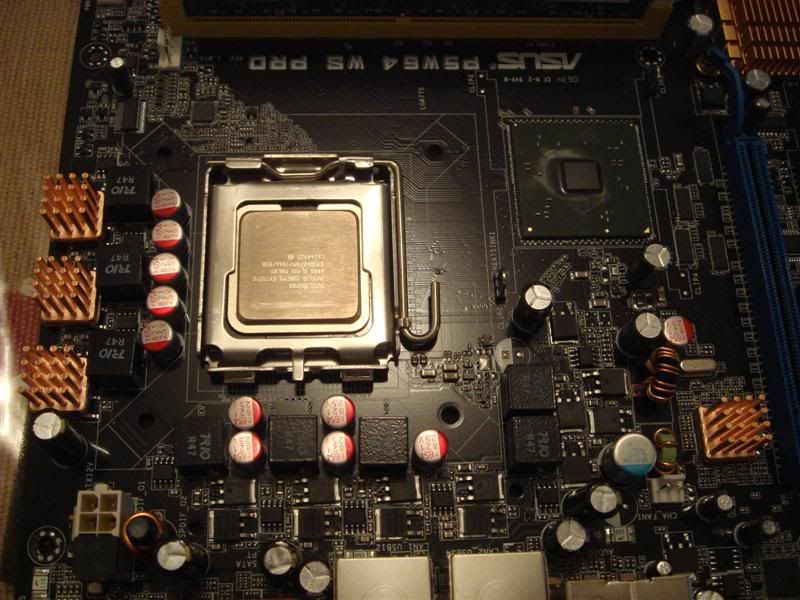
Now you need to find all those points on your mobo and clear away as much heatsinks and clutter as possible. Here is a picture of my naked victim - P5W64 WS Pro:
user posted image

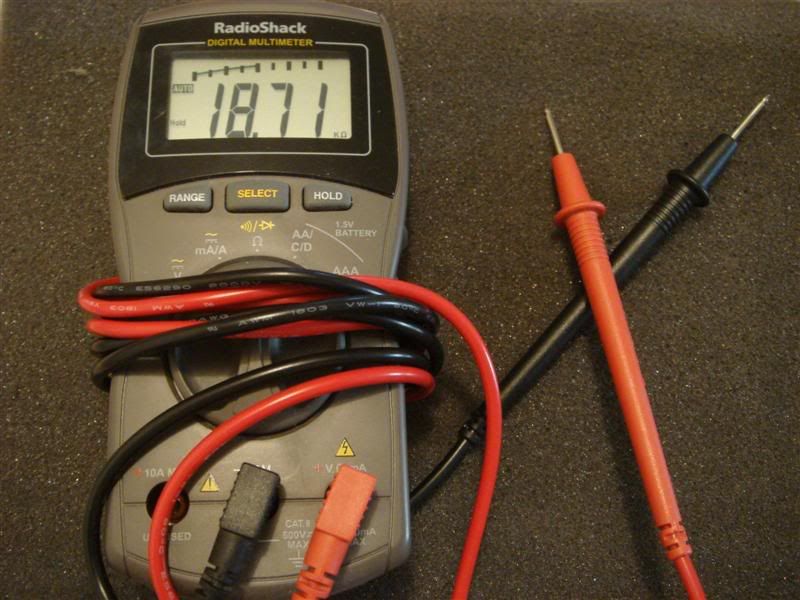
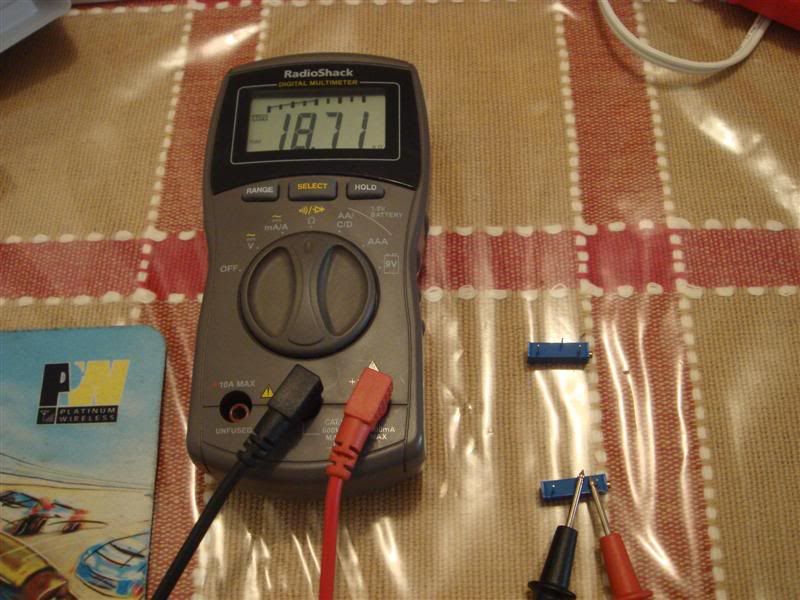
Now lets start by checking the resistance on your 20K pots. You should set your post to maximum resistance as near as it can go to the maximum of 20K ohms. There are 3 legs on a pot/variable resistor - you can use either the left or right leg + the middle one. Middle leg is grounded(when I say grounded/to ground the best place is a screw that holds down the mobo). To get it to the max resistance, fire up your DMM and set it to read resistance OHM. Then put the RED lead to the left or right leg of the resistor and the BLACK one on the middle leg. Please pick and stick with the left or right leg you picked, and it is very important you remember which one. Now turn the small little tiny screw of the pot till you reach the closest to 20K ohms. Here is a pic:
user posted image

This is a crucial step as you want the pot to go on the board with the max resistance, because if you put it on the board with the least resistance, the board will feed alot of voltage to the component and - YOU WILL FRY SOMETHING!

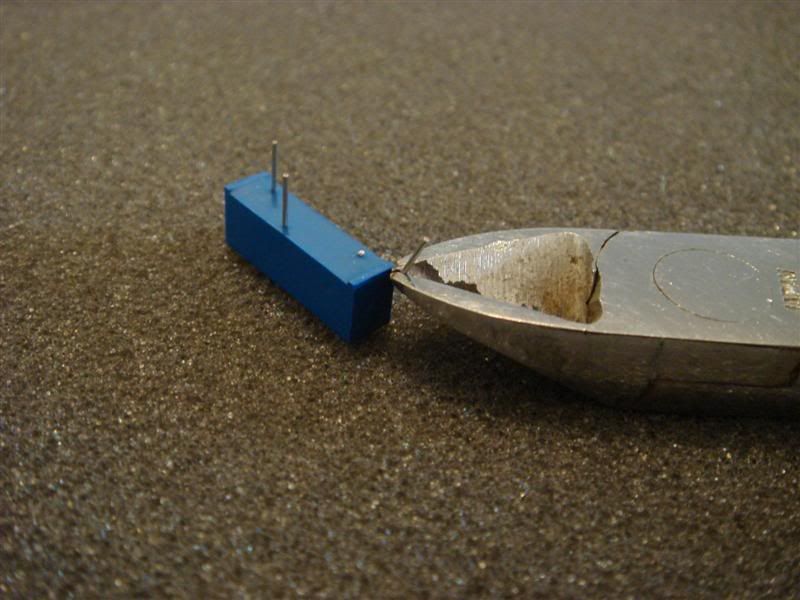
Now cut off the leg of the pot that you weren't using with the wire cutter:
user posted image

Cutting off the leg that you aren't using is optional, but it is good practice as I don't want to be confused on which one I used before and potentially fry something. Less things jutting out is definitely a plus....and much neater too. smile.gif


TSkcnyc
post Oct 23 2006, 02:49 PM

OC Addict!
*******
Senior Member
3,557 posts

Joined: Jan 2003
From: Brooklyn, New York


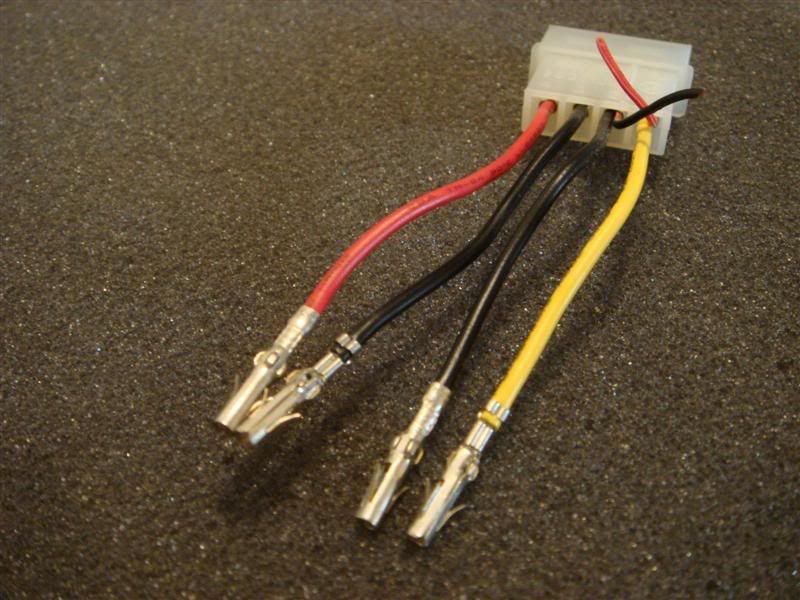
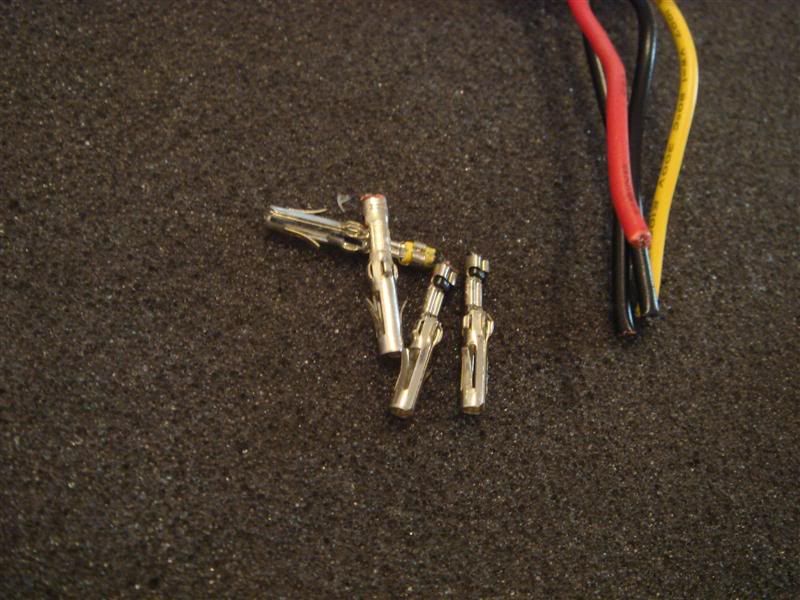
Now it is time to setup a little module somewhere convenient where you can read and change the resistance without going into the board. Now take out all the female pins from the molex(if you don't know which one is the female side, take a wild guess whistling.gif):
user posted image

I use the female side as these will serve as our voltage reading receptacles. So you can just insert the DMM leads into them and it will be secure while you change the resistance on the pots, freeing your hands. smile.gif

Cut the female molex receptacles off the wires:
user posted image

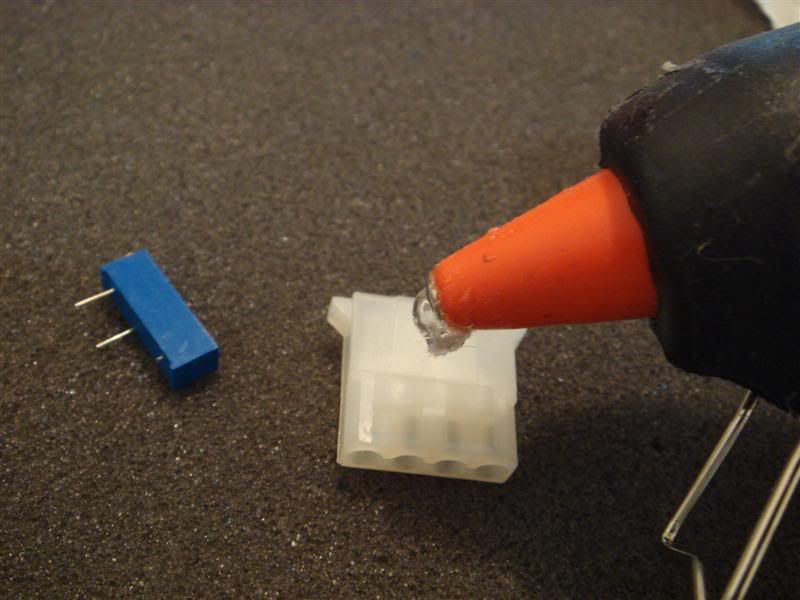
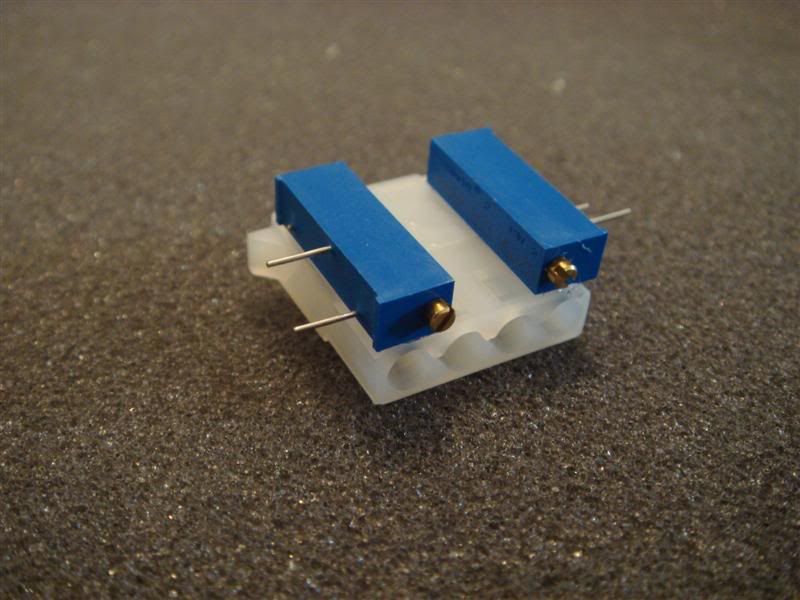
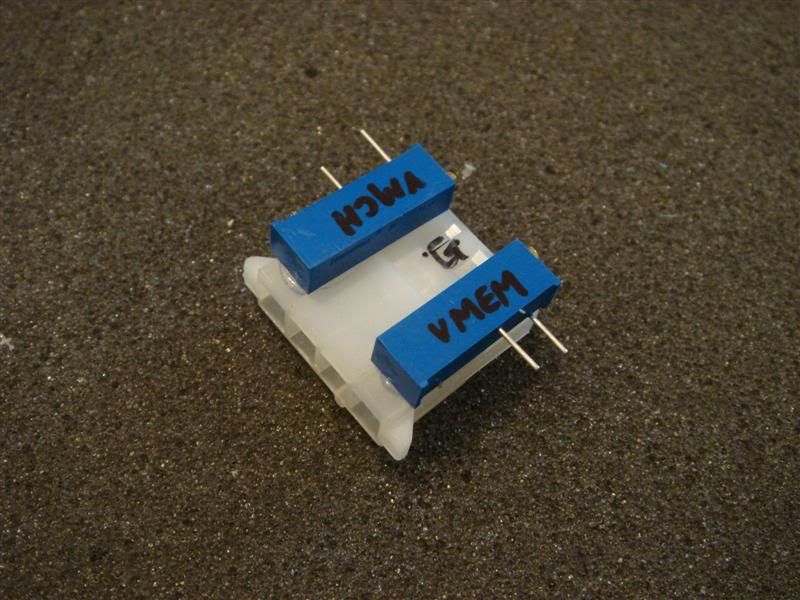
Use the hot glue gun and stick the pots to the molex connector in which you took out those female receptacles. In your mind, please think of a place where you would like to put this module - somewhere convenient. Like so:
user posted image
user posted image

Now solder 3 of the molexs that you cut out to 3 wires and please give the wires enough length. Like so:
user posted image

Label the pots and molex connector you stuck together. We will stick to the convention that middle is GROUND in this case:
user posted image

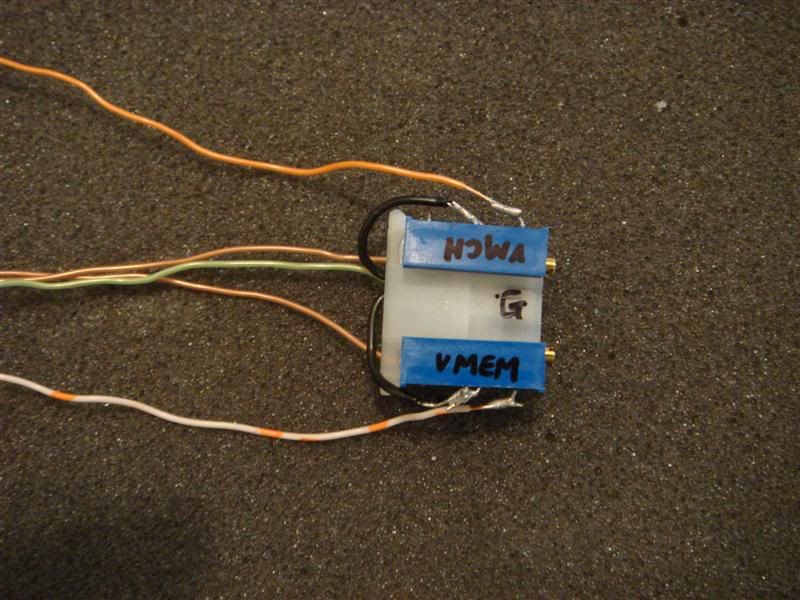
You can now stick the molex that you soldered to the wires - to their respective molex holes. These molex that you wired up will be your voltage readings for your VMEM and VMCH - so put it under the appropriate pot so that it is simple. Then put the ground on to the middle. Here is a pic of how it will look:
user posted image

As you can see, there are three wires going into the molex, one for VMCH voltage reading and one for VMEM voltage reading. The GREEN colored one is GROUND. As you can see I also used this GREEN wire to ground my pots too. I just soldered them onto the GROUND molex before I put it into the molex connector.


This post has been edited by kcnyc: Oct 23 2006, 03:13 PM
TSkcnyc
post Oct 23 2006, 02:50 PM

OC Addict!
*******
Senior Member
3,557 posts

Joined: Jan 2003
From: Brooklyn, New York


Let's refer back to the pic in the post above:
user posted image

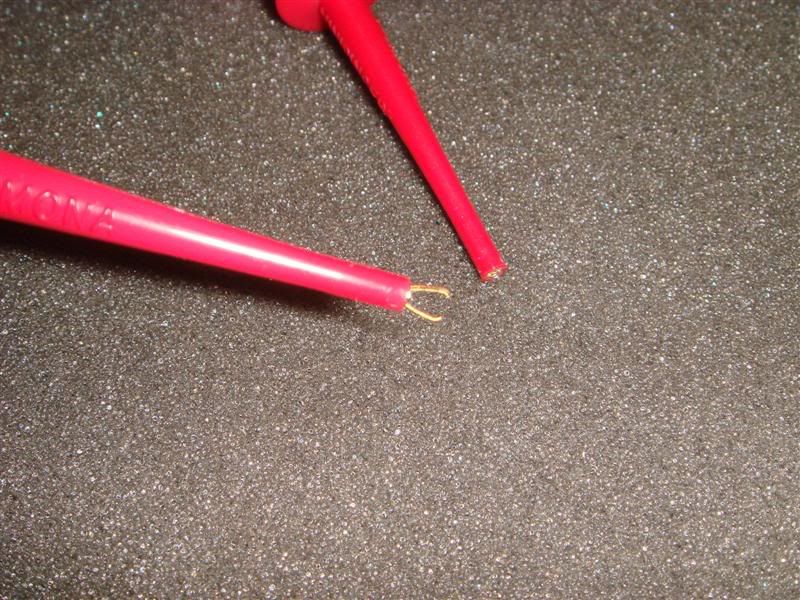
I have two orange solid and orange white wires that I soldered to the pot. Now let me tell you what they do. First of all lets get acquainted to the grabbers. I bought 2 types of grabbers:
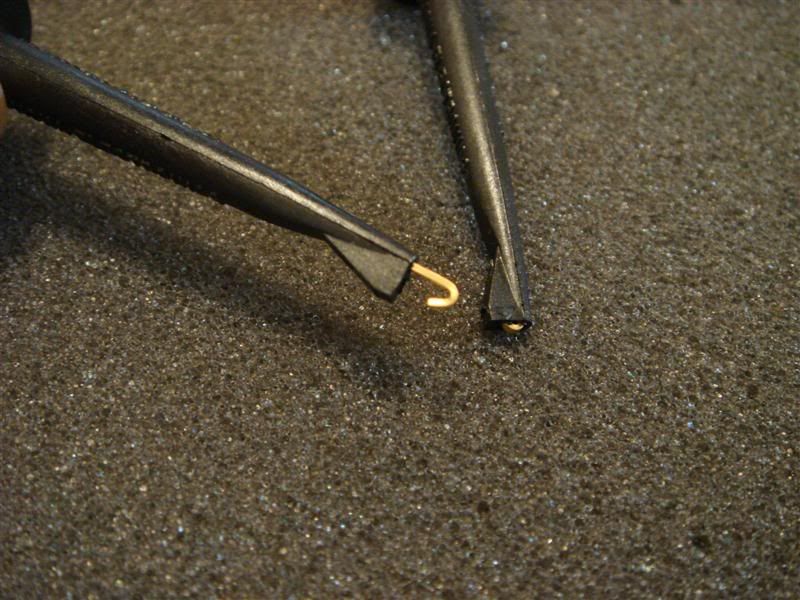
Micrograbber - hook style, for places where you have space.
user posted image

Minipinder - pincer type, for hard to reach and small areas.
user posted image

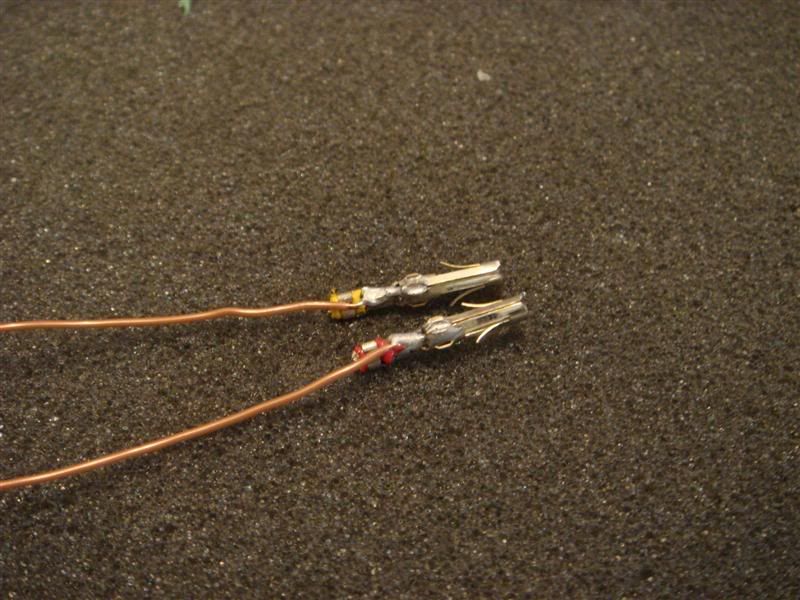
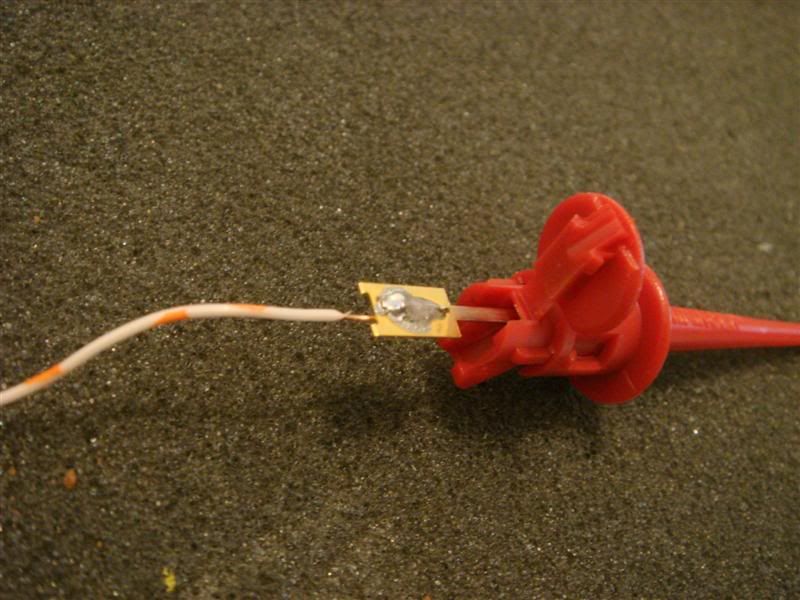
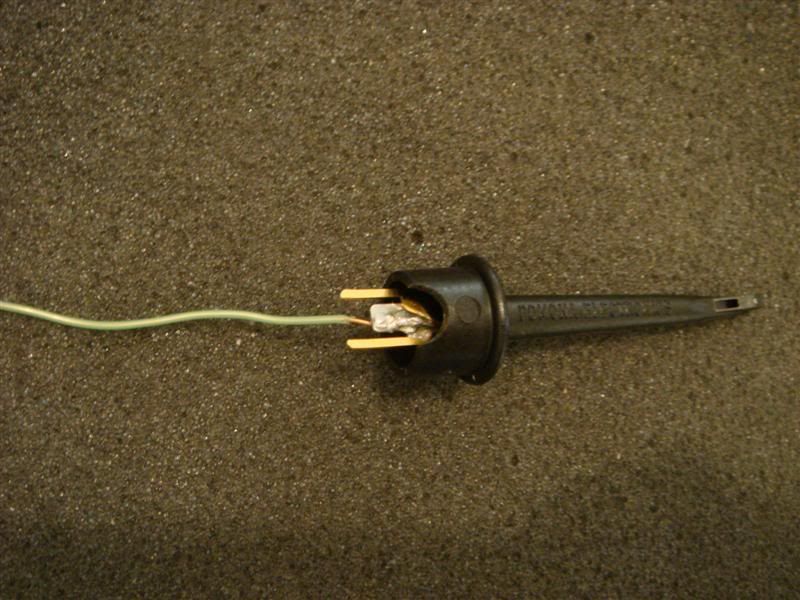
The orange and orange white wires in the first picture in this post has to be soldered to the minipincers. And the brownish female molex wires will has to be soldered to the micrograbbers. Here is a pic of how they are soldered to the wires:
user posted image
user posted image

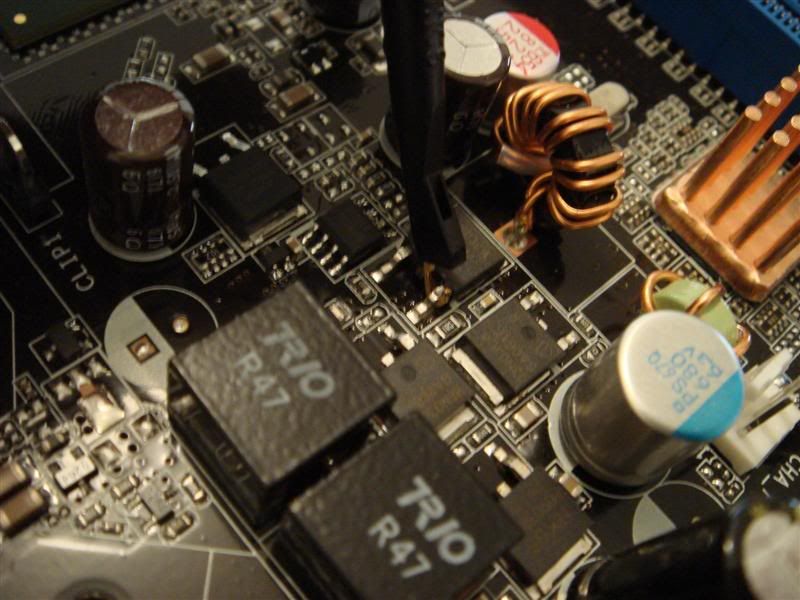
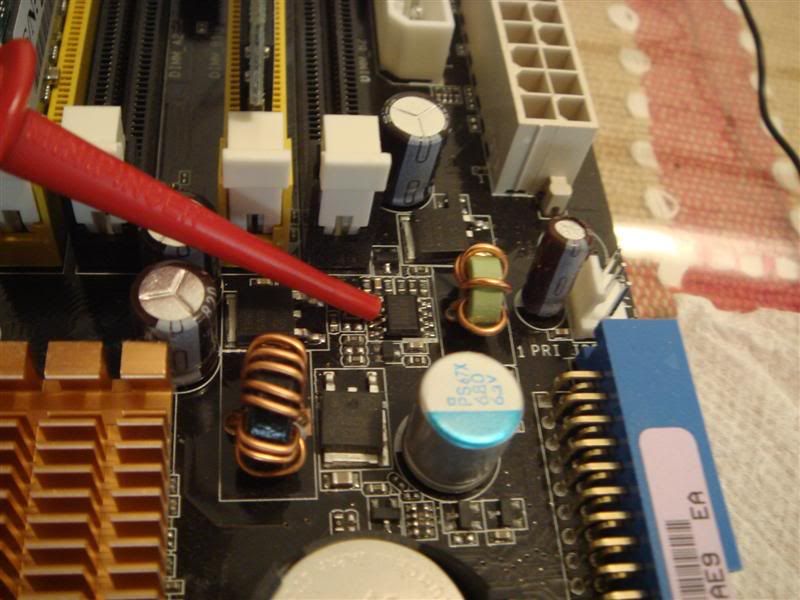
Now you might be curious, why use the grabber for the reading and pincer for the resistor? This is because the micrograbber won't grab onto the little chip in which you will be changing the voltage on. Whereas the pincer will grab on in tight spaces like a chopstick while the hook of the grabber can't get in. But the grabber is definitely much better in hooking on the mosfet where you will be takign the voltage readings. Here are the pics to illustrate:

Micrograbber hooking on to the mosfet leg
user posted image

Minipincer grabbing on to a leg/pin on the little chip
user posted image


This post has been edited by kcnyc: Oct 23 2006, 03:33 PM
TSkcnyc
post Oct 23 2006, 02:50 PM

OC Addict!
*******
Senior Member
3,557 posts

Joined: Jan 2003
From: Brooklyn, New York


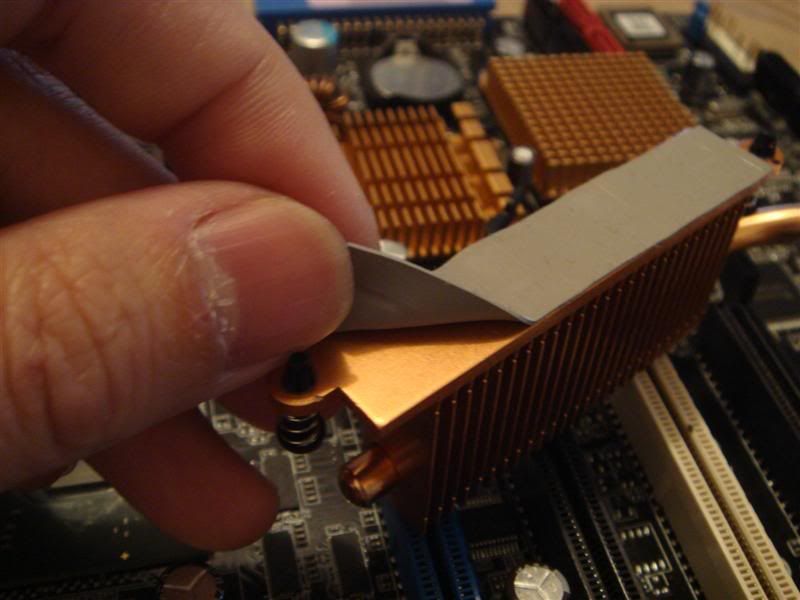
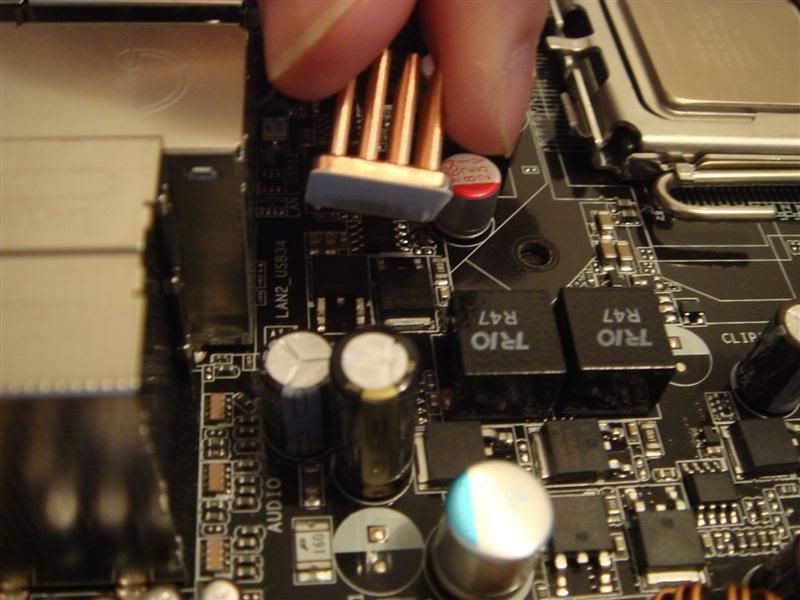
Now you have connected the wires to the grabbers. It is a good practice to keep all your mosfets running happily by cooling them down, especially when you intend to run more voltage through them. I ordered some Swiftech BGA Copper ramsinks and Microcool chipsinks for the job.
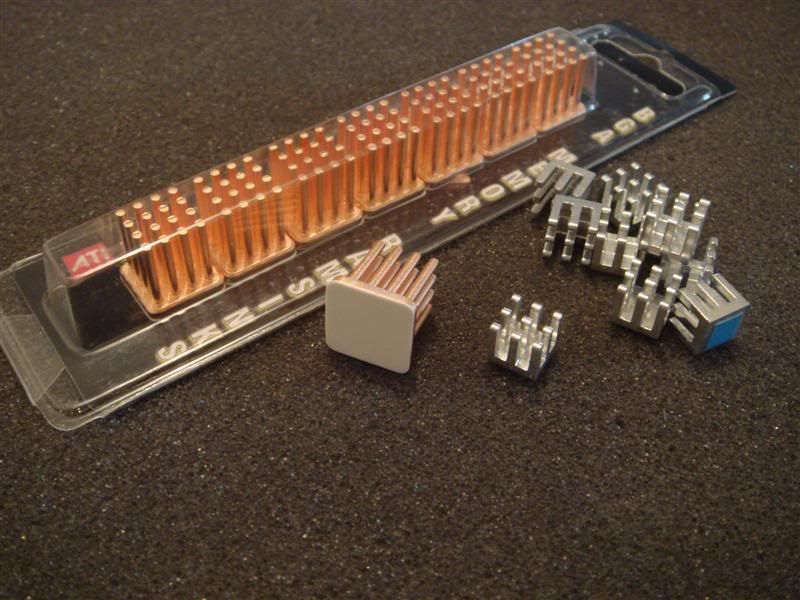
user posted image

This line of mosfets is critical, and ASUS uses the lousy thick bubblegum thermal interface material:
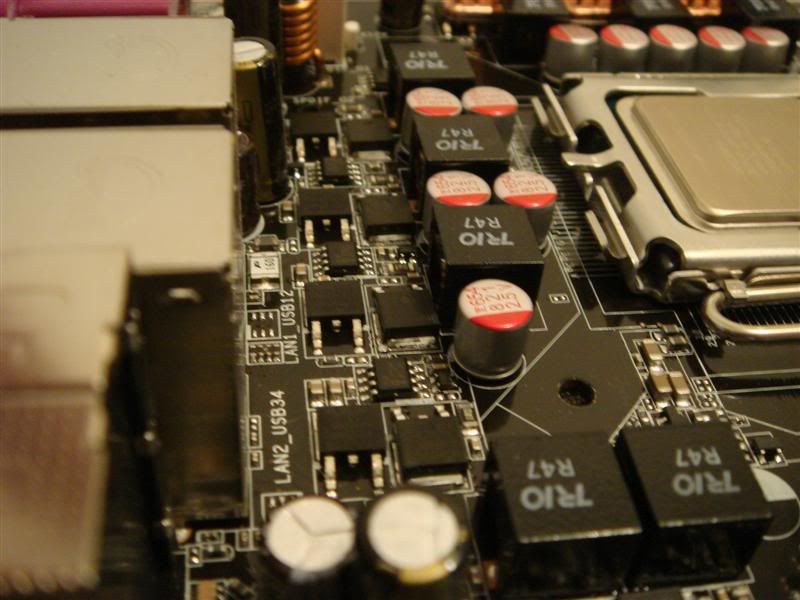
user posted image
user posted image

So I used the Swiftechs.
user posted image

For places which are small, just put the Microcool chipsinks:
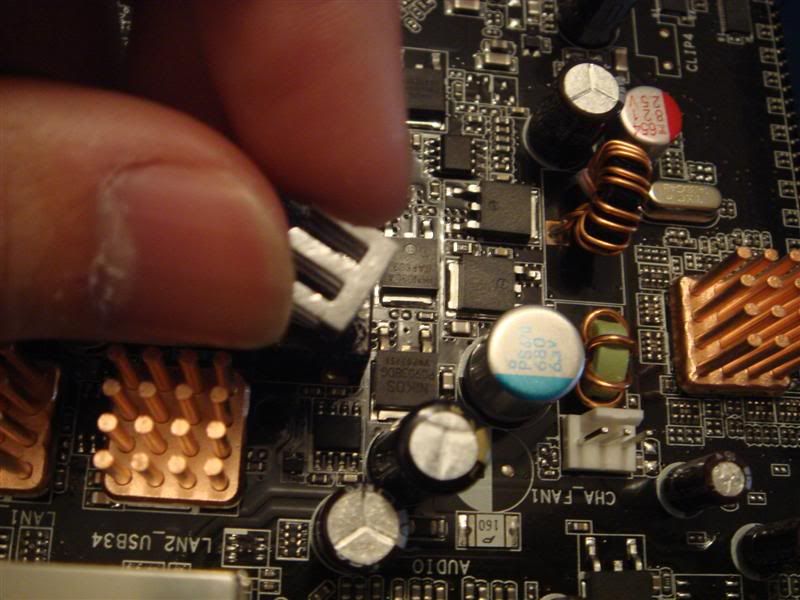
user posted image

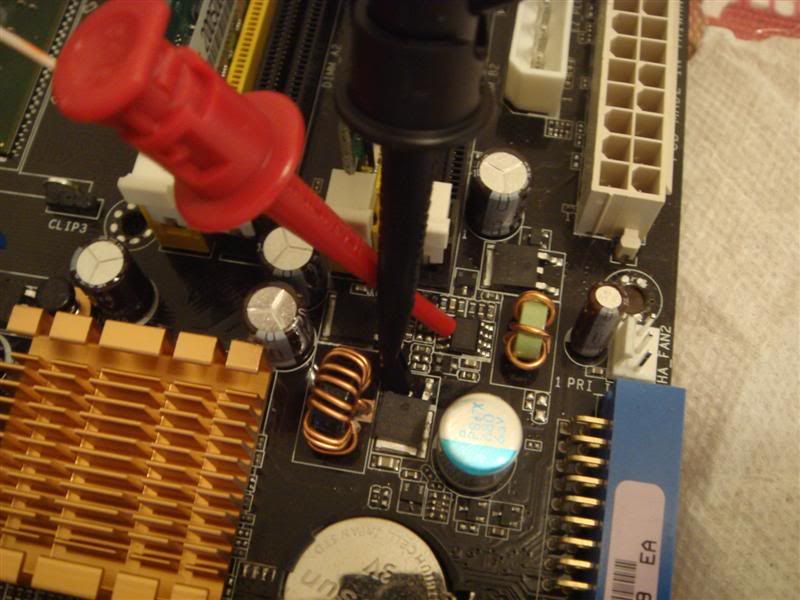
Finally, use your grabbers and pincers to hook and grab on to the points highlighted in Shamino's pics(BTW, USE THE YELLOW POINT TO READ THE VMCH VOLTAGE - THE GREEN ONE IS WRONG). Then GROUND the GREEN wire of the molex to a screw that is holding the motherboard down to the mobo:
user posted image
user posted image

After that attach the mobo back to the case and with the hot glue gun, glue the molex to a place where you will be able to check the voltage and change the resistance to increase the voltage. This is what I did:
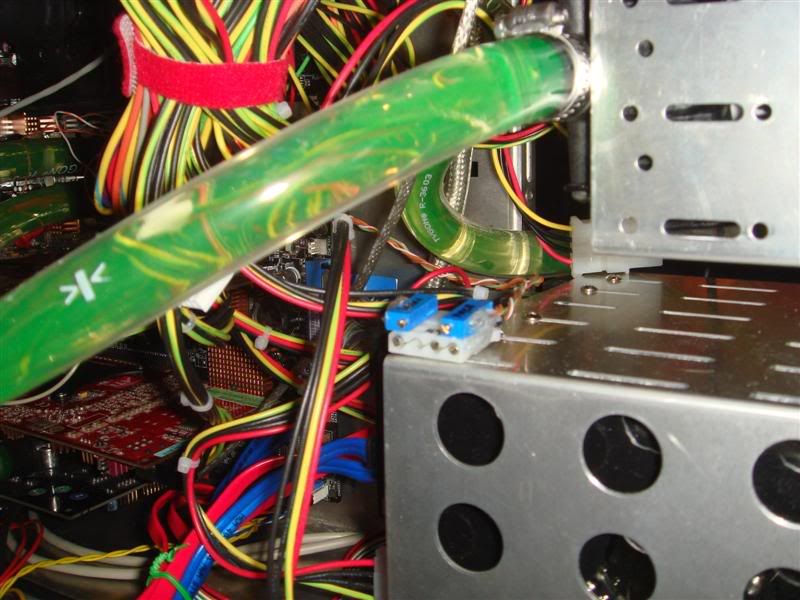
user posted image

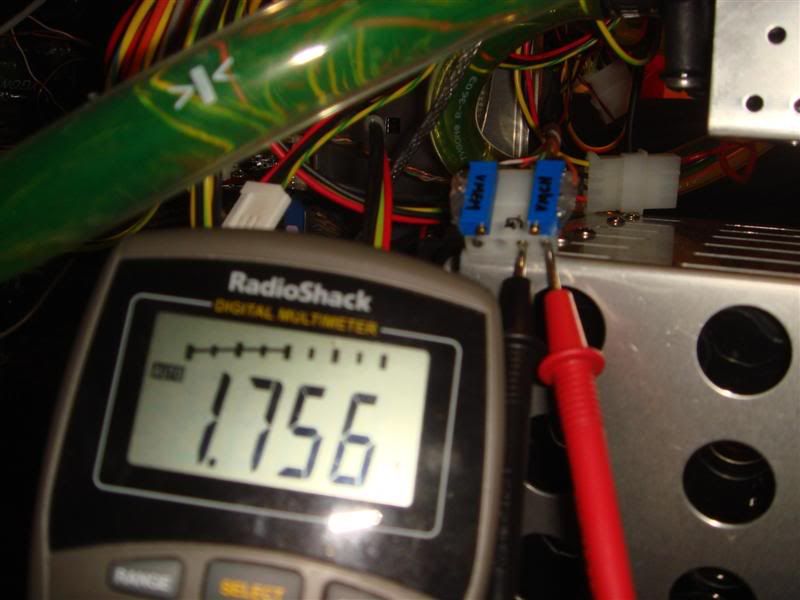
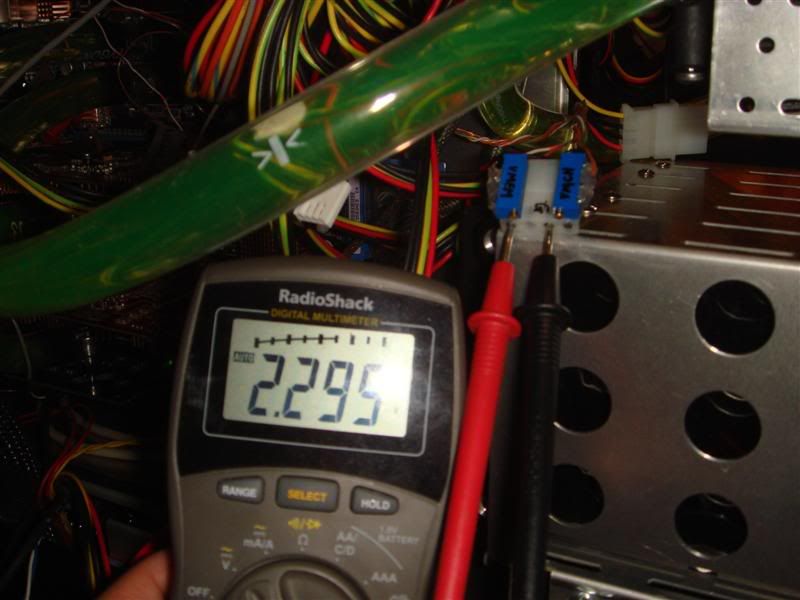
Now to see whether the voltage reading works:
VMEM
user posted image

VMCH
user posted image

Here are some tips and safety rules before you even start turning the pots:
1. Turn the pots slowly. You don't want to turn too fast and fry something.
2. Keep the leads of the DMM plugged into the voltage reading while turning the pot, so that you know how much voltage you are actually applying while turning.
3. In the bios, please make sure you have the voltages at the LOWEST DEFAULT setting. So you know how much you are adding. Lets say you bios is set at 2.0V for VMEM and you turn the pots and now the DMM is reading 2.2V. Then you have actually added 0.2V to the bios reading. So when you are using 2.2V in the bios, the REAL voltage will be 2.5V on the DMM. Very important as people fry their DDRs when they don't remember to add the voltage added by the mod to the bios setting. sweat.gif

I hope I did not miss anything. Hope you guys have fun modding your mobos. smile.gif

Disclaimer:
1. If you don't know what this article is talking about - please ask and don't do anything to your mobo.
2. This article is not for you if you don't know what a VMOD is.
3. I won't be responsible....bla bla bla you get the drift........

This post has been edited by kcnyc: Oct 23 2006, 04:04 PM

ddww
post Oct 23 2006, 03:07 PM

~DoDy~
*****
Senior Member
908 posts

Joined: Jul 2006


good one. let me be the first one to support u! ;p

nice Asus P5W64 WS Pro (don u think its a little too good to mod it? tongue.gif ). don hurt him pls...
TSkcnyc
post Oct 23 2006, 04:05 PM

OC Addict!
*******
Senior Member
3,557 posts

Joined: Jan 2003
From: Brooklyn, New York


QUOTE(ddww @ Oct 23 2006, 03:07 AM)
good one. let me be the first one to support u! ;p

nice Asus P5W64 WS Pro (don u think its a little too good to mod it? tongue.gif ). don hurt him pls...
*
vmodding without hurting the board dude.....thats why I didn't solder anything on the board. just use grabbers, and if I want stock....just detach them. simple and painless.
yehlai
post Oct 23 2006, 08:37 PM

tree lover
*******
Senior Member
4,539 posts

Joined: Feb 2006
From: LocOmoT|oN.L0co|oti0N


wao.. thts alot of work u done there...
good thread.. thumbup.gif really nice!!
baok
post Oct 23 2006, 11:17 PM

Enthusiast
*****
Senior Member
737 posts

Joined: Oct 2005


erm.. need to try drool.gif
TSkcnyc
post Oct 24 2006, 03:30 AM

OC Addict!
*******
Senior Member
3,557 posts

Joined: Jan 2003
From: Brooklyn, New York


QUOTE(baok @ Oct 23 2006, 11:17 AM)
erm.. need to try drool.gif
*
If you know where to get those grabbers in Malaysia, please post and let the guys in Malaysia know. Coz I was told it is abit hard to find....... biggrin.gif
ikanayam
post Oct 24 2006, 04:14 AM

there are no pacts between fish and men
********
Senior Member
10,544 posts

Joined: Jan 2003
From: GMT +8:00

I'm sure the people here can't care less, but it's unethical to make other people pay for your screw-arounds and screw-ups. Voltmodding automatically voids your warranty. If you want to take that risk, then BUY a new mainboard if your project fails.

Not saying that this is a bad guide. Soldering on wire grabbers is definitely a lot easier and safer than soldering tiny pins on mainboards.

This post has been edited by ikanayam: Oct 25 2006, 01:34 AM
SUSAllnGap
post Oct 24 2006, 09:34 AM

[ Modding with Passion(tm) ]
*******
Senior Member
4,561 posts

Joined: Jan 2003
From: Penangites


this is so wicked......btw, how do the manufacturers check for this type of void on your motherboard ?

i mean if you've got good soldering skills, can you avoid from being detected ?
TSkcnyc
post Oct 24 2006, 09:53 AM

OC Addict!
*******
Senior Member
3,557 posts

Joined: Jan 2003
From: Brooklyn, New York


QUOTE(AllnGap @ Oct 23 2006, 09:34 PM)
this is so wicked......btw, how do the manufacturers check for this type of void on your motherboard ?

i mean if you've got good soldering skills, can you avoid from being detected ?
*
They can probably tell what you did if you soldered on the motherboard - unless you can solder like a robot. smile.gif

The way the grabbers is done, it is not permanently on the board. Just hooks and clips, which you can take out whenever you want it to be stock. So it is almost impossible for the manufacturers to determine whether you modded the board - again unless there is a huge burn mark there. lol
zahri
post Nov 12 2006, 09:32 PM

Do You Feel LuCKY PunK ?
******
Senior Member
1,526 posts

Joined: Jan 2006
From: Between Those Legs Position : Missionary


WOw Really Good Guide !!!

Simple too...

btw,

where can i get this grabbers from ?

Thanks.
sHawTY
post Nov 12 2006, 11:23 PM

Frequent Reporter
********
All Stars
14,909 posts

Joined: Jul 2005

QUOTE(kcnyc @ Oct 24 2006, 09:53 AM)
They can probably tell what you did if you soldered on the motherboard - unless you can solder like a robot.  smile.gif

The way the grabbers is done, it is not permanently on the board.  Just hooks and clips, which you can take out whenever you want it to be stock.  So it is almost impossible for the manufacturers to determine whether you modded the board - again unless there is a huge burn mark there.  lol
*
But, what would happen if the grabbes accidentally dropped from the pins, and dropped to other electronic device?

Won't that cause a havoc? [between user and the shop you buy it from laugh.gif ]
TSkcnyc
post Dec 2 2006, 12:57 AM

OC Addict!
*******
Senior Member
3,557 posts

Joined: Jan 2003
From: Brooklyn, New York


QUOTE(sHawTY @ Nov 12 2006, 11:23 AM)
But, what would happen if the grabbes accidentally dropped from the pins, and dropped to other electronic device?

Won't that cause a havoc? [between user and the shop you buy it from laugh.gif ]
*
The grabbers won't fall. They are hooked or or clamped on the legs of the SMDs. Even though you accidentally knocked one off, they are plastic. Nothing will happen except maybe for an unstable system. Hook them back on and you are good to go again. smile.gif
HaHaNoCluE
post Mar 10 2007, 06:22 PM

Newbie
****
Senior Member
628 posts

Joined: Oct 2006


sorry, i just can't understand the molex connection part, well i'm noob in vmod, n really wanted to try on my mob(modding vMCH).. can u draw up a simple diagram with colours?? wanted to do it on my abit ab9.. any help?? sorry for asking for such a troublesome n stupid favour.. never good with electronic but willing to learn.. tq..
wodenus
post Nov 10 2007, 12:34 PM

Tree Octopus
********
All Stars
14,990 posts

Joined: Jan 2003
Hey if you ground the thing on the case.. and you happen to be touching the case when a power surge goes though it...?

This post has been edited by wodenus: Nov 10 2007, 05:43 PM
bayrong
post Dec 16 2007, 05:42 PM

New Member
*
Junior Member
22 posts

Joined: Dec 2007
yaya dual processor is cool
aminius
post Feb 9 2008, 04:36 PM

Getting Started
**
Junior Member
104 posts

Joined: Jan 2008


too technical for me~~ rclxub.gif

2 Pages  1 2 >Top
 

Change to:
| Lo-Fi Version
0.0211sec    0.40    5 queries    GZIP Disabled
Time is now: 17th December 2025 - 06:48 PM