Welcome Guest ( Log In | Register )

4 Pages < 1 2 3 4 >Bottom

Outline · [ Standard ] · Linear+

 Smart Home, Let's discuss

views
     
Drian
post Nov 30 2018, 09:28 AM

Look at all my stars!!
*******
Senior Member
4,999 posts

Joined: Jan 2003


QUOTE(Fubar20 @ Nov 29 2018, 08:12 PM)
blink.gif What a weird question.  biggrin.gif
What do you mean some are controlled by Alexa while some are controlled by HA?
Depends on what the devices are.
For example, stock Sonoff which can be controlled by Alexa but not by HA unless it is running custom firmware.
Haven't tried it but technically, you can do an automation which run the actions by HA devices and also stock Sonoff through IFTTT.
Does that answer your question?  rclxub.gif  bangwall.gif  icon_question.gif
*
My bad I didn't read the part about hasska at the bottom.
I was looking at the first part and the video in the link you provided and they were talking about how to use Alexa to ask home assistant to run some routine. That's why I thought it's a going to be a such a hassle to create a routine for every device I want to control.

The part I was interested in was actually Haaska where it allows alexa to see and control all the devices in home assistant. In this case the home assistant will just be a middleman. I think this should be the most commonly used but for some reason it was placed at the last portion of the guide.


Drian
post Dec 2 2018, 12:36 AM

Look at all my stars!!
*******
Senior Member
4,999 posts

Joined: Jan 2003


QUOTE(Fubar20 @ Nov 30 2018, 11:08 AM)
hmm.gif Haaska eh?
Follow this link to install Hasska.
I want to try but still haven't got to reading the damn thing yet.  tongue.gif
*
Man is so hard. Spent 3 hours and still stuck with this step:-

QUOTE
Go one directory level up from the config directory and run make


How do you run make in the windows environment ?

This post has been edited by Drian: Dec 2 2018, 12:36 AM
Drian
post Dec 2 2018, 06:55 PM

Look at all my stars!!
*******
Senior Member
4,999 posts

Joined: Jan 2003


QUOTE(Fubar20 @ Dec 2 2018, 01:43 AM)
Hahaha ha..... Me too. laugh.gif
Thought wanna install python in windows.
Then solved it by running Raspbian x86 in VM VirtualBox
Copy haaska-master folder to VM shared folder and run make from there. Which is type "make" on terminal inside the haaska-master folder
*
Finally got it to work using your method after a few tries. The latest x86 rasbian doesn't seem to work with virtual box, had to find an old version.

Now that I completed that step, my aws account is not activated yet so I can't finish up the steps.

Now I wonder if all the hassle was worth it or a samsung smarthings would have cut the development time by half.


Drian
post Dec 5 2018, 04:34 PM

Look at all my stars!!
*******
Senior Member
4,999 posts

Joined: Jan 2003


QUOTE(pmaxv @ Dec 3 2018, 02:32 PM)
xiaomi smart switch (without neutral) is giving me problem too. just burnt out for no reason and also caused my LED lights to flicker. have been hearing lots of complain on the non-neutral smart switch.
*
If it flickers, not enough load.

The way the switch work without neutral is that it does not turn the switch fully off, but in between OFF and ON . That's how it's able to power the circuitry when it's off, it allows some current to flow through even when it's off to power the internal circuitry. That is why there is a minimum load requirement to using this switch. How many LED lights are you powering with that switch?

This post has been edited by Drian: Dec 5 2018, 05:19 PM
Drian
post Dec 11 2018, 10:07 AM

Look at all my stars!!
*******
Senior Member
4,999 posts

Joined: Jan 2003


Just finish linking alexa and homeassistant. The steps are harder than I thought.

Now I just need to wait for my echo dot so that I can create routines.


Anyway anyone knows whether Alexa is able to collect sensor status and brief you on the summary?

I would like to be able to do something like this.

Alexa, review the home security status

A:-
Gate is closed.
Front grille door is closed.
Wooden Door is locked.
Back Door is closed.


Drian
post Dec 11 2018, 10:13 AM

Look at all my stars!!
*******
Senior Member
4,999 posts

Joined: Jan 2003


QUOTE(ozak @ Dec 10 2018, 09:08 AM)
Cheap ?

I feel foreign brand in japan are not cheap. But Japan made product is cheaper.

Ex, Gopro 7 in Japan cost RM1980. While here can get below RM1800. While a Omron massage device cost less than RM200 compare here RM370.

I don't see japan have any home automation famous brand. Or any ? But is a heaven for home automation accessory or DIY.

Japan not fall back on home automation. But they already have home automation way longer than us. Every home in japan have some sort of automation.
*
Japan has automation but right now, if you look at Google home and Alexa, they probably have overtaken in terms of adoption/features/connectivity/choices/voice connectivity. In another words , they don't have an ecosystem.

In the early 2000s, I could still remember Japanese phones being the forefront in technology.
Once iPhone came out , they never could compete anymore.


Drian
post Dec 11 2018, 10:20 AM

Look at all my stars!!
*******
Senior Member
4,999 posts

Joined: Jan 2003


QUOTE(y4ng @ Dec 10 2018, 10:22 AM)
LED bulb roughly smart rm35-75, stupid rm15+
2gang live wired about rm120+ smart, stupid rm10

E.g. 12units
I need 3 switches, 12 lights.
So if smart light stupid switch rm450-rm930
Vice versa, rm 540

Difference is...one can change mood colour, another one kenot
Gonna get married as well....so.....stil thinking hard

But question is which lightbulb better for investment?
*
Get the switch. You have to consider:

If you off the light switch and turn it on again , how long do you think it takes for 12 bulbs to get connected to your wifi again.
You have to maintain 12 smart lights vs maintaining 3 smart switches.


Drian
post Dec 20 2018, 10:38 AM

Look at all my stars!!
*******
Senior Member
4,999 posts

Joined: Jan 2003


QUOTE(idoblu @ Dec 20 2018, 10:15 AM)
i read some where can pair as stereo if you got two 3rd gen dots  thumbup.gif
*
I think can , i saw that option under device menu in my echo dot 3rd gen
Drian
post Dec 20 2018, 10:39 AM

Look at all my stars!!
*******
Senior Member
4,999 posts

Joined: Jan 2003


QUOTE(marcus_bread @ Dec 20 2018, 08:19 AM)
anyone know whether the Xiaomi Aqara Wall Smart Switch (zigbee version) can support our ceiling fan?
*
Why not?
I'm using the same switch to turn on the fan now.

This post has been edited by Drian: Dec 20 2018, 10:40 AM
Drian
post Dec 31 2018, 01:37 PM

Look at all my stars!!
*******
Senior Member
4,999 posts

Joined: Jan 2003


Sigh anyone looking for a mijia hub and not using home assistant? Will sell it cheap.


Bought this as my 2nd hub for my 2nd floor but it cannot connect with home assistant despite it working perfectly in the mi home app. After 10 hours of troubleshooting and googling , apparently there are certain batches that has disabled local developer mode(speculation only).

This post has been edited by Drian: Dec 31 2018, 01:38 PM
Drian
post Dec 31 2018, 01:45 PM

Look at all my stars!!
*******
Senior Member
4,999 posts

Joined: Jan 2003


QUOTE(alucard89 @ Dec 31 2018, 01:43 PM)
Is yours the early model? (Not the 2nd edition one)
That's the one that enabled yet
*
It's latest
production date in October 2018 i think , I checked on the box.
lumi.gateway.v3


Drian
post Dec 31 2018, 07:06 PM

Look at all my stars!!
*******
Senior Member
4,999 posts

Joined: Jan 2003


QUOTE(Fubar20 @ Dec 31 2018, 01:58 PM)
Alucard is correct. Only the early version is not supported.
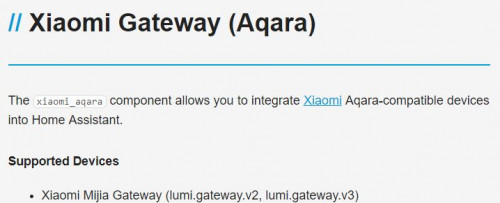
Link is at here Aqara Gateway
user posted image

Mind to tell us what is the error message in HA?
*
QUOTE
xiaomi_gw {'host': '192.168.2.154', 'port': 54321, 'hostname': 'lumi-gateway-v3_miio98876622.local.', 'properties': {'epoch': '1', 'mac': '7c49ebb0aab0'}, 'mac_address': '7c49ebb0aab0'}
2018-12-31 18:45:59 DEBUG (MainThread) [homeassistant.core] Bus:Handling <Event platform_discovered[L]: service=xiaomi_gw, discovered=host=192.168.2.154, port=54321, hostname=lumi-gateway-v3_miio98876622.local., properties=epoch=1, mac=7c49ebb0aab0, mac_address=7c49ebb0aab0>

2018-12-31 18:44:40 INFO (SyncWorker_6) [xiaomi_gateway] Xiaomi Gateway 7c49ebb0aab0 configured at IP 192.168.2.154:9898
2018-12-31 18:44:40 INFO (MainThread) [homeassistant.setup] Setup of domain panel_iframe took 0.0 seconds.
2018-12-31 18:44:40 DEBUG (SyncWorker_6) [xiaomi_gateway] _send_cmd >> b'{"cmd":"read","sid":"7c49ebb0aab0"}'

2018-12-31 18:44:49 WARNING (MainThread) [homeassistant.setup] Setup of xiaomi_aqara is taking over 10 seconds.
2018-12-31 18:44:50 ERROR (SyncWorker_6) [xiaomi_gateway] Cannot connect to Gateway
2018-12-31 18:44:50 ERROR (SyncWorker_6) [xiaomi_gateway] No data in response from hub None
2018-12-31 18:44:50 INFO (SyncWorker_6) [xiaomi_gateway] Discovering Xiaomi Devices
2018-12-31 18:44:50 DEBUG (SyncWorker_6) [xiaomi_gateway] _send_cmd >> b'{"cmd" : "get_id_list"}'
2018-12-31 18:45:00 ERROR (SyncWorker_6) [xiaomi_gateway] Cannot connect to Gateway
2018-12-31 18:45:00 INFO (SyncWorker_6) [xiaomi_gateway] Discovering Xiaomi Devices
2018-12-31 18:45:00 DEBUG (SyncWorker_6) [xiaomi_gateway] _send_cmd >> b'{"cmd" : "get_id_list"}'
2018-12-31 18:45:10 ERROR (SyncWorker_6) [xiaomi_gateway] Cannot connect to Gateway
2018-12-31 18:45:10 INFO (SyncWorker_6) [xiaomi_gateway] Discovering Xiaomi Devices
2018-12-31 18:45:10 DEBUG (SyncWorker_6) [xiaomi_gateway] _send_cmd >> b'{"cmd" : "get_id_list"}'
2018-12-31 18:45:20 ERROR (SyncWorker_6) [xiaomi_gateway] Cannot connect to Gateway
2018-12-31 18:45:20 INFO (SyncWorker_6) [xiaomi_gateway] Discovering Xiaomi Devices
2018-12-31 18:45:20 DEBUG (SyncWorker_6) [xiaomi_gateway] _send_cmd >> b'{"cmd" : "get_id_list"}'
2018-12-31 18:45:30 ERROR (SyncWorker_6) [xiaomi_gateway] Cannot connect to Gateway
2018-12-31 18:45:30 INFO (SyncWorker_6) [xiaomi_gateway] Discovering Xiaomi Devices
2018-12-31 18:45:30 DEBUG (SyncWorker_6) [xiaomi_gateway] _send_cmd >> b'{"cmd" : "get_id_list"}'
2018-12-31 18:45:40 ERROR (SyncWorker_6) [xiaomi_gateway] Cannot connect to Gateway
https://github.com/home-assistant/home-assi...nt/issues/16407

https://community.openhab.org/t/openhab2-xi...spond/52963/100

Seems like i have the same issue as these ppl. He only solved it after purchasing another unit.

This post has been edited by Drian: Dec 31 2018, 07:35 PM
Drian
post Jan 4 2019, 02:03 PM

Look at all my stars!!
*******
Senior Member
4,999 posts

Joined: Jan 2003


Anyone using an android box that can use alexa to search for youtube?

All those amazon android boxes can't search youtube.

Drian
post Jan 5 2019, 02:41 AM

Look at all my stars!!
*******
Senior Member
4,999 posts

Joined: Jan 2003


QUOTE(Fubar20 @ Jan 1 2019, 01:09 PM)
hmm.gif Looks like one of the case got connected but somehow he reported it as not connected.

2018-09-04 05:20:55 DEBUG (SyncWorker_12) [homeassistant.components.xiaomi_aqara] Gateways discovered. Listening for broadcasts
2018-09-04 05:20:55 INFO (MainThread) [homeassistant.components.binary_sensor] Setting up binary_sensor.xiaomi_aqara

I assume you had done all to troubleshoot the issue ie.:
1) Make sure you have enabled LAN access.
2) Turn off the firewall on the system where Home Assistant is running.
3) Ensure your router supports multicast as this is a requirement of the Xiaomi Gateway.
4) Try to leave the MAC address mac: blank.
5) Try to set discovery_retry: 10
6) Hard reset the gateway: Press the button of the gateway 30 seconds and start again from scratch.

Well, if cannot be connected then use for other purpose or sell it.  mellow.gif
*
Got a new one and it works out of the box. It seems like certain units cannot open the required ports.

Drian
post Jan 5 2019, 04:25 PM

Look at all my stars!!
*******
Senior Member
4,999 posts

Joined: Jan 2003


QUOTE(y4ng @ Jan 5 2019, 11:36 AM)
I bought a bunch of aqara stuff:
10 yeelights v2
2 wireless aqara switches double gang
9 wired live aqara switches double gang
2 smart sockets
1 gateway hub
1 cube thinge

Question is, can connect so many ar? I read max. 30 items, if I wanna add more gadget means I need another gateway?
*
Yes, even can also you would want to separate it out as zigbee is extremely low power and if out of range will get intermittent connection
Drian
post Apr 8 2019, 09:45 AM

Look at all my stars!!
*******
Senior Member
4,999 posts

Joined: Jan 2003


Anyone here has problems with broadlink?

The remote usage is unpredictable, sometimes it'll work , sometimes it won't .
like say 5 out of 7 days. Whenever it doesn't work , I can see that it is sending the IR command (the lights is blinking) but nothing happens. If I leave it alone, it'll work again by itself the next day.
Drian
post Apr 23 2019, 09:37 AM

Look at all my stars!!
*******
Senior Member
4,999 posts

Joined: Jan 2003


Is there any other brand other than broadlink doing IR remote. I find it really buggy. It doesn't work some of the time.


This post has been edited by Drian: Apr 23 2019, 09:37 AM
Drian
post Apr 23 2019, 09:40 AM

Look at all my stars!!
*******
Senior Member
4,999 posts

Joined: Jan 2003


QUOTE(Fubar20 @ Apr 23 2019, 09:38 AM)
Got. Xiaomi ada. Zemismart ada.
Line of sight problems?
*
Don't think so, cause it works at times , and sometimes not. Sometimes manually pressing through the app no respond.

Are they alexa compatible?


This post has been edited by Drian: Apr 23 2019, 09:42 AM
Drian
post Dec 19 2019, 03:47 PM

Look at all my stars!!
*******
Senior Member
4,999 posts

Joined: Jan 2003


QUOTE(idoblu @ Dec 17 2019, 03:57 PM)
Main Features:
●Smart Linking Devices in Your Home
Allows more intelligent control of smart devices in the home and builds a more convenient smart life scene.
●Controlling with Siri
Simple, secure control of smart devices at home via phone, built-in Siri or HomeKit App.
●WiFi Dual Antenna Structure
Built-in WiFi dual antenna uses 2 x 2 MIMO wireless technology, which has a stronger signal, better wall penetration ability, and wider coverage. The transmission distance can up to 200sqm in open environment.
●Multiple Certification Tests
Passed a number of certifications and tests such as Bluetooth Alliance, WiFi Alliance, Alliance, China RoHS, etc. to ensure product life.
●Simple and Lightweight Design
The shell is made of UV-resistant material, which will not fade even after long-term use. The design is simple and suitable for various home environments.

» Click to show Spoiler - click again to hide... «

New Mi gateway selling around Rm100 coming so don’t buy the older models
*
does it support Wifi 5G ?
One of the problems with my current hub is that it is using 2.4G.

My house 2.4G network is so congested, so many neighbours network i can view and it sometimes occupy my wifi bandwith channel. It's very obvious that it is a 2.4G congestion problem because changing to 5G on the same router has no issues.


Drian
post Jan 9 2020, 01:32 PM

Look at all my stars!!
*******
Senior Member
4,999 posts

Joined: Jan 2003


QUOTE(sunnyboy @ Jan 9 2020, 11:26 AM)
Bought some aqara 2 gang switch, no neutral line,  recently, yesterday I switched my normal switch to aqara's.

I connected the switch to my plaster ceiling L box led strip. To my surprise, when the switch in OFF mode, the led strip flickers, like got current passed through them ......but when ON, no problem...why is it happen? And how to solve it?
*
Add capacitor. The thing is without neutral line, the circuit cannot be totally off, it must allow a very small amount of current to pass through to power up the circuitry inside the aqara switch. That's the reason why your LED flickers, it is "partially" turned on.


4 Pages < 1 2 3 4 >Top
 

Change to:
| Lo-Fi Version
0.4813sec    1.47    7 queries    GZIP Disabled
Time is now: 19th December 2025 - 04:11 PM