Welcome Guest ( Log In | Register )

Bump Topic Topic Closed RSS Feed
3 Pages  1 2 3 >Bottom

Outline · [ Standard ] · Linear+

 [WTS] IPEGA PG-9023 9023 GAME CONTROLLER, RM105 only. Bluetooth gamepad for tablet

views
     
TSnigtra
post Aug 20 2014, 04:04 AM, updated 10y ago

Casual
***
Junior Member
427 posts

Joined: Jan 2013
From: Cheras, KL


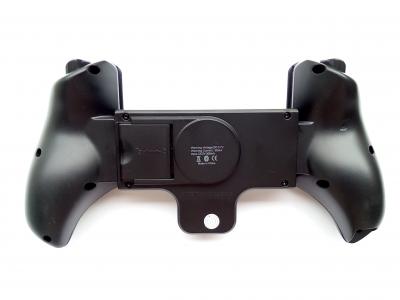
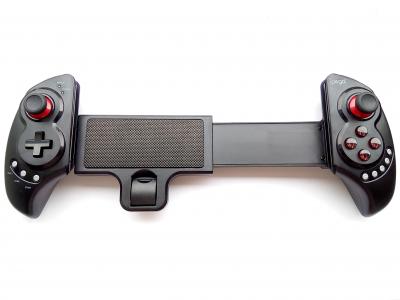
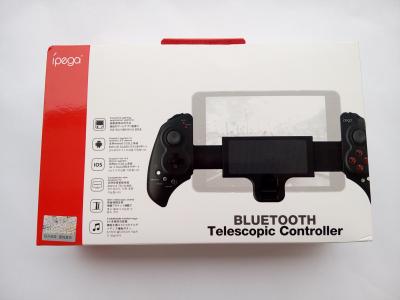
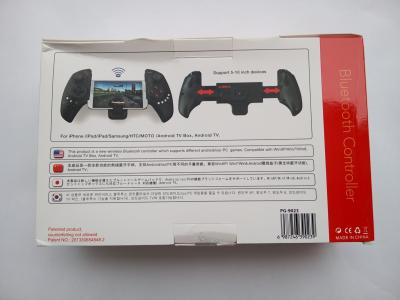
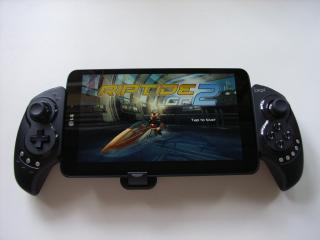
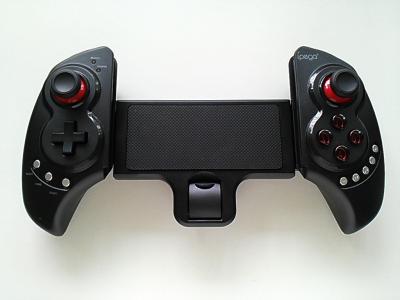
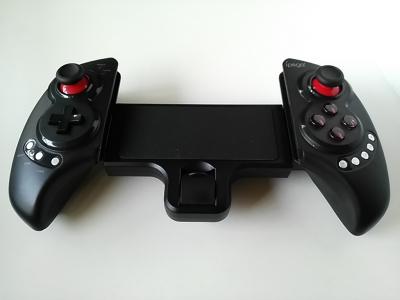
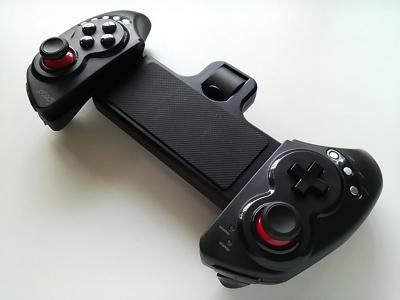
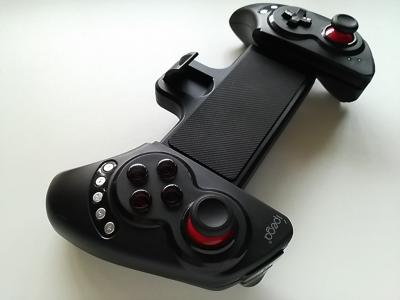
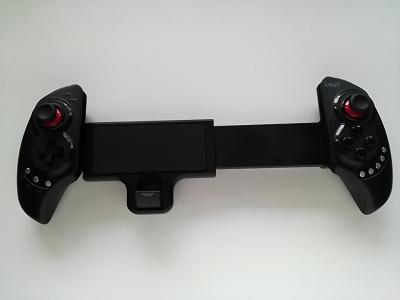
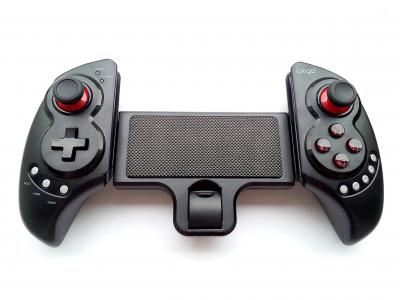
IPEGA PG-9023 9023 BLUETOOTH GAME CONTROLLER/GAMEPAD FOR TABLETS AND LARGE PHONES

This is the LATEST version of the 9023 with new user guide booklet and packaging.

The PG-9023 is another quality product from IPEGA featuring the same controls
found on the popular PG-9025 and PG-9021. While smaller IPEGAs are designed
for phones, the PG-9023 can easily hold large phones and tablets up to 10.5".

- Simple, driverless Bluetooth 3.0 connection
- Access to exclusive gaming application platforms for Android: BitGames Game
Centre and BitGames Emulator Games
- Built-in rechargeable lithium battery (380mAh) for up to 20 hours of play time
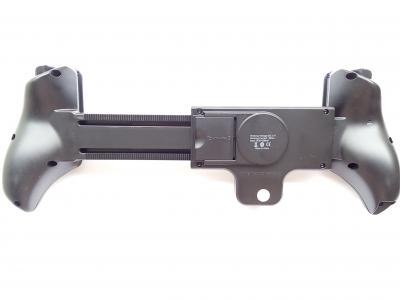
- Extendable holder supports devices up to 10.5" in screen size
- Supports four gaming modes, activated by pressing A-Home, B-Home, X-Home and Y-Home
- Includes 5 media control keys for Volume Up, Volume Down, Previous Track,
Next Track and Pause/Resume(Not available in Y-Home mode)
- Operating range of up to 6 meters in open uncongested areas
- Intelligent power saving mode
- Supports Android 3.2 and above, and IOS 4.3 and above devices
- New and original IPEGA product

Item(s):
IPEGA PG-9023 9023 BLUETOOTH GAME CONTROLLER/GAMEPAD FOR TABLETS

Package includes:
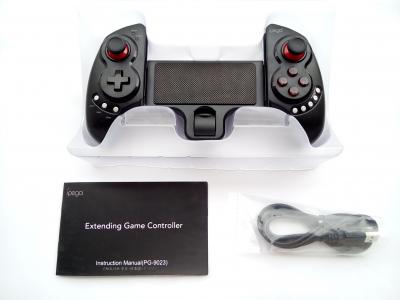
- Game controller, user guide, charging cable

Price:
RM105 only

Dealing method:
- Self collect at my place
- Bank in(MBB, CIMB, RHB) + express delivery

Location:
- Cheras, KL

Contact method/details:
- PM here, WeChat(nigtra_cy), Whatsapp, call or SMS me at:
012-376 5487(CY)

Item(s) conditions:
New

This post has been edited by nigtra: Oct 7 2015, 04:28 PM


Attached thumbnail(s)
Attached Image Attached Image Attached Image Attached Image Attached Image Attached Image Attached Image
TSnigtra
post Aug 20 2014, 03:44 PM

Casual
***
Junior Member
427 posts

Joined: Jan 2013
From: Cheras, KL


PG-9023: Some close-up pictures

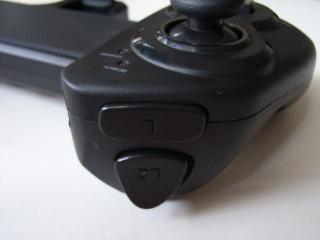
L and L2.
Attached Image

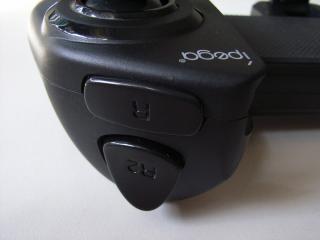
R and R2.
Attached Image

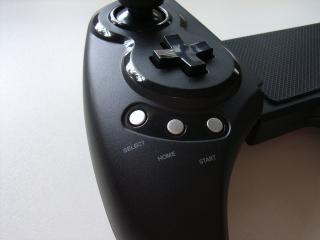
The left side with the d-pad.
Attached Image

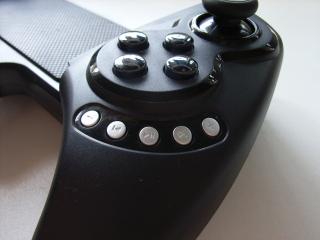
The right side with the ABXY buttons.
Attached Image

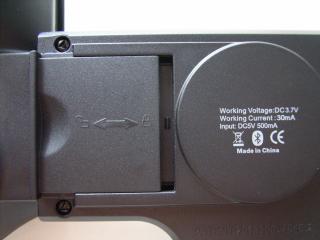
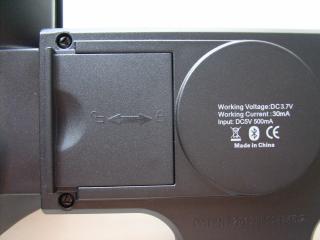
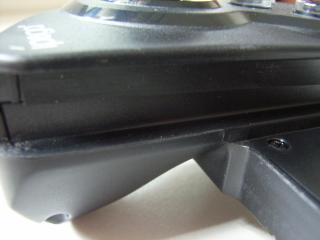
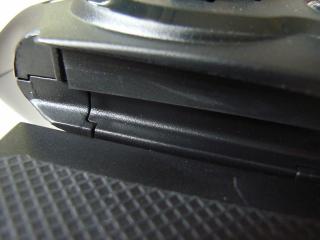
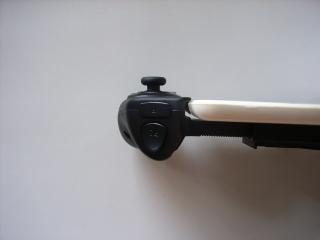
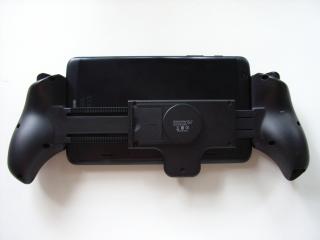
The lock for securely holding your device in place.
This is not locked. Also notice the usage of less common screws.
Attached Image

This position is locked.
Attached Image

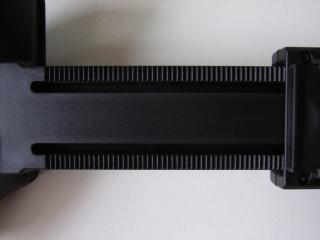
The lock grips on to these 'teeth'.
Attached Image

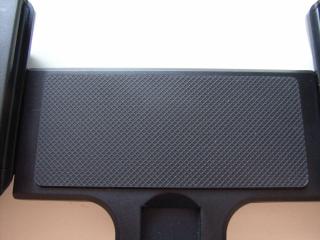
To protect and prevent your device from slipping,
rubber paddings are inserted at appropriate places
such as this large piece that comes into contact with the back of your device.
Attached Image

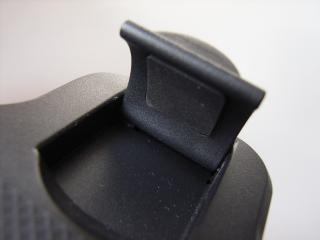
And here at the catch too.
Attached Image

The rubber padding is here too for holding the right side of your device.
Attached Image

And the left side.
Attached Image
TSnigtra
post Aug 20 2014, 04:26 PM

Casual
***
Junior Member
427 posts

Joined: Jan 2013
From: Cheras, KL


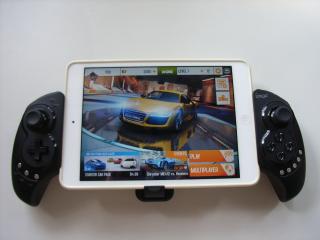
PG-9023: With an iPad mini

This is the PG-9023 holding an iPad mini, first gen, with a 7.9" screen.
The iPad mini has a silicon back cover attached.
Attached Image

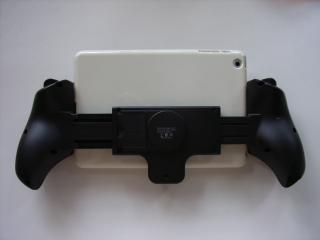
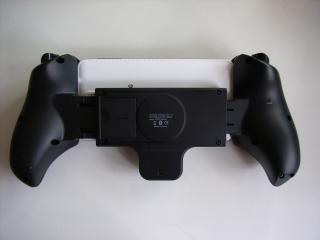
This is the view from the back.
Attached Image

This is how it looks like in portrait orientation.
Attached Image

A few other close up pictures of the PG-9023 with the iPad mini.
Taken from the top towards L and L2.
Attached Image

The rubber paddings of the PG-9023 work really well with the silicon cover. It provided a very good grip.
Taken from the top towards R and R2.
Attached Image

Taken from the bottom; a close-up towards the ABXY buttons.
Attached Image

From bottom again, towards the d-pad.
Attached Image

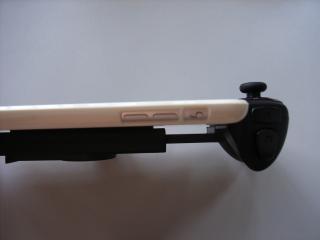
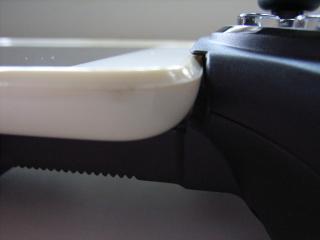
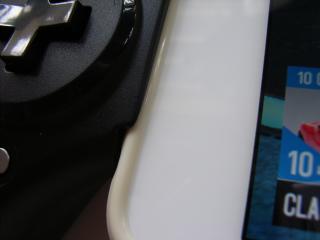
Fits perfectly with almost no gap.
Attached Image

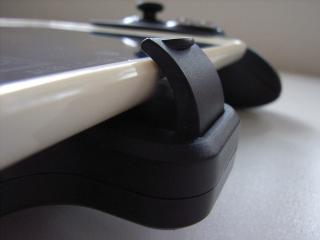
The catch.
Attached Image

This post has been edited by nigtra: Aug 20 2014, 04:28 PM
TSnigtra
post Aug 20 2014, 05:11 PM

Casual
***
Junior Member
427 posts

Joined: Jan 2013
From: Cheras, KL


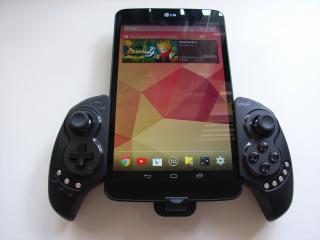
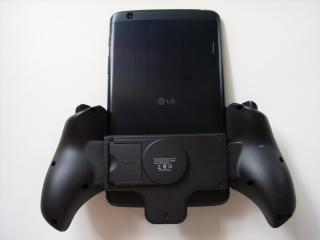
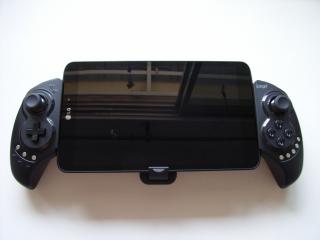
PG-9023: With a LG G Pad

A LG G Pad with an 8.3' full HD screen.
Attached Image

In portrait.
Attached Image

From the back.
Attached Image

From the back again; in portrait orientation.
Attached Image

Slick and black.
Attached Image

This post has been edited by nigtra: Aug 20 2014, 05:12 PM
TSnigtra
post Aug 20 2014, 05:42 PM

Casual
***
Junior Member
427 posts

Joined: Jan 2013
From: Cheras, KL


PG-9023: With other common devices

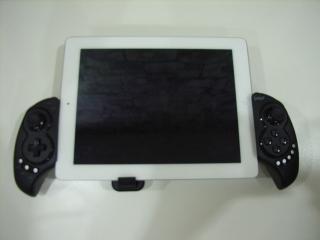
An iPad, 3rd gen, 9.7" screen.
Attached Image

From the back.
Attached Image

An iPad Air, also at 9.7" screen but of course lighter and thinner.
Attached Image

The back of the Air.
Attached Image

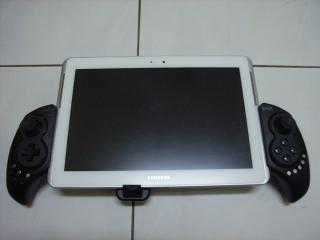
A Samsung Tab 2 10.1
Attached Image

The back of the Tab 2 10.1
Attached Image

How about a phone?
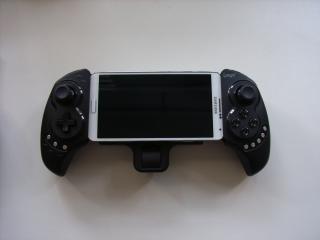
This is how the PG-9023 looks like with the popular Samsung Galaxy Note 3, 5.7" screen.
Attached Image

The rear view with the Note 3.
Attached Image
TSnigtra
post Aug 20 2014, 06:16 PM

Casual
***
Junior Member
427 posts

Joined: Jan 2013
From: Cheras, KL


PG-9023: Comparing with the PG-9025 and PG-9021

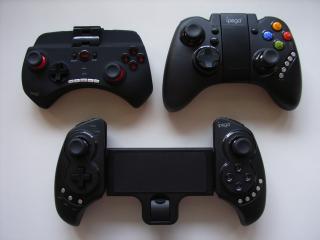
This is the difference in sizes between the PG-9025, PG-9021 and PG-9023.
PG-9025 on top left, PG-9021 on top right while the PG-9023 at the bottom.
Attached Image

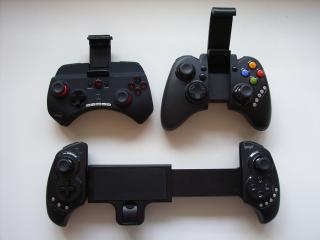
Holders extended but not stretched to the limits.
Attached Image

When stretched to the max, the PG-9023 can hold devices up to 280mm.
TSnigtra
post Aug 20 2014, 08:32 PM

Casual
***
Junior Member
427 posts

Joined: Jan 2013
From: Cheras, KL


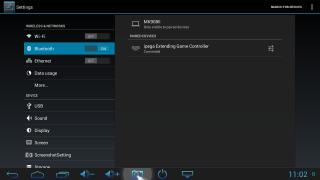
PG-9023: Pairing and connecting

Initial pairing and connection of the PG-9023 is simple.
Just select the mode by pressing and holding one of the A, B, X and Y buttons and then pressing the Home button.
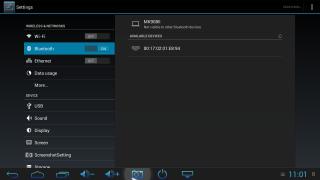
The Search LED fast blinks and we can now search/scan for the PG-9023 on our device.
It should show ipega Extending Game Controller
Attached Image

or a set of hex address.
Attached Image

Tap on it to complete the connection.
If everything is successful, we should see 'Connected' on our device.
Attached Image
The Search LED on the PG-9023 should also stop blinking and remain steadily lit.

Moving the left joystick and d-pad should bring up the cursor.
We can also verify by adjusting the volume using the PG-9023.


This post has been edited by nigtra: Aug 20 2014, 08:35 PM
TSnigtra
post Sep 20 2014, 05:19 PM

Casual
***
Junior Member
427 posts

Joined: Jan 2013
From: Cheras, KL


QUOTE(Yougene_Boy @ Sep 20 2014, 04:06 PM)
How's the quality?
*
Its good value for money. Well made item.
I won't claim they are the best in the world but we get what we pay for.

Thank you fro dropping by smile.gif


TSnigtra
post Oct 30 2014, 11:12 PM

Casual
***
Junior Member
427 posts

Joined: Jan 2013
From: Cheras, KL


The newest IPEGA PG-9023 is now available is a slightly different colour scheme. Pictures below.
Attached Image Attached Image

Nothing's been changed on the firmware; still working great as before biggrin.gif
TSnigtra
post Nov 3 2014, 01:29 PM

Casual
***
Junior Member
427 posts

Joined: Jan 2013
From: Cheras, KL


QUOTE(RX-78-2 @ Nov 3 2014, 12:07 PM)
Free bump for you bro!

I have try 9021 and 9023 both are great!!
easily paired up with my Asus Transformer Prime!

And another good news is.... IT CAN WORK WITH PC!!!
Tested with my Asus laptop and the new VivoPC Vm62, it can paired up via bluetooth! although it is not as smooth as pairing with android because sometime the PC need to re pairing again after the controller off. stupid Windows especially the new Windows8 is painful for all kind of configuration.

Do you have any idea how to use the controller on Eternal Worrior 3?
*
Thanks for the bump, bro!

I also do think GLU could've dropped support for iPegas for EW3.
Coz everything was working out of the box for EW2!

The only way I can think of is to use a screen mapping tool.
You'll need to map the on-screen controls to physical controls on the iPega.
For this you'll most likely need a rooted device.

TSnigtra
post Nov 6 2014, 11:42 AM

Casual
***
Junior Member
427 posts

Joined: Jan 2013
From: Cheras, KL


QUOTE(Al@n2rock @ Nov 6 2014, 09:12 AM)
hi bRO,

Note 2, ppsspp games can support?

PM me thanks smile.gif
*
Yes, bro. PPSSPP games are supported.

All you need to do is map the controls before playing.

Thank you for your interest smile.gif
TSnigtra
post Nov 13 2014, 03:42 PM

Casual
***
Junior Member
427 posts

Joined: Jan 2013
From: Cheras, KL


QUOTE(Ashraf Zainal @ Nov 13 2014, 01:55 PM)
Hi there.
I have a Microsoft Surface Pro tablet. Its dimensions are 10.81 x 6.81 x 0.53 inches (275 x 173 x 13 mm). With these dimensions, will the tablet be able to fit in this controller?
*
Shouldn't be a problem, bro. Max it'll hold is 280mm.
Please check your PM.

Thank you for your interest smile.gif

This post has been edited by nigtra: Nov 13 2014, 03:49 PM
TSnigtra
post Nov 17 2014, 04:59 PM

Casual
***
Junior Member
427 posts

Joined: Jan 2013
From: Cheras, KL


QUOTE(chuckey @ Nov 17 2014, 04:24 PM)
Stii got boss..? Pm me best price
*
Yes, the 9023 is still available.
Price is already super low biggrin.gif

Thank you for your interest.
TSnigtra
post Nov 17 2014, 11:35 PM

Casual
***
Junior Member
427 posts

Joined: Jan 2013
From: Cheras, KL


QUOTE(huzzLEE_82 @ Nov 17 2014, 05:15 PM)
nice gamepad..will consider it later...
bookmarked...
*
Yup, thank you. Its really a very popular gaming device among mobile device users.
Let me know if you have any questions about it smile.gif
TSnigtra
post Nov 19 2014, 10:04 AM

Casual
***
Junior Member
427 posts

Joined: Jan 2013
From: Cheras, KL


QUOTE(nyk4231 @ Nov 18 2014, 01:27 AM)
hi can you share the method ,how to setup the map controls for PPSSPP games.

Thanks
*
Go to Settings, Controls, Control mapping and map what you want against the 9023. That's it smile.gif
I'm using the regular(non-gold) PPSSPP.

Thank you.


TSnigtra
post Nov 19 2014, 01:12 PM

Casual
***
Junior Member
427 posts

Joined: Jan 2013
From: Cheras, KL


PG-9023: Newly discovered supported device

Yesterday, I got to test the 9023 with a Xiaomi Mi Pad user.
Everything worked fine. Pairing and connection was successful on first attempt.
We also mapped controls for PPSSPP.

The Mi Pad has a gorgeous 1536x2048px 7.9" screen.
It uses NVIDIA Tegra K1 chipset which the new Nexus 9 also uses.
TSnigtra
post Nov 24 2014, 11:09 AM

Casual
***
Junior Member
427 posts

Joined: Jan 2013
From: Cheras, KL


QUOTE(nyk4231 @ Nov 22 2014, 06:51 AM)
Thanks for your reply.

how to make a setup for play FIFA14/15..i use note3 and tab s.which apps i need to install?
need root my decive or not? any idea without root...coz i no want root my tab s just bought.
*
Tab S is a high end tablet. Recently I tested a 9023 with a Tab S 8.4 and they are compatible.
Root isn't compulsory and, AFAIK, isn't required to play FIFA 15.
Good news for keeping your warranty smile.gif


TSnigtra
post Nov 27 2014, 05:54 PM

Casual
***
Junior Member
427 posts

Joined: Jan 2013
From: Cheras, KL


QUOTE(TCX2 @ Nov 27 2014, 04:06 PM)
Dear Nigtra,

May i know is this able to support Half Life 2 with Mi Pad ?

Regards
Chuan
*
Hi Bro!

I don't have a Mi Pad so I can't test HL2 with it.
But let's piece together, what I can find.

We already know the 9023 is compatible with the Mi Pad.
The Mi Pad uses the same chipset, and also CPU, as the NVIDIA Shield tablet.

Here's a video of HL2 being played with a 9023 on a Shield tablet.
The tablet was pre-connected; I can't see which mode he used.


This video showed the 9023, also with a Shield, playing Doom 3.
Take note at 7:47, the player paired in X-Home.


Let me know if you would like to take a chance smile.gif

Thank you for your interest.
TSnigtra
post Nov 29 2014, 02:27 PM

Casual
***
Junior Member
427 posts

Joined: Jan 2013
From: Cheras, KL


QUOTE(TCX2 @ Nov 28 2014, 09:36 AM)
Dear Nigtra

Thanks for your information feeding =) if included postage to Kch Sarawak , how much will u charge for 9023 ?
*
Please check PM, bro.
Have a nice weekend smile.gif
TSnigtra
post Nov 30 2014, 04:20 PM

Casual
***
Junior Member
427 posts

Joined: Jan 2013
From: Cheras, KL


QUOTE(kopicat123 @ Nov 30 2014, 04:10 PM)
Hi may I know if you're currently selling the latest model with red accent?
*
Yes, my 9023 is the latest version, Nov 2014 batch with red accent.

Thank you smile.gif

This post has been edited by nigtra: Nov 30 2014, 04:27 PM

3 Pages  1 2 3 >Top
Topic ClosedOptions
 

Change to:
| Lo-Fi Version
0.0379sec    0.70    7 queries    GZIP Disabled
Time is now: 12th December 2025 - 10:15 PM