

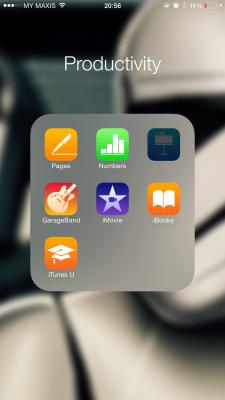
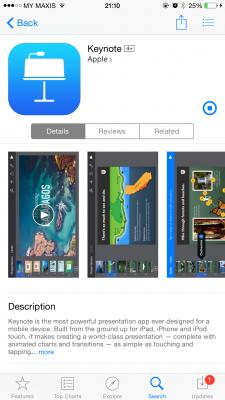
I was updating iWork, both the Page and Number running well, but Keynote stuck for like forever.
iPhone 6+ 64GB
iOS 8.1.2 (don't ask me to update you know why too)

The Official iOS 8 for iPhone Discussion Thread, Current Version: iOS 8.4
|
|
 Apr 26 2015, 09:21 PM Apr 26 2015, 09:21 PM
Return to original view | Post
#1
|
 
Senior Member
913 posts Joined: Jan 2007 From: Butterworth, Penang  
|
Not sure any of you face this problem or not.
I was updating iWork, both the Page and Number running well, but Keynote stuck for like forever. iPhone 6+ 64GB iOS 8.1.2 (don't ask me to update you know why too)
|
|
|
|
|
|
Apr 28 2015, 11:54 PM
Return to original view | Post
#2
|
|
Senior Member
913 posts Joined: Jan 2007 From: Butterworth, Penang
|
QUOTE(ahaksz28 @ Apr 28 2015, 10:23 PM) Not sure whether you have fixed this. I faced the same problem before but the app was not Keynote. I fixed it by reinstalling the app after I had delete the app by using iTunes. Just tried. Manage to remove it with iTunes. But when downloading done, it stuck again. Home screen icon stuck at 70% area and won't move. |
|
|
Apr 29 2015, 10:15 AM
Return to original view | Post
#3
|
|
Senior Member
913 posts Joined: Jan 2007 From: Butterworth, Penang
|
QUOTE(ahaksz28 @ Apr 29 2015, 01:18 AM) Sorry that it's not working for you. Came with iPhone 6+. May I know how did you install the Keynote app? Did you use iTunes to install the app? Or you used App Store on iPhone to install it? All the while I'll update it through App Store(phone) whenever its available. But the last time I updated it, it just stuck like that. This post has been edited by Shufflerz: Apr 29 2015, 10:15 AM |
|
|
Apr 29 2015, 01:16 PM
Return to original view | Post
#4
|
|
Senior Member
913 posts Joined: Jan 2007 From: Butterworth, Penang
|
QUOTE(ahaksz28 @ Apr 29 2015, 10:49 AM) What I meant is after you removed it yesterday, how did you reinstall the app? Using iTunes or via App Store on iPhone? Oh I did it with the phone. Sorry if I didnt make myself clear earlier. Sorry if I didnt make myself clear earlier.  Maybe I should try to remove everything including the .ipa file, then redownload with iTunes and try again. Gonna try tonight and revert back to you. Thanks a lot really. |
| Change to: |  0.0353sec 0.0353sec
 0.28 0.28
 7 queries 7 queries
 GZIP Disabled GZIP Disabled
Time is now: 8th December 2025 - 03:41 PM |
 Quote
Quote