Welcome Guest ( Log In | Register )

Outline · [ Standard ] · Linear+

Review Unboxing & Review: i-Rocks K10 Gaming Keyboard

views
     
TSlucidlts
post Apr 5 2014, 01:54 PM, updated 12y ago

brain powder
*******
Senior Member
2,906 posts

Joined: Oct 2010
From: hurrr durrrrr?


Author's Note: The Original Review may be found in www.tech-critter.com, please head to the site to show us your support as well.

user posted image

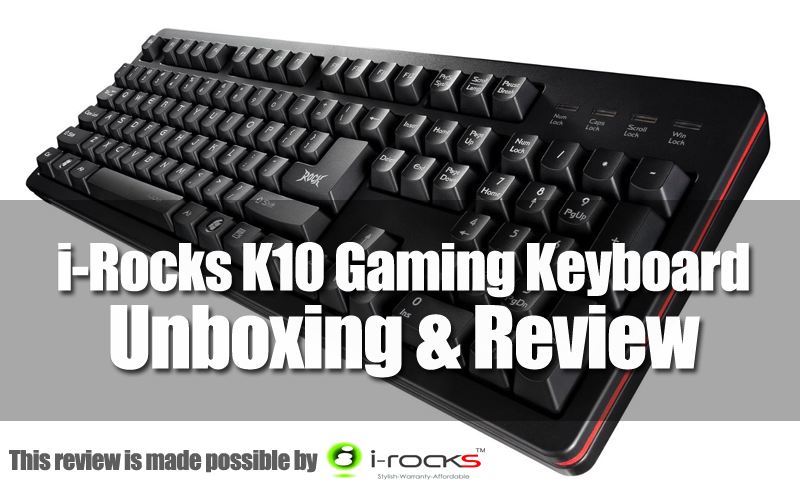
The name i-Rocks might not be a familiar name in our local gaming peripheral market compared to Razer and Steelseries or perhaps this might be the first time you have ever came across the name i-Rocks. Throughout the years, i-Rocks has been a manufacturer of gaming peripherals well known to the Chinese eSports scene and sponsor to Team WE.

Recently emerges in our local market with their ROCK Series gaming peripherals and A05-G Gaming Headset, i-Rocks has gained quite an amount of interest from various group of users to try out what i-Rocks has to offer. In today's unboxing and review, we have the i-Rocks K10 gaming keyboard with us, great thanks to i-Rocks Malaysia in making today's unboxing and review possible.

Without further ado, let's see what does i-Rocks has to offer to the local gamers with their K10 gaming keyboard (priced at 169 Malaysian Ringgit each).


Technical Specifications
Interface USB 2.0 with 1000 Hz Polling Rate
Key Travel 3.8±0.5mm
Actuation Force 55±15g
Switch Type Rubber Dome Switch
Switch Lifespan 20 Million lifecycles
Key Rollover 30 keys
Dimension 448mm x 148mm x 34mm
Weight 1.2±kg

Overview

user posted image

Our first impression on the packaging, looks professional in overall but the choice of font for the name 'K10' is rather odd as some might mistreated it as KID instead of K10.
user posted image

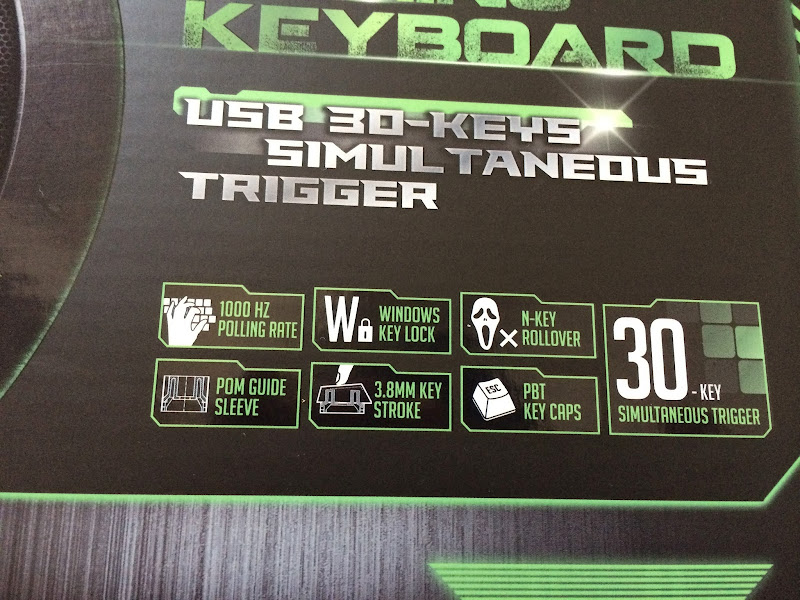
Here's another thing we would like to point out which is the term Key Rollover aka KRO. Key Rollover is the numbers of keystrokes can be registered simultaneously before signal blocking occurs, or pretty much known as ghosting.

In our case, the K10 is able to register up to 30 simultaneous keystrokes before ghosting occurs. Hence, the correct term to be used here is 30 KRO instead of N-Key Rollover as N-Key Rollover carries the meaning of being able to register as many keystrokes as possible without having ghosting to occur.

user posted image

At the back of the packaging, there's features of the K10 briefly described in pictures and 2 language is available for the guide - English and Chinese Traditional.
user posted image

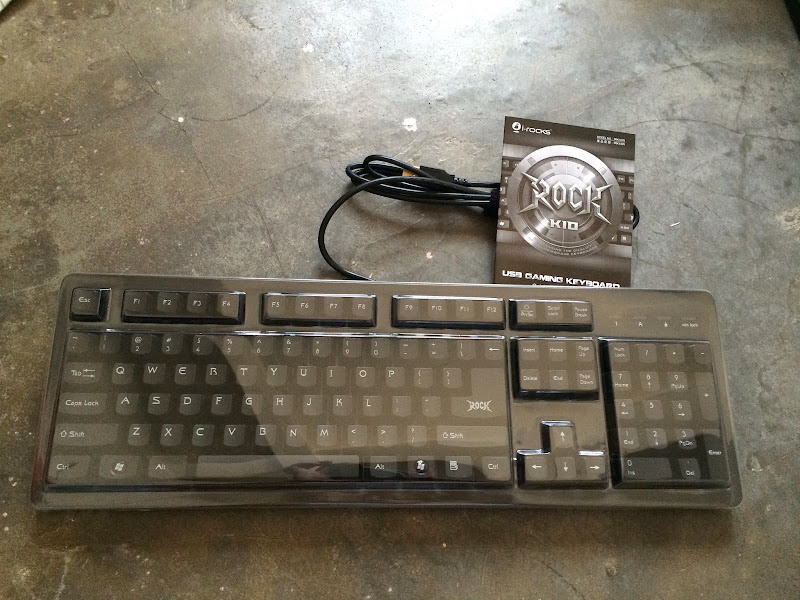
Right out of the box is our one and only i-Rocks K10 gaming keyboard, a plastic cover and a piece of user's manual. The keyboard itself is very rigid thanks to the metal plate at the bottom of the keyboard, not to mention that it's pretty heavy too.

i-Rocks is very thoughtful for include a plastic cover for dust protection as not many gaming keyboard around the price range comes with such accessories. Great job!

user posted image

Gold plated connector has been spotted on many mainstream gaming peripherals which is said to be able to reduce latency of signal sent to your computer for a much more responsive feedback.

As far as we can tell, there's no differences at all in terms of performance. However, what we did notice is that these gold plated connectors doesn't lose their shine easily compared to non-gold plated ones. In other words, you'll get to have a shiny USB connector for a very long period of time.

user posted image

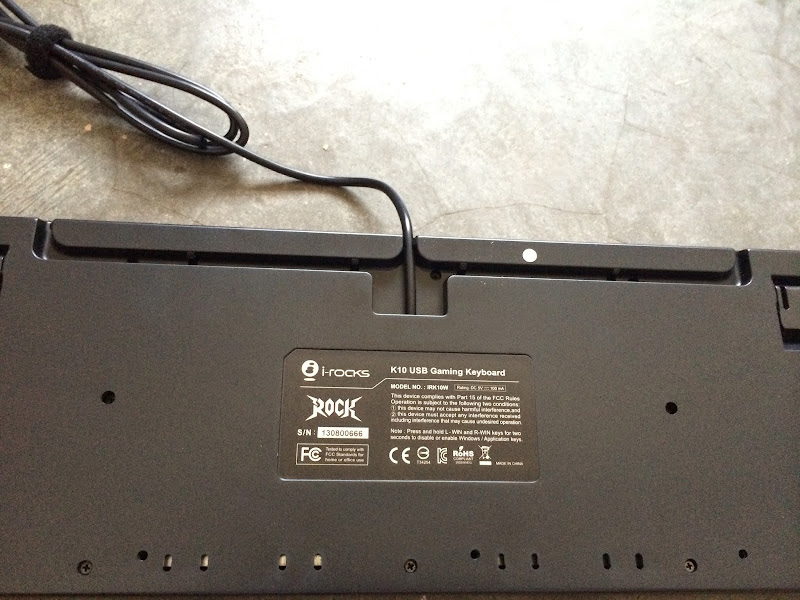
There's a ferrite bead attached to the USB cable which function as a filter to help eliminate noise which could potentially affect a gamer's performance when fast and rapid input takes place.
user posted image

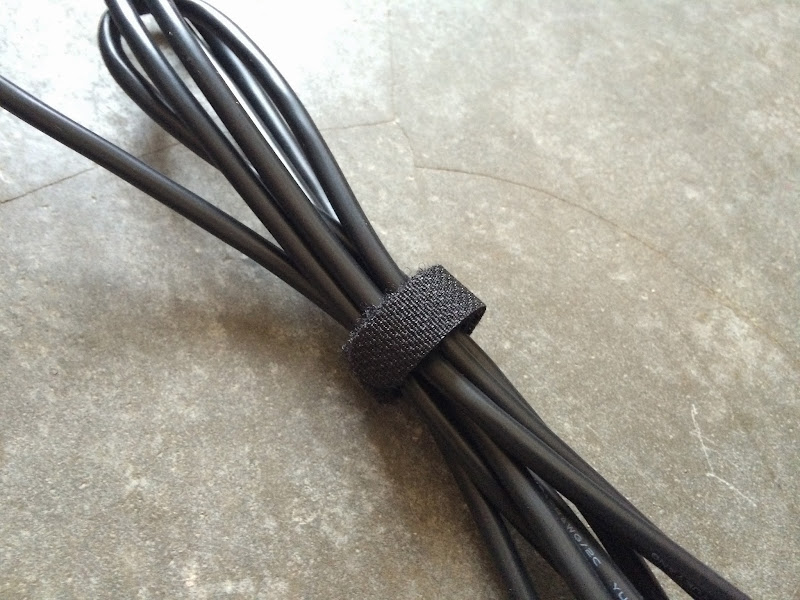
A velcro tie is included to keep your cable tidy, it'll be even better the velco tie has i-Rocks logo printed on.
user posted image

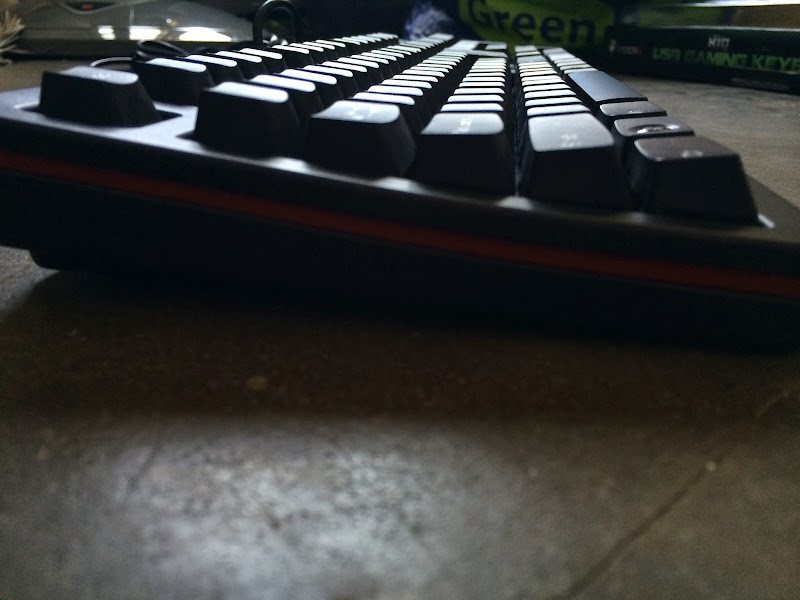
Ergonomically sculpted layout to give better comfort compared to a full flat layout.

user posted image

These large rubber feet will help to keep your keyboard in place during intense gaming session for zero compromised performance.

This post has been edited by lucidlts: Apr 5 2014, 02:01 PM
TSlucidlts
post Apr 5 2014, 01:55 PM

brain powder
*******
Senior Member
2,906 posts

Joined: Oct 2010
From: hurrr durrrrr?


user posted image

Keyboard feet, an essential element which a keyboard must have. These keyboard feet allows you to tilt your keyboard height to suit your preferences and needs.

user posted image

There's a cable management feature in the choice of three ‘channels’ along which your cable can run, allowing the cable to come out from either left or right sides of the keyboard instead of just the middle.

user posted image

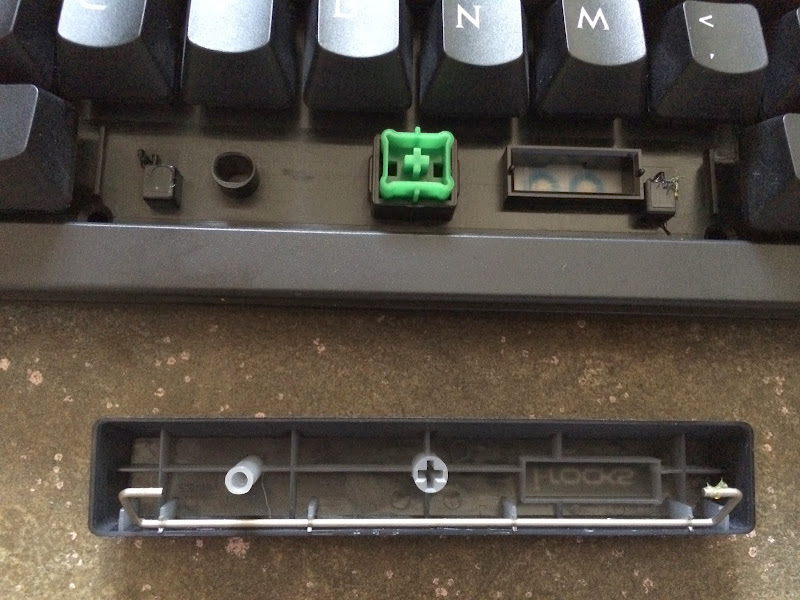
i-Rocks uses an identical structure which can be found on their KR6260, except that POM guiding stem appears to have an identical structure to the Cherry MX which allows you to install Cherry MX keycaps on.

If you're fascinated by interchangeable keycaps on mechanical keyboards but ended up being held back by the price of the keyboard itself, the i-Rocks K10 might just be an alternative to realize your wet dream.

user posted image

Compared side by side: K10 keycap (left) and Cherry MX doubleshot keycaps by Signature Plastics.

i-Rocks claimed that the material used for the K10 keycaps were PBT, a much more durable material compared to the standard ABS used on most keycaps of keyboards around the globe. Yet, infill printing method is used for the legends / fonts which will wear out pretty fast if not taken care properly.

user posted image

Look of Disapproval Doubleshot keycap installed on i-Rocks K10.

user posted image

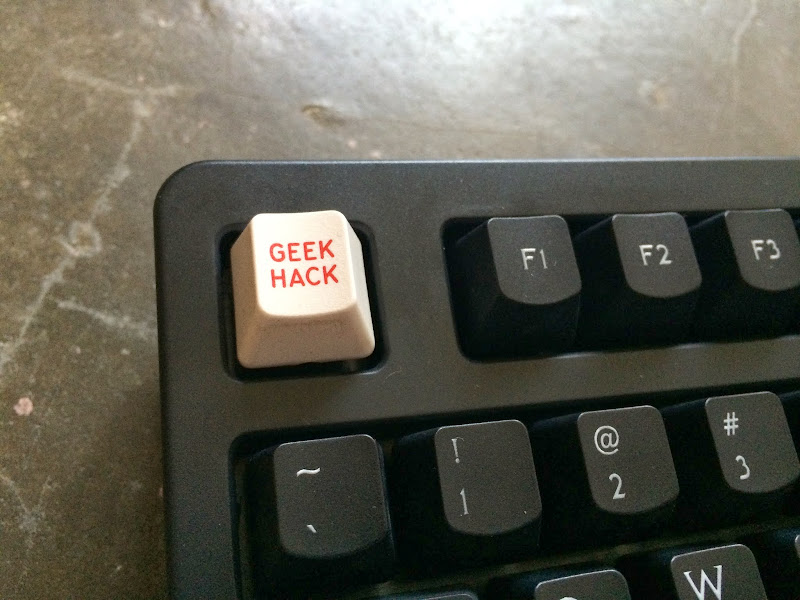
Geekhack doubleshot keycap installed on i-Rocks K10.

user posted image

The only keycaps which cannot be replaced are the larger keycaps which is not compatible with any of the larger Cherry MX keycaps (Modifier Keys, Spacebar, Enter, etc).

user posted image

The i-Rocks logo on the spacebar can be illuminated by holding down the 'print screen' key.

user posted image

The illuminate logo on the 'print screen' key, hold down the key for around 2 seconds to illuminate the i-Rocks logo located at the spacebar.

user posted image

Green illuminated i-Rocks logo.

This post has been edited by lucidlts: Apr 5 2014, 01:58 PM
TSlucidlts
post Apr 5 2014, 01:58 PM

brain powder
*******
Senior Member
2,906 posts

Joined: Oct 2010
From: hurrr durrrrr?


user posted image

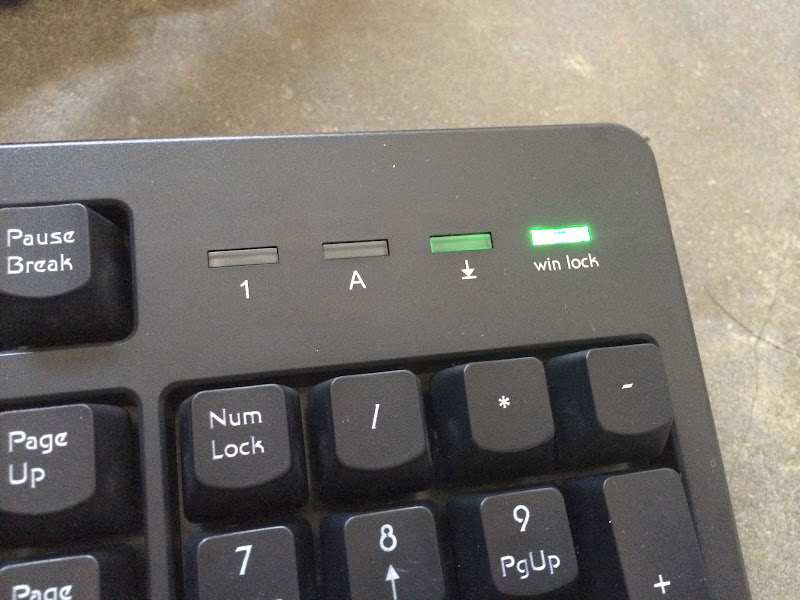
There's also a windows key disable function to prevent unintentional actuation during gaming session. Holding down both windows key for 3 seconds will lit up the win lock LED located above the numpad area which indicates that both windows key has been disabled. The menu key located in between the right windows key and right ctrl key is disabled as well to avoid unintentional actuation.

user posted image

Our attempt in determining the 30 key rollover feature - the 30 KRO is a real deal, but there's some false actuation where the F7 key is registered when large amount of keystrokes in the left QWERTY area is registered simultaneously.

user posted image

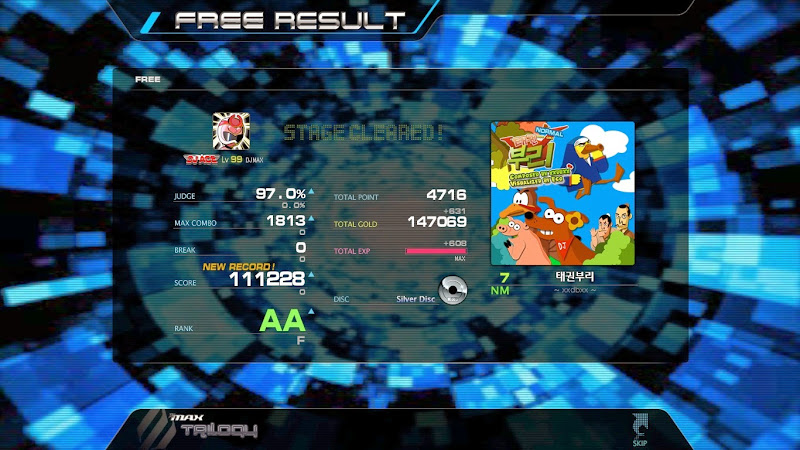
The responsiveness of the keyboard is pretty impressive, proven with a quick run on the rhythm game DJMAX Trilogy.


Final Thoughts
The i-Rocks K10 is a very sturdy keyboard with built quality near to an actual mechanical keyboard and comes with 30 key rollover feature that far exceeded the quality and features of many known gaming keyboard in the same price range.

Pros
- Comes with plastic cover for dust protection
- Very sturdy build, hardly bendable even by force
- Higher resistance PBT keycaps
- Compatible with Cherry MX Keycaps
- 30 Key Rollover feature that allows up to 30 simultaneous keystrokes
- Gold plated USB connector with ferrite bead for noise cancellation
- Windows key lock function to prevent unintentional actuation during gaming session

Cons
- Odd choice of legends/ font used for keycaps
- Infill printing method can wear out easily if not taken care properly
- Velcro tie looks cheap
- Incorrect information regarding to the packaging 'N-Key Rollover' and '30 keys simultaneous trigger'

Awarding the i-Rocks K10 Gaming Keyboard isn't a hard decision as the quality and features offered is already beyond many gaming keyboards at the same price range, but the choice of font and printing method is something i-Rocks should consider to revise. The i-Rocks K10 Gaming keyboard is awarded with our Tech Critter Silver Award!

user posted image

This post has been edited by lucidlts: Apr 5 2014, 02:01 PM
aiqal
post Apr 6 2014, 01:18 AM

Getting Started
**
Junior Member
277 posts

Joined: Nov 2011
From: Shah Alam


nice review ! thumbs up biggrin.gif
TSlucidlts
post Apr 6 2014, 03:43 AM

brain powder
*******
Senior Member
2,906 posts

Joined: Oct 2010
From: hurrr durrrrr?


QUOTE(aiqal @ Apr 6 2014, 01:18 AM)
nice review ! thumbs up biggrin.gif
*
Thanks for the compliment biggrin.gif
NoraDanish
post Apr 11 2014, 06:17 PM

New Member
*
Junior Member
34 posts

Joined: Mar 2014
From: Kuala Terengganu, Terengganu.


This looks so nice! Nice review thumbup.gif


Change to:
| Lo-Fi Version
0.0153sec    0.40    5 queries    GZIP Disabled
Time is now: 24th December 2025 - 03:45 AM