

 Feb 20 2014, 04:37 PM, updated 12y ago


Some of you might encounter this before but didn't see anyone posted this problem as well. Well if you're a Gold Medal earner of Mario Kart 7 or a HR hunter in Monster Hunter series, this problem should arise on your 3DS. Welp, mine was on my first 3DSLL white. I brought a new LL eventually. On the other hand my analog was fine. It was just the plastic of the analog that is broken. So on the second thought I would like to try to replace this handheld by using a pretty similar accessories that we have, which is the CirclePad Pro (CPP). Here's a glimpse on my broken plastic analog
» Click to show Spoiler - click again to hide... «

So now this simple DIY task (I rate it 3 out of 5, if it is a normal 3DS then will be 4 out of 5) will be shown to you with some picture to guide you. Hope it helps.
Apparatus that you need is :-
1) Your 3DS/3DSXL/3DSLL
2) Triwing screwdriver
3) Philips screwdriver
4) CirclePad Pro (normal or big one)
» Click to show Spoiler - click again to hide... «

Take out the cover of the back of your 3DS. This can be done easily.
» Click to show Spoiler - click again to hide... «
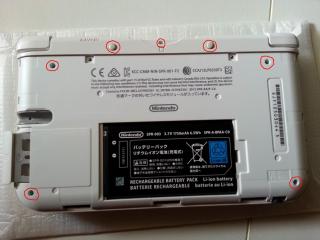
Next take out the screw on the red circle that I shown. Easy job here as well.
» Click to show Spoiler - click again to hide... «

You're good to go on lifting up the cover. Do be caution as there's a 2 ribbon attached on the 3DS MoBo itself (the L and R button) that I circle with green color. So be gentle and pluck out the ribbon. There you will see your analog with 2 red color circle as well. Take that out.
» Click to show Spoiler - click again to hide... «

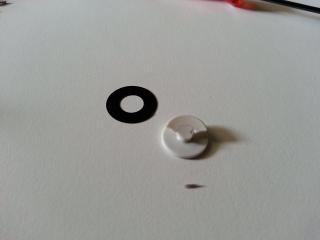
Now you will see that you will need to replace this plastic that I circled using green color.
This post has been edited by andrewcha: Feb 20 2014, 05:28 PM
 Quote
Quote






 thanks


 0.0236sec
 0.54
0.54
 6 queries
 GZIP Disabled