

 Jul 27 2013, 06:40 AM, updated 13y ago


Since this SST-RV04B-W announced by Silverstone, all I see online is negative feedback for its look, change of airflow style and etc...
To be honest, at the first glance when I see picture on the web, I thought it had some accident on the road, look at that curve on the front door, I don't know, maybe it's crashed by some motorbike. But sincerely, despite the way it look, I love the interior design for this case, it's a ATX version of Silverstone PS07 that I longed for.
After some reading on the reviews , questioning on the feature of it with the Silverstone customer service, I decided to buy this casing.
Okay, I'm done with my babble, let's start the open box job.

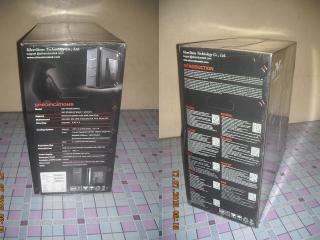
The box is huge, gross weight at 13.178 Kg make this case a heavy one. However, there are holes on the side of the box, so you could easily lift it and carry it away.


Inside the box we'll see the typical foam, the case itself is in a cotton(correct me if I'm wrong) bag.


The accessories is kept inside a white box, Silverstone provide a user's manual, graphic card holder, 180mm to 120mm fan mount, cable ties and some screws.
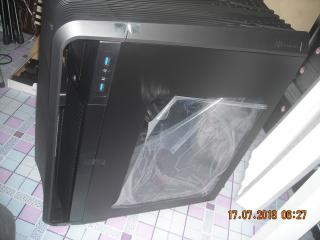
The case is in deep black color although it looks grey in the photo, it is caused by the camera's flashlight, it looks cool, this I can promise you.
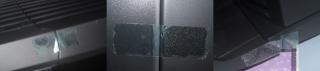
There are tapes to keep the front door shut and prevent damage in the delivery, and plastic on either side of the acrylic window to prevent scratches.


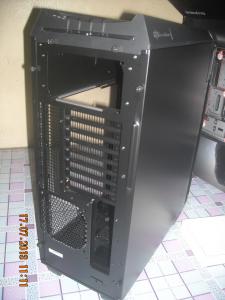

Let's take a look at the case first.
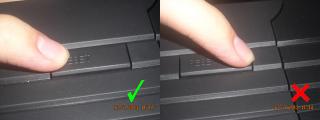
On top of the front door is where the power button and reset button lies, note that these two buttons can only be pressed on the lower side.
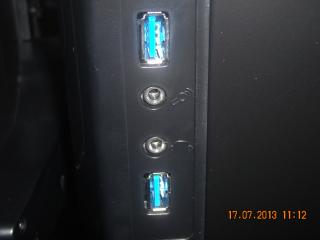
On the right side here lies the two USB 3.0 ports, 3.5mm headphone jack and micrphone jack. To have these port located at the side is good, cause it may save time for dust removal jobs with it.
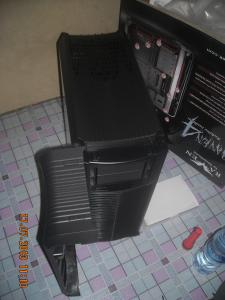
The door can be open up 90 degree to the left, it won't swing when you open it, I guess that's because there is cables routed inside it.

By removing those four screws, maybe DIYers can install their favorite color of LED indicator?
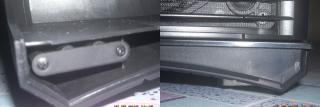
The door is hold close by magnet, thought it's not strong enough, maybe they don't want the magnet to cause damage on the fans and hard drives?

There is two 5.25 drive bay, removing these two drive bay cover is easy, just press on the sides of the cover, and it can be removed.

There is fan controller switches, which can control the two AP181 fan to operate on high speed(1200 rpm), medium speed(900 rpm) and low speed(500rpm)

The front fan dust cover could be removed by pulling it.

Silverstone claims that this filter allow more air flow to get through, believe it or not? Believe it.
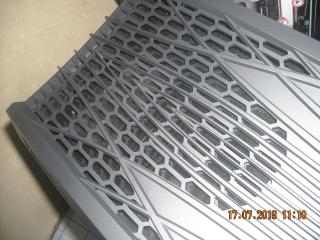
There is ventilation on the top of the casing, it is to provide airflow for the PSU when it's mounting with the fan facing up.

There is removable dust filter inside, just pull it out and you could clean it with brush or water, but it doesn't feel smooth whenever you pull it out or install it back.
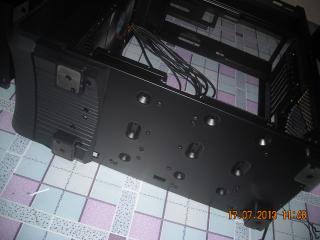
There's lots of screw holes at the bottom of the case, some of it secure the hard drive cages, some is used to install the SSD.

The side panel is different with the traditional one, when I removed two screw of the side panel, it dropped, is it Silverstone's trademark?
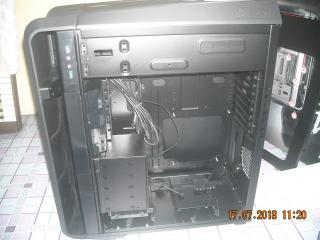
Okay by removing the side panel we can see the interior of the case is all painted in black, the motherboard is mounted in a reverse way, there is CPU cooler supporter on the bottom hard drive cage, it shown improvement from the PS07 and TJ08-E features.
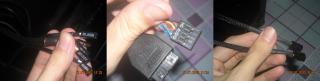
All the cables exclude the HD Audio and the USB 3.0 are sleeved, and silverstone doesn't provide USB 3.0 to USB 2.0 adapter cable, don't they know still there is people using LGA775 platform? Anybody got the adapter? I will buy it.

Open the other side panel, and I dropped it again. Tons of cable management features, and the space is quite enough to route the cable.
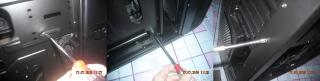
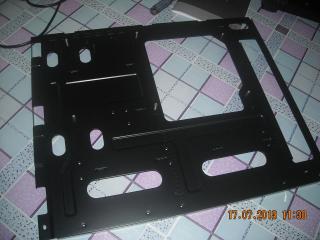
"This case does come with a REMOVABLE MOTHERBOARD TRAY, amazing~!" quote by Rodney Reynolds, for people that don't know this guy, browse youtube and search for 3dgameman. Okay to remove the motherboard tray you'll need to loosen three screws, and pull it horizontally, and it's done.

The top panel could only be removed once the two side panel is removed, there is kensington lock on the side panel, according to Silverstone, this is to prevent theft.
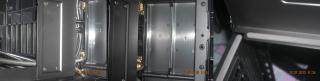
Under the top panel there is mounting space for the PSU and 5.25 expansion bay, in the middle there is a plate with four screws on it, still haven't figure out the feature of it.
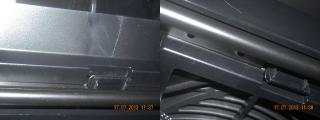
I was told the graphic card supporter could be removed, but don't see any removing method, it joint with the case without a gap, I started to think it's not removable.
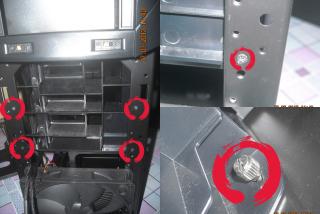
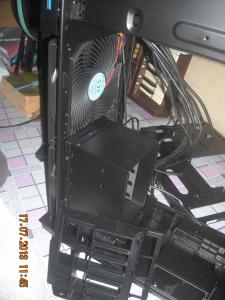
Finally, I found the way, first you'll need to remove the front dust cover and the AP181 fan(upper one), then you'll see six screws(there is another two on the upper side which is not shown in the photo), loosen it, then remove the thumb screw on the hard drive cage, done.
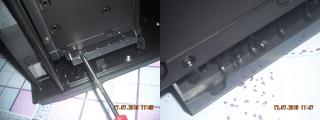
To remove the hard drive cage is easier, only two screw, note that there is space under it to keep the screws that you removed, no more frustration to find the missing screws.
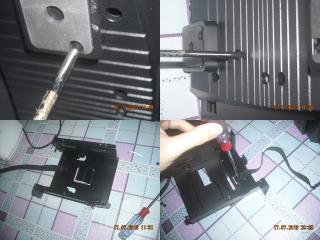
The other two hard drive cages need to be unscrewed at the bottom of the case, note there is hidden screw inside the rubber feet. That strap on the hard drive cage is for hot swap purpose, if you don't need it, it could be removed by loosen the screw.
If you're looking for case with less fans, and you use heavy tower cooler and graphic card, and you don't want it to bend your motherboard, this might be the product that you need, I understand that the Raven fans are disappointed with it, but for the features that it had, this is still a kickass product.
That's all for the unboxing, until next time, take care.
p/s: It might take time for me to write the reviewing and testing thread, I'm bad in english.
This post has been edited by KEIofD: Jul 27 2013, 02:12 PM
 Quote
Quote


 0.0157sec
 0.91
0.91
 6 queries
 GZIP Disabled