I bought a Q10 Pro together with the Mele F10 Deluxe from nicety.
Had problem putting my 4TB HDD to work, but nicety is very supportive to assist. Highly recommended seller. He will promptly reply to your inquiries.

I followed all the instruction to initialize and format the HDD using USB connection, but this doesn't work for my case.
In the end, I used a direct sata connection to a desktop PC.
What I did:
1. Connect the HDD to direct sata connection in a desktop PC, turn on PC. Was surprised to see the HDD had 3 partitions. AFAIK last formatting on laptop via USB was 1 big partition.
2. Clean the disk using diskpart in windows.
3. Re-initialize the HDD using the disk management in windows to GPT.
4. Format the HDD to NTFS, one partition. I check again with diskpart, there are 1 big partiton and 1 small reserve partition, I didn't bother to merge them.
5. Turn off PC, detach sata connection, and transfer HDD into Q10pro.
6. Turn on Q10pro, and boom! The HDD is seen in media center!
For those who might have problem with HDD, formatting it using direct sata connection might help.
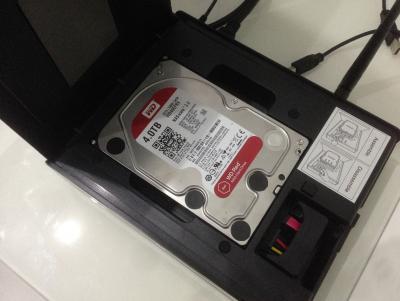
The said HDD in Q10 Pro
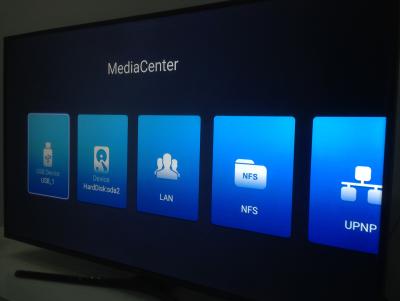
The HDD in media center, SDA. USB is my 3TB GoFlex.


 Aug 2 2017, 09:10 PM


 Quote
Quote





 0.0282sec
 0.47
0.47
 6 queries
 GZIP Disabled