QUOTE(kam_4160 @ Jun 22 2013, 10:14 PM)
correct, a system reserve partition need to be created when install win7, its contain boot files inside. since bios din't support boot from msata, that partition need to be created from disk 1 (HDD).
i'm prefer to reformat the OS, coz it's easier and clean. whole installation take 5-8 mins only.
There are a lot of utilities for clone os, like ghost, xxclone, Partition Assistant, etc
Boot Configuration Data Editor (BCDEdit) is the utility to use when editing boot loader information in Windows 7 (and in Vista too).
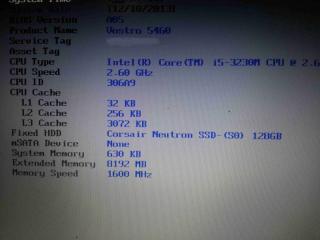
you can choose either run msata as normal ssd or cache, once u choose to run it as cache, u can't see it in my computer and save anything inside.
cache will help on certain situation only, won't be much different with only HDD.
But run as OS partition will increase a lot on boot time and software response time.
32gb also manage to install win7 which take around 15gb only, but few space will left after install software.
thanks for the info.
btw, i bought the wrong harddisk size today

, might as well go back change to ssd tomorrow, luckily i didn't open the package yet, dont know they allow me to change or not
i never know this model run on 7mm hdd

bought a 9mm standard 2.5"

. anyone know will it fit?
ps: i have previously tried to upgrade ram 4g and msata, but all bought it wrongly didnt know it only has 1 ram slot, and 1/2 cut msata,
instead upgrade all to my asus g55 now..


 Jun 16 2013, 11:14 PM


 Quote
Quote


 my hdd gt bad sectors, gotta claim warranty with dell next week



 0.0389sec
 0.18
0.18
 7 queries
 GZIP Disabled