hi, just switch to server: Telekom Malaysia for best results. The reason is because Unifi is a west Malaysia ISP. Their main server are mainly based on KL/PJ/Cyberjaya.
So we cannot choose the local Sabah/Sarawak server to do speedtest because the speed you may get lower in results. You already wasted 26~30ms ping to receive/send data between Sabah/Sarawak to West Malaysia. So if you do speedtest lets say you pick this server "i-Skill Dynamic". You will get higher ping like around 50~60ms. It is because you need to send data back to West Malaysia then send again to Sabah. After the server receive your request, then TM have to receive data from i-Skill Dynamic Sabah back to west Malaysia, then only going back to your modem again from West Malaysia to here in Sabah/Sarawak.
That's why the ping of Unifi in west Malaysia always less than 10ms, Sabah/Sarawak users always get between 25~30ms ping.
There have "Change Server" option under the GO button. Just type "Telekom Malaysia Berhad", you will see two selections. Pick anyone then start your speedtest again.
Sometimes 350mbps, sometimes 400mbps, sometimes more than 450mbps. Depends on the range from your router.
I'm using iPhone 7 Plus too.
best result on wifi but not always can get that much speed.
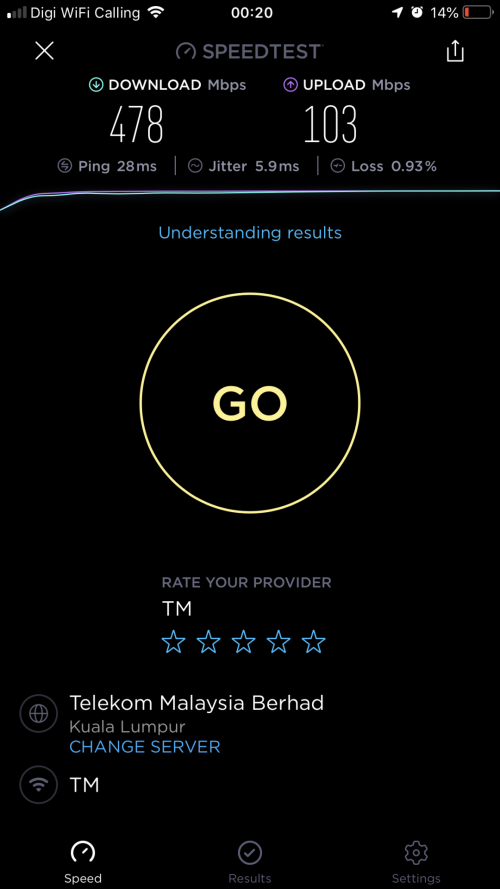
I did not set wifi to 80mhz, just leave everything in auto and enabled dual-band smart connect

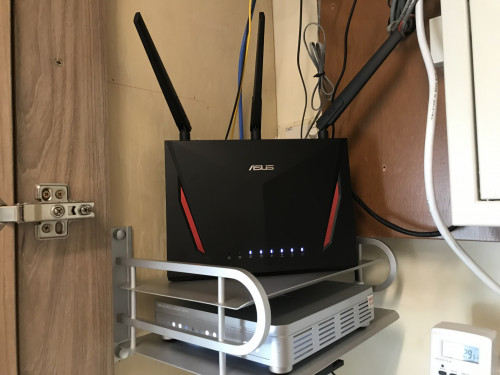
Also switch off everything unnecessary to get maximum speed. Disable AiProtection, disable traffic analyzer, Disable adaptive QoS, Disable Game boost, disable aidisk, disable aicloud, disable VPN server,
Disable Internet Security Software on your PC if you test on Windows.


 Aug 23 2018, 02:12 PM


 Quote
Quote




 0.0248sec
 0.73
0.73
 7 queries
 GZIP Disabled