

 Aug 4 2015, 03:27 PM


Hi Asus Support Team,
I've been using Asus RT-N14UHP Router for 1year++.
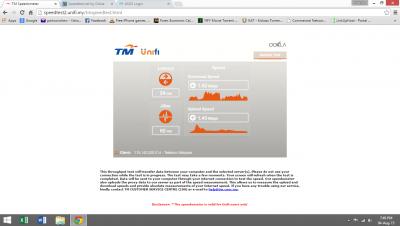
Due to bandwidth performance reduced from my original subscription package of 10Mbps to around 1-2Mbps for the past 2days (tested by http://www.speedtest.net/ and http://speedtest2.unifi.my/), I've called TM customer service to lodge a complaint. However, after resetting at their side and further testing, I've been told that my line is not having any problem.
To verify whether is the under performance caused by the Asus Router, hence I'm reconnecting the original TM router for testing. The result, it's back to expected bandwidth around 10Mbps. Therefore, I can conclude that the problem arise from the Asus router.
So, the next step is I'm resetting the router to factory default by pushing the dedicated button on the router & setup as new by using the Setup Wizard. However, I've been stuck at the process of "Detecting Internet Connection Type"...... it's processing for several minutes and terminated with result "detecting the Internet connection type time out". Upgrading firmware and retried for several times but no luck.
I've read through previous users similar experiences of "detecting the Internet connection type time out" and have done the followings before writing to you for help :-
1). upgraded the latest version of firmware by LAN cable "FW_RT_N14UHP_30043786117",
2). factory reset by pressing the dedicated button on the router >8 seconds (until it light blinks),
3). making sure my unifi login username & password is key-in correctly (verifying by using TM original router which can login successfully & called TM Customer Service to re-verify the details),
4). that the type of connection selection is PPPoE in the Setup Wizard,
However, I'm dissapointted to say that all the attempts has failed.
Kindly study and advise in return of the possible solution.
Thanks and best regards.
Home Networking ASUS Malaysia Networking User & Technical Support, Managed by ASUS Malaysia Representative
 Quote
Quote




 0.2739sec
 0.59
0.59
 7 queries
 GZIP Disabled