

If I want to change my wifi Network name and password...change at the Network Map >> Wireless name (SSID) and >>> WPA-PSK Key??

Attached thumbnail(s)

Home Networking ASUS Malaysia Networking User & Technical Support, Managed by ASUS Malaysia Representative
|
|
 Jun 8 2017, 07:33 AM Jun 8 2017, 07:33 AM
Return to original view | Post
#1
|
 
Junior Member
54 posts Joined: Dec 2014  
|
Dear AsusMY
If I want to change my wifi Network name and password...change at the Network Map >> Wireless name (SSID) and >>> WPA-PSK Key?? Attached thumbnail(s)
|
|
|
|
|
|
Dec 15 2019, 01:44 PM
Return to original view | IPv6 | Post
#2
|
|
Junior Member
54 posts Joined: Dec 2014
|
 This post has been edited by myron649: Dec 16 2019, 08:13 AM |
|
|
Nov 23 2020, 03:00 PM
Return to original view | Post
#3
|
|
Junior Member
54 posts Joined: Dec 2014
|
@ASUSmy
I having this AC59U bought a year ago at least...is this old model able to upgrade as Aimesh router or work at node? My router is on upstairs, n the signal at downstair quite weak. Thinking to get AC59U version 2 to put at downstair work at mesh system... please avise. Thanks |
|
|
Mar 26 2022, 10:17 AM
Return to original view | Post
#4
|
|
Junior Member
54 posts Joined: Dec 2014
|
Dear LYN sifu.... i had problem access to router admin page when click 192.168.1.1 ... had tried restart pc n router n modem, but still failed. Please advise....
i had no problem few year ago when i setup my asus router....but not sure y not allow me to the admin page... my pc confirmed connected to route with LAN cable.. my router 59U version 1 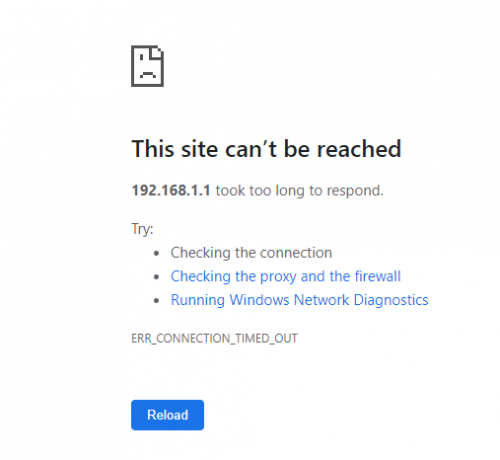 This post has been edited by myron649: Mar 26 2022, 10:18 AM |
|
|
Apr 3 2022, 03:24 PM
Return to original view | Post
#5
|
|
Junior Member
54 posts Joined: Dec 2014
|
QUOTE(ASUSmy @ Mar 28 2022, 03:53 PM) Hi mostwanted82, @ASUSmyCan you share me the full log and send a feedback at the router GUI page at Administration->Feedback if the reboot happen again. PM me the full log and the email address used on the feedback. Thank you  please advise ... i using my desktop LAN cable port 1 connected to router, but i cant acess my router admin page However i using my laptop wifi connected no problem to go admin page. Whats wrong with my desktop connection? This post has been edited by myron649: Apr 3 2022, 03:25 PM |
|
|
Apr 4 2022, 01:41 PM
Return to original view | Post
#6
|
|
Junior Member
54 posts Joined: Dec 2014
|
QUOTE(ASUSmy @ Apr 4 2022, 10:25 AM) Hi myron649, thank you...i overlooked on your previous respond... You can check my reply below regarding your problem. https://forum.lowyat.net/index.php?showtopi...ost&p=103985634 You can try other LAN port on the router, update the router firmware to the latest through WiFi, update your PC LAN port driver and use other PC or laptop to test log in using LAN cable. Thank you  |
|
|
|
|
|
Apr 6 2022, 09:06 PM
Return to original view | Post
#7
|
|
Junior Member
54 posts Joined: Dec 2014
|
QUOTE(ASUSmy @ Apr 4 2022, 10:25 AM) Hi myron649, Hi ASUSmyYou can check my reply below regarding your problem. https://forum.lowyat.net/index.php?showtopi...ost&p=103985634 You can try other LAN port on the router, update the router firmware to the latest through WiFi, update your PC LAN port driver and use other PC or laptop to test log in using LAN cable. Thank you I had replaced my router to AX55.... router installed at upstair, i checked the speed at downstair living hall, which is the farest distance from router, only approx.70Mbps.... my package unifi 500Mbps....previously using AC59U also around 50+ Mbps... it doesnt improve alot to my opinion after replacing with AX55. So if i wanna add on another Aimesh node at my living hall, will the connection with the main router on upstair (which is quite weak) affect the node speed? This post has been edited by myron649: Apr 6 2022, 09:07 PM |
|
|
Apr 7 2022, 02:50 PM
Return to original view | Post
#8
|
|
Junior Member
54 posts Joined: Dec 2014
|
QUOTE(ASUSmy @ Apr 7 2022, 11:03 AM) Hi myron649, the place i want to install node around 70+Mbps currently, if divide half become 35+Mbps, which is worst == actually the distance between the main router n potential place for node only 5-6m diagonally, but in between got wall blockage...Based on the speedtest result you are getting, it seen like most of the speed is reduced due to the distance and the blockage. There is something you can test. If your phone has WiFi 6, just think of the phone as the RT-AX55(node) that you going to add. Take the phone and stand at the place you plan to put the node and do the speedtest, that will be the speed the node are getting but maybe slightly better result. And due to the RT-AX55 don't have dedicated WiFi backhaul then you will need to divide the speedtest you are getting by half at the node to roughly understand the speed you will be getting when you connect to the node. Thank you the room direct underneath the router at downstair speed test result over 200Mbps which is quite good. if that is the case, i got to put the node downstair somewhere with stronger speed result, n give my living hall better coverage.... |
|
|
Apr 8 2022, 03:54 PM
Return to original view | Post
#9
|
|
Junior Member
54 posts Joined: Dec 2014
|
QUOTE(sHawTY @ Apr 8 2022, 10:58 AM) Or use Ethernet backhaul for the mesh system i will put this into consideration if got the chance to move new house...In other words, you have to connect both routers using Ethernet cable then your speed will remain 500Mb/s on both routers currently unable to run the cable from top to downstair ... i am hesitate to buy high router coz not sure if the high end router like AX86 the coverage will be so good enough... or using Aimesh.... sad to say i overlooked this gap which aimesh node also need to place at a suitable avg speed in order to perform better... |
|
|
Apr 8 2022, 04:53 PM
Return to original view | Post
#10
|
|
Junior Member
54 posts Joined: Dec 2014
|
QUOTE(Oltromen Ripot @ Apr 8 2022, 04:32 PM) your problem is not only due to blocking material (concrete, glass, ...) but also without dedicated backhaul. ya..not aware of this also ...every wireless node you add will halve the potential bandwidth |
|
|
Apr 8 2022, 04:54 PM
Return to original view | Post
#11
|
|
Junior Member
54 posts Joined: Dec 2014
|
QUOTE(sHawTY @ Apr 8 2022, 04:49 PM) Even replacing your current router with AX86U is not gonna solve your problem thats really pricey .... Mesh works best with a dedicated backhaul. Either a secondary 5GHz/6GHz signal or using Ethernet cable as its backhaul Unfortunately, tri-band routers ain't cheap. And if you want to use mesh, all the routers you're using have to be tri-band as well The cheapest is ASUS RT-AX92U which is RM899 for 1 unit or RM1488 for 2 units This is not an issue with ASUS, all other brands have the same issue. All of them requires a dedicated backhaul for the mesh system to work perfectly  |
|
|
Apr 10 2022, 12:03 PM
Return to original view | Post
#12
|
|
Junior Member
54 posts Joined: Dec 2014
|
QUOTE(sHawTY @ Apr 8 2022, 05:03 PM) Hence why I suggested for you to use Ethernet backhaul. Just measure the length from 1 router to the other, buy the Ethernet cable, then use some cable raceway so you can trace & hide the cable properly on the wall without hacking anything That's will b the last option to do so....  |
|
|
Apr 10 2022, 12:06 PM
Return to original view | Post
#13
|
|
Junior Member
54 posts Joined: Dec 2014
|
QUOTE(Oltromen Ripot @ Apr 8 2022, 05:42 PM) are you on Unifi? You can leverage on easy installment to get tri-band mesh. Can share how to configure this? Seems complex to meI use my RT-AX86U only for dialling, routing, and failover to standby B618. The wireless AP function; i fully dedicate off to tri-band TP-Link M9 Plus. 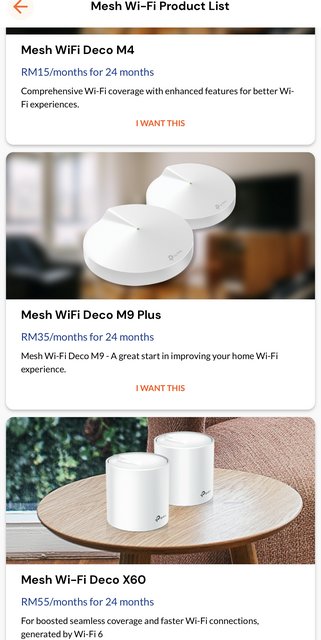 |
| Change to: |  0.0500sec 0.0500sec
 0.88 0.88
 7 queries 7 queries
 GZIP Disabled GZIP Disabled
Time is now: 12th December 2025 - 04:53 PM |
 Quote
Quote